Freedom251 › Clipboard Manager Software
Ditto
What Ditto is
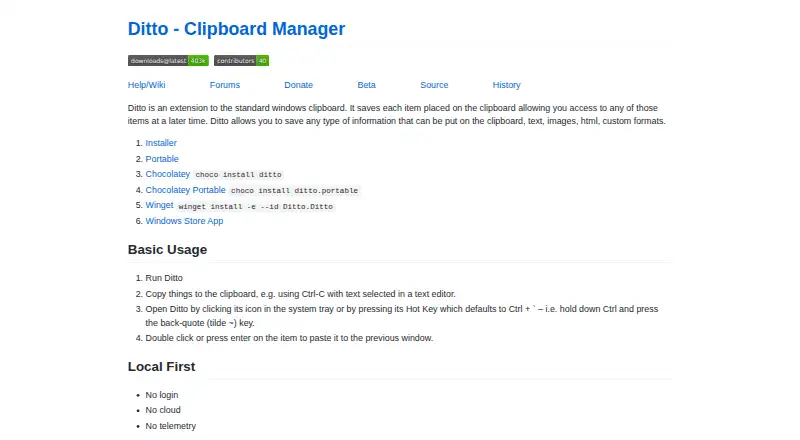
Ditto is a free clipboard history utility for Windows. It saves copied items in a SQLite database so you can search for and paste them later. The saved formats include text, images, HTML, and custom clipboard formats, and copied images can appear as thumbnails in the entry list. Ditto can synchronize clipboards across multiple computers; data sent over the network is encrypted. Open it from the system tray or use the global hot key, which defaults to Ctrl + back-quote. The project lists full Unicode support and UTF-8 support for language files. The maker describes Ditto as requiring no login and using no cloud or telemetry. It offers clipboard history search, cross-device sync, snippets, and rich text support. Ditto is licensed under GNU General Public License version 3.0 (GPLv3), and its stated audience includes developers and desktop end users. Windows download options include an installer, a portable version, Chocolatey, Winget, and the Windows Store app. The latest SourceForge file listed is DittoSetup_64bit_3_24_246_0.exe, sized 5.5 MB.
Who it suits
Ditto suits Windows users who want to retrieve, search, and paste previous clipboard items. Developers and desktop end users are among its stated audiences, and its cross-computer clipboard sync may suit people using multiple computers.
What it does well
- Saves text, images, HTML, and custom clipboard formats.
- Searches and pastes clipboard history.
- Synchronizes clipboards across multiple computers.
- Encrypts data sent over the network.
- Requires no login, cloud, or telemetry, according to the maker.
- Available under GPLv3.
What to know first
- Windows is the only listed platform.
- No free trial is listed.
Plans
| Plan | Billed and limits | Price |
|---|---|---|
| Ditto | Clipboard history utility · GPLv3 | Free |
As ditto-cp.sourceforge.io lists them, read 4 Oct 2026. The maker's own page has the final word.
Getting started
- Visit the Ditto project website.
- Choose a Windows download route: installer, portable version, Chocolatey, Winget, or Windows Store app.
- Open Ditto from the system tray or use its global hot key, Ctrl + back-quote by default.
Verdict
Choose Ditto if you want a free Windows utility for searching and reusing clipboard history, with support for multiple content types and computer sync. It is suited to developers and desktop users; the listed platform is Windows.
Questions
How much does Ditto cost?
Ditto is free. Its listed plan is free.
Is there a free plan or trial?
A free plan is available, and no free trial is listed.
Which platforms does Ditto support?
Ditto is listed for Windows.
Is Ditto open source?
Ditto is licensed under GNU General Public License version 3.0 (GPLv3).
Does Ditto sync clipboard history between computers?
Yes. It can keep multiple computers’ clipboards in sync, and data sent over the network is encrypted.
Who makes Ditto?
The project describes its intended audience as developers and desktop end users.
Facts from Ditto's own pages
- Access
- Ditto can be opened from the system tray or with a global hot key, which defaults to Ctrl + back-quote. · github.com, 4 Oct 2026
- Clipboard sync
- The feature list says Ditto can keep multiple computers’ clipboards in sync. · sourceforge.net, 4 Oct 2026
- Download options
- The maker lists installer, portable, Chocolatey, Winget, and Windows Store App options. · github.com, 4 Oct 2026
- Image previews
- The project page lists thumbnails of copied images in the entry list. · sourceforge.net, 4 Oct 2026
- Latest SourceForge file
- The SourceForge files page lists DittoSetup_64bit_3_24_246_0.exe as the latest version, sized 5.5 MB. · sourceforge.net, 4 Oct 2026
- License
- The SourceForge project page lists GNU General Public License version 3.0 (GPLv3). · sourceforge.net, 4 Oct 2026
- Local-first
- The maker describes Ditto as requiring no login and using no cloud or telemetry. · github.com, 4 Oct 2026
- Network encryption
- The project page says data is encrypted when sent over the network. · sourceforge.net, 4 Oct 2026
- Search and paste
- The feature list says users can search and paste previous clipboard entries. · sourceforge.net, 4 Oct 2026
- Storage
- The project page says Ditto uses a SQLite database. · sourceforge.net, 4 Oct 2026
- Supported content
- It can save text, images, HTML, and custom clipboard formats. · ditto-cp.sourceforge.io, 4 Oct 2026
- Target users
- SourceForge lists the intended audience as developers and desktop end users. · sourceforge.net, 4 Oct 2026
- Unicode
- The project page lists full Unicode support and UTF-8 support for language files. · sourceforge.net, 4 Oct 2026
- What it does
- Ditto extends the Windows clipboard and saves copied items in a database for later access. · ditto-cp.sourceforge.io, 4 Oct 2026
Where Ditto stands on Freedom251
- Clipboard Manager Software#21 of 39
- Clipboard Managers#25 of 40