Maccy
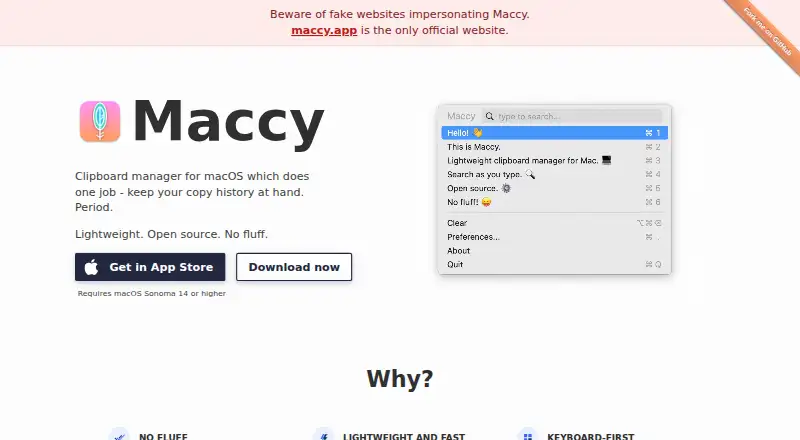
What Maccy is
Maccy is a macOS clipboard manager that keeps a searchable history of copied items for quick reuse. Users can open the history, type a search, and select an entry with Enter; keyboard shortcuts also cover opening, pasting, pinning, and deleting. The maker says searches open in a fraction of a second. Clipboard data is stored on the Mac and does not leave it. Maccy ignores certain confidential or temporary pasteboard types by default, including types associated with 1Password and KeeWeb. You can add custom exclusions or pause recording temporarily. The app has a native interface, configurable preferences, Shortcuts automation actions, and rich text support. Its source is available on GitHub under the MIT license, and the maker says it will always be free. Maccy requires macOS Sonoma 14 or higher. Direct download and Homebrew installation are available; the App Store option is $9.99, paid once.
Who it suits
It suits Mac users who frequently reuse copied text or rich content and prefer keyboard-driven clipboard history. It requires macOS Sonoma 14 or higher.
What it does well
- Searchable clipboard history
- Keyboard-first controls
- Clipboard data stays on Mac
- Custom exclusions and pause recording
- Shortcuts automation support
What to know first
- Requires macOS Sonoma 14 or higher
- App Store option costs $9.99, paid once
- macOS only
Limits
Maccy requires macOS Sonoma 14 or higher and has no listed support for other platforms. The App Store distribution costs $9.99 USD once, while the direct download is free.
Plans
| Plan | Billed and limits | Price |
|---|---|---|
| Maccy (direct download) | macOS Sonoma 14 or higher · MIT licensed | Free |
| Maccy (App Store) | Only for Mac | $9.99, paid once |
As maccy.app lists them, read 11 Oct 2026. The maker's own page has the final word.
Getting started
- Download Maccy from its releases page
- Install it with Homebrew using brew install maccy
- Use a Mac running macOS Sonoma 14 or higher
- Open the clipboard history and search by typing
- Configure exclusions and preferences
- Add Maccy actions to Shortcuts if you want automation
Verdict
Maccy focuses on searchable clipboard history with local storage and keyboard controls. Its direct version is free, while the App Store listing is a separate one-time purchase.
Questions
Is Maccy free?
The direct download is free, and the maker says Maccy will always be free. The App Store option is listed at $9.99 USD once.
Which platforms does Maccy support?
Maccy supports macOS and requires macOS Sonoma 14 or higher.
Where is clipboard data stored?
Clipboard data is stored on the user’s computer and never leaves the Mac, according to the maker.
Can Maccy ignore sensitive copied items?
Yes. It ignores certain confidential or temporary pasteboard types by default, including types associated with 1Password and KeeWeb. Custom exclusions and temporary recording pauses are also available.
Is Maccy open source?
Yes. Its source code is available on GitHub under the MIT license.
Facts from Maccy's own pages
- Custom exclusions
- Users can add custom pasteboard types to ignore and can temporarily disable recording of copied items. · github.com, 11 Oct 2026
- Customization and automation
- The App Store listing says Maccy is configurable in preferences and supports automation through Shortcuts actions. · apps.apple.com, 11 Oct 2026
- Fast search
- The maker says users can open and search their clipboard history in a fraction of a second. · maccy.app, 11 Oct 2026
- Focused purpose
- The maker describes Maccy as a clipboard manager that keeps copy history at hand and avoids unnecessary features. · maccy.app, 11 Oct 2026
- Install options
- The README says users can install Maccy from its releases page or with Homebrew using `brew install maccy`. · github.com, 11 Oct 2026
- Keyboard-first
- Users can search by typing and select an item with Enter, and the README documents keyboard shortcuts for opening, pasting, pinning, and deleting items. · github.com, 11 Oct 2026
- Local storage
- The maker says clipboard data is stored on the user's computer and never leaves the Mac. · apps.apple.com, 11 Oct 2026
- Maker
- The official site credits Alex Rodionov; the App Store listing names developer Antonina Ivanova. · maccy.app, 11 Oct 2026
- Native and lightweight
- The maker describes Maccy as a lightweight app with a native macOS interface. · maccy.app, 11 Oct 2026
- Open source and license
- The source code is available on GitHub under the MIT license, and the maker says the application will always be free. · maccy.app, 11 Oct 2026
- Sensitive copy handling
- Maccy ignores certain confidential or temporary pasteboard types by default, including types associated with 1Password and KeeWeb. · github.com, 11 Oct 2026
- Support and documentation
- The official site links to the GitHub documentation and provides the maker's email address, [email protected]. · maccy.app, 11 Oct 2026
- System requirement
- Maccy requires macOS Sonoma 14 or higher. · maccy.app, 11 Oct 2026
- What it does
- Maccy keeps a history of copied items so users can quickly navigate, search, and reuse previous clipboard contents. · github.com, 11 Oct 2026
Where Maccy stands on Freedom251
- Menu Bar Apps#9 of 23
- Clipboard Manager Software#25 of 39
- Clipboard Managers#28 of 40