Freedom251 › Inspection Management Software

GoCanvas
What GoCanvas is
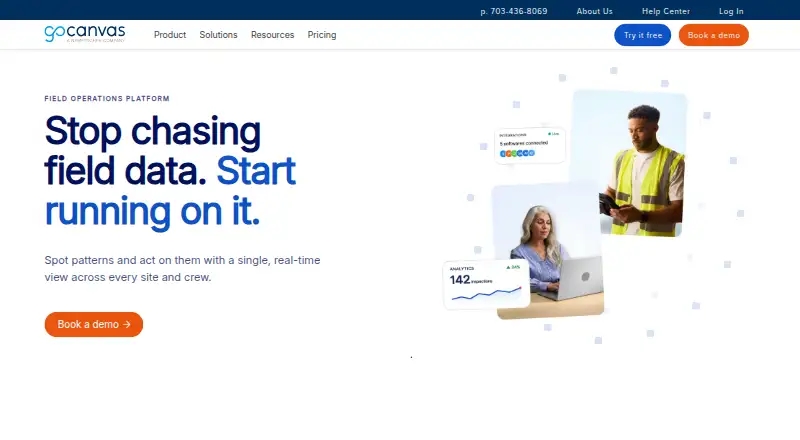
GoCanvas is a field operations platform for teams that need to collect and manage information from work in the field. Its drag-and-drop form builder, conditional logic, approval workflows, and low-code and no-code automation help teams shape how information is gathered and handled. Role-based access controls support different access within a team. Staff can enter data on Android and iOS devices online or offline, then create PDF reports and submissions. Custom dashboards display measures such as crew productivity, job costing, and performance trends.
GoCanvas connects with over 1,000 tools, including QuickBooks Online, NetSuite, Jira, Google Sheets, Dropbox, Google Drive, Salesforce, Autodesk, SharePoint, and SAP. Its API can support custom integrations, submission of data, retrieval of submissions, and user management. GoCanvas reports SOC 2 Type 2 compliance, encryption at rest, and TLS 1.2 or greater for communications. Customers can enable account-level HIPAA controls, including idle timeouts and limits on saving passwords to devices.
The platform is aimed at operations-heavy teams in construction, manufacturing, field services, and transportation. It is available on Android, iOS, web, and Windows, and through an API. Paid plans start at $29/user/mo (annual), with a three-user minimum and annual billing. A free trial begins after a setup call with a product specialist.
Who it suits
GoCanvas suits operations-heavy teams in construction, manufacturing, field services, and transportation that need mobile data capture, structured workflows, and reporting. It may also fit teams that want to connect field submissions with other business tools or use custom integrations.
What it does well
- Collect field data online or offline on mobile devices.
- Build forms with drag-and-drop tools and conditional logic.
- Track productivity, job costing, and trends in custom dashboards.
- Connect with over 1,000 tools and use an API.
- Enable account-level HIPAA controls.
What to know first
- Paid plans require at least three users.
- Plans are billed annually.
- The free trial requires a setup call.
Limits
The lowest listed plan, Essentials, requires a three-user minimum and annual billing. Paid plans start at $29/user/mo (annual).
Plans
| Plan | Billed and limits | Price |
|---|---|---|
| Essentials | Per user/month; 3 user minimum, billed annually. · Unlimited forms and submissions · configurable PDF reports · dispatch and scheduling · offline mobile access · email, chat, and phone support | $29 |
| Pro | Per user/month; 3 user minimum, billed annually. · Unlimited forms and submissions · includes Essentials · multi-user workflows · API access · multi-factor authentication · instructor-led onboarding | $39 |
| Max | Per user/month; 3 user minimum, billed annually. · Unlimited forms and submissions · includes Pro · single sign-on · web forms · SOC 2 annual report access · dedicated support and training · one custom form build | $49 |
As gocanvas.com lists them, read 8 Oct 2026. The maker's own page has the final word.
Getting started
- Visit the GoCanvas website.
- Arrange a setup call with a product specialist to activate the free trial.
- Choose Essentials, Pro, or Max; each has a three-user minimum and annual billing.
- Use the Android, iOS, web, or Windows platform, or the API.
Verdict
Choose GoCanvas if your team needs to collect field data, manage approvals, and turn submissions into reports and dashboard metrics. Its integrations and API may suit teams linking field work to other systems. Look elsewhere if you need a plan without a three-user minimum or annual billing.
Questions
How much does GoCanvas cost?
Paid plans start at $29/user/mo (annual). Essentials is $29 per user/month, Pro is $39, and Max is $49; each plan has a three-user minimum and annual billing.
Does GoCanvas have a free plan or trial?
There is no free plan. A free trial is available after a setup call with a product specialist.
Which platforms does GoCanvas support?
GoCanvas is available on Android, iOS, web, and Windows, and offers an API.
What is included in the plans?
All three plans include unlimited forms and submissions. Pro adds multi-user workflows, API access, multi-factor authentication, and instructor-led onboarding; Max includes Pro plus single sign-on, web forms, SOC 2 annual report access, dedicated support and training, and one custom form build.
What integrations does GoCanvas offer?
GoCanvas says it connects with over 1,000 tools, including QuickBooks Online, NetSuite, Jira, Google Sheets, Dropbox, Google Drive, Salesforce, Autodesk, SharePoint, and SAP. Its API supports custom integrations.
Facts from GoCanvas's own pages
- Analytics
- GoCanvas offers custom dashboards for tracking metrics such as crew productivity, job costing, and performance trends. · gocanvas.com, 8 Oct 2026
- API
- The GoCanvas API supports custom integrations, and the maker says it can be used to submit data, retrieve submissions, and manage users. · gocanvas.com, 8 Oct 2026
- Audience
- GoCanvas describes its product as built for operations-heavy teams in construction, manufacturing, field services, and transportation. · gocanvas.com, 8 Oct 2026
- Forms and workflows
- The platform includes a drag-and-drop form builder, low-code and no-code workflow automation, and role-based access controls. · gocanvas.com, 8 Oct 2026
- Founded
- 2008 · gocanvas.com, 28 Sept 2026
- Headquarters
- Reston, Virginia, USA · gocanvas.com, 28 Sept 2026
- Integrations
- GoCanvas says it connects with over 1,000 tools, including QuickBooks Online, NetSuite, Jira, Google Sheets, Dropbox, Google Drive, Salesforce, Autodesk, SharePoint, and SAP. · gocanvas.com, 8 Oct 2026
- Mobile capture
- Teams can collect field data on mobile devices online or offline and generate PDF reports and submissions. · gocanvas.com, 8 Oct 2026
- Notable limits
- The listed Essentials, Pro, and Max plans each have a three-user minimum and are billed annually. · gocanvas.com, 8 Oct 2026
- Platforms
- The download page lists mobile apps for Apple and Android and a desktop app for Windows; the pricing page also lists a Web Client. · gocanvas.com, 8 Oct 2026
- Purpose
- GoCanvas is a field operations platform for capturing, structuring, and acting on field data. · gocanvas.com, 8 Oct 2026
- Security
- GoCanvas reports SOC 2 Type 2 compliance and says customer data is encrypted at rest and communications use TLS 1.2 or greater. · help.gocanvas.com, 8 Oct 2026
- Security options
- GoCanvas says customers can enable HIPAA controls for an account, including idle timeouts and restrictions on saving passwords on devices. · help.gocanvas.com, 8 Oct 2026
- Support
- The Essentials tier lists email, chat, and phone support; Max adds dedicated support and training. · gocanvas.com, 8 Oct 2026
- Trial
- GoCanvas offers a free trial that is activated after a setup call with a product specialist; the page does not state its duration. · gocanvas.com, 8 Oct 2026
Where GoCanvas stands on Freedom251
- Inspection Management Software#10 of 30
- Inspection Software#10 of 25
- Checklist Software#13 of 29
- Mobile Forms Software#31 of 51
- Mobile Forms Automation Software#13 of 21
- Form Automation Software#19 of 26
- Form Builder Software#56 of 70
- Form builders#59 of 69
- Data Collection Software#27 of 31