Freedom251 › Game Asset Management Software
Git Large File Storage
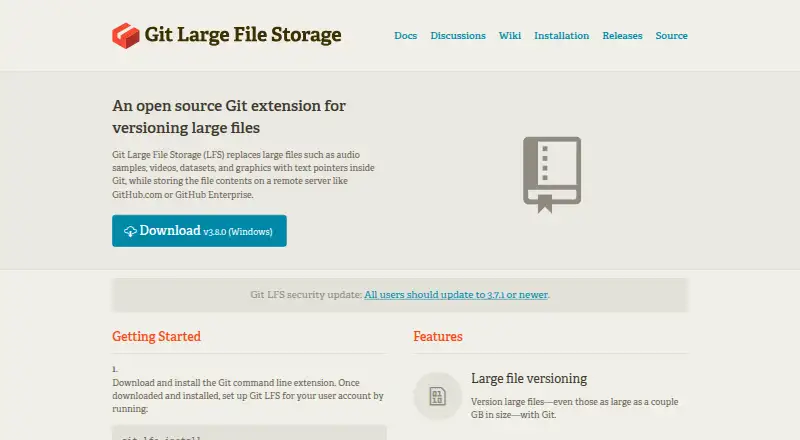
What Git Large File Storage is
Git Large File Storage (Git LFS) is a free Git extension that keeps large file contents on a remote server and represents them in Git with text pointers. The project names audio samples, videos, datasets, and graphics as examples, and says files as large as a couple of gigabytes can be versioned. Keeping contents outside the repository can help keep repository size manageable; downloading less data can also make cloning and fetching faster. Git LFS is intended to fit into a usual Git workflow without separate storage systems or toolsets. When used with a remote host such as GitHub, large files follow the repository's access controls and permissions. Listed integrations include GitHub, GitHub Enterprise, GitLab, Azure DevOps, Bitbucket Cloud, and Bitbucket Server. The project provides a reference server implementation, while precompiled client binaries are listed for macOS, Windows, Linux, and FreeBSD. One migration caveat is that tracking rules do not convert files already in history. Migrating history rewrites it and changes Git object IDs.
Who it suits
Git LFS suits developers working with large assets in Git repositories who want those contents stored remotely. It is available across macOS, Windows, Linux, and FreeBSD, and integrates with several Git hosting services.
What it does well
- Free, open-source Git extension.
- Supports files up to a couple of gigabytes.
- Can reduce data downloaded during cloning and fetching.
- Uses repository permissions with hosts such as GitHub.
- Precompiled binaries are listed for four platforms.
What to know first
- File contents require a remote server.
- Tracking rules do not convert files already in history.
- History migration changes Git object IDs.
Limits
The free client stores file contents on a remote server. Applying tracking rules does not retroactively convert existing files; migrating history rewrites it and changes Git object IDs.
Plans
| Plan | Billed and limits | Price |
|---|---|---|
| Git LFS client | Open-source Git extension; stores file contents on a remote server | Free |
As git-lfs.com lists them, read 30 Sept 2026. The maker's own page has the final word.
Getting started
- Visit the Git LFS website.
- Install a precompiled client binary for macOS, Windows, Linux, or FreeBSD.
- Choose a remote server, such as GitHub.com or GitHub Enterprise, to store file contents.
- Use git lfs track to select file types for tracking.
Verdict
Git LFS keeps large contents outside Git repositories while retaining text pointers in version control. Plan ahead for migration, since converting existing history rewrites it and changes object IDs.
Questions
Is Git LFS free?
Yes. The Git LFS client is listed as free and is open source.
Which platforms have precompiled client binaries?
The project lists macOS, Windows, Linux, and FreeBSD binaries.
Where are Git LFS file contents stored?
They are stored on a remote server such as GitHub.com or GitHub Enterprise. The project also provides a reference server implementation.
Which hosting services support Git LFS?
Listed services include GitHub, GitHub Enterprise, GitLab, Azure DevOps, Bitbucket Cloud, and Bitbucket Server.
Does Git LFS convert files already in repository history?
No. Tracking rules do not retroactively convert existing files. Migrating history rewrites it and changes Git object IDs.
Facts from Git Large File Storage's own pages
- Access controls
- When used with a remote host such as GitHub, large files use the same access controls and permissions as the rest of the Git repository. · git-lfs.com, 30 Sept 2026
- File size
- The site says Git LFS can version files as large as a couple of gigabytes. · git-lfs.com, 30 Sept 2026
- File types
- The site names audio samples, videos, datasets, and graphics as examples of files managed by Git LFS. · git-lfs.com, 30 Sept 2026
- Hosting
- Git LFS stores file contents on a remote server such as GitHub.com or GitHub Enterprise; the project also provides a reference server implementation. · git-lfs.com, 30 Sept 2026
- Installation
- The project README lists precompiled client binaries for macOS, Windows, Linux, and FreeBSD. · github.com, 30 Sept 2026
- Integrations
- The project wiki lists Git LFS support for GitHub, GitHub Enterprise, GitLab, Azure DevOps, Bitbucket Cloud, and Bitbucket Server. · github.com, 30 Sept 2026
- Migration limit
- Selecting file types with git lfs track does not retroactively convert existing files; migrating history rewrites it and changes Git object IDs. · github.com, 30 Sept 2026
- Performance
- Git LFS downloads less data for repositories that deal with large files, enabling faster cloning and fetching. · git-lfs.com, 30 Sept 2026
- Purpose
- Git LFS replaces large files in Git with text pointers and stores their contents on a remote server. · git-lfs.com, 30 Sept 2026
- Repository size
- External file storage helps keep Git repositories at a manageable size. · git-lfs.com, 30 Sept 2026
- Security
- The project says releases are signed with an OpenPGP key of a core team member and provides signed hashes for verification. · github.com, 30 Sept 2026
- Security reporting
- The security policy directs client vulnerability reports to core team members by email and API service vulnerability reports to the relevant hosting company. · github.com, 30 Sept 2026
- Support
- The README points users to official documentation, a FAQ, GitHub discussions, and issues, where a core team member will respond to opened issues. · github.com, 30 Sept 2026
- Workflow
- The site says users can keep their usual Git workflow without additional commands, secondary storage systems, or toolsets. · git-lfs.com, 30 Sept 2026
Where Git Large File Storage stands on Freedom251
- Game Asset Management Software#4 of 15
- Game Version Control Software#13 of 28