Freedom251 › Game Version Control Software

Anchorpoint
by Anchorpoint
What Anchorpoint is
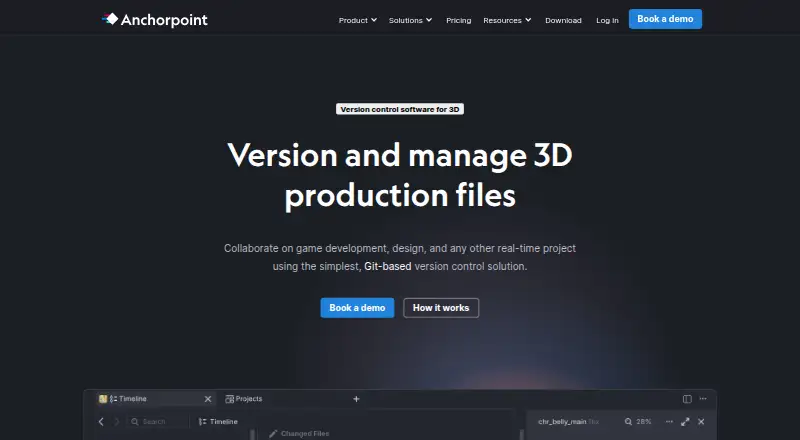
Anchorpoint combines version control and digital asset management for teams creating video, real-time 3D graphics, animation, or still images. Its Windows and macOS desktop app connects projects to Git and synchronizes metadata for file locks, assets, reviews, and notifications. Production files remain in a Git repository or shared storage such as Dropbox, Google Drive, or NAS; Anchorpoint’s cloud stores metadata rather than production files. Teams can lock files, review assets visually, manage approvals and statuses, and add annotations, including frame-accurate notes. Metadata is cached locally, so the product can be used offline while local version-control operations remain available. Integrations include Git servers, storage services, and creative tools such as Unreal, Unity, Godot, Blender, ZBrush, Photoshop, and Substance. A Python API and CLI support custom actions and integrations, and organizations can self-host the metadata server. Personal is free for non-commercial single users; Team is billed at €25 a month per user. The desktop app requires macOS 12 or newer on Mac.
Who it suits
Anchorpoint suits creative project teams that need Git-based version control and asset reviews, including teams working with game engines or digital content creation tools. Its documentation describes typical project teams of 5–50 people and notes that developers can use other Git clients while artists use Anchorpoint.
What it does well
- Works offline with locally cached metadata.
- File locking protects binary assets from overwrites.
- Supports visual reviews and frame-accurate annotations.
- Integrates with Git, storage services, and creative tools.
- Personal plan is free for non-commercial single users.
What to know first
- Desktop app runs only on Windows or macOS.
- macOS 12 or newer is required.
- Personal plan is limited to non-commercial single-user use.
- Team is billed at €25 a month per user.
Limits
Personal is free for one user and non-commercial use. Team is billed at €25 per user per month; the listed facts give no quotas or other limits for that plan.
Plans
| Plan | Billed and limits | Price |
|---|---|---|
| Personal | Non-commercial use · Single user · GitHub Git · Local Git · Full-featured file browser · Python API | Free |
| Team | €25 per user per month · Everything in Personal · Git with every provider · File locking · Selective checkout · Attributes | €25 a month |
| Education | Annual subscription · Up to 100 students and teachers | €1,999 a year |
| Team | €240 per user, per year · Everything in Personal · Git with every provider · File locking · Selective checkout · Attributes | €240 a year |
| Organization | Annual payment only · Everything in Team · Self-hosting option for metadata · SSO with self-hosting · Security assessments · Custom payment · Onboarding and consulting · Custom integrations | On request |
As anchorpoint.app lists them, read 28 Sept 2026. The maker's own page has the final word.
Getting started
- Visit https://www.anchorpoint.app/.
- Choose Personal, Team, Organization, or Education based on the listed plan details.
- Use the 14-day trial if you want to try the product before choosing a paid plan.
- Download the desktop application for Windows or macOS; macOS 12 or newer is required.
- Connect a Git repository or shared storage, then use Anchorpoint with your project files.
Verdict
Anchorpoint is aimed at creative teams that need Git workflows alongside asset review and file locking. Its desktop-only availability and the Personal plan’s single-user, non-commercial limit are important to check.
Questions
Is Anchorpoint free?
Yes. Personal costs nothing and is for one user and non-commercial use. A 14-day trial is also listed.
What does Team cost?
Team is billed at €25 per user per month. It adds Git with every provider, file locking, selective checkout, and attributes to the Personal features.
Which platforms does Anchorpoint support?
The desktop app runs on Windows and macOS. macOS 12 or newer is required.
Can an organization self-host Anchorpoint?
Yes. The Organization plan includes an option to self-host the metadata server, with SSO available for self-hosted use.
Where are project files stored?
Production files remain in a Git repository or shared storage such as Dropbox, Google Drive, or NAS. Anchorpoint’s cloud stores metadata rather than production files.
What integrations does Anchorpoint offer?
Listed integrations include Git servers, Dropbox, Google Drive, NAS, Unreal, Unity, Godot, Blender, ZBrush, Photoshop, and Substance.
Facts from Anchorpoint's own pages
- API and CLI
- Anchorpoint provides a Python API and CLI for custom UI actions, dialogs, game-engine or DCC integrations, metadata access and project-management integrations. · docs.anchorpoint.app, 28 Sept 2026
- Asset reviews
- Anchorpoint supports visual reviews and approvals, notifications, tags, statuses, rich annotations and frame-accurate annotations. · anchorpoint.app, 28 Sept 2026
- Audience
- Anchorpoint’s quick-start documentation describes typical project teams as 5–50 people and says developers can use other Git clients while artists use Anchorpoint. · docs.anchorpoint.app, 28 Sept 2026
- Authentication
- SSO and MFA are available only with a self-hosted metadata server, supporting OAuth2, OIDC, SAML and WS-FED. · anchorpoint.app, 28 Sept 2026
- Desktop limitation
- Anchorpoint is a desktop application that runs only on Windows or macOS, with downloads of approximately 350 MB and macOS 12 or newer required. · anchorpoint.app, 28 Sept 2026
- File locking
- Its file-locking system can lock 1,000 files in under a second and prevents other team members from overwriting binary assets. · anchorpoint.app, 28 Sept 2026
- Free plan
- Yes · anchorpoint.app, 22 Sept 2026
- Git-based workflow
- Anchorpoint integrates with Git, synchronizes metadata for file locks, assets, reviews and notifications, and is managed through a desktop application. · anchorpoint.app, 28 Sept 2026
- Headquarters
- Koblenz, Germany · anchorpoint.app, 23 Sept 2026
- Integrations
- The product lists Git servers, Dropbox, Google Drive, NAS, Unreal, Unity, Godot, Blender, ZBrush, Photoshop and Substance integrations. · anchorpoint.app, 28 Sept 2026
- Large repositories
- The homepage says Anchorpoint has no repository limits and supports TB-sized projects. · anchorpoint.app, 28 Sept 2026
- Offline use
- Anchorpoint can be used offline without limitations because metadata is cached locally and local version-control operations remain available. · anchorpoint.app, 28 Sept 2026
- Product scope
- Anchorpoint is a version-control and digital-asset-management solution for projects creating video, real-time 3D graphics, animation, or still images. · anchorpoint.app, 28 Sept 2026
- Security
- Anchorpoint’s security page states that its AWS Frankfurt infrastructure uses HTTPS with 256-bit SSL and encrypts S3 data at rest. · anchorpoint.app, 28 Sept 2026
- Self-hosting
- Organizations can self-host the metadata server in their own environment instead of using Anchorpoint’s cloud metadata service. · anchorpoint.app, 28 Sept 2026
- Storage model
- Production files remain in a Git repository or shared storage such as Dropbox, Google Drive or NAS, while Anchorpoint’s cloud stores metadata rather than production files. · anchorpoint.app, 28 Sept 2026
- Support
- Documentation, Discord and email support are included in every pricing plan, while video-call support is available for Organization customers. · anchorpoint.app, 28 Sept 2026
- Supported platforms
- Windows,macOS · anchorpoint.app, 22 Sept 2026
Where Anchorpoint stands on Freedom251
- Game Version Control Software#3 of 28
- Game Asset Management Software#2 of 15
- Git clients#12 of 24