GifCraft
What GifCraft is
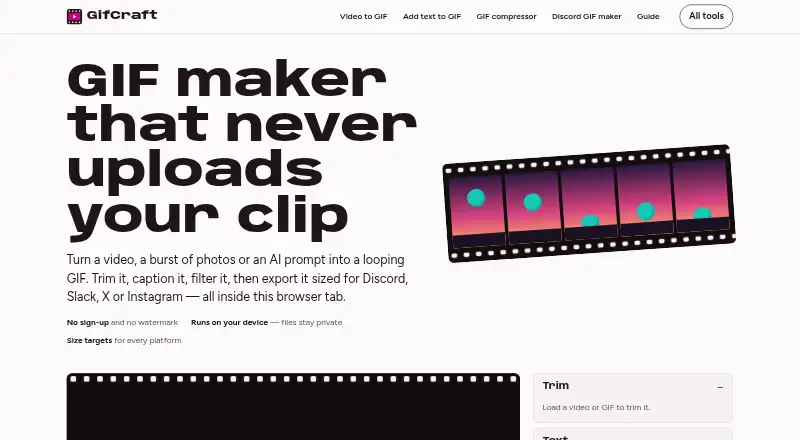
GifCraft is a browser-based tool for creating and editing looping GIFs from videos, image sequences, or AI-generated images. It does not create a GIF directly from a text prompt. Editing tools include trimming, captions, filters, resizing, cropping, rotation, speed changes, looping, and compression. It opens MP4, MOV, WebM, M4V, GIF, PNG, JPG, WebP, and AVIF files, and exports GIF, H.264 MP4, animated WebP, or PNG frames. GIF exports can contain up to 240 frames and use 2–256 colours, with optional dithering. Presets cover Discord emoji, Slack emoji, X, and Instagram MP4; MP4 exports are also described for TikTok and WhatsApp. GifCraft says editing and encoding happen in the browser and uploaded files are not sent to its servers. AI prompts are sent to the image model, and the generator allows a few images per hour. The tool works on web, Android, and iOS, though very long 4K clips may be slow on older phones. It is free, needs no account, adds no watermark, and has no export limit.
Who it suits
GifCraft suits people who want to make or edit looping GIFs from local video and image files in a browser. It also offers AI image generation as a starting point, with a few images per hour.
What it does well
- No account required
- No watermark or export limit
- Processes files in the browser
- Exports GIF, MP4, animated WebP, or PNG frames
What to know first
- Does not make GIFs directly from text prompts
- AI generator allows a few images per hour
- Very long 4K clips may be slow on older phones
Limits
The free plan has no export limit, but each GIF export can contain up to 240 frames and use 2–256 colours. The AI generator allows a few images per hour.
Plans
| Plan | Billed and limits | Price |
|---|---|---|
| Free | No account · no watermark · no export limit; AI generator allows a few images per hour | Free |
As gifcraft.io lists them, read 4 Oct 2026. The maker's own page has the final word.
Getting started
- Open https://gifcraft.io/ in a browser, or use it on Android or iOS.
- Choose a video or image file, or use the AI image generator with a text prompt.
- Edit the media with the available trimming, caption, filter, sizing, and other controls.
- Export as GIF, H.264 MP4, animated WebP, or PNG frames.
Overview
GifCraft is a browser editor for turning video clips and image sequences into looping GIFs, with AI-generated images as an optional starting point. It is best suited to people who want control over GIF size, timing, and output format without creating an account. The trade-off is that AI image generation is limited to a few images per visitor each hour.
Key features
GifCraft handles the practical edits needed to shape a loop: trimming, captions, filters, resizing, cropping, rotation, speed changes, looping, and compression. It accepts MP4, MOV, WebM, M4V, GIF, PNG, JPG, WebP, and AVIF files. Exports include GIF, H.264 MP4, animated WebP, and PNG frames, so it can serve workflows where a video or frame sequence is more useful than a GIF.
GIF exports can contain up to 240 frames, use 2–256 colours, and apply optional dithering. These controls help balance animation smoothness and file size, though the frame cap may constrain longer or more detailed clips. Destination presets cover Discord emoji at 256 KB, Slack emoji at 128 KB, X at 15 MB, and Instagram MP4. The site also describes MP4 exports for TikTok and WhatsApp, but does not name presets for those destinations.
GifCraft says files are opened, edited, and encoded in the browser rather than uploaded to its servers. That is useful for people who want their source media to stay local. AI generation is a separate path: text prompts go to Recraft through Vercel AI Gateway, while animation and later edits happen in the browser. GifCraft says it does not store prompts and that uploaded files are not sent elsewhere. Its privacy policy also allows collection of anonymous usage data, including page views, browser and device type, general location, and referral source.
The site says it works on iPhone and Android as well as the web. Very long 4K clips may be slow on older phones, so mobile is a better fit for short edits than demanding source footage. The terms provide the service as-is, disclaim warranties, and do not guarantee uninterrupted availability.
Pricing
The Free plan costs nothing. It requires no account, adds no watermark, and has no export limit; the AI generator allows only a few images per hour. That combination makes GifCraft a strong fit for occasional editing and repeated exports, but not for anyone relying on frequent AI image generation. There is no free trial or paid plan described.
Platforms
GifCraft runs on the web and supports Android and iOS. Browser-based editing avoids a required desktop installation, while older phones may struggle with very long 4K clips.
Who it's for
Choose GifCraft if you want to make or refine loops from existing video or images, need several export formats, or value local processing and watermark-free output. It is less suitable if you need prompt-to-GIF generation, templates, or high-volume AI image creation: it does not support prompt-to-GIF, has no GIF templates, and limits AI image generation by the hour.
Pros and cons
- Pros: Broad input and export format support makes it useful beyond GIF-only workflows.
- Pros: No account, no watermark, and no export limit keep routine editing accessible.
- Pros: Browser-side file processing and destination presets offer privacy and practical output controls.
- Cons: AI generation is capped at a few images per hour, limiting repeated prompt-based work.
- Cons: No prompt-to-GIF feature or templates means users must create loops from source media or generated images.
- Cons: Very long 4K clips can be slow on older phones, and uninterrupted access is not guaranteed.
Alternatives
Moxion is worth considering if you want a free daily AI generation allowance and broader platform coverage, but its free plan includes a watermark and a 480p preview. Imgflip GIF Maker is another option for users who can work within its free limits, including 160 video frames and a 24-second maximum video segment.
GIPHY Create is a free alternative for readers comparing browser and mobile GIF tools. Kapwing may suit people who want a broader web and desktop editing option, though its free plan has 10 credits, a four-minute export limit, and 720p output.
GifRun is an option for web-only conversions, with anonymous use capped at 10 seconds and 520px maximum resolution. Hagif may appeal to readers seeking local single-file tools without a required account or watermark; its paid Power Pass is a one-time 4.99 USD payment for 24-hour access.
Photo2GIF is aimed at AI vintage GIF creation, with one free AI GIF and a watermark on its free plan. Rewind.ai AI GIF Generator is an alternative for users comparing token-based AI generation, offering 5,000 tokens per day on its free plan.
For more options in the category, browse AI GIF Makers.
Verdict
GifCraft is a sound choice for people who want to edit existing clips or images into loops, export without a watermark, and keep source files in the browser. Its format range and editing controls are the strongest reasons to choose it. Look elsewhere if you need prompt-to-GIF creation, templates, or more than a few AI image generations per hour.
Verdict
GifCraft offers a range of editing controls and export formats without an account or watermark. Note that prompt-to-GIF is not supported and AI image generation is rate-limited.
Questions
How much does GifCraft cost?
Its Free plan costs nothing.
Do I need an account, and are exports watermarked?
The Free plan requires no account and adds no watermark.
Which platforms can I use it on?
GifCraft lists Android, iOS, and web. The site says very long 4K clips may be slow on older phones.
Can GifCraft make a GIF directly from a text prompt?
No. The AI generator creates an image from a text prompt; animation and later editing happen in the browser.
What happens to files and AI prompts?
The site says uploaded files are not sent to its servers and that it does not store AI prompts. Its privacy policy says it may collect anonymous usage data, including page views, device and browser type, general location, and referral source.
What are the service terms?
The terms provide the service as-is, disclaim warranties, and do not guarantee uninterrupted availability.
Facts from GifCraft's own pages
- AI generation
- AI image generation uses Recraft through Vercel AI Gateway; animation and subsequent editing happen in the browser. · gifcraft.io, 4 Oct 2026
- AI prompt handling
- The AI generator sends text prompts to the image model and says GifCraft does not store them; uploaded files are not sent anywhere. · gifcraft.io, 4 Oct 2026
- AI usage limit
- The AI generator allows each visitor to generate a few images per hour. · gifcraft.io, 4 Oct 2026
- Editing tools
- Its tools include trimming, captions, filters, resizing, cropping, rotation, speed changes, looping, and compression. · gifcraft.io, 4 Oct 2026
- Export formats
- It exports GIF, H.264 MP4, animated WebP, or PNG frames. · gifcraft.io, 4 Oct 2026
- Export limits
- Exports can contain up to 240 frames, with 2–256 colours and optional dithering. · gifcraft.io, 4 Oct 2026
- Free plan
- Yes · gifcraft.io, 22 Sept 2026
- Image to GIF
- Yes · gifcraft.io, 22 Sept 2026
- Input formats
- It opens MP4, MOV, WebM, M4V, GIF, PNG, JPG, WebP, and AVIF files. · gifcraft.io, 4 Oct 2026
- Integrations and destinations
- The site offers size presets for Discord, Slack, and X, and describes MP4 exports for Instagram, TikTok, and WhatsApp. · gifcraft.io, 4 Oct 2026
- Local processing
- The site says files are opened, edited, and encoded in the browser and are never uploaded to its servers. · gifcraft.io, 4 Oct 2026
- Mobile use
- The site says it works on iPhone and Android, while noting that very long 4K clips may be slow on older phones. · gifcraft.io, 4 Oct 2026
- Platform presets
- Presets include Discord emoji at 256 KB, Slack emoji at 128 KB, X at 15 MB, and Instagram MP4. · gifcraft.io, 4 Oct 2026
- Privacy data
- The privacy policy says it may collect anonymous usage data such as page views, browser and device type, general location, and referral source. · gifcraft.io, 4 Oct 2026
- Prompt to GIF
- No · gifcraft.io, 22 Sept 2026
- Support and guarantees
- The terms provide the service as-is, disclaim warranties, and say uninterrupted availability is not guaranteed. · gifcraft.io, 4 Oct 2026
- GIF templates
- No · gifcraft.io, 22 Sept 2026
- Video to GIF
- Yes · gifcraft.io, 22 Sept 2026
- Watermark-free export
- Yes · gifcraft.io, 22 Sept 2026
- What it does
- GifCraft creates and edits looping GIFs from videos, image sequences, or AI prompts in a browser. · gifcraft.io, 4 Oct 2026
Where GifCraft stands on Freedom251
- GIF makers#6 of 54
- AI GIF Makers#3 of 23