
Hagif
What Hagif is
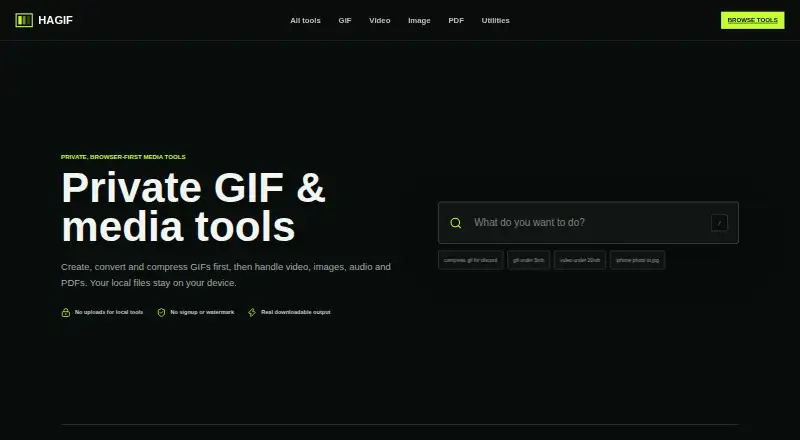
Hagif is a browser-first workshop for producing downloadable media, with workflows for GIFs, video, images, audio, PDFs, SVGs, and utilities. Featured tasks include video-to-GIF, GIF compression, image-to-GIF, and GIF-to-MP4; it also offers templates and prompt-to-GIF. Core conversion and editing run locally in the browser, and standard single-file processing is free, requires no account, and produces watermark-free downloads. Free batch GIF work is limited to one file at a time. The one-time 24-hour Power Pass costs 4.99 USD and adds batch processing, ZIP downloads, exact-target search, and additional quality candidates for up to 10 selected GIFs; it does not renew automatically. Hagif says source files stay in the browser unless the AI GIF feature is used. That feature sends the text prompt to Cloudflare Workers AI, then creates the animation in the browser. Large files may run out of memory, and codec support depends on browser, source format, and device. Chrome and Edge offer the broadest codec coverage. Its experimental Developer API preview lists GIF inspection, compression, resizing, and transparent-background operations; public signup is not open.
Who it suits
Hagif suits people who want browser-based media conversion and editing, especially for GIF workflows. Its free single-file tools suit users who do not need batch processing; the Power Pass is for those who want batch features and can use a 24-hour pass.
What it does well
- Core editing and conversion run locally in the browser.
- Free single-file tools need no account.
- Standard local exports have no watermark.
- Power Pass supports up to 10 selected GIFs.
- One-time Power Pass does not renew automatically.
What to know first
- Free batch GIF work is limited to one file at a time.
- The Power Pass lasts 24 hours.
- Large files can run out of browser memory.
- Codec support varies by browser, format, and device.
Limits
The free plan provides local single-file tools; batch GIF work is limited to one file at a time. The 4.99 USD Power Pass lasts 24 hours and supports batch processing of up to 10 selected GIFs.
Plans
| Plan | Billed and limits | Price |
|---|---|---|
| Hagif Power Pass | one-time payment; no auto-renewal · 24-hour access | $4.99 a month |
| Free | Single-file local processing · manual controls · clean downloads · no watermark · no account | Free |
| 24-hour Hagif Power Pass | $4.99 USD one-time · Batch GIF processing and ZIP download up to 10 files · exact-target search · additional quality candidates · 24 hours · no auto-renewal | $4.99, paid once |
As hagif.com lists them, read 22 Sept 2026. The maker's own page has the final word.
Getting started
- Visit https://hagif.com/.
- Choose a GIF, video, image, audio, PDF, SVG or utility workflow.
- Select a file and process it in the browser.
- Download the result.
- For batch GIF tools, purchase the one-time 24-hour Hagif Power Pass for 4.99 USD.
Verdict
Hagif offers local browser tools for a broad set of media tasks, with free single-file processing and a paid 24-hour batch option. Check device memory and browser-format compatibility for larger files, and note that AI GIF uses a different data path.
Questions
Does Hagif have a free plan?
Yes. Free local single-file tools include manual controls and clean downloads without a watermark or required account.
How much does the Power Pass cost?
The 24-hour Hagif Power Pass costs 4.99 USD as a one-time payment and does not renew automatically.
Which platforms does Hagif support?
Hagif is available on the web and offers an API preview. Public signup for the API preview is not open.
Do Hagif tools upload files?
Core local editing and conversion keep source files in the browser. The AI GIF feature sends the text prompt to Cloudflare Workers AI.
Can I use Hagif without an account?
Basic single-file tools do not require an account.
Who is the Developer API preview for?
It targets SaaS, CMS, ecommerce and community products, and lists GIF inspection, compression, resizing and transparent-background operations.
Facts from Hagif's own pages
- Account and payments
- Account data uses Cloudflare KV and D1, messages may use Resend, and Dodo Payments handles checkout and payment details. · hagif.com, 28 Sept 2026
- Additional Products
- The site lists Passport photo and a Developer API preview. · hagif.com, 27 Sept 2026
- AI GIF
- AI GIF sends the text prompt to Cloudflare Workers AI, then creates the animation in the browser. · hagif.com, 28 Sept 2026
- AI GIF Exception
- Files stay in the browser unless the AI GIF feature is used. · hagif.com, 27 Sept 2026
- API operations
- The preview lists GIF inspect, compress, resize and transparent-background operations. · hagif.com, 28 Sept 2026
- API preview
- The experimental API preview targets SaaS, CMS, ecommerce and community products, and public signup is not open. · hagif.com, 28 Sept 2026
- Billing Model
- The Power Pass is a one-time payment and does not renew automatically. · hagif.com, 27 Sept 2026
- Browser limits
- Large files can run out of memory because browser tools decode media into memory, and device and browser limits differ. · hagif.com, 28 Sept 2026
- Cloud retention
- Optional Pro cloud jobs store source and result temporarily in Cloudflare R2 for up to 24 hours. · hagif.com, 28 Sept 2026
- Company Positioning
- Hagif presents itself as fast media tools built for the open web. · hagif.com, 27 Sept 2026
- Compatibility
- Hagif says Chrome and Edge offer the broadest codec coverage, while Safari and Firefox support depends on the source format and device. · hagif.com, 28 Sept 2026
- Featured Tools
- Featured workflows include video to GIF, GIF compression, image to GIF and GIF to MP4. · hagif.com, 27 Sept 2026
- Free plan
- Yes · hagif.com, 22 Sept 2026
- Free Plan Limits
- Free processing is limited to one file at a time for batch GIF work. · hagif.com, 27 Sept 2026
- Free Single-File Tools
- Standard single-file local processing is free. · hagif.com, 27 Sept 2026
- GIF Length Limit
- The page search text references GIFs under 5 MB, not a duration limit. · hagif.com, 27 Sept 2026
- Image to GIF
- Yes · hagif.com, 22 Sept 2026
- Browser Processing
- Core GIF, video, image, audio and PDF tools process files in the browser. · hagif.com, 27 Sept 2026
- Local processing
- Core conversion and editing run on the user’s device in the browser. · hagif.com, 28 Sept 2026
- Media workflows
- It provides GIF, video, image, audio, PDF, SVG and utility workflows. · hagif.com, 28 Sept 2026
- No Account Required
- Basic single-file tools do not require an account. · hagif.com, 27 Sept 2026
- No upload default
- Core editing and conversion tools do not send source files to Hagif. · hagif.com, 28 Sept 2026
- No Local Uploads
- Local tools do not upload files to a server. · hagif.com, 27 Sept 2026
- Payment Provider
- The current one-time product price is read from Dodo Payments. · hagif.com, 27 Sept 2026
Where Hagif stands on Freedom251
- GIF makers#5 of 54
- AI GIF Makers#10 of 23