Gemini GIF
by Gemini GIF
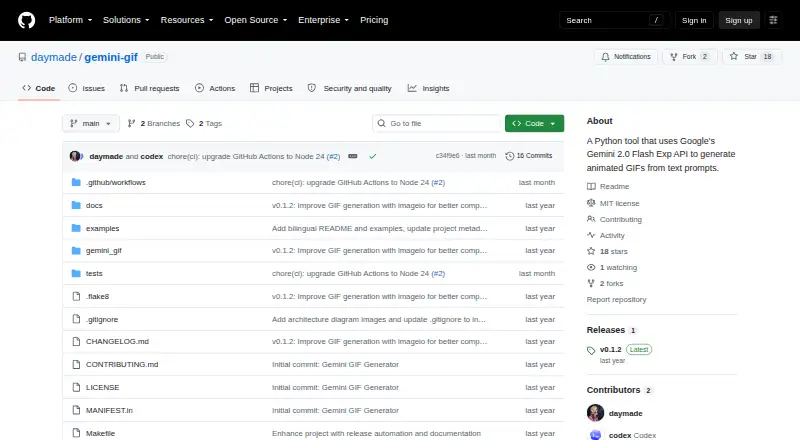
What Gemini GIF is
Gemini GIF is a Python tool for making animated GIFs from text prompts through Google’s Gemini API. The README names Gemini 2.0 Flash as its generation model and lists `models/gemini-2.0-flash-exp` as the default. You can adjust the animation’s subject, style, prompt template, and frame rate; automatic retries support generation of multiple frames. Its command-line interface provides progress bars and verbose logging, and lets you disable automatic GIF previews. You can save the result to a chosen output file, or use the default `animation_.gif`. A programmatic Python API lets other projects call the generator. GIF creation uses imageio. The tool is free and open source under the MIT License, and supports Linux, macOS, and Windows. It requires Python 3.10 or later and a Gemini API key, which you can supply through a `.env` file, an environment variable, or a command-line argument. For API problems, the README recommends checking the log, key validity, and access to Gemini 2.0 Flash.
Who it suits
It suits Python users who want to generate prompt-based GIFs from a command line or call the generator from another project. Users need Python 3.10 or later and a Gemini API key.
What it does well
- Customizes subject, style, prompt template, and frame rate
- Retries automatically to generate multiple frames
- Offers command-line and programmatic Python interfaces
- Runs on Linux, macOS, and Windows
- Free and MIT licensed
What to know first
- Requires Python 3.10 or later
- Requires a Google Gemini API key
Limits
The listed plan is free. Use requires Python 3.10 or later and a Google Gemini API key; the README identifies Gemini 2.0 Flash as the generation model and lists `models/gemini-2.0-flash-exp` as the default.
Plans
| Plan | Billed and limits | Price |
|---|---|---|
| Gemini GIF Generator | Requires Python 3.10+ and a Google Gemini API key · MIT licensed | Free |
As github.com lists them, read 9 Oct 2026. The maker's own page has the final word.
Getting started
- Open the Gemini GIF GitHub project.
- Use a Linux, macOS, or Windows environment with Python 3.10 or later.
- Obtain a Google Gemini API key.
- Provide the key in a `.env` file, an environment variable, or a command-line argument.
- Run the command-line tool and choose an output path, or use `animation_.gif` as the default.
Gemini GIF is a Python tool for turning text prompts into animated GIFs with Google’s Gemini API. It best suits developers and technically comfortable creators who want a scriptable generator rather than a browser editor. The main attraction is configurable, automatable output; the main constraint is the required Python 3.10+ environment and Gemini API key.
Overview
Gemini GIF combines a command-line workflow with a programmatic Python API. That makes it useful for a single generated animation as well as projects that need GIF creation inside a larger Python process. You can set the animation subject, visual style, prompt template, and frame rate, giving more control than a fixed prompt-only workflow.
The project uses Gemini 2.0 Flash, with models/gemini-2.0-flash-exp as its default model. It is open source under the MIT License, so developers can adapt or incorporate it in their own work. It is not a no-setup consumer editor: operation depends on Python 3.10 or later and a Google Gemini API key with access to the required model.
Key features
- Prompt-driven generation: Text prompts drive the animation, while subject, style, prompt template, and frame rate controls let creators tune the result for different visual goals.
- Automatic frame retries: Retry logic attempts to obtain multiple frames, which is valuable when a complete animation sequence matters instead of a single image.
- Command-line output: The CLI saves to a chosen output path and uses animation_.gif by default. Progress bars and verbose logging make longer generation jobs easier to follow, while an option to disable automatic GIF previews keeps terminal workflows unobtrusive.
- Python integration: The exposed API supports calling GIF generation from other Python projects, a stronger fit for repeatable or automated pipelines than a standalone desktop utility.
- Credential choices: A Gemini API key can be supplied through a .env file, an environment variable, or a command-line argument, allowing either persistent local configuration or per-run credentials.
- GIF compatibility: Imageio is used for generation to improve compatibility and reliability across output workflows.
Pricing
Gemini GIF Generator costs free. There is no paid tier or free trial, and the project is MIT licensed. The zero-price software does not remove the external requirement for a Google Gemini API key, so API access remains part of the setup. This plan fits developers who already have that access and are comfortable running Python; it is less suitable for readers seeking a managed service with bundled generation access.
Platforms
Gemini GIF supports Linux, macOS, and Windows. Across those systems, the practical requirement is a Python 3.10-or-later installation plus the Gemini API credential, rather than a separate native graphical application.
Who it's for
Choose Gemini GIF if you want prompt-based animated GIF creation that can be adjusted in code or controlled from a terminal. It is particularly appropriate for Python developers, automation projects, and creators who value an MIT-licensed component they can integrate. Look elsewhere if you need an account-free, browser-first editor or do not have Gemini API access and a suitable Python environment.
Pros and cons
Pros
- Free and MIT licensed, making experimentation and code integration accessible.
- Subject, style, prompt template, and frame-rate controls provide meaningful generation flexibility.
- Both CLI and Python API access support one-off jobs and reusable workflows.
- Retry handling, progress reporting, and verbose logs address practical multi-frame generation needs.
- Linux, macOS, and Windows support broadens desktop deployment.
Cons
- Python 3.10+ and a Gemini API key are mandatory prerequisites, adding setup that consumer tools avoid.
- The default dependence on Gemini 2.0 Flash means access to that model is necessary for the documented workflow.
- A command-line and API focus will not suit users looking for a visual timeline or conventional GIF-editing interface.
Alternatives
Browse AI GIF Makers for a wider selection of tools. Pick Moxion instead if you want Android, iOS, macOS, web, or Windows access, a free daily AI generation, gifted credits, and 480p previews, accepting a watermark on its free plan. Imgflip GIF Maker is the better fit for conventional media limits such as 160 video frames, 360x360 maximum video dimensions, and 24-second segments across mobile and desktop platforms.
Choose GifCraft for an account-free, no-watermark workflow with no export limit on Android, iOS, and web; its AI generator allows a few images per hour. GIPHY Create is a free option on Android, iOS, and web. Kapwing suits web and desktop users who want a broader editor, with a free tier limited to 10 credits, four-minute exports, and 720p. GifRun offers web creation with anonymous 10-second, 520px output or a free account with 20-second, 600px output and a watermark. Hagif is worth considering for API or web access, including local single-file tools without a required account or watermark on its free plan. Photo2GIF targets AI vintage and effect-based GIF creation on the web, with one free AI GIF and a watermark on its free tier.
Verdict
Gemini GIF is a strong choice for developers and technical creators who want free, MIT-licensed, prompt-based GIF generation that can be scripted through the CLI or Python API. Its configurable animation settings and retry-aware frame workflow are the reasons to choose it. Look elsewhere if avoiding Python setup, API credentials, and terminal-oriented operation matters more than code-level control.
Verdict
Gemini GIF combines prompt-based GIF generation with configurable animation settings and both CLI and Python API access. Its Python and Gemini API requirements are important prerequisites.
Questions
How much does Gemini GIF cost?
The listed Gemini GIF Generator plan is free.
What do I need to run it?
You need Python 3.10 or later and a Google Gemini API key.
Which operating systems does it support?
It supports Linux, macOS, and Windows.
Is Gemini GIF open source?
Yes. The project is open source under the MIT License.
Which model does it use?
The README says it generates GIFs using Gemini 2.0 Flash and lists `models/gemini-2.0-flash-exp` as the default model.
Where can I get help with Gemini API problems?
The README recommends checking the log file, confirming the API key is valid, and checking that it has access to Gemini 2.0 Flash.
Facts from Gemini GIF's own pages
- Compatibility
- The README says GIF generation uses imageio for improved compatibility and reliability. · github.com, 9 Oct 2026
- Credential setup
- A Gemini API key can be supplied through a .env file, an environment variable, or a command-line argument. · github.com, 9 Oct 2026
- Customization
- Users can customize the animation subject, style, prompt template, and frame rate. · github.com, 9 Oct 2026
- Dependencies
- Use requires Python 3.10 or later and a Google Gemini API key. · github.com, 9 Oct 2026
- Founded
- 2024 · github.com, 28 Sept 2026
- Free plan
- Yes · github.com, 22 Sept 2026
- Generation handling
- The tool includes automatic retry logic to ensure multiple frames are generated. · github.com, 9 Oct 2026
- Integration
- The package exposes a programmatic Python API for use in other projects. · github.com, 9 Oct 2026
- Interface
- It provides a command-line interface with progress bars, verbose logging, and an option to disable automatic GIF previews. · github.com, 9 Oct 2026
- License
- The project is open source under the MIT License. · github.com, 9 Oct 2026
- Model
- The README says it generates GIFs using Gemini 2.0 Flash and lists models/gemini-2.0-flash-exp as the default model. · github.com, 9 Oct 2026
- Output
- The command line can save the result to a specified output file and defaults to animation_.gif. · github.com, 9 Oct 2026
- Prompt to GIF
- Yes · github.com, 22 Sept 2026
- Purpose
- Gemini GIF is a Python tool that uses Google’s Gemini API to generate animated GIFs from text prompts. · github.com, 9 Oct 2026
- Troubleshooting
- The README directs users to the log file for errors and recommends checking API key validity and access to the Gemini 2.0 Flash model for Gemini API problems. · github.com, 9 Oct 2026
Where Gemini GIF stands on Freedom251
- GIF makers#2 of 54
- AI GIF Makers#2 of 23