Freedom251 › Gaming Community Platforms

GameTree
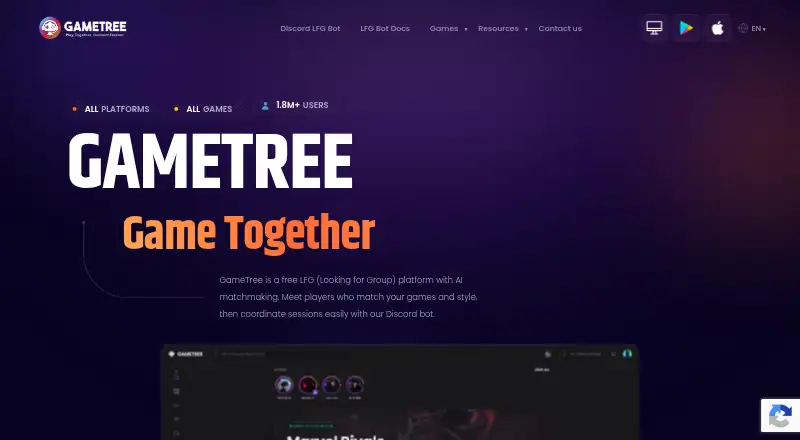
What GameTree is
GameTree helps players find compatible gaming teammates and organize play through its web platform, Android and iOS apps, and Scout Discord bot. Its matching system considers game preferences, playstyle, communication style, values, and personality. Scout supports live, scheduled, and recurring sessions, with reminders for scheduled play. It can set up private voice and text channels for a group, then remove session channels, posts, and invites when play ends. Sessions can reach players across Scout-enabled servers; server owners can filter or turn off that traffic. Scout runs in Discord and supports commands including /lfg and /sessions. Guests can use it without an account, while personality matching and Steam friend syncing require a free GameTree account. Core LFG features are free. GameTree says it does not sell or give away personally identifiable or contact information, and that Scout does not read or store messages in channels where it was not invoked. Its privacy policy says service data may be used for research and to improve matchmaking and recommendation models.
Who it suits
GameTree suits players looking for teammates based on more than game choice, and Discord communities organizing group sessions. Guests can use Scout, while those who want personality matching or Steam syncing need a free account.
What it does well
- Matches on playstyle, communication style, values, and personality
- Supports live, scheduled, and recurring sessions
- Creates and removes private session channels
- Core LFG features are free
- Available on Android, iOS, and web
What to know first
- Personality matching and Steam sync require an account
- Cross-server traffic can be filtered or disabled by server owners
- Service data may be used to improve models
Limits
Core LFG features are free. Personality matching and Steam friend syncing require a free GameTree account.
Plans
| Plan | Billed and limits | Price |
|---|---|---|
| Free | Core LFG app and Discord bot features | Free |
| Membership Quarterly | Quarterly in-app membership | $17.99, paid once |
| Monthly Membership | monthly · In-app membership | $19.99 a month |
| Membership | In-app membership | $49.99, paid once |
| Monthly | monthly · In-app membership | $9.99 a month |
As gametree.me lists them, read 15 Oct 2026. The maker's own page has the final word.
Getting started
- Visit https://gametree.me/ or get the Android or iOS app.
- Use Scout in a Discord server for LFG features, including /lfg and /sessions.
- Use Scout as a guest, or create a free GameTree account for personality matching and Steam sync.
- Start a live, scheduled, or recurring session.
Overview
GameTree is a teammate-finding service built around Scout, a Discord bot for organizing play. It suits players and server communities looking to match on compatibility as well as game choice, then arrange sessions where they already chat. Core LFG is free; the main trade-off is that some matching and Steam features need an account, while coordination is centered on Discord.
Key features
Matching beyond the game
GameTree uses players’ game preferences, playstyle, communication style, values, and personality to find potential teammates. That can help groups seek people whose expectations fit, not just others playing the same title. Guests can use Scout, but personality matching requires a free GameTree account.
Session planning in Discord
Scout supports live, scheduled, and recurring LFG sessions, with automatic reminders for scheduled play. Commands such as /lfg and /sessions keep coordination in the server, which is convenient for communities already using Discord but less suited to players seeking a standalone gathering place.
For a session, Scout can create private voice and text channels, then remove those channels, related posts, and invites when the session ends. This gives temporary groups a more organized space without leaving session clutter behind. Cross-server sessions can broaden the pool to other Scout-enabled servers; server owners can filter or disable that traffic, a useful control for communities that want reach without opening every session to outside participants.
Game coverage, Steam, and privacy
GameTree says its LFG supports titles across PC, mobile, Xbox, PlayStation, Nintendo Switch, and tabletop platforms. Steam friends can be synced with a free account; guests do not get that account-dependent feature.
GameTree says it does not sell or give away personally identifiable or contact information, and that Scout does not read or store messages in channels where it is not invoked. Its privacy policy also says service data may be used for research and analysis, including training and improving matchmaking and recommendation models. Players weighing privacy should consider both statements.
Pricing
GameTree is freemium, with a free plan priced at free. Core LFG is free, so players can use Scout without paying or creating a GameTree account. A free account is required for personality matching and Steam syncing. No paid GameTree tier is part of the offering described here, making the free plan the practical choice for both individuals and communities willing to coordinate through Discord.
Platforms
GameTree is available on Android, iOS, and the web. Its LFG supports games across PC, mobile, Xbox, PlayStation, Nintendo Switch, and tabletop platforms; those supported game platforms should not be confused with GameTree app availability.
Who it's for
GameTree is a strong fit for players who want teammates selected on communication style or personality as well as game preference, and for Discord server owners who need scheduled or recurring sessions, reminders, temporary private channels, and control over cross-server traffic. It is less appropriate for people who do not use Discord or want a community hub independent of a chat server. The company says it typically responds to contact inquiries within 72 hours.
Pros and cons
- Pro: Matching considers playstyle, communication style, values, and personality as well as game preferences, giving players more criteria for seeking compatible teammates.
- Pro: Scheduled and recurring sessions, reminders, and automatic cleanup of session channels, posts, and invites support repeat play without leaving temporary spaces behind.
- Pro: Cross-server reach is paired with server-owner controls to filter or disable outside traffic.
- Con: Personality matching and Steam sync require a free account, so guests cannot use those features.
- Con: Session coordination depends on Discord, which may not suit players looking for an independent community space.
- Con: Service data may be used to improve matching and recommendation models, a consideration for users who prefer their service data not be used that way.
Alternatives
Steam Community is a free option on Android, iOS, Linux, macOS, web, and Windows; choose it if Steam Hubs and a broader set of desktop platforms better fit your community needs, bearing in mind that community features require a Steam account to access more Hubs.
Ascended offers a free plan for up to three communities or groups, with 720p streaming and uploads. Choose it when community creation and streaming are the priority rather than GameTree’s compatibility matching and Discord session tools.
The100.io has a free Basic plan with core functionality. It may suit readers comparing another free teammate-finding service.
Z League is free to download and has in-app purchases; consider it as another freemium gaming option.
Enjin Wallet is a free Android and iOS wallet, with network and possible third-party service fees. It is a different choice for readers seeking a wallet rather than teammate matching.
NexGild has a free web plan limited to one game and 30 members, with Discord bot integration, basic event scheduling and RSVPs, a roster, application forms, one custom Discord embed, and 100 MB of media storage. Choose it if those group-management limits suit your community better than GameTree’s player matching.
Spawn Point Gaming is another web-based freemium option for readers comparing gaming community services.
Speedrun.com offers core community features on a free web plan, and may be a better fit for readers focused on speedrunning communities.
For more options, browse Gaming Community Platforms.
Verdict
Choose GameTree if you want free Discord-based LFG with teammate matching that considers more than the game, plus tools to schedule and clean up sessions. Its main advantage is combining compatibility criteria with practical session coordination; look elsewhere if you want a standalone community platform or need personality matching and Steam syncing without an account.
Verdict
GameTree combines teammate matching with tools for scheduling and coordinating play in Discord. Core LFG is free, but personality matching and Steam syncing require an account.
Questions
Is GameTree free?
Yes. Its Free plan costs nothing, and core LFG features are free.
Do I need an account to use Scout?
No. Scout can be used as a guest. Personality matching and Steam friend syncing require a free GameTree account.
Which platforms does GameTree support?
GameTree is available on Android, iOS, and the web. Its LFG supports games across PC, mobile, Xbox, PlayStation, Nintendo Switch, and tabletop platforms.
Does GameTree work with Discord?
Yes. Scout runs in Discord servers and supports commands such as /lfg and /sessions.
Can GameTree connect players across servers?
Sessions can reach players across Scout-enabled servers. Server owners can filter or disable cross-server traffic.
What does GameTree say about privacy?
GameTree says it does not sell or give away personally identifiable or contact information, and Scout does not read or store messages in channels where it is not invoked. Its privacy policy says service data may be used for research and to improve its matchmaking and recommendation models.
Facts from GameTree's own pages
- Age restriction
- The privacy policy restricts service use to people aged 13 or older. · gametree.me, 15 Oct 2026
- Aggregated-data use
- The policy allows aggregated, de-identified or anonymized gaming and matchmaking data to be shared, licensed or commercialized. · gametree.me, 15 Oct 2026
- AI matchmaking
- The service matches players using games, play style, communication preferences, values and personality information. · gametree.me, 15 Oct 2026
- Command reference
- The command documentation lists /lfg, /sessions, /bump and /end, with filters for platform, game and timing. · gametree.me, 15 Oct 2026
- Community content
- The Android listing describes Bytes for sharing screenshots, videos, guides and gaming highlights. · play.google.com, 15 Oct 2026
- Company
- GameTree identifies itself as a Delaware Public Benefit Corporation whose stated public benefit is fostering human connections and improving users’ joy and happiness. · gametree.me, 30 Sept 2026
- Company size and location
- LinkedIn lists GameTree as a San Francisco company with 11–50 employees. · linkedin.com, 15 Oct 2026
- Cross-platform support
- GameTree advertises LFG for PC, Xbox, PlayStation, Nintendo Switch, mobile, tabletop and cross-platform games. · gametree.me, 15 Oct 2026
- Cross-server play
- Sessions can reach players across Scout-enabled servers, and server owners can filter or disable cross-server traffic. · gametree.me, 30 Sept 2026
- Data use
- The privacy policy says GameTree may use service data for research and analysis, including to train and improve its matchmaking and recommendation models. · gametree.me, 30 Sept 2026
- Discord integration
- Scout runs in Discord servers and supports commands such as /lfg and /sessions. · gametree.me, 30 Sept 2026
- Discord Scout bot
- Scout runs inside Discord and can create or join LFG sessions without requiring a GameTree account. · gametree.me, 15 Oct 2026
- Documentation
- Official documentation covers getting started, profiles, LFG creation, server setup, commands and troubleshooting. · gametree.me, 15 Oct 2026
- Founded
- LinkedIn lists GameTree as founded in 2020. · linkedin.com, 15 Oct 2026
- Friend roster
- Users can save teammates and synchronize existing Discord and Steam friends. · gametree.me, 15 Oct 2026
- Funding record
- Crunchbase shows four funding rounds and names Goodwater Capital as an investor, but masks the amounts. · crunchbase.com, 15 Oct 2026
- Guest use
- Users can use Scout as Discord guests, while linking a GameTree account adds personality matching, a synced game library and cross-platform friends. · gametree.me, 15 Oct 2026
- Headquarters
- Del Mar, California, United States · gametree.me, 28 Sept 2026
- iOS requirements
- The App Store listing requires iOS 15.1 or later, and Mac use requires macOS 12.0 or later with an Apple M1 chip or later. · apps.apple.com, 15 Oct 2026
- Legal name
- Crunchbase lists the legal name as GameTree PBC and operating status as active. · crunchbase.com, 15 Oct 2026
- Limit: bots and scams
- Reviewers on Google Play and Trustpilot complain about fake accounts, scammer bots and difficulty distinguishing real users. · play.google.com, 15 Oct 2026
- Limit: Google Play security disclosure
- Google Play states that the app may collect location and personal information and that declared data is not encrypted. · play.google.com, 15 Oct 2026
- Limit: missing filters
- A Google Play reviewer reported a missing gender filter, age-filter mismatches and missing older badges and personality quizzes. · play.google.com, 15 Oct 2026
- Limit: reliability
- Apple reviewers reported slow performance, login failures and crashes, while a Trustpilot reviewer reported being unable to use the app or contact support. · apps.apple.com, 15 Oct 2026
Where GameTree stands on Freedom251
- Gaming Community Platforms#3 of 33