Freedom251 › Game Map Generators

Gaea
by Gaea
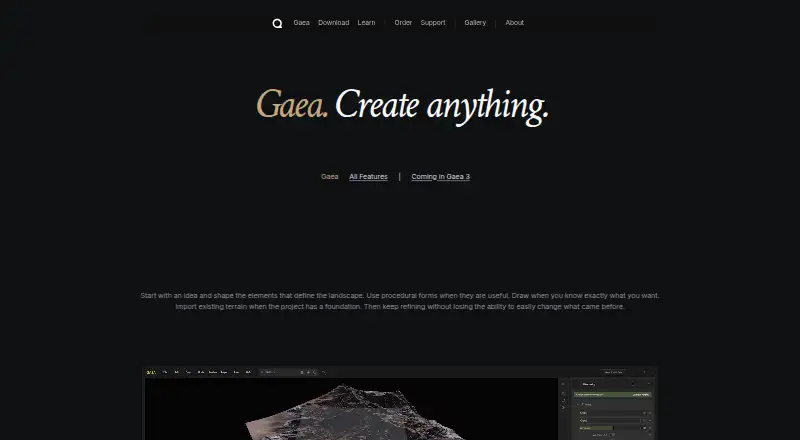
What Gaea is
Gaea is a Windows terrain-design tool for visual effects, games, and virtual production. It builds terrain from procedural forms, imported data, or hand-drawn elements, then applies simulations for processes such as erosion, rivers, glaciers, snow, debris, and vegetation. It can produce terrain-aware colors, textures, masks, material zones, vegetation data, and flow maps, with exports including heightfields, meshes, point clouds, and textures. Bridges connect Gaea with Unreal Engine and Houdini; the Gaea2Houdini plugin requires a Professional or Enterprise license. The software includes node-based compositing and a hybrid render engine. A free Community Edition is limited to non-commercial use. Listed paid perpetual-license prices are 99.00 USD for Indie, 199.00 USD for Professional, and 299.00 USD for Enterprise. Gaea requires Windows, an AVX2-capable CPU, and at least 16 GB RAM. CPU-only use is supported; GPU compute requires CUDA 12.5 or higher or HIP 6.0 or higher. Its license must refresh online at least once every 28 days.
Who it suits
Gaea suits terrain artists and teams creating environments for visual effects, games, or virtual production. The Community Edition is for non-commercial work; Indie is listed for individuals or businesses under $100,000 in annual gross revenue or capital.
What it does well
- Creates terrain from procedural, imported, and hand-drawn inputs
- Simulates erosion, glaciers, rivers, snow, and vegetation
- Exports heightfields, meshes, point clouds, and textures
- Includes bridges for Unreal Engine and Houdini
What to know first
- Windows only; requires an AVX2 CPU and 16 GB RAM
- License needs an internet refresh every 28 days
- Community Edition is limited to non-commercial use
- Houdini plugin requires Professional or Enterprise license
Limits
The free Community Edition allows a single build at 1,024 × 1,024 resolution and is for non-commercial use. Indie allows a single build at 8,192 × 8,192, one named user, and up to two computers; higher tiers list larger resolutions and different license limits.
Plans
| Plan | Billed and limits | Price |
|---|---|---|
| Community Edition | Free for evaluation and non-commercial use · create and view terrains up to 4096 × 4096 · export up to 1024 × 1024 | Free |
| Professional | One-time price for a perpetual license · Node-locked · one named user on up to 2 computers · annual gross revenue under US $1,000,000 · 16K resolution · 256K with tiles | $199, paid once |
| Enterprise | One-time price for a perpetual license · Movable license · annual gross revenue over US $1,000,000 · 16K resolution · 256K with tiles | $299, paid once |
| Indie | One-time price for a perpetual license · Node-locked · one named user on up to 2 computers · annual gross revenue under US $100,000 · 8K resolution | $99, paid once |
As quadspinner.com lists them, read 3 Oct 2026. The maker's own page has the final word.
Getting started
- Visit the Gaea website.
- Use a Windows computer with an AVX2-capable CPU and at least 16 GB RAM.
- Choose the Community Edition for non-commercial use or a paid edition for your project.
- Install Gaea and create terrain from procedural forms, imported data, or hand-drawn elements.
- Connect to the internet at least once every 28 days to refresh the license.
Gaea is a Windows terrain-design tool for artists building landscapes for games, visual effects, and virtual production. It is best suited to workflows that need both terrain simulation and production-ready data exports. Its breadth is compelling, but the resolution tiers, Windows-only support, and recurring license check are meaningful constraints.
Overview
Terrain can begin as procedural forms, imported data, or hand-drawn elements, then be shaped with simulations for erosion, debris, glaciers, rivers, snow, and vegetation. Terrain-aware color, textures, masks, material zones, vegetation data, and flow maps extend that work beyond the landform itself. This combination makes Gaea useful when a project needs both landscape geometry and supporting surface data.
Exports include heightfields, meshes, point clouds, textures, masks, and other terrain data. Bridges for Unreal Engine and Houdini connect it to downstream work, while node-based compositing and a hybrid render engine support a broader creation workflow. The Gaea2Houdini plugin, however, requires Professional or Enterprise, so lower-cost users cannot rely on that bridge.
Key features
- Flexible terrain inputs: Procedural forms, imported data, and hand-drawn elements allow different starting approaches, useful for both generated landscapes and work based on existing material.
- Physics-driven simulation: Erosion, debris, glaciers, rivers, snow, and vegetation provide substantial tools for shaping terrain. That range is a strength for detailed environments, though the right edition still depends on required build resolution.
- Terrain-aware outputs: Color, textures, masks, material zones, vegetation data, and flow maps help prepare related production assets alongside the terrain.
- Multiple export formats: Heightfields, meshes, point clouds, textures, masks, and other terrain data give projects options for moving results into subsequent stages.
Pricing
Gaea uses a freemium model. The Community Edition has no listed price, is limited to 1,024 × 1,024 single-build resolution, and is for non-commercial use. It is a way to work within those limits, not a suitable edition for commercial production.
- Indie: $99 a month (billed One-time price for a perpetual license). It supports 8,192 × 8,192 single-build resolution, one named user on up to two computers, and individuals or businesses under US $100,000 in annual gross revenue or capital. This is the relevant paid tier for smaller commercial users; it gives up the higher resolutions and tiled-world capacity of the upper editions.
- Professional: $199 a month (billed One-time price for a perpetual license). It raises single-build resolution to 16,384 × 16,384 and includes 262,144 × 262,144 tiled-world resolution, for one named user on up to two computers and revenue under $1,000,000. This is the stronger fit for larger builds or teams that need the Houdini plugin, though the license remains tied to one named user.
- Enterprise: $299 a month (billed One-time price for a perpetual license). It provides the same stated single-build and tiled-world resolutions as Professional, with one machine per license and revenue over $1,000,000. It also offers offline licenses at additional cost, making it the option for organizations that need that connectivity exception.
Support, maintenance, and minor updates are included at no additional cost, but there is no guaranteed support SLA. Every license must connect to the internet at least once every 28 days to refresh; offline licensing is an additional-cost Enterprise option.
Platforms
Gaea runs on Windows and requires a CPU that supports AVX2 and at least 16 GB of RAM. GPU compute requires CUDA 12.5 or higher or HIP 6.0 or higher, although CPU-only use is supported. That CPU option avoids a GPU-compute requirement, but the Windows and memory requirements still rule out some machines. QuadSpinner says its binaries are signed with a code-signing certificate and provides an installer VirusTotal report.
Who it's for
Gaea is a strong fit for terrain artists and production teams in games, VFX, and virtual production who need simulation, surface data, and varied export types in one tool. Indie suits qualifying lower-revenue users; Professional is better for those needing larger builds, tiled worlds, or the Houdini plugin; Enterprise is aimed at the highest revenue tier and adds the paid offline-license option. It is a poor fit for non-Windows workflows, machines below the minimum requirements, or users who need unrestricted offline licensing on a lower tier.
Community Edition is non-commercial, and use of Gaea or its assets to train AI systems is prohibited without QuadSpinner’s prior written consent. Those terms matter for studios and commercial users planning to incorporate generated assets into training work.
Pros and cons
- Pro: Terrain inputs, simulations, surface data, and exports span much of the landscape-production workflow, reducing the need to separate those tasks across tools.
- Pro: CPU-only use is supported, so GPU compute is not mandatory.
- Con: Windows, AVX2, and at least 16 GB RAM are required, limiting hardware and platform flexibility.
- Con: The 28-day license refresh creates a recurring connectivity requirement; offline licensing costs extra and is limited to Enterprise.
- Con: The Community Edition is non-commercial and capped at 1,024 × 1,024 single-build resolution, while the Houdini plugin is reserved for Professional and Enterprise.
- Con: There is no guaranteed support SLA, which may be a concern for production-critical workflows.
Alternatives
World Machine is worth considering for buyers who want a terrain tool with Linux and macOS support as well as Windows; its Basic plan has a 1025x1025 pixels maximum output and an Indie plan is offered at $119 a month.
Heightmap Level Generator suits readers looking for a free option across web, Windows, or self-hosted use, with no install and no account required.
MapMagic 2 is a free option for Mac or Windows with core asset and map generators; its Biomes and Functions add-on costs $45, paid once and requires an existing MapMagic 2 installation.
Ymir is a free, GPL-3.0 option for Linux or Windows users.
3D Dungeon Generator is a free web creator for dungeon sizes from 16×16 presets to 60×60 custom dimensions, with GLB export.
WaveFunctionCollapse is a free option for Linux, macOS, web, or Windows.
Mapgen4 is a free web and self-hosted option.
Dungeon Generator for Unreal Engine 5 is another freemium option.
Explore Game Map Generators, Visual Effects Software, Game Texture Software, and 3D modeling software for adjacent categories.
Verdict
Choose Gaea if your Windows-based terrain workflow benefits from simulation, terrain-aware surface data, and varied exports in one tool. Its strongest case is the breadth of that pipeline; look elsewhere if you need another operating system, reliable offline use without Enterprise, or a commercial entry point within the Community Edition’s limits.
Verdict
Gaea combines terrain creation, simulation, and data exports in one Windows tool. Check its hardware, connectivity, and license requirements against your workflow before choosing a plan.
Questions
How much does Gaea cost?
The listed one-time perpetual-license prices are $99 a month for Indie, $199 a month for Professional, and $299 a month for Enterprise. Community Edition is free.
Is there a free plan?
Yes. Community Edition is free and limited to non-commercial use, with a 1,024 × 1,024 single-build resolution.
Which operating system does Gaea support?
Windows is the listed platform. It requires an AVX2-capable CPU and at least 16 GB RAM; CPU-only use is supported.
Does Gaea work with Unreal Engine and Houdini?
Gaea provides bridges for both. The Gaea2Houdini plugin requires a Professional or Enterprise license.
Does the license work offline?
Gaea must connect to the internet at least once every 28 days to refresh its license. Offline licenses are available for Enterprise at additional cost.
Who makes Gaea?
The maker is Gaea, headquartered in Questa, New Mexico, USA. The maker was founded in 2008.
Facts from Gaea's own pages
- Commercial use
- The Community Edition is for non-commercial use; the Indie edition is listed for individuals or businesses under US $100,000 in annual gross revenue or capital. · quadspinner.com, 3 Oct 2026
- Exports
- Gaea exports heightfields, meshes, point clouds, textures, masks, and other terrain data. · quadspinner.com, 3 Oct 2026
- Free plan
- Yes · quadspinner.com, 20 Sept 2026
- Headquarters
- Questa, New Mexico, USA · quadspinner.com, 28 Sept 2026
- Integrations
- Gaea provides bridges for Unreal Engine and Houdini; the Gaea2Houdini plugin requires a Professional or Enterprise license. · docs.gaea.app, 3 Oct 2026
- License connectivity
- Gaea must connect to the internet at least once every 28 days to refresh its license; offline licenses are available for Enterprise at additional cost. · quadspinner.com, 3 Oct 2026
- Maker
- QuadSpinner is a bootstrapped software studio based in Questa, New Mexico, founded in 2008 by Dax Pandhi and Cynthia Najim. · quadspinner.com, 3 Oct 2026
- Notable restriction
- Using Gaea or its assets to train AI systems is prohibited without QuadSpinner’s prior written consent. · quadspinner.com, 3 Oct 2026
- Purpose
- Gaea is a terrain design platform for VFX, games, and virtual production. · quadspinner.com, 3 Oct 2026
- Security
- QuadSpinner says its Gaea binaries are signed with a code-signing certificate and provides an installer VirusTotal report. · docs.gaea.app, 3 Oct 2026
- Simulation
- Gaea provides physics-driven terrain simulations including erosion, debris, glaciers, rivers, snow, and vegetation. · quadspinner.com, 3 Oct 2026
- Support
- Support, maintenance, and minor updates are included at no additional cost, and the company says it does not offer a guaranteed support SLA. · quadspinner.com, 3 Oct 2026
- Surface and color
- Gaea can generate terrain-aware color, textures, masks, material zones, vegetation data, and flow maps. · quadspinner.com, 3 Oct 2026
- System requirements
- Gaea requires Windows, a CPU supporting AVX2, and at least 16 GB RAM; GPU compute requires CUDA 12.5 or higher or HIP 6.0 or higher, though CPU-only use is supported. · quadspinner.com, 3 Oct 2026
- Terrain creation
- Gaea supports terrain creation from procedural forms, imported data, and hand-drawn elements. · quadspinner.com, 3 Oct 2026
Where Gaea stands on Freedom251
- Game Map Generators#4 of 27
- Visual Effects Software#10 of 37
- 3D modeling software#45 of 147
- Game Texture Software#14 of 34