Freedom251 › Font Design Software
FontBob
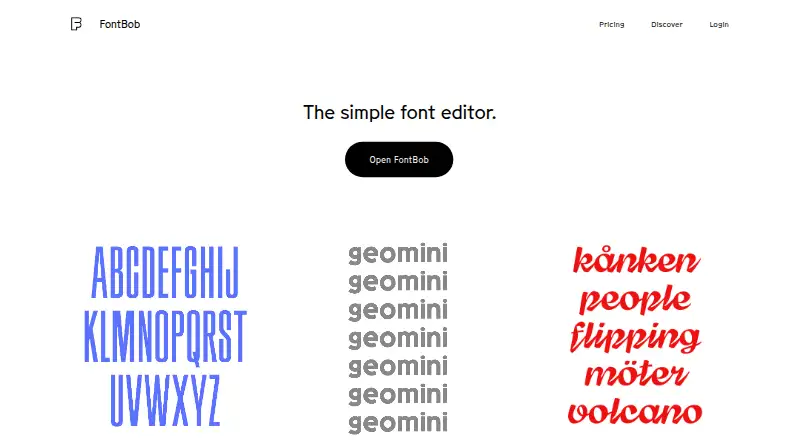
What FontBob is
FontBob is a browser-based font editor for designers creating and preparing typefaces. The editor starts in a browser with no installation required. Users can sketch glyphs on an infinite canvas or search a glyph table, then use automatic letter spacing, prefilled metadata, autosave and version history in their workflow. Fonts can be shared through links, and users can publish specimens. The site lists OTF, UFO and variable font downloads, along with interactive tutorials and shared fonts to explore. The free plan includes drawing, spacing, preview, OTF export, production-ready fonts and sharing. FontBob Pro costs $7 a month and adds an unlimited glyph set, variable font export, TTF, OTF and UFO import, ligatures and alternates. Studio Beta includes smart fonts, premium templates and everything in Pro, but its price is not listed. The pricing page raises the question of whether Pro has a free trial without giving an answer. FontBob lists support for web, Windows, macOS, Linux, iOS and Android.
Who it suits
FontBob suits designers who want to draw glyphs and prepare fonts in a browser-based workflow. Its free plan covers basic drawing and OTF export, while Pro adds more glyph and layout capabilities.
What it does well
- Runs in a browser without installation
- Sketch glyphs on an infinite canvas
- Autosave and version history are included
- Free plan includes OTF export and sharing
- Pro adds variable font export and alternates
What to know first
- Pro costs $7 a month
- Studio Beta price is not listed
- Pro trial availability is unanswered
Plans
| Plan | Billed and limits | Price |
|---|---|---|
| Free | Free · Drawing, spacing, preview · OTF export · production-ready fonts · sharing | Free |
| FontBob Pro | $7 / month · Unlimited glyph set · variable font export · TTF, OTF, and UFO import · ligatures · alternates | $7 a month |
| FontBob Studio Beta | Smart fonts · premium templates · everything in Pro | On request |
As fontbob.com lists them, read 15 Oct 2026. The maker's own page has the final word.
Overview
FontBob is a browser-based tool for drawing and preparing typefaces, suited to designers who want to work on fonts without installing an editor. Its free tier covers a useful creation and sharing workflow, while Pro is the step up for larger glyph sets, broader file handling and advanced type features.
Key features
The infinite drawing canvas gives glyph design room to develop, and a searchable glyph table helps when moving between characters. Automatic spacing, prefilled metadata, autosave and version history address routine production work as well as drawing. That makes FontBob more than a sketchpad, although the available collaboration is basic rather than geared to extensive team workflows.
FontBob supports OpenType layout tools and variable fonts. Free users can export OTF fonts; Pro adds variable font export, import of TTF, OTF and UFO files, ligatures and alternates. Those additions matter most to designers extending existing font files or building more varied typographic behavior. Users can share font links and publish specimens, while interactive tutorials and shared fonts offer useful ways to learn and explore.
Pricing
Free: free. Drawing, spacing, preview, OTF export, production-ready fonts and sharing make this a credible starting point for creating and presenting a font. The trade-off is a limited glyph set and no listed Pro import, variable font export, ligature or alternate features.
FontBob Pro: $7 a month. It adds an unlimited glyph set, variable font export, TTF, OTF and UFO import, ligatures and alternates. Choose it if those capabilities are part of the work; otherwise, Free already covers core drawing and OTF output.
FontBob Studio Beta: custom pricing. It includes smart fonts, premium templates and everything in Pro, making it the tier for users who need those additional tools and are comfortable with custom pricing.
Platforms
The editor starts in a browser and requires no installation. FontBob supports web, Windows, macOS, Linux, iOS and Android, giving users a broad range of platform options.
Who it's for
FontBob suits independent designers and small teams seeking an approachable browser-based path from glyph drawing to font export and sharing. Its free plan is a sensible fit for core creation; Pro is better for users who need more glyph capacity, imports or advanced layout options. Those who need substantial collaboration should look elsewhere.
Pros and cons
- Pro: The free tier includes OTF export and sharing, so users can make and present production-ready fonts without paying.
- Pro: Autosave, version history, automatic spacing and prefilled metadata cover practical workflow tasks alongside glyph drawing.
- Con: Unlimited glyphs and variable font export require Pro, so Free may not fit larger or variable-font projects.
- Con: Collaboration is basic, which limits its appeal for teams that need deeper shared workflows.
Alternatives
Font Design Software is a useful place to compare more options. Consider Fontra if a free, open-source, browser-based cross-platform editor is the priority. Runebender is another no-cost open-source option, with an alpha native editor and experimental browser build.
Birdfont may suit users seeking a free, GPL-licensed option with TTF and monochrome SVG output, kerning, ligature substitutions, alternates and SVG import. FontForge is worth considering if source code access and redistribution are priorities. For a free option on desktop platforms, Bitmap Font Editor is another choice.
Prototypo offers a free plan and supports web and desktop platforms. Shift and Type Light are free options for Windows, macOS and Linux users.
Verdict
Choose FontBob if you want a no-install editor that combines glyph drawing with practical production tools and lets you start without paying. Its free OTF export is a meaningful advantage for basic font work. Look elsewhere if extensive collaboration is essential, or choose Pro when your project needs an unlimited glyph set, broader imports or variable font export.
Verdict
FontBob offers browser-based glyph drawing, editing workflow tools and font sharing. The free plan covers core creation and OTF export; Pro adds broader import, export and glyph options.
Facts from FontBob's own pages
- API and SDK availability
- The official pages opened for this research provide no public API or SDK documentation. · fontbob.com, 15 Oct 2026
- Browser-based
- The editor starts in a browser and requires zero installs. · fontbob.com, 3 Oct 2026
- Browser delivery
- The editor starts in a browser and the site says no installation is required. · fontbob.com, 15 Oct 2026
- Build tooling
- Geomini documents GitHub Actions builds plus make commands for building, testing and proof generation. · github.com, 15 Oct 2026
- Documentation support
- Carl Enlund offered to help set up FontBob for a workshop and write documentation for scanned-image workflows via [email protected]. · typedrawers.com, 15 Oct 2026
- Drawing
- Users can sketch glyphs on an infinite canvas and search a glyph table. · fontbob.com, 3 Oct 2026
- Export formats
- The site advertises OTF, UFO and variable-font downloads. · fontbob.com, 15 Oct 2026
- Exports
- The home page lists OTF, UFO, and variable font downloads. · fontbob.com, 3 Oct 2026
- Font license
- The Geomini font files are released under the SIL Open Font License 1.1; this does not establish an open-source license for the FontBob editor. · github.com, 15 Oct 2026
- Free-tier scope
- The free tier covers drawing, spacing, preview, OTF export, production-ready output and sharing. · fontbob.com, 15 Oct 2026
- Geomini project
- The FontBob team describes Geomini as a font published to make type design more accessible. · github.com, 15 Oct 2026
- Geomini release
- The repository records version 1.000 and an initial Google Fonts submission dated 7 February 2026. · github.com, 15 Oct 2026
- GitHub presence
- The FontBob GitHub organization is located in Sweden and shows four public repositories. · github.com, 15 Oct 2026
- Glyph drawing
- Users can sketch glyphs on an infinite canvas. · fontbob.com, 15 Oct 2026
- Glyph navigation
- A searchable glyph table is provided for finding characters. · fontbob.com, 15 Oct 2026
- Independent directory classification
- Font Tools lists FontBob as a browser-based font editor in beta. · font-tools.com, 15 Oct 2026
- Independent feature report
- A creator post describes a browser vector editor with instant text preview, spacing, basic kerning, weight-axis variable fonts, cloud saving, OTF export and remixable shared fonts. · reddit.com, 15 Oct 2026
- Learning
- The home page lists interactive tutorials and shared fonts to explore. · fontbob.com, 3 Oct 2026
- Learning content
- The home page points to interactive tutorials and shared fonts to explore. · fontbob.com, 15 Oct 2026
- Limit: clunky interface
- Type expert Thomas Phinney described FontBob's interface choices as clunky and counterintuitive and said he could not recommend it. · typedrawers.com, 15 Oct 2026
- Limit: incomplete vector workflow
- The creator acknowledges that the pen and brush tools are intentionally simple, many full-vector controls are missing and brush smoothing is not automatic. · reddit.com, 15 Oct 2026
- Limit: usability confusion
- A tester reported being unable to work out how to draw desired glyphs after about 15 minutes. · reddit.com, 15 Oct 2026
- Maker identity
- Carl Enlund identifies himself as a Stockholm design engineer building interactive tools including font editors. · crl.io, 15 Oct 2026
- Maker timeline
- Enlund's portfolio dates his work making type design accessible at FontBob from 2025 onward. · crl.io, 15 Oct 2026
Where FontBob stands on Freedom251
- Font Design Software#4 of 33