Freedom251 › Font Design Software
Type Light
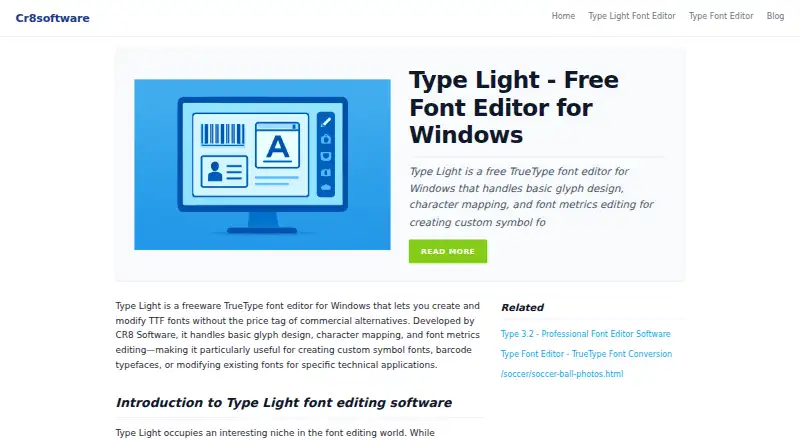
What Type Light is
Type Light is a freeware TrueType font editor for creating and modifying TTF fonts, including symbol and barcode fonts. Its drawing tools let users build glyphs from straight lines and quadratic Bézier curves, and combine or subtract shapes. For each glyph slot, users can assign a Unicode value or custom encoding and set horizontal metrics. The editor also supports basic kerning tables and pair adjustments. Font metadata controls include family name, style flags, copyright strings, and embedding permissions. Type Light produces Windows-compatible TTF files; its page says those files work in Office applications, Adobe products, and web browsers. It runs on Windows, macOS, and Linux. The editor requires no registration, has no trial period, and its free plan has no feature restrictions. Fonts created with it may be used commercially, though the editor itself may not be redistributed. Type Light is intended for occasional TrueType editing, such as making a simple symbol font or adjusting font metrics. Its documented limits include no OpenType features, variable fonts, or PostScript Type 1 support, along with a limited undo history. The maker’s site describes itself as a niche software site. The Type Light page does not state a support channel or update policy.
Who it suits
Type Light suits people who need to create or adjust TrueType fonts on Windows, macOS, or Linux, especially for occasional edits, symbol fonts, or metric changes. It can also suit users who need to assign character mappings, adjust basic kerning, or edit font metadata without paying or registering.
What it does well
- Freeware with no feature restrictions or registration.
- Create or modify TrueType, symbol, and barcode fonts.
- Assign Unicode values or custom encodings to glyphs.
- Edit basic kerning and font metadata.
- Runs on Windows, macOS, and Linux.
- Created fonts may be used commercially.
What to know first
- No OpenType layout tools or features.
- Does not support variable fonts or PostScript Type 1.
- Undo history is limited.
- The editor may not be redistributed.
Limits
The free Type Light plan has no feature restrictions. The editor does not support OpenType features, variable fonts, or PostScript Type 1, and it has limited undo history.
Plans
| Plan | Billed and limits | Price |
|---|---|---|
| Type Light | freeware · no trial period · no feature restrictions · no registration · editor redistribution prohibited | Free |
As cr8software.net lists them, read 15 Oct 2026. The maker's own page has the final word.
Getting started
- Visit the Type Light website.
- Download the editor for Windows, macOS, or Linux.
- Open it without registering; no trial period is required.
Verdict
Choose Type Light for free, occasional TrueType font creation or editing, including symbol fonts and metric adjustments. Its glyph tools, character mapping, basic kerning, and metadata controls cover those tasks across Windows, macOS, and Linux. Look elsewhere if you need OpenType features, variable fonts, PostScript Type 1 support, or extensive undo history.
Questions
Is Type Light free?
Yes. Type Light is freeware with no feature restrictions, no trial period, and no registration requirement.
Which platforms does Type Light support?
Type Light runs on Windows, macOS, and Linux.
Can fonts made with Type Light be used commercially?
Yes. Fonts created with Type Light may be used commercially.
Does Type Light support OpenType layout tools or variable fonts?
No. It lacks OpenType features and variable font support.
Can the Type Light editor be redistributed?
No. The plan terms say the editor may not be redistributed.
What does Type Light export?
It generates Windows-compatible TTF files. The page says those files work in Office applications, Adobe products, and web browsers.
Facts from Type Light's own pages
- API and SDKs
- The official product page documents a desktop editor workflow and provides no public API or SDK information. · cr8software.net, 15 Oct 2026
- Barcode use
- The maker describes Type Light as suitable for custom symbol, barcode and icon fonts. · cr8software.net, 15 Oct 2026
- Character mapping
- Glyphs can be assigned Unicode values or custom encodings through a character-mapping interface. · cr8software.net, 15 Oct 2026
- Company headquarters
- Crunchbase places Cr8 Software Solutions in Auckland, New Zealand. · crunchbase.com, 15 Oct 2026
- Company legal name
- Crunchbase identifies the maker as Cr8 Software Solutions Limited. · crunchbase.com, 15 Oct 2026
- Company size
- Crunchbase reports an estimated 11–50 employees. · crunchbase.com, 15 Oct 2026
- Company status
- Crunchbase lists the company as active, private and for-profit. · crunchbase.com, 15 Oct 2026
- Documentation
- The product includes a PDF manual with guidance on curve tools and common font-editing mistakes. · pcworld.com, 15 Oct 2026
- Editorial score on Softpedia
- 3.5 out of 5 from the Softpedia reviewer · softpedia.com, 15 Oct 2026
- Font metadata
- Users can edit family name, style flags, copyright strings, and embedding permissions. · cr8software.net, 8 Oct 2026
- Font metrics
- Users can adjust side bearings, advance widths and basic kerning pairs. · cr8software.net, 15 Oct 2026
- Font output
- Type Light generates Windows-compatible TTF files usable in Office, Adobe applications and browsers. · cr8software.net, 15 Oct 2026
- Format limitation
- The maker describes Type Light as limited to TrueType outlines and unable to produce CFF-based OpenType output. · cr8software.net, 15 Oct 2026
- Glyph drawing
- Its outline editor supports straight lines, quadratic Bézier curves, rectangles, ellipses and control-point editing. · cr8software.net, 15 Oct 2026
- Glyph tools
- Its drawing tools support straight lines, quadratic Bézier curves, and combining or subtracting shapes. · cr8software.net, 8 Oct 2026
- Headquarters
- Auckland, New Zealand · cr8software.net, 28 Sept 2026
- Independent download facts
- LO4D lists version 3.2.050, a 3.43 MB installer, a November 23, 2022 file date and a 68/100 low-confidence trust score. · type-light.en.lo4d.com, 15 Oct 2026
- Installer
- The download is a roughly 2 MB typelightsetup.exe installer that defaults to C:\Program Files\Type Light. · cr8software.net, 15 Oct 2026
- Integrations
- The official page mentions opening exported fonts in Windows applications but lists no service integrations. · cr8software.net, 15 Oct 2026
- Kerning
- The software supports basic kerning tables and pair adjustments. · cr8software.net, 8 Oct 2026
- License terms
- The maker says created fonts may be used commercially, while the editor itself may not be redistributed inside packages. · cr8software.net, 15 Oct 2026
- Limitations
- The page says Type Light lacks OpenType features, variable fonts, and PostScript Type 1 support, and has limited undo history. · cr8software.net, 8 Oct 2026
- Limit: beginner learning curve
- Downloadcrew said newcomers may find the metrics terminology confusing and need to study the manual. · downloadcrew.com, 15 Oct 2026
- Limit: file workflow
- Downloadcrew reported that users may need to copy fonts out of the Windows Fonts folder before opening them. · downloadcrew.com, 15 Oct 2026
Where Type Light stands on Freedom251
- Font Design Software#19 of 33