Freedom251 › Font Design Software
PixelForge
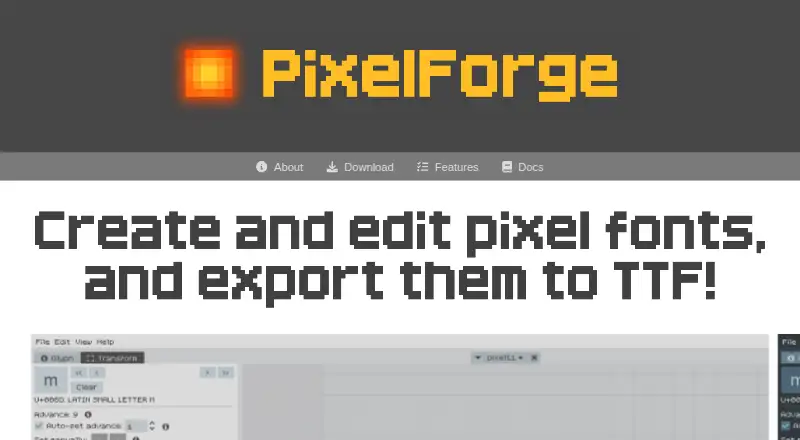
What PixelForge is
PixelForge is a font editor for making pixel fonts, editing glyphs, and exporting finished fonts from the app. It imports pixel fonts into an editable project and exports TTF files with metadata. Its glyph tools let you draw or erase pixels, then move, rotate, flip, or scale glyphs. A custom text preview updates as you edit, and you can work with multiple font projects at once, each with a separate undo history. Glyph editing extends through U+FFFF, including unassigned ranges. PixelForge periodically saves open documents and offers recovery after a crash. Projects use a plain-text format described as compatible with version control, diffs, and potential external tools. The current 0.91b release is a pre-release for Windows and Linux. It is free to download until version 1.0, and the maker says no licensing or payment system is set up yet. The maker describes the trial as fully featured and says it can be used indefinitely after the trial period, with a purchase prompt. PixelForge supports monochrome 1-bit bitmap fonts, with one size and one weight per font. Sergi Lázaro is credited as the maker.
Who it suits
PixelForge suits people creating pixel fonts who want glyph editing, text preview, project management, and TTF export in one app. It runs on Windows and Linux and is aimed at an all-in-one pixel-font workflow.
What it does well
- Imports pixel fonts and exports TTF files with metadata.
- Glyph tools include drawing, erasing, rotating, flipping, and scaling.
- Live text preview updates during glyph editing.
- Multiple projects can stay open with separate undo histories.
- Periodic saves and crash recovery help protect open documents.
What to know first
- Supports only monochrome 1-bit bitmap fonts.
- Each font is limited to one size and one weight.
- TTF is the only currently supported import and export format.
- The 0.91b release is a pre-release and may change before version 1.0.
Limits
The current pre-release is free to download until version 1.0. Fonts are limited to monochrome 1-bit bitmap output, one size and one weight per font, and TTF as the currently supported import and export format.
Plans
| Plan | Billed and limits | Price |
|---|---|---|
| PixelForge pre-release | Free to download until version 1.0; current pre-release version is 0.91b | Free |
As pixel-forge.com lists them, read 9 Oct 2026. The maker's own page has the final word.
Getting started
- Visit the PixelForge website.
- Download the pre-release for Windows or Linux.
- Open a pixel-font project or import a pixel font into the editable format.
- Edit glyphs and review changes in the text preview.
- Export the font as a TTF file.
Verdict
Choose PixelForge if you make monochrome pixel fonts and want glyph editing, previews, and TTF export together. Look elsewhere if you need color fonts, multiple sizes or weights in one font, or formats beyond TTF.
Questions
How much does PixelForge cost?
The 0.91b pre-release is free to download until version 1.0. The maker says a licensing or payment system is not set up yet.
Is there a free trial?
Yes. The maker describes it as fully featured and unrestricted, and says it can be used indefinitely after the trial period, with a purchase prompt.
Which platforms does PixelForge support?
PixelForge is available for Windows and Linux.
Which font formats does it support?
It imports pixel fonts into its editable format and exports TTF files with metadata. Other import and export formats are described as potential future additions.
Who makes PixelForge?
The download page credits Sergi Lázaro as the maker.
Does PixelForge support color fonts?
No. PixelForge supports monochrome 1-bit bitmap fonts, with one size and one weight per font.
Facts from PixelForge's own pages
- Additional formats
- The site says TTF is currently supported and lists other import and export formats as a potential future feature. · pixel-forge.com, 9 Oct 2026
- Audience
- The maker presents PixelForge as an all-in-one workflow for people creating pixel fonts, without needing a separate atlas exporter. · pixel-forge.com, 8 Oct 2026
- Current cost
- The pre-release is free to download until version 1.0; the maker says no licensing or payment system is set up yet. · pixel-forge.com, 8 Oct 2026
- Current release
- The download page labels version 0.91b a pre-release that may change before version 1.0. · pixel-forge.com, 9 Oct 2026
- Editing tools
- Glyph tools include move, rotate, flip, and scale. · pixel-forge.com, 9 Oct 2026
- Font formats
- PixelForge imports and exports TTF fonts; the maker says other export formats are potential future additions. · pixel-forge.com, 8 Oct 2026
- Font limitations
- The app supports only monochrome 1-bit bitmap fonts, with one size and one weight per font. · pixel-forge.com, 9 Oct 2026
- Glyph editing
- The editor supports drawing and erasing pixels, plus moving, rotating, flipping, and scaling glyphs. · pixel-forge.com, 8 Oct 2026
- Limitations
- The homepage says PixelForge supports only monochrome 1-bit bitmap fonts, with one size and one weight per font. · pixel-forge.com, 8 Oct 2026
- Maker
- The download page credits Sergi Lázaro as the maker. · pixel-forge.com, 8 Oct 2026
- Preview and projects
- Text preview updates as glyphs are edited, and multiple font projects can be open at once with separate undo histories. · pixel-forge.com, 8 Oct 2026
- Project files
- The internal project format is plain text and is described as compatible with version control, diffs, and potential external tools. · pixel-forge.com, 8 Oct 2026
- Projects
- Multiple font projects can be open at once, each with its own undo stack. · pixel-forge.com, 9 Oct 2026
- Purpose
- PixelForge is a pixel font editor for creating and editing fonts and exporting them. · pixel-forge.com, 9 Oct 2026
- Recovery
- Documents are periodically auto-saved, and the app can offer recovery after a crash. · pixel-forge.com, 9 Oct 2026
- Support
- The maker directs users to the itch.io community or [email protected] for help, bug reports, and suggestions. · pixel-forge.com, 9 Oct 2026
- Text preview
- A custom text preview updates as glyphs are edited. · pixel-forge.com, 9 Oct 2026
- Trial
- The maker describes the trial as fully featured with no limitations and says it can be used indefinitely after the trial period. · pixel-forge.com, 8 Oct 2026
- Trial behavior
- The site describes the trial as fully featured and unrestricted, with continued use after the trial period and a purchase prompt. · pixel-forge.com, 9 Oct 2026
- TTF import and export
- It imports pixel fonts into its editable format and exports TTF files with metadata support. · pixel-forge.com, 9 Oct 2026
- Unicode
- The editor supports codepoints up to U+FFFF. · pixel-forge.com, 9 Oct 2026
Where PixelForge stands on Freedom251
- Font Design Software#17 of 33