Freedom251 › Font Design Software
Glyphr Studio
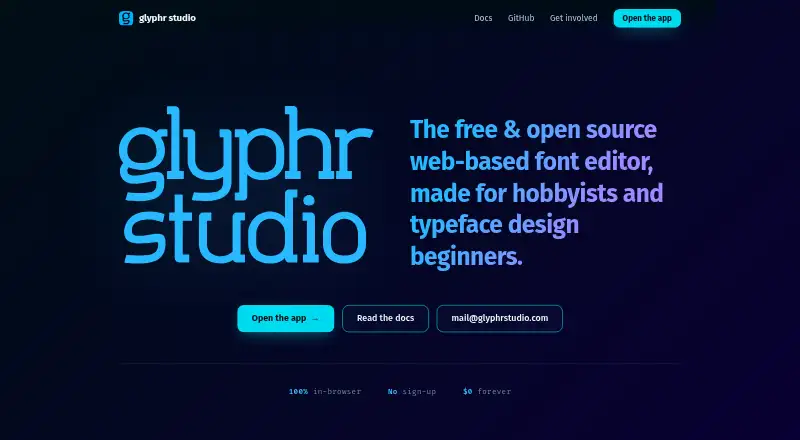
What Glyphr Studio is
Glyphr Studio is a free, browser-based font editor for hobbyists and people starting typeface design. It runs without sign-up and provides vector tools for designing glyphs. Supported features include horizontal kerning, ligatures and Unicode character editing. Users can keep two projects open, switch between them and copy glyph shapes across projects. The editor imports OTF, TTF, WOFF and SVG Font files, and exports those formats plus WOFF2; WOFF2 import is not supported. It does not support color fonts, variable fonts, multiple masters, right-to-left or vertical fonts, or OpenType features and variants. The maker says the app has no backend components. Once required tools and files are installed, it can also be run locally without internet access. Phone and tablet browsers can run the app, but touch input cannot be used to edit paths. The application code is licensed under GPL v3.0, while creators retain rights to fonts they make with it. The site describes it as a passion project online since 2010.
Who it suits
Glyphr Studio suits hobbyists and beginners designing typefaces who want a browser-based editor without sign-up. It is less suited to workflows requiring variable or color fonts, advanced OpenType features, or touch-based path editing.
What it does well
- No sign-up is required
- Supports kerning, ligatures and Unicode editing
- Can keep two projects open for cross-project work
- Creators retain rights to fonts they make
What to know first
- WOFF2 files cannot be imported
- Variable and color fonts are not supported
- Touch input cannot edit paths
- No right-to-left or vertical font support
Limits
The free plan is the app, billed at $0 forever. WOFF2 import, color fonts, variable fonts, multiple masters, right-to-left fonts, vertical fonts, and OpenType features and variants are unsupported.
Plans
| Plan | Billed and limits | Price |
|---|---|---|
| Glyphr Studio | $0 forever · Free and open source · no sign-up | Free |
As glyphrstudio.com lists them, read 4 Oct 2026. The maker's own page has the final word.
Getting started
- Open the Glyphr Studio website in a browser.
- Start using the editor without signing up.
- Import an OTF, TTF, WOFF, or SVG Font file, or create glyphs with the vector tools.
- Export the finished font in a supported format.
- For local use without internet, install the required tools and files before building and running the app.
Verdict
Glyphr Studio provides accessible vector tools for creating and editing fonts, with two-project workflows and several import and export formats. Its missing font capabilities and lack of touch-based path editing are important constraints for some projects.
Questions
How much does Glyphr Studio cost?
The plan is free at $0 forever.
Does Glyphr Studio require an account or offer a free trial?
It requires no sign-up. There is no free trial.
Which font formats can it import and export?
It imports OTF, TTF, WOFF, and SVG Font files. It exports those formats and WOFF2.
Can I use Glyphr Studio on a phone or tablet?
It can run in phone and tablet browsers, but touch input cannot edit paths.
Is Glyphr Studio open source?
Its application code is licensed under GPL v3.0. Creators retain rights to fonts they make with it.
Can it run without an internet connection?
The maker says it has no backend components. It can run locally without internet after the required tools and files are installed.
Facts from Glyphr Studio's own pages
- Browser based
- The app runs in the browser and requires no sign-up. · glyphrstudio.com, 4 Oct 2026
- Cross-project work
- The app can open and switch between two projects and supports cross-project actions such as copying glyph shapes between them. · glyphrstudio.com, 4 Oct 2026
- Export
- It exports OTF, TTF, WOFF, WOFF2, and SVG Font files. · glyphrstudio.com, 4 Oct 2026
- Font editing
- It provides vector editing tools for designing typefaces. · glyphrstudio.com, 4 Oct 2026
- Founded
- 2010 · glyphrstudio.com, 28 Sept 2026
- Import
- It imports OTF, TTF, WOFF, and SVG Font files; WOFF2 files cannot be imported. · glyphrstudio.com, 4 Oct 2026
- License
- The Glyphr Studio application code is licensed under GPL v3.0, and creators retain rights to fonts they make with it. · glyphrstudio.com, 4 Oct 2026
- Local use
- The app can be built and run locally without internet access after required tools and files are installed. · glyphrstudio.com, 4 Oct 2026
- Maker and history
- The site describes Glyphr Studio as a passion project and says it has been online since 2010. · glyphrstudio.com, 4 Oct 2026
- Mobile limitation
- The app can run in phone and tablet browsers, but touch input for editing paths is not supported. · glyphrstudio.com, 4 Oct 2026
- Notable limits
- It does not support color fonts, variable fonts, multiple masters, right-to-left fonts, vertical fonts, or OpenType features and variants. · glyphrstudio.com, 4 Oct 2026
- Purpose
- Glyphr Studio is a web-based font editor made for hobbyists and typeface design beginners. · glyphrstudio.com, 4 Oct 2026
- Security and data
- The maker says the app has no backend components and can be run locally without internet access. · glyphrstudio.com, 4 Oct 2026
- Support
- The maker invites questions and feedback by email at [email protected]. · glyphrstudio.com, 4 Oct 2026
- Supported features
- Supported font features include horizontal kerning, ligatures, and editing Unicode characters. · glyphrstudio.com, 4 Oct 2026
Where Glyphr Studio stands on Freedom251
- Font Design Software#15 of 33