Freedom251 › Font Design Software
Glyphter
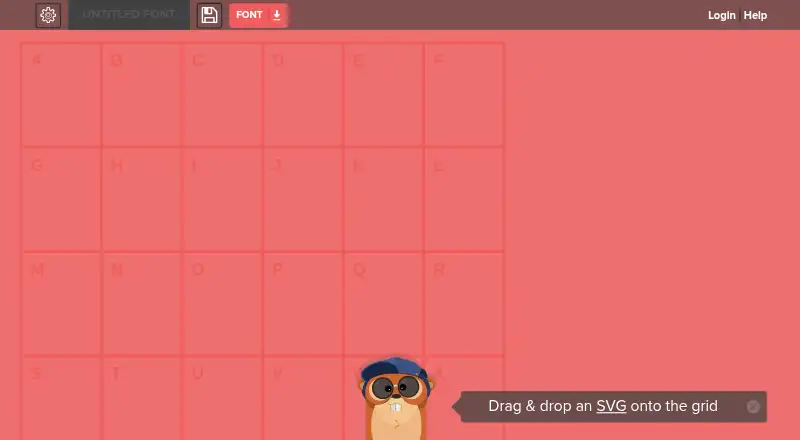
What Glyphter is
Glyphter is a web tool for building icon fonts from SVG files. Users place icons from its shelf onto a character grid to assign each icon to a font character. The glyph editing shelf also lets users set CSS class names and adjust paths by moving, scaling or deleting them. When the font is ready, users can download it with a .ttf file for computer installation and folders containing files for hosting and using it on the web. Glyphter says icon fonts can hold many icons at smaller file sizes, while their icons remain scalable and editable by developers. Users can save and manage projects by signing up or logging in. The free plan allows projects and font downloads; Premium provides unlimited projects, grids and glyphs, along with faster replies to support emails. The site says unlimited characters or more than one saved project requires Premium, while existing projects remain accessible without upgrading. An FAQ describes importing an existing SVG font by dragging it onto a grid and identifies that feature as beta. Glyphter is headquartered in Boston, Massachusetts, and is available on the web.
Who it suits
Glyphter suits people who want to assemble SVG icons into a downloadable icon font for computer or web use. It may also suit developers who want to assign CSS class names and edit glyph paths within the font-building workflow.
What it does well
- Build icon fonts by mapping SVG icons to character grid positions.
- Edit glyph paths by moving, scaling or deleting them.
- Download a .ttf file and web-hosting files.
- Free plan includes projects and font downloads.
- Existing projects remain accessible without a Premium upgrade.
What to know first
- Unlimited characters require Premium.
- More than one saved project requires Premium.
- The listed platform is web only.
Limits
The free plan requires Premium for unlimited characters or more than one saved project. Existing projects remain accessible without upgrading.
Plans
| Plan | Billed and limits | Price |
|---|---|---|
| Free | Free projects available; download fonts | Free |
| Premium | $4.99/mth · Unlimited projects · unlimited grids · unlimited glyphs · faster support replies | $4.99 a month |
As glyphter.com lists them, read 9 Oct 2026. The maker's own page has the final word.
Getting started
- Open glyphter.com in a web browser.
- Sign up or log in to save and manage projects.
- Place icons from the icon shelf onto the character grid.
- Edit glyph paths or assign CSS class names as needed.
- Download the font, including its .ttf file and web-use files.
Verdict
Choose Glyphter if you want a web-based way to map SVG icons to font characters and download font files. The free plan covers projects and downloads, while users who need unlimited characters or multiple saved projects must consider Premium at $4.99 a month.
Questions
Is Glyphter free?
Yes. The Free plan costs nothing and allows projects and font downloads. Premium costs $4.99 a month.
What does Premium add?
Premium includes unlimited projects, grids and glyphs, plus faster replies to support emails.
Can I download a font for use on a computer or website?
Yes. Downloads include a .ttf file for computer installation and folders with files needed to host and use the font on the web.
Which platforms does Glyphter support?
The listed platform is web.
Can I import an existing SVG font?
The FAQ describes dragging an existing SVG font onto a grid to add characters. The feature is identified as beta.
How can I contact support?
Users can email [email protected]. Premium members get faster replies to support emails.
Facts from Glyphter's own pages
- Editor
- Users can drag icons from the icon shelf onto the grid to map them to font characters. · glyphter.com, 9 Oct 2026
- Existing projects
- The Premium FAQ says existing projects remain accessible without upgrading. · glyphter.com, 9 Oct 2026
- Export
- Users can download a font containing a .ttf file for installation on a computer. · glyphter.com, 9 Oct 2026
- Font benefits
- The site says icon fonts can contain many icons at smaller file sizes and that icons remain scalable and editable by developers. · glyphter.com, 9 Oct 2026
- Glyph editing
- The glyph editing shelf lets users assign CSS class names and edit glyph paths, including moving, scaling, and deleting them. · glyphter.com, 9 Oct 2026
- Headquarters
- Boston, Massachusetts, United States · glyphter.com, 28 Sept 2026
- Premium limits
- The site says unlimited characters or more than one saved project requires Premium. · glyphter.com, 9 Oct 2026
- Saved projects
- Users can save and manage projects by signing up or logging in. · glyphter.com, 9 Oct 2026
- Security
- The Premium checkout states that credit card transactions are protected by 256-bit SSL encryption. · glyphter.com, 9 Oct 2026
- Service terms
- The terms state that the service is provided “AS IS” and disclaim guarantees that it will be uninterrupted, secure, or error-free. · glyphter.com, 9 Oct 2026
- Support
- Users can contact support at [email protected]; Premium members get faster replies to support emails. · glyphter.com, 9 Oct 2026
- SVG font import
- The FAQ says users can drag an existing SVG font onto a grid to add characters, and identifies this feature as beta. · glyphter.com, 9 Oct 2026
- Web use
- The downloaded font includes folders with files needed to host and use the font on the web. · glyphter.com, 9 Oct 2026
- What it does
- Glyphter lets users create icon fonts from SVG files by mapping SVGs to a character grid. · glyphter.com, 9 Oct 2026
Where Glyphter stands on Freedom251
- Font Design Software#20 of 33