Freedom251 › Font Design Software
Calligraphr
What Calligraphr is
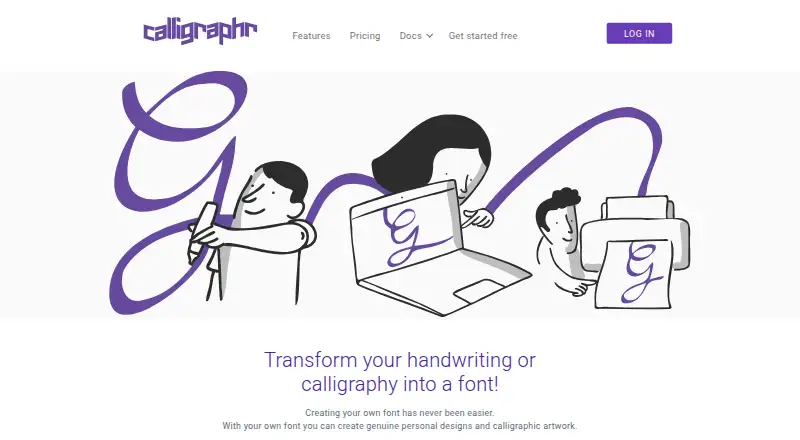
Calligraphr turns handwriting or calligraphy into a downloadable font. To create one, users prepare a character template with the character set and cell size they need, print and fill it in, then scan or photograph the sheet and upload it. An image editor can be used to touch up characters, and adjustment tools control character height and spacing. Users can create multiple character variants and randomize them to give the font variation. Finished fonts are standard TTF or OTF files that work independently after download. Calligraphr offers a Free plan and a Pro plan listed at £6 a month, billed per month for a 6 months upgrade. The Free plan allows one concurrent font, up to 75 characters per font and two variants per character, with no ligatures. Pro allows 20 concurrent fonts, 600 characters per font and 15 variants per character, and adds ligatures, backup, prioritized processing and server storage alongside browser storage. Calligraphr says users own their creations and may use them commercially without crediting the service. It is provided by Maklabu GmbH, based in Massein, Switzerland.
Who it suits
Calligraphr suits people who want to turn handwriting or calligraphy into font files for use in programs that support installed fonts. It can also suit users creating fonts for commercial use, since Calligraphr says the creations remain the user's property and may be used commercially without credit.
What it does well
- Creates standard TTF or OTF files that work independently after download.
- Template character sets and cell sizes can be customized.
- Image editor and tools adjust characters, height and spacing.
- Character variants can be randomized for variation.
- Creations may be used commercially without crediting Calligraphr.
What to know first
- The Free plan allows one concurrent font and 75 characters per font.
- Free accounts have two variants per character and no ligatures.
- Free font data is stored in the browser and may be deleted after inactivity.
- Google Docs does not support uploading custom fonts.
Limits
The Free plan permits one concurrent font, 75 characters per font and two variants per character, and it has no ligatures. Free account font data is stored in the browser and may be deleted after inactivity; the FAQ says Firefox and Chrome might delete it after about two months and Safari after a week.
Plans
| Plan | Billed and limits | Price |
|---|---|---|
| Free | Registration required · Unlimited fonts · 1 concurrent font · 75 characters · 2 variants per character · no ligatures · no per-character spacing · browser storage · no backup · no prioritized processing | Free |
| Pro six-month upgrade | £ 6 gbp per month for a 6 months upgrade · Unlimited fonts · 20 concurrent fonts · 600 characters · 15 variants per character · ligatures · per-character spacing · browser plus server storage · backup · prioritized processing | £6 a month |
| Pro | £ 8 gbp for one month · Unlimited fonts · 20 concurrent fonts · 600 characters · 15 variants per character · ligatures · per-character spacing · browser plus server storage · backup · prioritized processing | £8 a month |
As calligraphr.com lists them, read 15 Oct 2026. The maker's own page has the final word.
Getting started
- Open https://www.calligraphr.com/en/ and register for a Free account.
- Prepare a character template with the character set and cell size you want.
- Print and fill in the template, then scan or photograph it.
- Upload the completed template and touch up characters or adjust height and spacing.
- Download the resulting font as a TTF or OTF file.
- Install the font on Windows or Mac to use it in supported external programs.
Verdict
Choose Calligraphr if you want to build a font from handwriting or calligraphy and download it as a TTF or OTF file. The Free plan supports smaller character sets, while Pro adds capacity, ligatures and server storage. Look elsewhere if you need custom fonts uploaded into Google Docs or need collaboration, which is listed as none.
Questions
How much does Calligraphr cost?
The Free plan costs nothing and requires registration. Pro is £6 a month, billed per month for a 6 months upgrade.
What does the Free plan include?
It allows unlimited fonts, one concurrent font, 75 characters per font and two variants per character, with no ligatures. Font data is stored in the browser.
Which file formats can I download?
Created fonts are standard TTF or OTF files and work independently after download.
Can I use a Calligraphr font commercially?
Calligraphr says creations are the user's sole property and may be used commercially without crediting Calligraphr.
Which programs and platforms can use the fonts?
Fonts can be installed on Windows or Mac and used in external programs such as MS Word or Adobe Illustrator. Google Docs does not support uploading custom fonts.
Who provides Calligraphr?
Calligraphr.com is provided by Maklabu GmbH at Ausserdorf 5, 7425 Massein, Switzerland.
Facts from Calligraphr's own pages
- AlternativeTo user review
- AlternativeTo shows one five-star user review and four likes; the reviewer says the free option handles basic lettering and its editing tools correct handwriting slips. · alternativeto.net, 15 Oct 2026
- Android limitation
- The login page warns that IndexedDB support on Android devices is not yet reliable. · calligraphr.com, 15 Oct 2026
- Browser data risk
- The FAQ says browsers may delete inactive font data after roughly two months in Firefox or Chrome and about a week in Safari. · calligraphr.com, 15 Oct 2026
- Browser implementation
- The login page says the app uses IndexedDB for local storage and does not work in Firefox private mode. · calligraphr.com, 15 Oct 2026
- Character randomization
- Multiple drawn variants of a character can be selected randomly to make handwriting look less repetitive. · calligraphr.com, 15 Oct 2026
- Character variants
- Multiple variants of characters can be used to simulate natural handwriting through character randomization. · calligraphr.com, 8 Oct 2026
- Commercial rights
- The maker says users own creations made with Calligraphr and may use or share them commercially without crediting Calligraphr. · calligraphr.com, 15 Oct 2026
- Commercial use
- Calligraphr says creations are the user's sole property and may be used commercially without crediting Calligraphr. · calligraphr.com, 8 Oct 2026
- Custom templates
- Users can choose their character set and change template-cell size before printing. · calligraphr.com, 15 Oct 2026
- Documentation
- Official documentation includes three tutorials covering first fonts, randomized fonts and ligatures, plus a FAQ. · calligraphr.com, 15 Oct 2026
- Downgrade behavior
- Server data is deleted when an upgrade expires, while already downloaded TTF and OTF files continue working. · calligraphr.com, 15 Oct 2026
- Editing
- The app includes an image editor for touching up characters and tools to adjust character height and spacing. · calligraphr.com, 8 Oct 2026
- Font formats
- Generated fonts are standard TTF or OTF files that work independently after download. · calligraphr.com, 15 Oct 2026
- Free storage
- Free-account font data is kept in the current browser and cannot synchronize between computers or browsers. · calligraphr.com, 15 Oct 2026
- Google Docs limitation
- The FAQ says custom Calligraphr fonts cannot be uploaded into Google Docs. · calligraphr.com, 15 Oct 2026
- Headquarters
- Massein, Switzerland · calligraphr.com, 28 Sept 2026
- Integrations
- Fonts can be installed on Windows or Mac and used in external programs such as MS Word or Adobe Illustrator; Google Docs does not support uploading custom fonts. · calligraphr.com, 8 Oct 2026
- Licence classification
- AlternativeTo classifies Calligraphr as freemium and proprietary. · alternativeto.net, 15 Oct 2026
- Ligatures
- The Pro version can replace specified character sequences with user-created ligatures. · calligraphr.com, 15 Oct 2026
- Limit: cursive construction
- Reddit users report that connecting cursive strokes is difficult and often produces unnatural results even after following the FAQ. · reddit.com, 15 Oct 2026
- Limit: language coverage
- A G2 reviewer says the product is limited to roughly five to ten languages. · g2.com, 15 Oct 2026
- Limit: lettering flow
- A G2 reviewer says the lettering template does not work well for smooth connected handwriting and requires cutting and pasting letters as a workaround. · g2.com, 15 Oct 2026
- Limit: output quality
- A Trustpilot reviewer says generated fonts looked computer-like rather than handwritten. · trustpilot.com, 15 Oct 2026
- Limit: precision editing
- Reddit users report warped diagonal glyphs and say the app lacks tools for editing generated vector paths precisely. · reddit.com, 15 Oct 2026
Where Calligraphr stands on Freedom251
- Font Design Software#5 of 33