Freedom251 › Screen Recording Software
FocusTake
by FocusTake
What FocusTake is
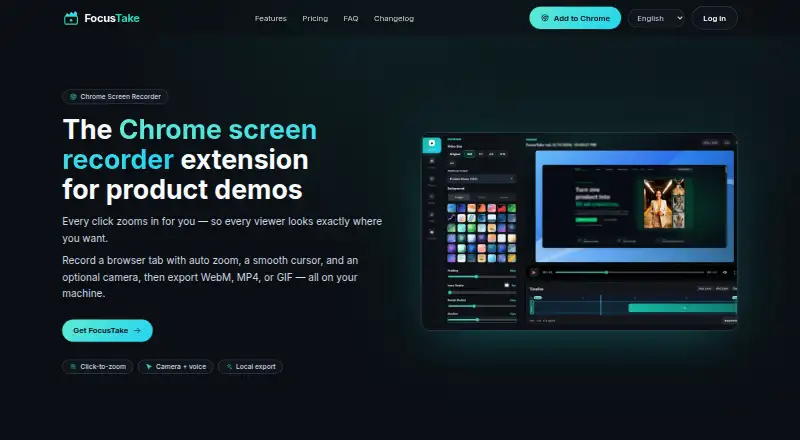
FocusTake is a Chrome extension for creating browser product demos from a single recording. It can capture webcam video, microphone input, system audio, and browser-tab audio, with maximum video quality listed as 4K. Browser Tab recordings may include camera and voice overlays. Clicks, typing, scrolling, selections, and URL changes can create adjustable zoom moments, while the editor smooths cursor movement into a steady overlay. Local editing controls cover background, layout, cursor, motion, and zoom. FocusTake exports WebM, MP4, or GIF files locally, with WebM as the default. Entire Screen and Application Window captures remain plain recordings; enhancements apply to Browser Tab recordings. Recordings and project media stay on the device, and recording or export requires no account. The free plan includes 720p and 1080p export with a watermark. Pro costs $39 a month as a one-time local license and adds 2K and 4K export on up to three computers.
Who it suits
FocusTake suits founders, indie hackers, product marketers, SaaS and support teams, and creators making focused browser demos. It is not presented as a full video editor or general-purpose recorder.
What it does well
- Local recording and exports
- Automatic zoom moments from browser actions
- WebM, MP4, and GIF export
- No account required for recording
- Camera, microphone, and system audio
What to know first
- Free exports include a watermark
- Enhancements apply only to Browser Tab recordings
- No product integrations are identified
- Free plan exports up to 1080p
Plans
| Plan | Billed and limits | Price |
|---|---|---|
| Free | $0 no account required · Browser-tab recording · 720p & 1080p export · WebM, MP4 & GIF export with watermark | Free |
| Pro | $39 one-time · local license · 2K & 4K export · Watermark-free export · Use on up to 3 computers · No subscription | $39, paid once |
As focustake.dev lists them, read 11 Oct 2026. The maker's own page has the final word.
Verdict
FocusTake concentrates on browser-demo capture, automatic action-based zooms, and local editing. The free tier covers basic exports, while the $39 a month one-time Pro license adds higher resolutions and use on three computers.
Facts from FocusTake's own pages
- Audience
- FocusTake is intended for founders, indie hackers, product marketers, SaaS and support teams, and creators. · focustake.dev, 11 Oct 2026
- Auto zoom
- Clicks, typing, scrolling, selection, and URL changes can create zoom moments that users can adjust in the editor. · focustake.dev, 11 Oct 2026
- Camera and audio
- Browser Tab recordings can include an optional camera and voice overlay and optional tab audio. · focustake.dev, 11 Oct 2026
- Capture limits
- Entire Screen and Application Window recordings are available as plain recordings, while enhancements apply to Browser Tab recordings. · focustake.dev, 11 Oct 2026
- Cursor
- The editor smooths cursor movement into a steady overlay. · focustake.dev, 11 Oct 2026
- Editor
- The local editor provides controls for background, layout, cursor, motion, and zoom. · focustake.dev, 11 Oct 2026
- Exports
- FocusTake exports WebM, MP4, or GIF locally; WebM is the default format. · focustake.dev, 11 Oct 2026
- Free plan
- Yes · focustake.dev, 22 Sept 2026
- Headquarters
- Seattle, Washington, United States · focustake.dev, 28 Sept 2026
- Integrations
- The site identifies no product integrations; it says Pro purchases are processed by Stripe and account sign-in uses Google. · focustake.dev, 11 Oct 2026
- Microphone recording
- Yes · focustake.dev, 22 Sept 2026
- Permissions
- The extension has access to all URLs, but its interaction-capture listeners remain inactive unless an eligible Browser Tab recording starts. · focustake.dev, 11 Oct 2026
- Supported platforms
- chrome_extension · focustake.dev, 22 Sept 2026
- Privacy
- Recordings and project media stay on the device and are not uploaded to FocusTake’s servers; recording and export do not require an account. · focustake.dev, 11 Oct 2026
- Product scope
- The site describes FocusTake as a focused browser-demo tool rather than a full video editor or general-purpose recorder. · focustake.dev, 11 Oct 2026
- Purpose
- FocusTake is a Chrome extension for creating browser product demos from a single recording. · focustake.dev, 11 Oct 2026
- Support
- Support is available by email and the team says typical replies arrive within a few business days. · focustake.dev, 11 Oct 2026
- System audio
- Yes · focustake.dev, 22 Sept 2026
- Maximum video quality
- 4k · focustake.dev, 22 Sept 2026
- Webcam recording
- Yes · focustake.dev, 22 Sept 2026
Where FocusTake stands on Freedom251
- Screen Recording Software#67 of 131