Freedom251 › Screen Recording Software
GPU Screen Recorder
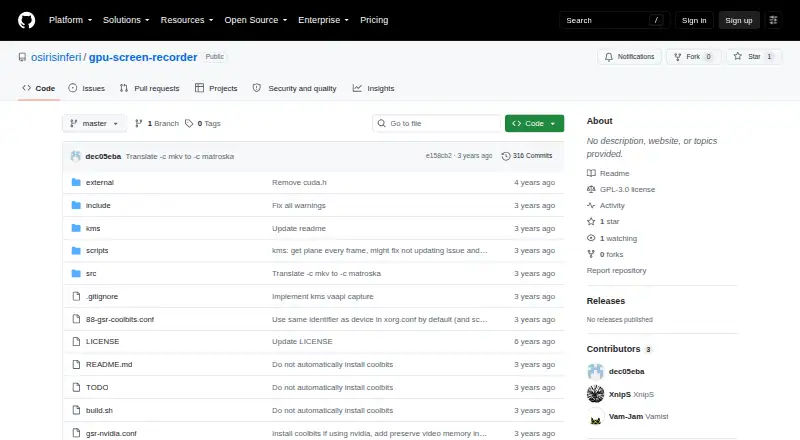
What GPU Screen Recorder is
GPU Screen Recorder is free, GPL-3.0-only Linux software that records monitors using the GPU to minimize system performance impact. It supports offline recording, live streaming, instant replay, and screenshots on X11 and Wayland with AMD, Intel, and NVIDIA GPUs. The recorder is command-line only, while separate GTK and ShadowPlay-style interface projects are linked by its maker. Video codecs include H264, HEVC, AV1, VP8, and VP9; HEVC and AV1 can optionally use HDR. Opus and AAC are available for audio, and screenshots can use JPEG or PNG. Streaming runs through FFmpeg, including documented Twitch and WHIP use. Signals, commands, and Unix-domain-socket IPC provide remote control, while plugins can draw graphics over captures. Official installation methods include Arch Linux’s repository, source installation, and Flathub. Replay buffers use RAM by default, with disk storage also available.
Who it suits
It suits Linux users who prefer command-line recording and need GPU-based capture, streaming, replay, or screenshots. It is also relevant to users of X11 or Wayland with supported AMD, Intel, or NVIDIA hardware.
What it does well
- Supports X11 and Wayland
- Offers recording, streaming, replay, and screenshots
- Includes H264, HEVC, and AV1
- Supports FFmpeg streaming protocols
- Provides plugin and IPC controls
What to know first
- The recorder is CLI-only
- AMD or Intel monitor capture needs root KMS access
- Replay buffers use RAM by default
Plans
| Plan | Billed and limits | Price |
|---|---|---|
| GPU Screen Recorder | GPL-3.0-only · Linux software | Free |
As github.com lists them, read 12 Oct 2026. The maker's own page has the final word.
Verdict
GPU Screen Recorder offers extensive Linux capture and streaming functions with many codec choices. Its command-line design and permission requirements should be checked before installation.
Facts from GPU Screen Recorder's own pages
- Audio and image formats
- Supported audio codecs are Opus and AAC, and supported image formats are JPEG and PNG. · git.dec05eba.com, 12 Oct 2026
- Capture support
- It works on X11 and Wayland with AMD, Intel, and NVIDIA GPUs. · git.dec05eba.com, 12 Oct 2026
- Command line
- The recorder is CLI-only; the maker links to separate GTK and ShadowPlay-style UI projects. · git.dec05eba.com, 12 Oct 2026
- Installation
- The maker lists Arch Linux’s official repository, source installation, and Flathub as official installation methods. · git.dec05eba.com, 12 Oct 2026
- License
- The software is licensed under GPL-3.0-only. · git.dec05eba.com, 12 Oct 2026
- Maker identity
- The project website identifies itself as the dec05eba programming website and lists an email contact, but gives no headquarters or founding date on the opened page. · dec05eba.com, 12 Oct 2026
- Microphone recording
- Yes · github.com, 22 Sept 2026
- Notable limitation
- Replay buffers are stored in RAM by default, and the maker cautions against long or high-quality replay buffers without enough memory; disk storage is also available. · git.dec05eba.com, 12 Oct 2026
- Permissions
- Recording a monitor on AMD or Intel requires root access to KMS, handled by a separate small program; window or desktop portal capture does not require special user permission. · git.dec05eba.com, 12 Oct 2026
- Supported platforms
- linux · github.com, 22 Sept 2026
- Plugins
- It supports plugins that render additional graphics over monitor or window capture. · git.dec05eba.com, 12 Oct 2026
- Purpose
- GPU Screen Recorder records a monitor using the GPU to minimize system performance impact and supports offline recording, live streaming, instant replay, and screenshots. · git.dec05eba.com, 12 Oct 2026
- Remote control
- The recorder can be controlled with signals or commands sent through a Unix domain socket using its IPC option. · git.dec05eba.com, 12 Oct 2026
- Streaming
- Streaming uses FFmpeg, so the recorder supports the protocols supported by FFmpeg; the page gives Twitch as an example and documents WHIP streaming. · git.dec05eba.com, 12 Oct 2026
- Support
- The project page directs users to a maker contact page for bug reports, contributions, questions, and donations. · git.dec05eba.com, 12 Oct 2026
- System audio
- Yes · github.com, 22 Sept 2026
- Video formats
- Supported video codecs are H264, HEVC, AV1, VP8, and VP9; HEVC and AV1 can optionally use HDR. · git.dec05eba.com, 12 Oct 2026
Where GPU Screen Recorder stands on Freedom251
- Screen Recording Software#64 of 131