Freedom251 › Screen Recording Software

AfterCut
What AfterCut is
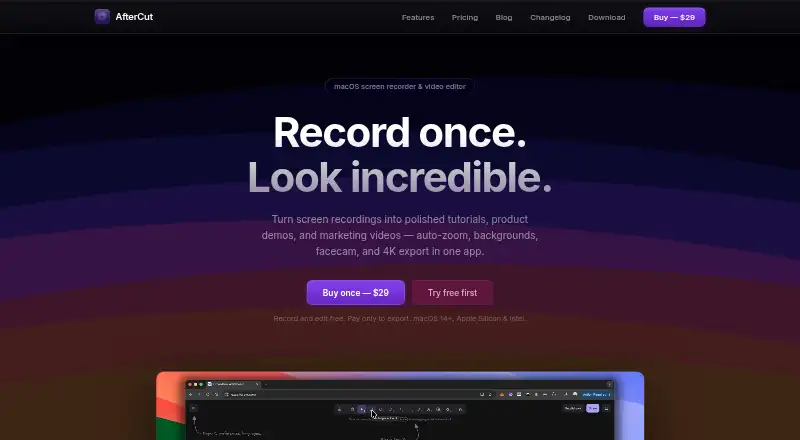
AfterCut is a native macOS screen recorder and video editor for tutorials, product demonstrations, and marketing videos. It captures a full screen, window, or selected region with microphone and system audio, plus optional webcam footage. Click-following automatic zoom creates adjustable zoom-and-pan keyframes, while the timeline supports trimming, splicing, and transitions. Exports are available as MP4, GIF, or WebM up to 4K at 60 fps. Speech-to-text captions run on the Mac, and Auto Level raises quiet speech while skipping silence and room tone. Recording, editing, and previewing are free, but exporting a finished video requires a license. The AfterCut License is listed at $29 a month, billed as a one-time payment for lifetime use, with lifetime updates. Workspace supports shared licensing, video links, optional passwords, view counts, and timestamped comments. AfterCut requires macOS 14 or later and supports Apple Silicon and Intel Macs.
Who it suits
AfterCut suits Mac users creating tutorials, software demos, or marketing videos with screen, camera, and audio capture. Teams may use Workspace for shared licenses and review links.
What it does well
- Records screens, windows, regions, microphones, and webcams
- Exports MP4, GIF, or WebM up to 4K 60fps
- On-device captions and automatic audio leveling
- Lifetime updates included with license
- Workspace provides links and timestamped comments
What to know first
- Exporting finished videos requires a license
- Requires macOS 14 or later
- No free plan is listed
- Cloud features require users to choose uploads
Plans
| Plan | Billed and limits | Price |
|---|---|---|
| AfterCut License | One-time payment · Lifetime license · Record and edit free; export requires a license · macOS 14+ · Apple Silicon & Intel · Lifetime updates | $29, paid once |
As aftercut.studio lists them, read 12 Oct 2026. The maker's own page has the final word.
Verdict
AfterCut combines capture, editing, captions, and high-resolution export in one Mac application. Its free mode previews work, while exporting depends on the lifetime license.
Facts from AfterCut's own pages
- Automatic zoom
- AfterCut follows clicks to create zoom-and-pan keyframes that users can adjust or place manually. · aftercut.studio, 12 Oct 2026
- Captions and audio
- Speech-to-text captions run on the Mac by default, and Auto Level raises quiet speech while skipping silence and room tone. · aftercut.studio, 12 Oct 2026
- Editing and export
- Its timeline editor supports trimming, splicing, and transitions, with MP4, GIF, or WebM export up to 4K at 60 fps. · aftercut.studio, 12 Oct 2026
- Free plan
- No · aftercut.studio, 22 Sept 2026
- Free use limit
- Users can record, edit, and preview for free; exporting a finished video requires a license. · aftercut.studio, 12 Oct 2026
- Integrations
- Optional YouTube Upload uses Google OAuth and the YouTube Data API; the maker also describes direct export to Uneed launch pages. · aftercut.studio, 12 Oct 2026
- Intended users
- The maker describes workflows for YouTube tutorials, SaaS product demos, and marketing videos. · aftercut.studio, 12 Oct 2026
- Maker
- The maker says they build AfterCut themselves as a native Mac app; the site does not state a headquarters or founding date. · aftercut.studio, 12 Oct 2026
- Microphone recording
- Yes · aftercut.studio, 22 Sept 2026
- Supported platforms
- macos · aftercut.studio, 22 Sept 2026
- Privacy
- The privacy policy says recordings and projects are stored locally by default and content is uploaded only when users choose Cloud Sharing, Cloud Transcription, or YouTube Upload. · aftercut.studio, 12 Oct 2026
- Recording
- It records a full screen, window, or selected region, with microphone and system audio and an optional webcam recording. · aftercut.studio, 12 Oct 2026
- Security
- The policy says communications use HTTPS/TLS, YouTube OAuth tokens are stored in the macOS Keychain, and the app runs in the macOS App Sandbox. · aftercut.studio, 12 Oct 2026
- Support and refund
- Support is available at [email protected]; refunds are available within 14 days if the customer has not exported a video, with export problems handled case by case. · aftercut.studio, 12 Oct 2026
- System requirements
- AfterCut requires macOS 14 or later and supports both Apple Silicon and Intel Macs. · aftercut.studio, 12 Oct 2026
- Team sharing
- Workspace lets a team share one license and upload videos with share links, optional password protection, view counts, and timestamped comments. · aftercut.studio, 12 Oct 2026
- Maximum video quality
- 4k · aftercut.studio, 22 Sept 2026
- Webcam recording
- Yes · aftercut.studio, 22 Sept 2026
- What it does
- AfterCut is a native macOS screen recorder and video editor for making tutorials, product demos, and marketing videos. · aftercut.studio, 12 Oct 2026
Where AfterCut stands on Freedom251
- Screen Recording Software#68 of 131