Freedom251 › RSS Reader Software
Fluent Reader
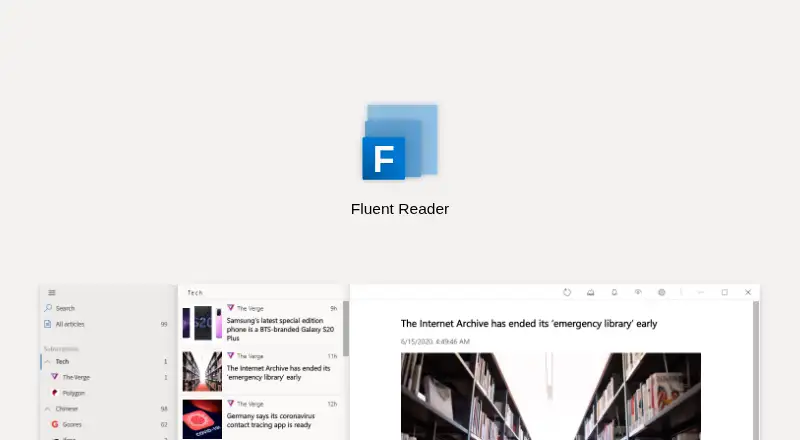
What Fluent Reader is
Fluent Reader is a free, open-source news aggregator and desktop RSS reader for distraction-free reading. Its built-in article view can show full text, use Mercury Parser to load article text, or open webpages inside the app or externally. Users can search titles and full article contents with regular expressions, then create rules to mark, hide, or star articles. Subscriptions can be grouped, imported or exported as OPML, and included in application data backups. Desktop versions are available for Windows, macOS, and Linux. The app supports Inoreader and Feedbin, along with services compatible with Fever or Google Reader API; listed compatible services also include FreshRSS, Miniflux, The Old Reader, BazQux Reader, and Tiny Tiny RSS. Fluent Reader Lite offers iOS TestFlight access and an Android APK. The project says the app does not collect, store, or share personal information, and describes protections including an isolated context for blocking XSS. A connected third-party RSS service may see activity through its API. Connecting a service removes local articles with matching source URLs while retaining rules and preferences.
Who it suits
Fluent Reader suits people who want to read and organize RSS subscriptions on desktop, with options to connect supported RSS services. Fluent Reader Lite may suit users seeking mobile access through iOS TestFlight or an Android APK.
What it does well
- Free and licensed under BSD-3-Clause.
- Searches titles and full article contents.
- Subscriptions can be organized into groups and exported as OPML.
- Desktop versions cover Windows, macOS, and Linux.
What to know first
- Connecting a service removes local articles with matching source URLs.
- Third-party RSS services may see activity through their APIs.
- Inoreader rate limiting may require users to provide their own API key.
Limits
Connecting a service removes local articles whose source URLs match that service, while retaining custom rules and preferences. Repeated connection errors with correct Inoreader credentials may be caused by rate limiting and can require a user-provided API key.
Plans
| Plan | Billed and limits | Price |
|---|---|---|
| Free | Open-source desktop RSS reader · local reading or syncing with supported RSS services | Free |
As hyliu.me lists them, read 1 Oct 2026. The maker's own page has the final word.
Getting started
- Download the desktop app for Windows, macOS, or Linux, or get Fluent Reader Lite through its Android APK or iOS TestFlight access.
- Add RSS subscriptions or connect a supported service such as Inoreader or Feedbin.
- Organize subscriptions into groups and import or export them as OPML if needed.
- Set regular-expression rules to mark, hide, star, or mark articles unread.
- Back up application data so it can be restored later.
Overview
Fluent Reader is an open-source RSS reader for desktop and mobile, with local reading and optional syncing through supported RSS services. It suits readers who want fine-grained control over articles and a choice of local or service-backed subscriptions. Its filtering and reading tools are substantial, but connecting a service can remove matching local articles.
Its BSD-3-Clause license and broad platform support make it a practical option for readers who prefer not to depend on a single hosted reading service. The trade-off is that its most distinctive controls use regular expressions, which may feel like more setup than a reader needs for basic feed browsing. See our RSS Reader Software directory for more options.
Key features
The built-in article view handles RSS full text, while Mercury Parser can load full text for articles that need it. Webpages can open inside the app or externally, so readers can choose a contained reading view or switch to their browser. Background fetching can trigger push notifications when incoming articles match notification rules; that is useful for selected updates without making every new item a notification.
Search reaches titles and full article contents using regular expressions. Custom regex rules can star, hide, mark, or mark unread articles, giving readers precise ways to sort and surface items. That flexibility is a real advantage for large or specialized feeds, but readers who do not want to write patterns may find the approach less convenient than simpler filters.
Subscriptions can be grouped, imported or exported as OPML, and included in full application-data backups that can be restored. These features help readers maintain a portable local library. The privacy policy says the app does not collect, store, or share personal information; the product also says cookies are cleared on exit, XSS is blocked in an isolated context, and a strict Content Security Policy is enforced. When using a self-hosted or third-party RSS service, however, that service may see activity through its API.
Pricing
Fluent Reader is free. The Free plan costs nothing and includes the open-source desktop RSS reader for local reading or syncing with supported RSS services. There is no paid plan to weigh against it, and readers can use the core desktop workflow without a subscription. Mobile access is provided by Fluent Reader Lite, with iOS TestFlight and Android APK downloads.
Syncing deserves care: connecting a service removes local articles with source URLs that also exist in that service, while retaining custom rules and preferences. Readers who have built a local archive should account for that before connecting. Inoreader connections may also hit rate limits despite correct credentials; resolving repeated errors can require a user-provided API key.
Platforms
The desktop app is available for Windows, macOS, and Linux, including Windows 10 Microsoft Store and macOS App Store options, with GitHub releases for Linux and older Windows versions. Fluent Reader Lite supports iOS and Android, with a two-pane view and multitasking support on iPad and Android tablets. Its service support includes Fever API, Google Reader API, Inoreader, and Feedbin; compatibility is also tested with FreshRSS, Miniflux, The Old Reader, BazQux Reader, and Tiny Tiny RSS.
Who it's for
Fluent Reader is a good fit for readers who want a free, cross-platform RSS workflow with local reading, full-text tools, configurable rules, and the option to connect an existing service. It is less compelling for someone who wants to sync a local archive without possible article removal, or who prefers straightforward filters over regular-expression rules. Bug reports and feature requests go through GitHub issues, and the project also invites translation contributions.
Pros and cons
- Pros: Free and open-source under BSD-3-Clause, with desktop versions for Windows, macOS, and Linux and a mobile companion for iOS and Android.
- Pros: Full-text reading, regex search, article rules, OPML import and export, and restorable data backups support a detailed personal feed workflow.
- Pros: Local reading is available without connecting a service, and the stated privacy and security controls address app data and embedded content.
- Cons: Connecting a service removes local articles whose source URLs match, which can disrupt an existing local collection.
- Cons: Third-party or self-hosted services can see API activity, and Inoreader rate limiting may require a personal API key.
- Cons: Regex-based search and rules offer precision, but require readers to be comfortable defining patterns.
Alternatives
For a feed reader with a published free allowance of 200 feeds, 30-minute updates, 50 posts of history per feed, and two AI summaries per day, consider Feeder; its paid Plus plan is $7.99 a year. Feedly is another freemium option, with a free account that includes up to three personal Boards and a free trial; it may suit readers who prefer a board-based organization model.
Passman is a free, open-source alternative with no paid plan or usage limits stated. CommaFeed may appeal to readers who want a public instance, with up to 1,000 feeds per account, 500 entries per feed, and entries kept for 365 days. For a free desktop reader and podcast player on Windows, macOS, or Linux, consider RSS Guard; Liferea is a free Linux desktop feed reader.
Newsify is a freemium option for iOS, macOS, and web. ReadKit is a freemium alternative for iOS and macOS with a free trial and paid monthly and annual plans.
Verdict
Choose Fluent Reader if you want a free, cross-platform RSS reader that combines local reading with full-text access, precise rules, and optional service syncing. Its strongest case is the breadth of its reading and organization tools without a paid plan. Look elsewhere if connecting a service must preserve every local article, or if regex-based controls are more complexity than you want.
Verdict
Fluent Reader combines desktop RSS reading with article search, filtering rules, and support for several RSS services. Be aware that connecting a service can remove matching local articles, and that service providers may see API activity.
Questions
How much does Fluent Reader cost?
Fluent Reader is free. Its listed plan is $0.00 per free.
Is Fluent Reader open source?
Yes. The project describes it as open source and licenses it under BSD-3-Clause.
Which desktop and mobile platforms are available?
Desktop versions are distributed for Windows, macOS, and Linux. Fluent Reader Lite offers iOS TestFlight access and an Android APK.
Which RSS services can it connect to?
It supports Inoreader and Feedbin, as well as services compatible with Fever API or Google Reader API. The maker also lists FreshRSS, Miniflux, The Old Reader, BazQux Reader, and Tiny Tiny RSS.
Does Fluent Reader collect personal information?
The project says the app does not collect, store, or share personal information. A connected RSS service may see user activity through its API.
What happens to local articles when I connect a service?
Local articles with source URLs matching the service are removed, while custom rules and preferences are retained.
Facts from Fluent Reader's own pages
- Article reading
- It provides a built-in article view, can load full text with Mercury Parser, and can open webpages in the app or externally. · hyliu.me, 30 Sept 2026
- Desktop platforms
- Downloads are provided for Windows, macOS, and Linux; Windows 10 users are directed to Microsoft Store and macOS users to Mac App Store. · github.com, 1 Oct 2026
- Inoreader limitation
- Repeated connection errors with correct Inoreader credentials may result from rate limiting, which can require users to provide their own API key. · github.com, 30 Sept 2026
- Integrations
- It supports Inoreader, Feedbin, and services compatible with Fever or Google Reader API. · hyliu.me, 1 Oct 2026
- Local data
- The official site says user data stays with them and cookies are cleared upon exit. · hyliu.me, 1 Oct 2026
- Mobile companion
- Fluent Reader Lite supports Fever API, Google Reader API, Inoreader, and Feedbin, and offers iOS TestFlight and Android APK downloads. · hyliu.me, 30 Sept 2026
- Mobile platforms
- Fluent Reader Lite offers iOS TestFlight access and an Android APK, with two-pane view and multitasking support on iPad and Android tablets. · hyliu.me, 1 Oct 2026
- Notable limitation
- The support page warns that connecting to a service can remove local articles whose source URLs match the service, while keeping custom rules and preferences. · github.com, 1 Oct 2026
- Notifications
- Background fetching can send push notifications, and rules can trigger notifications for matching fetched articles. · github.com, 1 Oct 2026
- Open source
- The project describes Fluent Reader as open-source and is licensed under BSD-3-Clause. · github.com, 30 Sept 2026
- Organization
- Subscriptions can be organized into groups, imported or exported as OPML, and included in full application data backups. · github.com, 1 Oct 2026
- Organization and backup
- Subscriptions can be organized into groups, and application data can be backed up and restored. · github.com, 30 Sept 2026
- Other supported services
- The maker lists The Old Reader and BazQux Reader among supported RSS services. · github.com, 1 Oct 2026
- Privacy
- The maker says the app does not collect, store, or share personal information; third-party or self-hosted RSS services may see activity through their API. · github.com, 1 Oct 2026
- Purpose
- Fluent Reader is a local, cross-platform news aggregator and desktop RSS reader. · hyliu.me, 1 Oct 2026
- Reading
- It includes a built-in article view for RSS full text and can load webpages in the app or open them externally. · hyliu.me, 1 Oct 2026
- RSS integrations
- Supported services include Fever API, Feedbin, Google Reader API, and Inoreader, with tested compatibility including FreshRSS, Miniflux, The Old Reader, BazQux Reader, and Tiny Tiny RSS. · github.com, 30 Sept 2026
- Search and filters
- It searches titles and full article contents with regular expressions and supports custom rules to star, hide, or mark articles unread. · hyliu.me, 1 Oct 2026
- Search and rules
- Users can search titles and full article contents with regular expressions and create regular-expression rules to mark, hide, or star articles. · hyliu.me, 30 Sept 2026
- Security
- The official site says XSS is blocked in an isolated context and a strict Content Security Policy is enforced. · hyliu.me, 1 Oct 2026
- Security controls
- The product says cookies are cleared on exit, XSS is blocked in an isolated context, and a strict Content Security Policy is enforced. · hyliu.me, 30 Sept 2026
- Support
- The project directs users to report bugs or request features through GitHub issues. · github.com, 1 Oct 2026
- Sync limitation
- When connecting a service, local articles with the same source URLs are removed while custom rules and preferences are retained. · github.com, 30 Sept 2026
- Third-party visibility
- When a self-hosted or third-party RSS service is used, that service may see the user's activities through its API. · github.com, 30 Sept 2026
Where Fluent Reader stands on Freedom251
- RSS Reader Software#7 of 33