Freedom251 › Video Repair Software
FixFile
What FixFile is
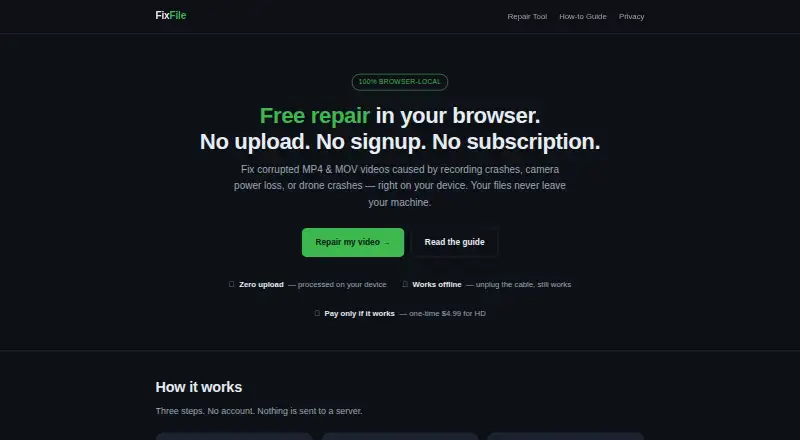
FixFile repairs corrupted MP4 and MOV videos in a web browser by rebuilding a missing or damaged container index. This can help when the video data was written but the index needed to play it is broken. You can inspect a free low-resolution preview before choosing whether to buy the full HD download for $4.99, paid once, charged as a one-time payment after preview and only if the repair works. Files are processed in the browser and are not uploaded to FixFile or a third party. After the page loads, repair can work offline; payment requires an internet connection. A healthy clip from the same device and recording settings can serve as a template, though a reference clip is optional. FixFile accepts MP4 and MOV, but not WebM, MKV, AVI, or audio-only files. It cannot restore media that was never written, such as a zero-byte file. Payhip handles checkout. If you pay, the repaired file is held temporarily in browser IndexedDB and deleted when download starts or after 24 hours.
Who it suits
FixFile suits people trying to recover MP4 or MOV footage from action cameras, drones, OBS recordings, dashcams, weddings, events, or phone transfers. It is a browser option for those who want to preview a repair before paying.
What it does well
- Free low-resolution preview before purchase
- Files are processed locally in the browser
- Repair works offline after the page loads
- Reference clip is optional
What to know first
- Only MP4 and MOV are supported
- Cannot restore media that was never written
- Payment requires an internet connection
Limits
The free option provides a low-resolution preview; the full HD download costs $4.99, paid once and is paid only after preview if the repair works. FixFile cannot reconstruct media that was never written, and the tool accepts only MP4 and MOV.
Plans
| Plan | Billed and limits | Price |
|---|---|---|
| Full HD download | One-time payment after preview, only if it works · Full repaired HD download · MP4/MOV only | $4.99, paid once |
As fixfile.org lists them, read 8 Oct 2026. The maker's own page has the final word.
Getting started
- Open https://www.fixfile.org/ in a web browser.
- Load the page while online if you may need the optional payment step.
- Choose a corrupted MP4 or MOV file to repair.
- Optionally provide a healthy clip from the same device and recording settings as a template.
- View the free low-resolution preview.
- If the repair works and you want the full HD file, pay $4.99, paid once through Payhip.
Verdict
FixFile offers a focused way to attempt repairs when an MP4 or MOV index is damaged, with a preview before the one-time charge. Its format limits and inability to reconstruct unwritten media define when it can help.
Questions
What does FixFile repair?
It repairs corrupted MP4 and MOV videos by rebuilding a missing or broken container index, when the media itself was written.
How much does the full HD download cost?
The Full HD download costs $4.99, paid once as a one-time payment after preview, only if the repair works.
Is there a free option?
Yes. Users can view a free low-resolution preview before deciding whether to pay for the full HD download.
Which file formats does it support?
It accepts MP4 and MOV. WebM, MKV, AVI, and audio-only formats are unsupported.
Does FixFile upload video files?
No. Files are processed in the browser and are not uploaded to FixFile or a third party.
Can it work offline?
Repair works offline after the page loads. The optional payment step needs an internet connection.
Facts from FixFile's own pages
- Analytics
- The site uses a first-party anonymous event counter and says it does not use cookies or store IP addresses. · fixfile.org, 8 Oct 2026
- Intended users
- The site describes use cases including action-camera and drone footage, OBS recordings, dashcams, weddings and events, and phone transfers. · fixfile.org, 8 Oct 2026
- Limits
- FixFile cannot reconstruct media that was never written, such as a truly zero-byte file. · fixfile.org, 8 Oct 2026
- Local processing
- Video files are processed in the browser and are not uploaded to FixFile or a third party. · fixfile.org, 8 Oct 2026
- Offline use
- After the page loads, repair works offline; only the optional payment step needs an internet connection. · fixfile.org, 8 Oct 2026
- Payment
- Payhip handles checkout, and FixFile says it does not receive or store card details. · fixfile.org, 8 Oct 2026
- Preview
- Users can view a free low-resolution preview before deciding whether to pay for the full HD download. · fixfile.org, 8 Oct 2026
- Purpose
- FixFile repairs corrupted MP4 and MOV videos by rebuilding a missing or broken container index in the browser. · fixfile.org, 8 Oct 2026
- Reference clip
- A healthy clip from the same device and recording settings can provide a template for rebuilding the index. · fixfile.org, 8 Oct 2026
- Support
- The site lists support at [email protected]. · fixfile.org, 8 Oct 2026
- Supported formats
- The repair tool accepts MP4 and MOV files; WebM, MKV, AVI, and audio-only formats are unsupported. · fixfile.org, 8 Oct 2026
- Temporary storage
- When a user chooses to pay, the repaired file is temporarily saved in browser IndexedDB and deleted when the download begins or expires after 24 hours. · fixfile.org, 8 Oct 2026
Where FixFile stands on Freedom251
- Video Repair Software#5 of 26