Freedom251 › AI Script Writing Software

FiveDraft
What FiveDraft is
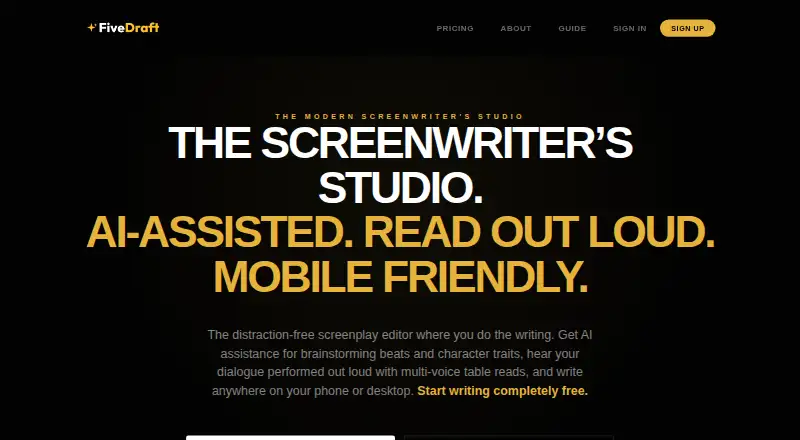
FiveDraft is an online screenwriting studio for writers working on screenplays, from a first short to a feature. Its distraction-free editor supports screenplay formatting and is designed for phones, tablets and desktop. Writers can import Final Draft (.fdx), Fountain, PDF and text files, then organize their work with a Scenes navigator that supports editable synopses and drag-and-drop scene reordering. Gemini AI tools can generate loglines, analyze character traits and arcs, and extract props from scripts. For read-alouds, a multi-voice audio engine gives characters distinct voices and adjusts narrator pacing. A read-only sharing link lets viewers open a screenplay on any device, print it or export it to PDF. The Free Draft plan costs nothing, billed €0/forever; it allows one cloud-saved script, unlimited local drafts, no page limit and watermarked PDF export. Pro Studio costs €5 a month, with a €39/year option available at checkout. It adds unlimited cloud scripts, watermark-free PDF exports, version snapshots and history, Gemini analysis and exports to FDX, Fountain and Fade In. FiveDraft says it does not train AI models on script data, and users retain ownership of their work and can export or delete their data at any time.
Who it suits
FiveDraft suits screenwriters who want a screenplay editor with scene organization, file import and read-aloud tools. Its free plan may suit writers keeping most drafts locally, while Pro Studio is aimed at those who need multiple cloud scripts, version history or additional export formats.
What it does well
- Imports Final Draft, Fountain, PDF and text files.
- Gemini tools generate loglines and analyze characters and props.
- Multi-voice read-alouds use distinct character voices.
- Scenes can be summarized and reordered by dragging.
- Users retain ownership and can export or delete their work.
What to know first
- Free Draft allows only one cloud-saved script.
- Free plan PDF exports include a watermark.
- Real-time collaboration is not supported.
Limits
Free Draft allows one cloud-saved script and its PDF export is watermarked. It has no page limit and allows unlimited local drafts.
Plans
| Plan | Billed and limits | Price |
|---|---|---|
| Free Draft | €0/forever · No page limits · unlimited local drafts · save 1 script to cloud · watermarked PDF export | Free |
| Pro Studio | €39/year option available at checkout · Unlimited cloud scripts · watermark-free PDF exports · pro exports (.fdx, .fountain, .fadein) · version snapshots & history · AI analysis suite (Gemini) · all cinematic themes | €5 a month |
| Founding Member | Pay once, enjoy Pro features forever · Everything in Pro Studio forever · no recurring fees · direct line to founder for feedback · early access to new features | €59, paid once |
| Production Pass | One-time payment • No recurring subscription · Watermark-free PDF export for 1 screenplay · pro exports (.fdx, .fountain, .fadein) · full production breakdown & stats · native table read TTS playback | €9, paid once |
As fivedraft.com lists them, read 7 Oct 2026. The maker's own page has the final word.
Getting started
- Open https://www.fivedraft.com/.
- Choose Free Draft, Pro Studio, Production Pass or Founding Member.
- Use the web version or the Android or iOS platform.
- Import an existing script in FDX, Fountain, PDF or text format, or start a screenplay.
- Organize scenes in the Scenes navigator and use the editor to write.
- Share a read-only screenplay link when you want viewers to read, print or export a PDF.
FiveDraft is a screenwriting studio for drafting, organizing and reviewing scripts, aimed at writers who want dedicated screenplay tools on phones, tablets or desktop. Its scene navigation, Gemini assistance and multi-voice read-alouds make it a capable solo workspace; the free plan’s single cloud script and watermarked PDF limit its use for ongoing work.
Overview
FiveDraft brings screenplay formatting, a distraction-free editor and script development tools into one online studio. Gemini can help generate loglines, examine character traits and arcs, and pull props from a script. These are focused aids for story work rather than a substitute for the writer’s judgment.
Its multi-voice audio engine assigns character voices and narrator pacing to read a screenplay aloud. That can help a writer hear dialogue and rhythm while working alone. Read-only links let others view a script on any device and print it or export it as a PDF, but there is no real-time collaboration for shared drafting.
The Scenes navigator combines editable synopses with drag-and-drop reordering, a useful pairing for writers who revise structure as they go. FiveDraft imports Final Draft, Fountain, PDF and text files. Its free plan exports watermarked PDFs; Pro Studio adds watermark-free PDFs and exports to FDX, Fountain and Fade In. FiveDraft says scripts are encrypted at rest and in transit, its AI models are not trained on users’ script data, and writers retain ownership with the ability to export or delete their data.
Key features
Scene planning and script review
Scene synopses and drag-and-drop ordering provide a practical way to inspect and rearrange a screenplay’s structure without leaving the editor. The multi-voice read-aloud adds a different kind of review: writers can listen for dialogue and pacing, though it does not bring collaborators into a live session.
Gemini tools and file handling
Gemini assistance covers loglines, character traits and arcs, and prop extraction. Writers can bring in FDX, Fountain, PDF and text files, then export PDFs. Pro Studio expands the export choices to FDX, Fountain and Fade In, which matters for writers handing scripts into other screenwriting workflows.
Sharing and data control
Read-only links are suitable for circulation when recipients need to read or print a script, not edit it together. FiveDraft says it uses AES-256 encryption at rest and SSL in transit, does not train AI models on script data, and gives users ownership plus export and deletion control.
Pricing
FiveDraft has a free plan, two one-time purchases and a subscription. The free tier has no page limit and allows unlimited local drafts, but only one script can be saved to the cloud and PDF exports carry a watermark. That makes it a reasonable way to start a project, but a narrow fit for writers keeping several active scripts online or sharing clean PDFs.
| Plan | Price and terms | What it includes | Best fit |
|---|---|---|---|
| Free Draft | €0/forever | No page limits, unlimited local drafts, one cloud-saved script and watermarked PDF export | Writers trying the editor or working locally on one cloud project |
| Pro Studio | €5.00 per month; €39/year option at checkout | Unlimited cloud scripts, watermark-free PDF, FDX, Fountain and Fade In exports, version snapshots and history, Gemini AI analysis suite and all cinematic themes | Writers managing multiple scripts or needing clean and transferable exports |
| Production Pass | €9.00 one-time payment; no recurring subscription | Watermark-free PDF for one screenplay, pro exports, full production breakdown and stats, and native table-read TTS playback | A writer who needs production tools and clean exports for a single screenplay |
| Founding Member | €59.00 one-time payment | Pro Studio features forever, no recurring fees, direct line to the founder for feedback and early access to new features | Writers who want the Pro feature set without a recurring fee |
Pro Studio is the clearest upgrade for ongoing work: it removes the cloud-script cap and watermark, while adding version history and the full export set. Production Pass is a one-script purchase, so it suits a bounded project better than a continuing slate. Founding Member costs more upfront but promises Pro features forever. There is no free trial.
Platforms
FiveDraft is available on Android, iOS and the web. The editor is designed for phones and tablets as well as desktop, which supports writers moving between devices.
Who it's for
FiveDraft is built for screenwriters, whether they are working on a first short or a tenth feature. It is particularly suited to solo writers who want scene organization, story-focused AI assistance and read-aloud playback alongside screenplay formatting. Writers who need live co-writing should look elsewhere; those who mainly need to share a script for reading can use the read-only links.
Pros and cons
- Useful structural tools: Editable scene synopses and drag-and-drop reordering keep scene planning close to the screenplay.
- Solo review support: Multi-voice read-alouds provide a way to hear dialogue and pacing without a live table read.
- Flexible script exchange: Imports cover FDX, Fountain, PDF and text, while Pro exports add FDX, Fountain and Fade In.
- Clear free-plan constraints: Unlimited local drafts and no page limit are generous for drafting, but one cloud script and watermarked PDF exports restrict ongoing use.
- No live collaboration: Read-only links support circulation, but not real-time shared editing.
Alternatives
Writers comparing AI-oriented screenwriting tools can browse AI Script Writing Software.
- ScreenWeaver is a fit for writers who want a free plan with unlimited projects and pages plus PDF and Final Draft exports.
- Screenplay Assistant may suit writers looking for a free one-project plan with AI formatting on every scene, character images and storyboards.
- Inkwell is worth considering for Apple users who want offline editing, unlimited scripts and FDX, Fountain and PDF import and export on its free plan.
- Lastslate is another screenplay option for macOS and Windows.
- ScriptDraft is a mobile option for Android and iOS, with a free Fountain editor and PDF, Fountain and FDX exports.
- Scriptuber is a mobile and web option centered on capturing notes, AI cleanup and a creator corpus.
- FluvAI is a web-based option for writers working with a monthly script allowance and source limits.
- ngram is an alternative for AI-generated explainer video footage.
Verdict
Choose FiveDraft if you write screenplays on your own and want scene-level organization, targeted Gemini tools and multi-voice playback in a mobile-capable editor. Pro Studio is the strongest fit for ongoing work across multiple cloud scripts and professional export formats; the free plan is better for trying a single project. Look elsewhere if real-time collaboration is essential.
Verdict
Choose FiveDraft if you want a screenwriting-focused editor with scene navigation, Gemini assistance and multi-voice read-alouds. Look elsewhere if real-time collaboration is essential, or consider Pro Studio if one cloud script and watermarked PDF exports are too restrictive.
Questions
Is FiveDraft free?
Yes. Free Draft costs nothing and is billed €0/forever.
What does Pro Studio cost?
Pro Studio is €5 a month. A €39/year option is available at checkout.
What platforms does FiveDraft support?
FiveDraft supports Android, iOS and web, and its editor is designed for phones, tablets and desktop.
What can I export from FiveDraft?
PDF export is available. Pro exports also include Final Draft (.fdx), Fountain and Fade In formats.
Does FiveDraft train AI on my script data?
FiveDraft says it does not train AI models on users’ script data.
Can writers collaborate in real time?
No. Real-time collaboration is not supported.
Facts from FiveDraft's own pages
- AI data policy
- FiveDraft says it does not train AI models on users’ script data. · fivedraft.com, 7 Oct 2026
- AI tools
- Gemini AI tools can generate loglines, analyze character traits and arcs, and extract props from scripts. · fivedraft.com, 7 Oct 2026
- Export
- Scripts can be exported as PDF, while Pro exports include Final Draft (.fdx), Fountain, and Fade In formats. · fivedraft.com, 7 Oct 2026
- Free plan limit
- The Free Draft plan allows one cloud-saved script, though it includes unlimited local drafts and no page limit. · fivedraft.com, 7 Oct 2026
- Import
- The editor can import Final Draft (.fdx), Fountain, PDF, and text files. · fivedraft.com, 7 Oct 2026
- Intended users
- FiveDraft says it is built for screenwriters, including people writing their first short or their tenth feature. · fivedraft.com, 7 Oct 2026
- Mobile use
- FiveDraft describes its editor as designed for use on phones and tablets as well as desktop. · fivedraft.com, 7 Oct 2026
- Ownership
- FiveDraft says users retain ownership of their work and can export and delete their data at any time. · fivedraft.com, 7 Oct 2026
- Purpose
- FiveDraft is an online screenwriting studio with a distraction-free screenplay editor and AI assistance. · fivedraft.com, 7 Oct 2026
- Scene navigation
- The Scenes navigator supports editable scene synopses and drag-and-drop scene reordering. · fivedraft.com, 7 Oct 2026
- Security
- FiveDraft says it uses AES-256 encryption at rest and SSL in transit to protect screenplays. · fivedraft.com, 7 Oct 2026
- Sharing
- Users can share a read-only screenplay link that viewers can read on any device and print or export to PDF. · fivedraft.com, 7 Oct 2026
- Support
- The Help page directs users experiencing technical issues or seeking features to contact the support team. · fivedraft.com, 7 Oct 2026
- Table reads
- Its multi-voice audio engine assigns distinct character voices and narrator pacing for screenplay read-alouds. · fivedraft.com, 7 Oct 2026
Where FiveDraft stands on Freedom251
- AI Script Writing Software#2 of 27
- Script Writing Software#6 of 25