Freedom251 › AI Script Writing Software

Screenplay Assistant
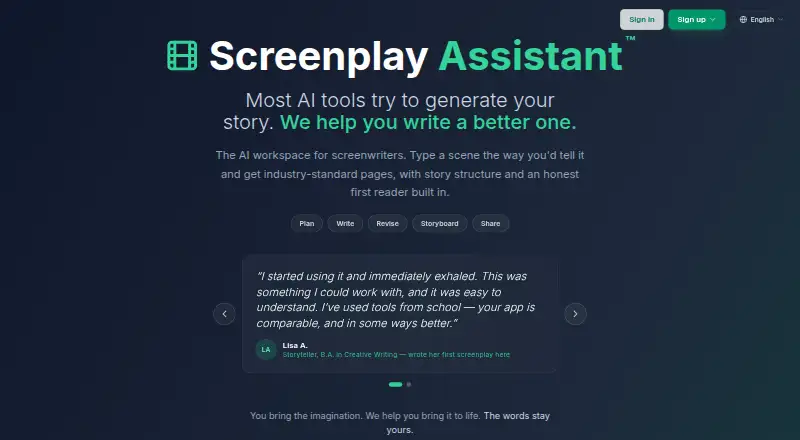
What Screenplay Assistant is
Screenplay Assistant is a writing app that converts plain prose or dictated scenes into screenplay pages in a browser. It can arrange material into scene headings, action, character cues, dialogue, parentheticals, and transitions. Writers can choose Format Only to preserve their text, Creative Polish for line edits, or Script Doctor to add action and imagery without introducing events, characters, or conversations. Story Map supports planning, Story Lab offers craft guidance, Muse acts as a first reader, and Atticus provides in-app help. The app imports plain text, PDF, Word, and Final Draft files, and exports PDF, Final Draft, Word, or plain text. Additional tools include character portraits, design sheets, storyboards, graphic novel pages, scene video, Table Read, and production reports. Writing is not capped on any plan, though project and media allowances vary. Spark is free and includes one project. Writer costs $7 a month, or $5 a month billed yearly ($60 a year). The app is available on Android, iOS, macOS, web, and Windows.
Who it suits
It suits screenwriters at any level, from students and first-time writers to hobbyists and produced professionals. Writers who want production and visual tools alongside screenplay formatting may also find its listed features relevant.
What it does well
- Writing is not capped on any plan.
- Imports and exports Final Draft files.
- Three writing modes offer different editing levels.
- Free Spark plan includes one project.
What to know first
- Project and media allowances vary by plan.
- Writer costs $5 a month billed yearly ($60 a year).
Limits
Spark includes one project, 15 character images per month, three storyboards per month, 100 Atticus answers per month, and one Table Read. Writing itself is uncapped; project and media allowances vary by plan.
Plans
| Plan | Billed and limits | Price |
|---|---|---|
| Spark | free forever · 1 project · AI formatting on every scene · 15 character images/month · 3 storyboards/month · 100 Atticus answers/month · 1 Table Read | Free |
| Scene video credit pack | 3 for $19; 10 for $62; 25 for $155 · One credit renders one scene; credits never expire and are available on every plan | $19, paid once |
| Storyteller | $35 a month, or $29 a month billed yearly ($348 a year) · 25 projects · unlimited storyboards, character images, Atticus and Muse · 40 Table Reads/month · 8 scene videos/month | $35 a month |
| Writer | $7 a month, or $5 a month billed yearly ($60 a year) · 3 projects · 30 character images/month · 15 storyboards/month · 1,000 Atticus answers/month · 10 Table Reads/month · 1 scene video/month | $7 a month |
| Table Read credit pack | 10 for $8; 25 for $18; 60 for $39 · Credits never expire and are available on every plan | $8, paid once |
| Studio | $99 a month, or $79 a month billed yearly ($948 a year) · unlimited projects · 150 Table Reads/month · 25 scene videos/month · named priority support | $99 a month |
As screenplayassistant.com lists them, read 30 Sept 2026. The maker's own page has the final word.
Getting started
- Visit https://screenplayassistant.com/.
- Choose the free Spark plan or a paid plan that fits your project and media needs.
- Sign in with Google, Apple, Microsoft, or a one-time emailed code.
- Open the browser app or use the app on Android, iOS, macOS, or Windows.
- Start from plain prose or a dictated scene, or import a supported file.
Overview
Screenplay Assistant is a screenplay workspace that combines script formatting with planning, revision and production tools. It suits writers who want those jobs together, from students and first-timers to professionals developing produced work. Its strongest case is breadth without a writing cap; its main caveat is that project and media allowances depend on the plan.
Key features
The browser app turns plain prose or dictated scenes into screenplay pages, arranging scene headings, action, character cues, dialogue, parentheticals and transitions. Format Only keeps the writer’s wording intact, Creative Polish line-edits it, and Script Doctor adds action and imagery without introducing events, characters or conversations. That graduated assistance works for writers who want help while retaining control, but is less suited to anyone seeking an AI to devise plot or dialogue.
Story Map supports planning, Story Lab offers craft guidance, Muse serves as a first reader, and Atticus handles in-app help questions. Beyond writing, the app includes character portraits, design sheets, storyboards, graphic-novel pages, scene video, Table Read and production reports. This makes it useful for projects that need visual development or production materials as well as pages, though the image, storyboard, answer, Table Read and video quotas can constrain heavier use on lower tiers.
Import accepts plain text, PDF, Word and Final Draft files; export supports PDF, Final Draft, Word and plain text, with storyboard and video also among the export formats. Final Draft (.fdx) compatibility is particularly useful for writers moving scripts between this workspace and established screenplay workflows. Sign-in works through Google, Apple, Microsoft or a one-time emailed code.
The maker says it uses Anthropic and OpenAI models alongside third-party image and video models, whose providers do not train on submitted API content under their published API data-usage policies. It also says writers retain full copyright in their creative work and that PLAYCODE3 LLC makes no claim to it. Those assurances may matter to writers weighing AI-assisted work, though they do not change the practical need to choose a plan around project and media volume.
Pricing
Spark is free forever at 0.00 USD. It allows one project, AI formatting on every scene, 15 character images a month, three storyboards a month, 100 Atticus answers a month and one Table Read. Writing itself is not capped, so it is a credible way to write a script and try the workflow; the single-project limit and modest production quotas make it less suitable for maintaining several active projects or frequent visual work.
Writer costs $7 a month, or $5 a month billed yearly ($60 a year). It raises the allowance to three projects, 30 character images a month, 15 storyboards a month, 1,000 Atticus answers a month, 10 Table Reads a month and one scene video a month. This is the practical step up for a writer with multiple scripts or regular use of supporting tools, but the single monthly video remains restrictive for video-led development.
Storyteller costs $35 a month, or $29 a month billed yearly ($348 a year). It includes 25 projects, unlimited storyboards, character images, Atticus and Muse, 40 Table Reads a month and eight scene videos a month. It fits writers who make sustained use of visual and reader tools; the higher recurring cost is harder to justify for someone who mainly needs formatting and a few projects.
Studio costs $99 a month, or $79 a month billed yearly ($948 a year). It provides unlimited projects, 150 Table Reads a month, 25 scene videos a month and named priority support. The larger production allowances and support are aimed at intensive workflows, rather than occasional scriptwriting.
Separate Table Read credit packs start at $8, paid once: 10 credits for $8, 25 for $18 or 60 for $39. Scene video packs start at $19, paid once: three credits for $19, 10 for $62 or 25 for $155; one credit renders one scene. Both kinds of credits never expire and are available on every plan, offering a way to add usage without moving tiers.
Platforms
Screenplay Assistant supports Android, iOS, macOS, web and Windows. The browser app handles screenplay formatting, while the range of listed platforms makes it a possible fit for writers moving among desktop and mobile devices.
Who it's for
Choose Screenplay Assistant if screenplay writing is only part of the work: its combination of formatting, revision modes, planning, reader support and production tools is the central draw. Spark suits a solo writer testing the workflow or keeping one project active; Writer is more practical for several scripts; Storyteller and Studio make sense when visual and Table Read quotas, project volume or priority support matter. Writers who want only a focused editor, or who need more than the entry plans’ media quotas without a larger subscription, should compare alternatives.
Pros and cons
- Pro: Writing has no plan cap, including on Spark, so the free tier can support ongoing drafting rather than a limited writing trial.
- Pro: Final Draft import and export sit alongside Word, PDF and plain-text workflows, easing script handoffs.
- Pro: The editing modes distinguish formatting from line edits and added action, giving writers control over how much intervention they accept.
- Con: Spark allows only one project, and its image, storyboard, answer and Table Read quotas limit broader development.
- Con: Scene-video allowances are small on Spark and Writer, so writers building video into regular development may need credits or a higher tier.
Alternatives
For a wider selection of tools in this category, browse AI Script Writing Software.
Pick ScreenWeaver if unlimited projects and pages on a free plan, with PDF and Final Draft export, matter more than Screenplay Assistant’s broader planning and production toolkit.
Lastslate is another freemium option for macOS and Windows writers.
Choose ScriptDraft if a free Fountain editor, exports to PDF, Fountain and FDX, and support for 100+ languages are the priorities.
ngram is an alternative for AI-generated footage and video exports.
Plotwell may suit writers who value a free project-based planning workspace with one collaborator and version history.
Premiere.Studio is another web-based option for writers comparing per-writer studio plans.
Saga is an alternative for writers seeking plot development and character archetypes.
SenEDIT may suit writers whose priority is a free web plan that supports up to 10 screenplays within its storage caps.
Verdict
Screenplay Assistant is the right choice for writers who want formatting, controlled AI revision, story support and production tools in one place, especially when uncapped writing and Final Draft exchange are important. Look elsewhere if you need a simpler editor or generous project and media allowances at no cost: the free plan caps projects at one and keeps its production quotas limited.
Verdict
Screenplay Assistant pairs screenplay formatting with planning, revision, and production tools. Writing itself has no plan cap, but project and media allowances differ, so check those limits against your workflow.
Questions
Is Screenplay Assistant free?
Yes. Spark is free forever and includes one project, AI formatting on every scene, 15 character images per month, three storyboards per month, 100 Atticus answers per month, and one Table Read.
How much do the paid plans cost?
Writer is $7 per month, or $5 per month billed yearly ($60 a year). Storyteller is $35 per month, or $29 per month billed yearly ($348 a year). Studio is $99 per month, or $79 per month billed yearly ($948 a year).
What platforms does it support?
Screenplay Assistant is available on Android, iOS, macOS, web, and Windows.
Can I import and export Final Draft files?
Yes. The app supports Final Draft (.fdx) import and export. It also imports plain text, PDF, and Word, and exports PDF, Word, and plain text.
Who makes Screenplay Assistant?
It is made by PLAYCODE3 LLC, described as a small independent family-run studio on Long Island, New York, founded by Christopher Stevenson and Lily Stevenson.
Are writing limits imposed by the plan?
Writing is never capped, including on Spark. Project, image, storyboard, answer, Table Read, and video allowances vary by plan.
Facts from Screenplay Assistant's own pages
- AI data statement
- The maker says models from Anthropic and OpenAI and third-party image and video models are used, and that providers do not train on submitted API content under their published API data-usage policies. · screenplayassistant.com, 30 Sept 2026
- Copyright
- The maker states that writers keep full copyright in their creative work and that PLAYCODE3 LLC makes no claim to it. · screenplayassistant.com, 30 Sept 2026
- Headquarters
- Long Island, New York · screenplayassistant.com, 23 Sept 2026
- Import and export
- Users can import plain text, PDF, Word or Final Draft files and export to PDF, Final Draft, Word or plain text. · screenplayassistant.com, 30 Sept 2026
- Integrations and sign-in
- The app supports Final Draft (.fdx) import and export and sign-in with Google, Apple, Microsoft or a one-time emailed code. · screenplayassistant.com, 30 Sept 2026
- Intended users
- The maker describes the app as suitable for writers at any level, from first-timers and students to hobbyists and produced professionals. · screenplayassistant.com, 30 Sept 2026
- Maker and location
- Screenplay Assistant is made by PLAYCODE3 LLC, described as a small independent family-run studio on Long Island, New York, founded by Christopher Stevenson and Lily Stevenson. · screenplayassistant.com, 30 Sept 2026
- Screenplay formatting
- The browser app turns plain prose or dictated scenes into screenplay pages with scene headings, action, character cues, dialogue, parentheticals and transitions. · screenplayassistant.com, 30 Sept 2026
- Story tools
- The app includes Story Map for planning, Story Lab as a craft guide, Muse as a first reader, and Atticus as an in-app help assistant. · screenplayassistant.com, 30 Sept 2026
- Support
- The Studio plan includes named priority support. · screenplayassistant.com, 30 Sept 2026
- Visual production tools
- Features include character portraits, design sheets, storyboards, graphic novel pages, scene video, Table Read and production reports. · screenplayassistant.com, 30 Sept 2026
- Writing assistance
- Format Only preserves the writer’s words, Creative Polish line-edits them, and Script Doctor adds action and imagery without adding events, characters or conversations. · screenplayassistant.com, 30 Sept 2026
- Writing limits
- Writing is never capped on any plan, including Spark, although project, image, storyboard, answer, Table Read and video allowances vary by plan. · screenplayassistant.com, 30 Sept 2026
Where Screenplay Assistant stands on Freedom251
- AI Script Writing Software#7 of 27