Freedom251 › AI Script Writing Software

ScreenWeaver
What ScreenWeaver is
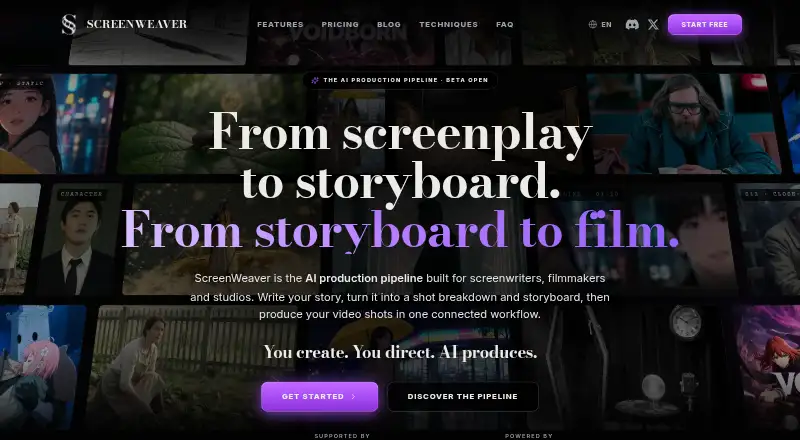
ScreenWeaver is a screenwriting and production workspace for developing scripts, planning shots, and building storyboards. Its screenplay editor supports screenplay formatting, visual outlines, beat editing, notes, photos, audio, and AI-assisted research and rewriting. From a screenplay, it can generate shot breakdowns that users can shape by frame, angle, movement, and duration. Characters, sets, and references can carry across shots to maintain visual consistency. The company describes the platform as compatible with Seedance, Veo, Sora, and Kling, and says its homepage is powered by Seedance 2.0 and 2.5. During beta, writing and storyboarding are available, but video production is not; video generation is targeted for September 30, 2026. ScreenWeaver works on Android, iOS, Linux, macOS, web, and Windows, and can be installed from a browser for offline work that syncs after reconnection. The free Screenwriter plan includes unlimited projects and pages, with PDF and Final Draft export. Storyboard Beta costs $9.99/mo.
Who it suits
ScreenWeaver suits solo screenwriters, independent filmmakers, studios, and teams that want script development and storyboard planning in one workspace. It is also relevant to users who need offline access or collaboration features.
What it does well
- Screenplay editor includes visual outline and beat editing.
- Generates shot breakdowns from screenplay scenes.
- Characters and sets carry across shots.
- Offline work syncs after reconnection.
- Free plan includes unlimited projects and pages.
What to know first
- Video production is unavailable during beta.
- Storyboard Beta costs $9.99/mo.
- Video generation is targeted for September 30, 2026.
Limits
The free Screenwriter plan includes unlimited projects and pages, plus PDF and Final Draft export. Storyboard Beta costs $9.99 a month while in beta. Video production is unavailable during beta.
Plans
| Plan | Billed and limits | Price |
|---|---|---|
| Screenwriter | Free forever · Full script editor · advanced outline · moodboards · .fdx/PDF export · unlimited projects, films and episodes | Free |
| Studio | $149.99/mo · 25,000 credits/month · real-time collaboration · unlimited seats/shared workspaces · Owner/Editor/Viewer permissions | $149.99 a month |
| Auteur | $39.99/mo · 6,000 credits/month · AI narrative pipeline · shooting-script and storyboard generation · AI video production | $39.99 a month |
| Storyboard Beta | While in beta · Storyboard workspace · Storyboard generation · Frames linked to scenes and beats | $9.99 a month |
| Filmmaker | Pricing will be announced soon · Storyboard generation · Continuity-aware visual planning · Documentalist/research AI · Visual workflow engine · Real-time collaboration | On request |
As screenweaver.ai lists them, read 15 Oct 2026. The maker's own page has the final word.
Getting started
- Visit https://www.screenweaver.ai/.
- Start with the free Screenwriter plan for unlimited projects and pages, or choose Storyboard Beta for $9.99 a month while in beta.
- Write or import screenplay work in the editor and use its outline, beat editing, notes, photos, audio and AI researcher.
- Generate shot breakdowns and adjust frame, angle, movement and duration in the storyboard workspace.
- Install ScreenWeaver from the browser to work offline; your work syncs after reconnection.
Overview
ScreenWeaver joins a screenplay editor to shot planning, giving writers a route from script structure to storyboard frames. It is best suited to creators who want those stages together; during beta, it stops short of video production.
The editor supports standard screenplay formatting, visual outlining, beat editing, notes, photos, audio and an AI researcher. Rewriting tools and PDF and FDX export make it useful for drafting and sharing scripts, while the storyboard tools add a more visual planning layer than a writing-only workflow.
Browser installation enables offline work, with projects syncing after reconnection. That helps when a connection is unreliable, though the beta still limits the product to writing and storyboarding. Video generation is targeted for September 30, 2026.
Key features
Script to shot plan
ScreenWeaver generates shot breakdowns from a screenplay and provides controls for frame, angle, movement and duration. Frames can link to scenes and beats, helping writers translate story structure into visual decisions. This is a meaningful advantage for filmmakers planning sequences alongside the script, but less compelling for writers who only need a conventional screenplay editor.
Continuity and models
Characters, sets and references can carry across shots to support visual consistency. The company describes the platform as model-agnostic across Seedance, Veo, Sora and Kling, while its homepage says it is powered by Seedance 2.0 and 2.5. Those model claims do not change the practical beta constraint: video production is not currently available.
Privacy and collaboration
Projects are private and are not published or shared without permission. User content is not used to train proprietary AI models unless explicitly stated otherwise, and is not sold or licensed to third parties for AI training. Outerframe Studio says it follows GDPR and uses encryption in transit, access controls, infrastructure security practices, monitoring and logging. Its privacy policy names hosting, payment, analytics, monitoring and customer support providers as subprocessors or service providers. Real-time collaboration is supported, which makes the product relevant to teams as well as solo writers.
Pricing
The Screenwriter plan costs nothing, billed Forever. It includes unlimited projects and pages, plus PDF and Final Draft export. With no published project or page cap, it is a practical starting point for writers who want to draft and export without paying; it does not include the paid storyboard workspace.
Storyboard Beta costs $9.99 a month, billed While in beta. It adds the storyboard workspace, storyboard generation and frames linked to scenes and beats. Choose it if shot-level planning is central to your process; it remains a beta-tier storyboard offer, not access to video production.
The Filmmaker plan has custom pricing, with pricing to be announced soon. Its stated scope includes storyboard generation, continuity-aware visual planning, documentalist/research AI, a visual workflow engine and real-time collaboration. It is aimed at filmmakers or teams seeking a broader workflow, but the price is not yet established. ScreenWeaver has no free trial.
Platforms
ScreenWeaver supports Android, iOS, Linux, macOS, web and Windows. Browser installation also allows offline use, with work syncing after reconnection.
Who it's for
Solo creators and screenwriters can use the free plan for unlimited script projects and exports. Independent filmmakers who want to plan shots against scenes and beats have a clearer reason to pay for Storyboard Beta. Studios and teams may value the Filmmaker plan's collaboration and visual workflow, but should weigh its custom pricing and the current absence of video production. A writer who needs only script drafting may not need the storyboard layer.
Pros and cons
Pros
- Unlimited projects and pages on the free Screenwriter plan lower the barrier to sustained script work.
- Shot controls and frames linked to scenes and beats connect screenplay structure with visual planning.
- Characters, sets and references can carry across shots, supporting continuity in storyboards.
- Offline browser use with later syncing suits work away from a dependable connection.
Cons
- Video production is unavailable during beta, so the full production pipeline is not yet usable end to end.
- Storyboard generation requires the $9.99/mo beta plan.
- The Filmmaker plan has custom pricing, making its cost harder to weigh before committing.
Alternatives
For a compact free script tool, Screenplay Assistant offers one project, AI formatting on every scene, 15 character images per month, three storyboards per month and 100 Atticus answers per month. Its caps make it a better fit for a limited trial workflow, while ScreenWeaver's free plan allows unlimited projects and pages.
Lastslate is another free option, with a full editor, PDF and FDX export, and a Beat Board; it suits writers who want those tools on macOS or Windows rather than ScreenWeaver's broader platform range and shot controls.
ScriptDraft offers a free Fountain editor with PDF, Fountain and FDX export, support for 100+ languages, and dark and light modes on Android and iOS. Choose it when mobile drafting and those export options matter more than storyboard planning.
ngram offers a free allowance of 600 one-time credits for up to 60 seconds of premium AI-generated footage, with 720p exports and a watermark. It is the more relevant choice for a small video-generation allowance, whereas ScreenWeaver's beta video production is unavailable.
Plotwell has a free web plan limited to one project, one collaborator and 10 AI credits, with version history covering the last five saves. It may suit someone prioritizing a bounded collaborative project; ScreenWeaver's free plan instead gives unlimited script projects and pages.
Premiere.Studio is an alternative for web-based production workflows.
Saga is another alternative for screenwriters.
SenEDIT is another free web option for screenplay writing.
Browse AI Script Writing Software or Screenwriting Software for more choices.
Verdict
ScreenWeaver is a strong fit for writers and independent filmmakers who want screenplay work and shot-level storyboarding in one workspace, especially if unlimited free script projects are enough to start. Its continuity tools and scene-linked frames give visual planning real structure. Look elsewhere if video generation is essential now, or if you only need a screenplay editor and do not want to pay for storyboards.
Verdict
ScreenWeaver combines screenplay writing and storyboard planning with shot-level controls and continuity features. Its beta currently leaves video production unavailable, while the Screenwriter plan is free and Storyboard Beta costs $9.99/mo.
Questions
Is ScreenWeaver free?
Yes. The Screenwriter plan is free and includes unlimited projects, unlimited pages, PDF export and Final Draft export.
How much does Storyboard Beta cost?
Storyboard Beta costs $9.99 a month while in beta. It includes a storyboard workspace, storyboard generation and frames linked to scenes and beats.
Can ScreenWeaver generate videos during beta?
No. Writing and storyboarding are available during beta, while video production is unavailable. Video generation is targeted for September 30, 2026.
Which platforms can I use?
ScreenWeaver lists Android, iOS, Linux, Mac, web and Windows. It can also be installed from a browser for offline use, with work syncing after reconnection.
Can I export a screenplay?
Yes. The free Screenwriter plan includes PDF and Final Draft export.
Is ScreenWeaver open source?
The listed details do not state whether ScreenWeaver is open source.
Facts from ScreenWeaver's own pages
- Account retention
- Inactive free accounts may be deleted after a warning period of 24 months, and deleted accounts/projects are scheduled for erasure within one month. · screenweaver.ai, 15 Oct 2026
- AI training
- User content is not used to train proprietary AI models unless explicitly stated otherwise, and is not sold or licensed to third parties for AI training. · screenweaver.ai, 30 Sept 2026
- Availability disclaimer
- Terms disclaim uninterrupted access or an SLA and place backup/export responsibility on the user. · screenweaver.ai, 15 Oct 2026
- Beta limitation
- Video production is unavailable during the beta; writing and storyboard are available, with video generation targeted for September 30, 2026. · screenweaver.ai, 30 Sept 2026
- Billing limits
- Terms say unused plan credits expire at the billing-period end, failed generations are generally re-credited, and unwanted outputs or user mistakes are not refundable. · screenweaver.ai, 15 Oct 2026
- Company legal facts
- Outerframe Studio lists €5,000 share capital, Strasbourg registration RCS 101 716 447 and VAT number FR60101716447. · screenweaver.ai, 15 Oct 2026
- Company size
- LinkedIn lists Screenweaver.ai as privately held with 2–10 employees and a 2026 founding year. · linkedin.com, 15 Oct 2026
- Continuity
- Characters, sets and visual references are carried between shots to preserve visual identity. · screenweaver.ai, 15 Oct 2026
- Data use
- The company says scripts and generations are private, are not sold or used to train its own AI, while prompts and references may be sent to selected model providers. · screenweaver.ai, 15 Oct 2026
- Documentation
- The Academy advertises an 18-step learning path, 249 explained controls or screens, 55 video lessons and 98 FAQ answers. · screenweaver.ai, 15 Oct 2026
- Exports
- The free tier exports scripts to PDF and Final Draft FDX, and the guide also documents JSON backup export. · screenweaver.ai, 15 Oct 2026
- Headquarters
- Strasbourg, France · screenweaver.ai, 28 Sept 2026
- Integrations and subprocessors
- The privacy policy lists Vercel for hosting, Stripe or other payment processors, analytics and monitoring providers, and customer support tools as subprocessors or service providers. · screenweaver.ai, 30 Sept 2026
- Licence
- Legal pages identify proprietary Outerframe Studio software and interface with all rights reserved; no open-source licence is stated. · screenweaver.ai, 15 Oct 2026
- Limit: beta quality
- The maker's beta announcement says the product was early beta and still needed UX and clarity improvements. · reddit.com, 15 Oct 2026
- Limit: early product
- A Trustpilot reviewer describes the platform as still being in its early days. · trustpilot.com, 15 Oct 2026
- Limit: editing and audio
- SinCoSphere reports no in-app timeline or finished-cut assembly, no voice/audio or lip-sync, and manual external editing of generated clips at its review date. · sincosphere.com, 15 Oct 2026
- Maker
- ScreenWeaver is built by Outerframe Studio, a French SAS in Strasbourg founded by Frank Houbre and supported by ElevenLabs Startup Grants. · screenweaver.ai, 15 Oct 2026
- MCP API
- A remote MCP server at https://app.screenweaver.ai/api/mcp uses Streamable HTTP and OAuth 2.1 without API keys. · screenweaver.ai, 15 Oct 2026
- MCP capabilities
- The MCP service exposes 22 tools for reading and writing projects, importing scripts, searching and editing text, managing storyboard shots and handling references/media. · screenweaver.ai, 15 Oct 2026
- MCP client support
- The MCP page lists Claude, ChatGPT, Cursor and VS Code as compatible clients. · screenweaver.ai, 15 Oct 2026
- MCP limits
- MCP cannot generate storyboard images or video; those generations still require clicking Generate in the application. · screenweaver.ai, 15 Oct 2026
- Model integrations
- The company says the platform is model-agnostic across Seedance, Veo, Sora and Kling, while privacy documentation lists Google, ByteDance, OpenAI, xAI, MiniMax, Kling and fal as selected providers. · screenweaver.ai, 15 Oct 2026
- Moodboards
- Users can keep notes, photos and audio references beside screenplay pages and story elements. · screenweaver.ai, 15 Oct 2026
Where ScreenWeaver stands on Freedom251
- AI Script Writing Software#8 of 27
- Script Writing Software#8 of 25
- Screenwriting Software#9 of 27