FCEUX
What FCEUX is
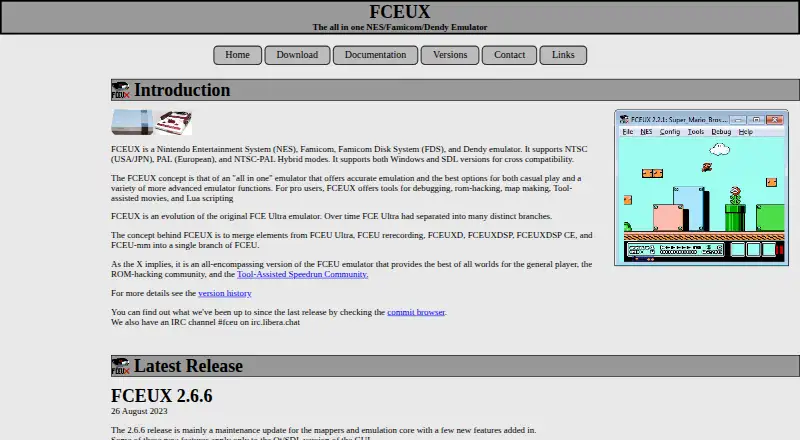
FCEUX is a free, open-source emulator for NES, Famicom, Famicom Disk System, and Dendy systems. It supports NTSC, PAL, and NTSC-PAL Hybrid video modes. The project describes it as an all-in-one emulator for casual play and advanced uses, with tools for debugging, ROM hacking, map making, tool-assisted movies, and Lua scripting.
FCEUX maintains Win32 and Qt/SDL ports. The Qt/SDL port is cross-platform for Windows and UNIX-like systems, including Linux, Solaris, BSD, and OSX. It includes debug tools, Lua scripting, movie recording, and a TAS Editor, as well as a sprite viewer, NES Palette Editor, AVI RIFF Tree viewer, and frame timing tool. Network play in both Win32 and SDL ports is not functional, and the site says there are no plans to fix it. Building the Qt/SDL port requires Qt5, SDL2, minizip, zlib, and OpenGL; CMake is needed to build from source. FFmpeg libraries are optional for AVI recording features, and libx264 is optional for H.264 AVI encoding. The project was founded in 2006, and its home page lists version 2.6.6, released on 26 August 2023, as its latest release.
Who it suits
FCEUX suits people who want to emulate NES, Famicom, Famicom Disk System, or Dendy games, whether for casual play or advanced work. Its debugging, ROM hacking, Lua scripting, and movie tools also suit users working with game behavior and recordings.
What it does well
- Emulates NES, Famicom, Famicom Disk System, and Dendy.
- Supports NTSC, PAL, and NTSC-PAL Hybrid video modes.
- Includes debugging, ROM hacking, map making, and Lua scripting tools.
- Qt/SDL includes a TAS Editor and movie recording.
- Free and open source.
What to know first
- Network play in the Win32 and SDL ports is not functional.
- The project says it has no plans to fix network play.
- Building the Qt/SDL port requires several dependencies and CMake.
Limits
Network play is not functional in the Win32 and SDL ports, and the project says it has no plans to fix it. Building the Qt/SDL port requires Qt5, SDL2, minizip, zlib, OpenGL, and CMake; AVI recording and H.264 AVI encoding have the stated optional dependencies.
Plans
| Plan | Billed and limits | Price |
|---|---|---|
| FCEUX | NES, Famicom, Famicom Disk System and Dendy emulation · Win32 and Qt/SDL ports | Free |
As fceux.com lists them, read 7 Oct 2026. The maker's own page has the final word.
Getting started
- Visit the FCEUX website.
- Choose the Win32 or Qt/SDL port for your platform.
- For a Qt/SDL build, install Qt5, SDL2, minizip, zlib, and OpenGL.
- Use CMake to build from source.
- Add FFmpeg libraries for AVI recording features, or libx264 for H.264 AVI encoding, if needed.
Overview
FCEUX is a free, open-source emulator for NES, Famicom, Famicom Disk System and Dendy systems. It is best suited to players who want game emulation alongside tools for examining, modifying or making movies from games. Its unusual depth costs nothing, but it is not the choice for online play.
Key features
FCEUX supports NTSC, PAL and NTSC-PAL Hybrid video modes, and graphics upscaling. The project positions its emulation for both casual play and advanced work. Debugging, ROM hacking, map making, Lua scripting and tool-assisted movie features make it useful to people studying game behavior or constructing frame-by-frame play, not just those looking to start a game.
The Qt/SDL port adds debug tools, scripting, movie recording and a TAS Editor, as well as a sprite viewer, NES Palette Editor, AVI RIFF Tree viewer and frame timing tool. That breadth is a strong reason for hobbyists and technical users to choose FCEUX. Casual players may find much of the toolkit unnecessary, and network play is a clear limitation: it does not function in the Win32 or SDL ports, and the project has no plans to fix it.
Pricing
FCEUX costs nothing. The free plan covers emulation for NES, Famicom, Famicom Disk System and Dendy through the Win32 and Qt/SDL ports. There is no paid tier or feature trade-off to weigh; the full offering described is free.
Platforms
The project maintains Win32 and Qt/SDL ports. Qt/SDL is cross-platform for Windows and UNIX-like systems, including Linux, Solaris, BSD and OSX. The supported desktop operating systems are Linux, macOS and Windows. The project is open source. Building the Qt/SDL port requires Qt5, SDL2, minizip, zlib and OpenGL, with CMake needed for a source build. FFmpeg libraries are optional for AVI recording, and libx264 is optional for H.264 AVI encoding; these dependencies matter mainly to users building the software or enabling those video features.
Who it's for
Choose FCEUX if you want a free desktop emulator with tools for debugging, ROM hacking, mapping, scripting or tool-assisted movies. Its multiple video modes and broad Qt/SDL toolkit also suit users who want more control than basic play requires. Look elsewhere if network sessions are essential. Users who prefer building their software should also account for the Qt/SDL dependencies rather than treating it as a minimal setup.
Pros and cons
Pros
- Free emulation across NES, Famicom, Famicom Disk System and Dendy systems.
- Debugging, Lua scripting, movie tools and a TAS Editor serve technical and tool-assisted play workflows.
- NTSC, PAL and hybrid video modes plus graphics upscaling offer display options.
- Open-source project with maintained Win32 and Qt/SDL ports.
Cons
- Network play is nonfunctional in Win32 and SDL, with no planned fix, excluding users who need it.
- Building Qt/SDL requires several libraries and development tools, which adds setup work for source builders.
Alternatives
For another free emulator, GoNES supports Linux, macOS, Windows and the web. NESER is a free, MIT-licensed option with the same desktop and web platform range. Nestalgia is another free choice for Linux, macOS and Windows. Pick binjnes if you want a web option or a build-from-source version; it is also free. HalfNES is free for Linux, macOS and Windows, but has no savestates and requires Java 8 or newer. JSNES is a free open-source JavaScript NES emulator library for Linux and the web. Nestopia Undead Edition is a free, GPL-2.0 project for Linux, macOS and Windows. NET-NES is free software under the MIT License for Linux, macOS and Windows.
Browse more options in NES Emulators, Emulator Software and Game Console Emulators.
Verdict
FCEUX is a strong free choice for desktop users who want supported-system emulation with substantial debugging, scripting and movie-making tools. Its decisive drawback is the absence of functional network play, so anyone choosing an emulator for online sessions should look elsewhere.
Verdict
Choose FCEUX for free emulation of its supported systems, especially if you want debugging, scripting, or movie tools. Look elsewhere if network play is a requirement, since it is not functional in the Win32 and SDL ports and the project has no plans to fix it.
Questions
Is FCEUX free?
Yes. The listed FCEUX plan is free, and the project identifies it as open source.
Which systems does FCEUX emulate?
It emulates NES, Famicom, Famicom Disk System, and Dendy systems.
Which desktop platforms does it support?
The listed platforms are Linux, macOS, and Windows. The Qt/SDL port is described as cross-platform for Windows and UNIX-like systems, including Linux, Solaris, BSD, and OSX.
Does FCEUX support network play?
Network play in both the Win32 and SDL ports is not presently functional. The site says there are no plans to fix it.
What tools does FCEUX include?
Its tools include debugging, ROM hacking, map making, tool-assisted movies, and Lua scripting. The Qt/SDL port also includes movie recording, a TAS Editor, and several viewing and timing tools.
Where can I get help or report an issue?
The project directs unresolved questions to the TASVideos forums and bug reports or feature requests to GitHub Issues. It lists #fceu on irc.libera.chat as the best way to contact someone.
Facts from FCEUX's own pages
- Advanced tools
- FCEUX offers tools for debugging, ROM hacking, map making, tool-assisted movies and Lua scripting. · fceux.com, 7 Oct 2026
- Affiliation
- The site states that FCEUX is not affiliated with or endorsed by Nintendo or Nintendo of America. · fceux.com, 7 Oct 2026
- Build requirements
- Building the Qt/SDL port requires Qt5, SDL2, minizip, zlib and OpenGL; CMake is required to build from source. · fceux.com, 7 Oct 2026
- Community contact
- The project lists an IRC channel, #fceu on irc.libera.chat, as the best way to contact someone. · fceux.com, 7 Oct 2026
- Emulation
- The project describes FCEUX as an all-in-one emulator offering accurate emulation for casual play and advanced uses. · fceux.com, 7 Oct 2026
- Founded
- 2006 · fceux.com, 28 Sept 2026
- Latest listed release
- The home page lists FCEUX 2.6.6, released on 26 August 2023, as the latest release. · fceux.com, 7 Oct 2026
- Network play
- Network play in both Win32 and SDL ports is not presently functional, and the site says there are no plans to fix it. · fceux.com, 7 Oct 2026
- Optional video dependencies
- FFmpeg libraries are optional dependencies for AVI recording features, and libx264 is optional for H.264 AVI encoding. · fceux.com, 7 Oct 2026
- Ports
- The team maintains Qt/SDL and Win32 ports; the Qt/SDL port is described as cross-platform for Windows and UNIX-like systems including Linux, Solaris, BSD and OSX. · fceux.com, 7 Oct 2026
- Purpose
- FCEUX emulates NES, Famicom, Famicom Disk System and Dendy systems. · fceux.com, 7 Oct 2026
- Qt/SDL features
- The Qt/SDL port includes debug tools, Lua scripting, movie recording and TAS Editor, plus a sprite viewer, NES Palette Editor, AVI RIFF Tree viewer and frame timing tool. · fceux.com, 7 Oct 2026
- Support
- The project directs users with unresolved questions to TASVideos forums and bug reports or feature requests to GitHub Issues. · fceux.com, 7 Oct 2026
- Video modes
- It supports NTSC, PAL and NTSC-PAL Hybrid modes. · fceux.com, 7 Oct 2026
Where FCEUX stands on Freedom251
- NES Emulators#3 of 26
- Emulator Software#14 of 39
- Game Console Emulators#13 of 35