Freedom251 › Restaurant Expense Management Software

Factura.ai
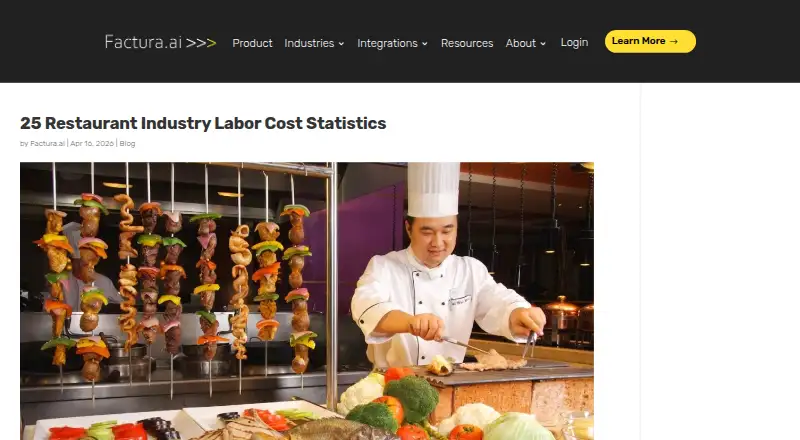
What Factura.ai is
Factura.ai automates accounts payable for multi-location businesses, including restaurants. It captures invoice information from originals, scans, photos, email, and uploads, then extracts line items. Its AI codes invoice information in under a minute and can remember general ledger codes from descriptions. Approval workflows can be configured by location, department, vendor, GL, spend, business unit, dollar amount, or legal entity. Factura.ai Pay supports ACH, checks, and virtual cards, with custom payment approvals and accounting synchronization. The product describes duplicate detection and anomaly warnings as fraud-prevention features. It records invoice steps in an audit trail and provides lifetime invoice storage with search and retrieval. Listed integrations include QuickBooks, Sage Intacct, Sage 300, Restaurant365, Acumatica, Dynamics, HIA, Entrata, PAR, Cogswell, and Gravity; the company says it can handle other integrations. The browser- and cloud-based platform is accessible anywhere with an internet connection. Factura.ai says it provides human support and onboarding, including integration work without requiring an IT resource. Pricing is by request, with a low monthly fee per location and no setup fees stated.
Who it suits
Factura.ai is intended for multi-unit restaurants and other businesses managing multiple locations. It may suit teams that want invoice routing and accounting workflows organized by location or business unit.
What it does well
- Captures invoices from scans, photos, email, and uploads.
- Configurable approvals cover multiple business dimensions.
- Supports ACH, checks, and virtual card payments.
- Provides invoice audit trails and lifetime searchable storage.
- Company says onboarding includes integration work.
What to know first
- No dollar price is published.
- Pricing is charged per location.
- ERP or accounting integrations may require confirmation with the vendor.
Plans
| Plan | Billed and limits | Price |
|---|---|---|
| Factura.ai | Pricing by request; low monthly fee per location; no setup fees stated | On request |
As factura.ai lists them, read 4 Oct 2026. The maker's own page has the final word.
Getting started
- Visit https://factura.ai/restaurant-industry/.
- Request pricing for the monthly per-location fee.
- Access the browser-based platform using an internet connection.
- Provide invoices as originals, scans, photos, email or uploads.
- Configure approval workflows and accounting integrations for your business.
Factura.ai is cloud accounts-payable software for restaurant groups and other multi-location operators. It is most suitable for finance teams managing location-specific invoices, approvals, payments, and accounting connections; single-site businesses may find its structure and per-location pricing unnecessary.
Its strongest case is the combination of automated invoice coding, granular approval rules, payment options, and permanent records. The main decision point is obtaining a custom quote based on the number of locations and confirming that required integrations are covered.
Overview
Factura.ai brings invoice intake, coding, approvals, payments, and archival into a browser-based service accessible from any internet-connected location. The maker targets multi-unit restaurants and similar distributed businesses, with particular emphasis on organizations operating 10 or more locations.
Invoices can enter as originals, scans, photos, email attachments, or uploads. The system extracts line items and applies AI coding in under a minute, while remembering GL codes associated with descriptions. That can reduce repetitive classification for recurring vendors, although accounting teams should ensure the remembered coding aligns with their controls.
Human support and white-glove onboarding are part of the service promise. Factura.ai says its team handles integration work without requiring an internal IT resource, which is useful for operators that want implementation assistance.
Key features
Invoice control and approvals
Approval workflows can be set by location, department, vendor, GL code, spend, business unit, dollar amount, or legal entity. This level of routing fits groups where different restaurants or entities follow different authorization rules. Duplicate detection and warnings about anomalous invoice information add practical fraud-prevention checks.
Payments and records
Factura.ai Pay supports ACH, checks, and virtual cards. Custom payment approvals and accounting synchronization connect payment decisions to the wider payables process. An audit trail records invoice steps, while lifetime storage with search and retrieval gives finance teams a durable record for follow-up and review.
Integrations
Named integrations include QuickBooks, Sage Intacct, Sage 300, Restaurant365, Acumatica, Dynamics, HIA, Entrata, PAR, Cogswell, and Gravity. Factura.ai also says it can handle other integrations, so organizations using a different system should confirm scope during the sales process.
Pricing
Factura.ai uses custom pricing. The company describes a low monthly fee per location and no setup fees, but publishes no dollar amount, seat allowance, invoice quota, trial, or renewal term. Requesting a quote is therefore essential, especially for groups comparing costs across many locations.
The single Factura.ai plan includes approval workflows, multi-location support, and accounting integrations. Its fit is strongest for operators needing the complete accounts-payable workflow; buyers seeking a published free tier or predictable self-service pricing should look elsewhere.
Platforms
Factura.ai is available on web, Android, and iOS, and provides an API. The browser-based, cloud model supports access from anywhere with an internet connection, while the API can serve organizations that need system-to-system connectivity.
Who it's for
Choose Factura.ai when a restaurant group or other multi-location business needs location-aware invoice routing, integrated payment choices, and searchable records in one workflow. It is especially relevant to finance teams overseeing 10 or more locations and to organizations that value vendor-assisted onboarding.
It is less compelling for a small single-location operation with straightforward invoices, or for buyers who require transparent prices and published usage limits before engaging sales.
Pros and cons
Pros
- Granular approval routing: rules can reflect locations, entities, spending thresholds, vendors, and accounting dimensions.
- Broad invoice intake: originals, scans, photos, email, and uploads accommodate varied restaurant workflows.
- Payment flexibility: ACH, checks, and virtual cards are paired with custom approvals and accounting synchronization.
- Long-term control: anomaly warnings, duplicate detection, audit trails, and lifetime searchable storage support oversight.
- Implementation assistance: human support and onboarding that includes integration work can reduce internal IT demands.
Cons
- Custom pricing: no published dollar amount makes budgeting and direct comparison difficult.
- Per-location billing: monthly charges scale with footprint, which may disadvantage very large or low-volume groups.
- Enterprise-oriented scope: its multi-location design may exceed the needs of a single-site business.
Alternatives
Browse Restaurant Expense Management Software for a broader category comparison.
- Expensify is the better choice when a free plan, free trial, and support across Android, iOS, macOS, web, and Windows matter; its free Submit plan includes receipt scanning, mileage tracking, expense reports, and categories and tags.
- Happay suits buyers wanting a free Epic plan with no annual fee, or a corporate-spend product priced according to requirements.
- Ottimate is worth considering when ACH payment options and a complimentary Standard ACH issuance cost with a stated transaction limit are priorities.
- Zoho Expense is a better fit for organizations seeking a freemium expense platform with a free plan and trial.
- Sincrio fits web-only teams that can work within published scan caps on its Basic or Pro offerings.
- Craftable is another paid option available on Android, iOS, and web.
- NxtEdge may suit operators wanting a custom subscription whose price varies by modules, locations, and requirements.
- xtraCHEF is an alternative for buyers seeking AP automation alongside email and EDI, reporting, and optional inventory or recipe capabilities.
Verdict
Factura.ai is a strong match for multi-location restaurant and hospitality finance teams that need detailed approval controls, automated invoice coding, integrated payments, and lasting audit records. Choose it for the unified workflow and onboarding support; look elsewhere if you need transparent published pricing, a free tier, or a simpler solution for one location.
Verdict
Factura.ai combines invoice capture, coding, approval routing, payment options, and invoice records for multi-location accounts payable. Prospective customers need to request pricing and confirm any unlisted integration requirements.
Questions
How much does Factura.ai cost?
Pricing is by request. The company states that it charges a low monthly fee per location and has no setup fees.
Is there a free plan?
The listed pricing model is paid, and no free plan is described.
Which platforms does Factura.ai support?
The product lists Android, iOS, web and API. It is browser-based and cloud-based for access with an internet connection.
Which accounting integrations are listed?
Listed integrations include QuickBooks, Sage Intacct, Sage 300, Restaurant365, Acumatica, Dynamics, HIA, Entrata, PAR, Cogswell and Gravity. Factura.ai says it can handle other integrations too.
Can Factura.ai route approvals and manage payments?
Approval workflows can be configured by location, department, vendor, GL, spend, business unit, dollar amount or legal entity. Factura.ai Pay supports ACH, checks and virtual cards.
Who is Factura.ai designed for?
The maker says it is designed for multi-unit restaurants and other multi-location businesses, and highlights businesses with 10 or more locations.
Facts from Factura.ai's own pages
- Access
- The platform is browser-based and cloud-based for access from anywhere with an internet connection. · factura.ai, 4 Oct 2026
- AI coding
- Its AI captures and codes invoice information in under a minute and can remember GL codes based on descriptions. · factura.ai, 4 Oct 2026
- Approvals
- Approval workflows can be configured by location, department, vendor, GL, spend, business unit, dollar amount, or legal entity. · factura.ai, 4 Oct 2026
- Audit and archive
- Factura.ai says it records an audit trail for invoice steps and provides lifetime invoice storage with search and retrieval. · factura.ai, 4 Oct 2026
- Company headquarters
- Factura.ai’s LinkedIn company profile lists Toronto, Ontario as its headquarters. · linkedin.com, 4 Oct 2026
- Duplicate detection
- The product describes smart duplicate detection and warnings about information anomalies as fraud prevention features. · factura.ai, 4 Oct 2026
- Integrations
- The site lists QuickBooks, Sage Intacct, Sage 300, Restaurant365, Acumatica, Dynamics, HIA, Entrata, PAR, Cogswell, and Gravity integrations, and says it can handle other integrations. · factura.ai, 4 Oct 2026
- Invoice capture
- It captures and extracts line-item invoice data from originals, scans, photos, email, or uploads. · factura.ai, 4 Oct 2026
- Payments
- Factura.ai Pay supports ACH, checks, and virtual cards, with custom payment approvals and accounting synchronization. · factura.ai, 4 Oct 2026
- Price terms
- The site invites prospective customers to request a price and says it charges a low monthly fee per location with no setup fees; it does not publish a dollar amount on the page. · factura.ai, 4 Oct 2026
- Product
- Factura.ai automates accounts payable for multi-location businesses, including restaurants. · factura.ai, 4 Oct 2026
- Support and onboarding
- The company says it provides human support and white-glove onboarding, and that its team handles integration work without requiring an IT resource. · factura.ai, 4 Oct 2026
- Who it serves
- The maker says the product is designed for multi-unit restaurants and other multi-location businesses, and highlights businesses with 10 or more locations on its home page. · factura.ai, 4 Oct 2026