Freedom251 › Kitchen Display System Software
eat·orbit Kitchen Display System
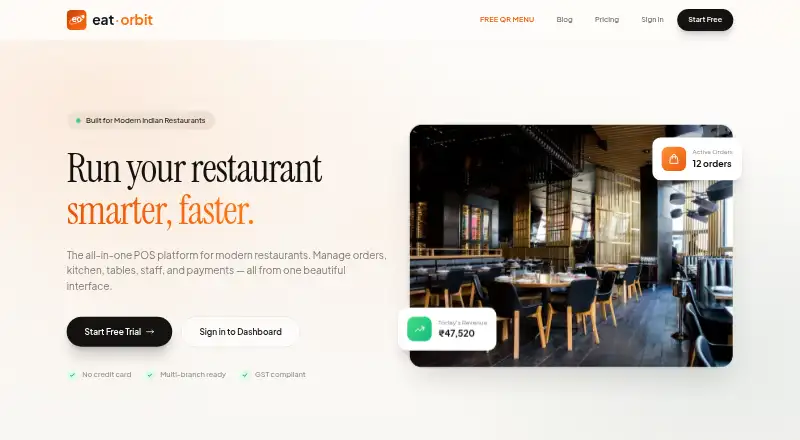
What eat·orbit Kitchen Display System is
eat·orbit Kitchen Display System (KDS) is part of a restaurant platform that also includes POS billing, QR ordering, table and staff management, and analytics. The KDS routes orders to kitchen stations and tracks them as New, Preparing, and Ready. KOT tickets can print automatically at assigned station printers connected by USB or network. The maker says orders appear on the display within two seconds using persistent WebSocket connections. Timers can change color after a configurable threshold, set to 10 minutes by default. The system runs in a web browser and can be displayed on a tablet, touchscreen, or wall-mounted TV with Chromecast or Fire Stick. The wider platform brings Swiggy and Zomato orders into the POS queue, with auto-accept and menu sync. Online UPI and card payments via Cashfree are listed on Growth and Pro. The platform is designed for Indian restaurants, from single-outlet cafés to multi-branch chains, and runs in the cloud. Starter is free but excludes KDS; Growth costs ₹999 a month and includes it. Pro costs ₹2,499 a month and adds multi-branch management and other features. Plans are billed monthly, with no annual billing currently.
Who it suits
The KDS suits Indian restaurants that need kitchen order routing and status tracking, including single-outlet cafés and multi-branch chains. It can run in a browser on a tablet, touchscreen, or supported TV setup.
What it does well
- Routes orders to kitchen stations
- Tracks New, Preparing, and Ready statuses
- KOT tickets can print automatically
- Growth and Pro include KDS
What to know first
- Free Starter excludes KDS
- Plans are billed monthly only
- Listed platforms are Android and web
Limits
Starter is free for one restaurant and one staff account, but it excludes the KDS. Growth includes the KDS at ₹999/month; Pro costs ₹2,499/month. Plans are monthly, with no annual billing currently.
Plans
| Plan | Billed and limits | Price |
|---|---|---|
| Starter | Free · 1 restaurant · 1 staff account · POS billing · table and menu management · daily sales summary · thermal receipt printing | Free |
| Pro | ₹2,499/month · Everything in Growth · multi-branch management · company-wide analytics · zone-based pricing · priority email support · custom receipt branding · delivery order management | ₹2,499 a month |
| Growth | ₹999/month · Unlimited staff · Kitchen Display System · QR ordering · online payments · analytics · customer management · staff permissions · KOT auto-print | ₹999 a month |
As eatorbit.com lists them, read 8 Oct 2026. The maker's own page has the final word.
Getting started
- Visit https://eatorbit.com/
- Choose a plan; Starter is free, while Growth and Pro include the KDS.
- A free trial is available.
- Open the KDS in a web browser on a tablet, touchscreen, or supported TV.
- Connect station printers by USB or network for automatic KOT printing.
eat·orbit Kitchen Display System is a browser-based kitchen workflow tool inside an all-in-one restaurant platform. It is best suited to Indian restaurants that need station-level order control alongside billing and service operations. The paid tiers make the most sense for growing kitchens; the free tier is useful for basic POS work but not for KDS operations.
Overview
The KDS routes incoming orders to kitchen stations and moves each ticket through New, Preparing, and Ready columns. That structure gives cooks a shared queue and lets managers see which orders are still waiting, being prepared, or ready for service. Order timers can change color after a configurable threshold, with 10 minutes as the default, so teams can flag preparation delays without manually checking every ticket.
The maker says orders reach the display within two seconds through persistent WebSocket connections. KOT tickets can also print automatically at assigned station printers connected by USB or network. Together, screen-based tracking and station printing suit restaurants that still rely on paper tickets in parts of the kitchen.
Key features
- Station routing and status tracking: Sending orders to the appropriate station and tracking New, Preparing, and Ready states helps divide work across a coordinated kitchen rather than one shared, undifferentiated queue.
- Automatic KOT printing: Assigned printers can produce kitchen order tickets automatically over USB or a network, reducing manual ticket distribution.
- Delivery-platform integration: Swiggy and Zomato orders enter the POS queue, with auto-accept and menu synchronization support. This is relevant to restaurants balancing dine-in and marketplace orders.
- Restaurant operations suite: POS billing, QR ordering, table and staff management, customer management, and analytics are brought into the same platform. The KDS is therefore more useful to operators replacing several restaurant tools than to a kitchen seeking a standalone display.
- Payments and controls: Growth and Pro include online UPI and card payments through Cashfree, while staff permissions support differentiated access.
- Security and deletion: The service describes TLS/SSL encryption in transit, bcrypt password hashing, role-based access controls, secure cloud storage, and regular security audits. Account-deletion requests remove personal data within 30 days, subject to legal or business retention requirements.
Pricing
Plans are billed monthly, with no annual billing currently. Starter is free and covers one restaurant and one staff account, POS billing, table and menu management, a daily sales summary, and thermal receipt printing. It excludes the KDS, QR ordering, online payments, analytics, and the broader staff and customer controls, so it fits a small outlet needing basic billing rather than kitchen coordination.
Growth costs ₹999 per month and removes the staff-account limit while adding the Kitchen Display System, QR ordering, online payments, analytics, customer management, staff permissions, and KOT auto-print. It is the practical entry point for a restaurant that needs the displayed kitchen workflow and integrated ordering. Pro costs ₹2,499 per month and includes Growth’s features plus multi-branch management, company-wide analytics, zone-based pricing, priority email support, custom receipt branding, and delivery order management. Pro is aimed at chains or operators with more complex pricing and delivery administration.
Platforms
The KDS runs in a web browser as a cloud deployment. It can be shown on a tablet, a wall-mounted TV using Chromecast or Fire Stick, or a touchscreen. The listed platform coverage is Android and web, making it suitable for mixed device fleets rather than a dedicated desktop installation.
Who it's for
eat·orbit is designed for Indian restaurants ranging from single-outlet cafés to multi-branch chains. Growth suits a single location that needs unlimited staff, station routing, QR ordering, and payment integration. Pro is the better fit when branches, company-wide reporting, zone-based prices, branded receipts, or delivery management matter. The platform is less compelling for a business that wants only a standalone KDS or that must stay entirely on a free plan.
Pros and cons
Pros
- Clear station workflow: Routing and three-stage status tracking give kitchen teams a concrete order progression.
- Flexible kitchen output: Browser displays can run on tablets, TVs, or touchscreens, while KOTs print over USB or network connections.
- Indian order-channel fit: Swiggy and Zomato integration, UPI and card payments via Cashfree, and QR ordering address common local restaurant workflows.
- Room to scale: Unlimited staff in Growth and multi-branch controls in Pro avoid the one-account ceiling of Starter.
- Published security practices: Encryption in transit, hashed passwords, access controls, and audits provide a defined security baseline.
Cons
- No free KDS: Starter cannot run the kitchen display, so even a small operation needs Growth for the core KDS feature.
- Monthly-only billing: There is no annual billing option for customers seeking a longer-term term commitment.
- Cloud dependence: The browser KDS is a cloud deployment, which may not suit venues seeking a fully local system.
- Limited support distinction: 24/7 customer support is stated generally, while priority email support is reserved for Pro.
Alternatives
Kitchen Display System Software is the broader category to consult when you want to compare dedicated kitchen displays rather than an all-in-one restaurant suite.
Baresto Manager is a better fit for venues wanting free, open-source software that runs locally on Linux, macOS, Windows, or the web, with optional paid installation support.
NodeDR OrderRestro suits readers seeking a free product with web, desktop, API, or self-hosted deployment and no free trial requirement.
Odoo Restaurant is worth choosing when a broader multi-platform business suite is preferred: its One App Free plan allows one app and unlimited users, while Standard covers all apps on Odoo Online at custom pricing.
Slant KDS is an alternative for teams that can work within 100 orders per month on its free tier or pay $32 per year for the paid plan.
Brisk Table Kitchen View offers a 100% free kitchen view on Android, iOS, and the web.
FloCafe KDS is the local, open-source choice, with no subscription fee but separate hardware and operating costs.
HungerRush may suit a qualified single-location operation needing one POS terminal on its free Starter plan, with custom pricing for broader online or restaurant needs.
Ordering.Tools is a better match when free usage of 20 orders per month and no commission matter more than a dedicated kitchen workflow.
Verdict
Choose eat·orbit when an Indian restaurant wants station-routed kitchen orders, KOT printing, delivery-channel integration, and POS operations in one cloud platform. Growth is the sensible starting point for a single outlet that needs the KDS; Pro earns its price for multi-branch and delivery-heavy operations. Look elsewhere if a free KDS, local deployment, or a standalone kitchen display is the priority.
Verdict
eat·orbit combines kitchen order tracking with restaurant operations such as POS billing and QR ordering. The KDS is included in paid Growth and Pro plans, not the free Starter plan.
Questions
How much does eat·orbit KDS cost?
The free Starter plan excludes the KDS. Growth costs ₹999/month and includes it; Pro costs ₹2,499/month.
Is there a free trial?
Yes, a free trial is available.
Which platforms can display the KDS?
The KDS runs in a web browser. It can be used on a tablet, touchscreen, or wall-mounted TV with Chromecast or Fire Stick.
Can it print kitchen tickets?
Yes. KOT tickets can print automatically at assigned station printers connected by USB or network.
Does it integrate with Swiggy and Zomato?
The platform brings orders from both services into the POS queue and supports auto-accept and menu sync.
Which plans include online payments?
Online UPI and card payments through Cashfree are listed on Growth and Pro.
Facts from eat·orbit Kitchen Display System's own pages
- Data handling
- The privacy policy says account deletion requests result in personal data removal within 30 days, subject to stated legal or business retention needs. · eatorbit.com, 8 Oct 2026
- Founded
- 2025 · eatorbit.com, 28 Sept 2026
- Headquarters
- Delhi, India · eatorbit.com, 28 Sept 2026
- Integrations
- The platform brings Swiggy and Zomato orders into the POS queue and supports auto-accept and menu sync. · eatorbit.com, 8 Oct 2026
- KDS workflow
- The KDS routes orders to kitchen stations and tracks them in New, Preparing, and Ready columns. · eatorbit.com, 8 Oct 2026
- Order updates
- The maker says orders appear on the KDS within 2 seconds using persistent WebSocket connections. · eatorbit.com, 8 Oct 2026
- Payments
- The pricing page lists online UPI and card payments via Cashfree on Growth and Pro. · eatorbit.com, 8 Oct 2026
- Prep timers
- KDS order timers can change color after a configurable threshold, with a default of 10 minutes. · eatorbit.com, 8 Oct 2026
- Pricing limits
- Pricing says plans are billed monthly, with no annual billing currently; Starter excludes KDS, which is listed in Growth and Pro. · eatorbit.com, 8 Oct 2026
- Printer support
- KOT tickets can print automatically at assigned station printers, and the KDS page says printers connect by USB or network. · eatorbit.com, 8 Oct 2026
- Product
- eat·orbit is an all-in-one restaurant platform with POS billing, kitchen display, QR ordering, table and staff management, and analytics. · eatorbit.com, 8 Oct 2026
- Security
- The privacy policy says data is stored on secure cloud servers and describes TLS/SSL encryption in transit, bcrypt password hashing, role-based access controls, and regular security audits. · eatorbit.com, 8 Oct 2026
- Support
- The about page states customer support is available 24/7; Pro includes priority email support. · eatorbit.com, 8 Oct 2026
- Web and hardware
- The KDS runs in a web browser and can be used on a tablet, a wall-mounted TV with Chromecast or Fire Stick, or a touchscreen. · eatorbit.com, 8 Oct 2026
- Who it serves
- The maker describes the product as designed for Indian restaurants, from single-outlet cafés to multi-branch chains. · eatorbit.com, 8 Oct 2026
Where eat·orbit Kitchen Display System stands on Freedom251
- Kitchen Display System Software#6 of 49