Freedom251 › Restaurant Menu Management Software

Ordering.Tools
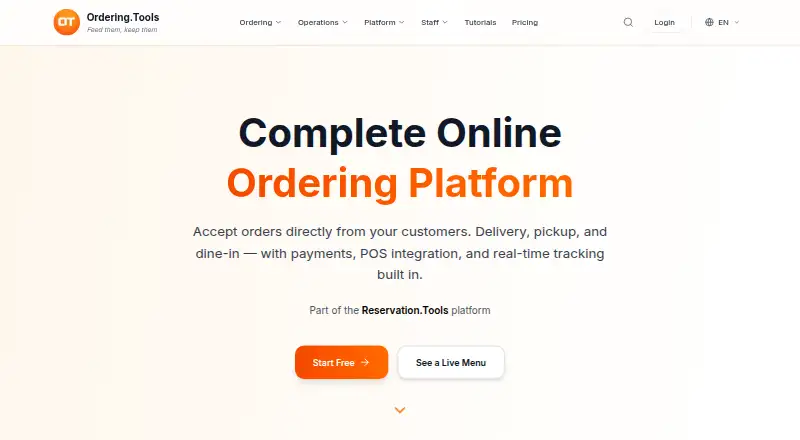
What Ordering.Tools is
Ordering.Tools provides digital menus and online ordering for restaurants and hospitality businesses. One system handles dine-in, pickup, and delivery orders, sending them to a kitchen screen, thermal printer, or admin panel and automatically updating customers on order status. Orders can link to Reservation.Tools bookings so kitchens can start preparing before guests arrive. Menus support sizes, modifiers, promotions, multiple languages, and labels for 14 major allergens. Listed payment options include Stripe card payments with 3D Secure, MyPOS terminals, Barsy POS integration, and cash at pickup or delivery. Marketplace integrations include Wolt, Glovo, Takeaway, Bolt Food, Foodpanda, and UberEats. Listed AI tools cover phone ordering, photo-based menu import, smart upsells, an admin assistant, and product description generation. Customers can browse in a phone browser without installing an app or creating an account. The Free plan allows 20 monthly orders; Starter is €30/month with a 5% commission, and Pro is €60/month with a 3% commission.
Who it suits
It suits restaurants that need digital menus and a way to handle dine-in, pickup, and delivery orders. Customers can browse menus from a phone browser without installing an app or creating an account.
What it does well
- Handles dine-in, pickup, and delivery orders.
- Menus include labels for 14 major allergens.
- Integrates with listed delivery marketplaces.
- Customers can browse without an app or account.
What to know first
- Free plan allows 20 orders per month.
- Starter charges a 5% platform commission.
- Pro charges a 3% platform commission.
Limits
The Free plan permits 20 orders per month, with AI assistant questions and AI voice calls subject to usage limits. Starter costs €30 per month and applies a 5% commission; Pro costs €60 per month and applies a 3% commission. The separate phone system add-on costs €200 for setup and €60 per month; its prices exclude VAT.
Plans
| Plan | Billed and limits | Price |
|---|---|---|
| Free | €0 · 20 orders/month · no commission · AI assistant questions and AI voice calls subject to usage limits | Free |
| Phone system add-on | One-off setup €200; per month €60 · Sold separately and can be added to any plan · prices exclude VAT | €200, paid once |
| Starter | €30/month · Unlimited orders/month · 5% platform commission on all orders | €30 a month |
| Pro | €60/month · Unlimited orders/month · 3% platform commission on all orders | €60 a month |
As ordering.tools lists them, read 2 Oct 2026. The maker's own page has the final word.
Getting started
- Visit https://www.ordering.tools/en.
- Choose the Free plan, start the 30-day trial, or select Starter or Pro.
- Use the web service or its Android and iOS platforms.
- Set up the menu and choose how orders appear for kitchen staff.
- Use the site's free setup assistance if needed.
Ordering.Tools is digital-menu and online-ordering software for restaurants that need to coordinate dine-in, pickup, and delivery. It suits operators who want menus, kitchen routing, and payment options together; the key trade-off is that paid plans charge a commission on every order.
Overview
Ordering.Tools connects customer-facing menus with ordering and kitchen workflows. Customers can browse a menu in their phone browser without installing an app or creating an account, reducing friction before an order. Restaurants can route orders to a kitchen screen, thermal printer, or admin panel, with automatic customer status updates.
Menus support product sizes, modifiers, promotions, multiple languages, and labels for 14 major allergens. Orders can also link to Reservation.Tools bookings so the kitchen can start preparation before guests arrive. This combination is useful for restaurants managing varied menus and service types, though operators should weigh the commission model against their order volume and margins.
Key features
Menu and service operations
Dine-in, pickup, and delivery orders run through one system, while availability controls and POS synchronization support day-to-day coordination. Marketplace integrations include Wolt, Glovo, Takeaway, Bolt Food, Foodpanda, and UberEats, helping restaurants bring those channels into their ordering workflow. Payment options include Stripe card payments with 3D Secure, MyPOS terminals, Barsy POS integration, and cash on pickup or delivery.
Automation and safeguards
AI features include phone ordering, menu import from photos, smart upsells, an admin assistant, and product-description generation. The Free plan limits AI assistant questions and voice calls by usage, so restaurants relying on those tools should account for that constraint. The privacy policy describes encryption in transit and at rest for stored files and backups, role-based access, hashed passwords, and multi-tenant isolation. It identifies AWS infrastructure in Ireland and says data is not transferred outside the EU/EEA, UK, and USA.
Setup
Ordering.Tools says setup assistance is free and most restaurants can go live within 30 minutes. That is a practical advantage for operators who want support getting a system running without a separate setup charge.
Pricing
The Free plan costs €0 and allows 20 orders per month with no commission. It is a sensible way to start at low volume, but the cap makes it a poor fit once a restaurant regularly exceeds 20 monthly orders.
Starter costs €30/month and allows unlimited monthly orders, with a 5% platform commission on all orders. Pro costs €60/month, also with unlimited orders, and lowers the commission to 3%. Starter has the lower fixed cost, but its higher commission can matter as order volume grows; Pro costs more each month and is the better fit only when the lower rate justifies that additional fee. Both paid plans trade the free plan’s no-commission model for uncapped orders.
The phone system add-on costs €200 one-off for setup and €60 per month. It can be added to any plan, is sold separately, and prices exclude VAT. A 30-day trial is offered. There is no published price for a plan beyond the stated options, so custom pricing applies.
Platforms
Ordering.Tools supports Android, iOS, and web. Customers can browse menus in a mobile browser without an app or account, while the platform itself spans mobile and web environments.
Who it's for
Ordering.Tools is best suited to restaurants that handle several order types and want menu management, kitchen routing, payment methods, and marketplace integrations in one system. Its free plan fits a small operation testing online ordering or keeping monthly volume below 20 orders. Restaurants with higher volume should compare the 5% and 3% commissions with their margins before choosing Starter or Pro.
It is less compelling for operators who need unlimited orders without per-order commission: the paid tiers impose commissions, while the free tier is capped. The phone system add-on also adds a substantial recurring cost to any plan.
Pros and cons
- Pros: One workflow covers dine-in, pickup, and delivery, with kitchen-screen, printer, or admin-panel routing and customer status updates.
- Pros: Menu tools include modifiers, promotions, multilingual support, and labels for 14 major allergens.
- Pros: Marketplace integrations and multiple payment options can support restaurants serving customers through different channels.
- Cons: The no-commission Free plan stops at 20 orders per month.
- Cons: Starter and Pro charge 5% and 3% commissions respectively on all orders, in addition to monthly fees.
- Cons: The phone system add-on costs €200 for setup plus €60 per month, excluding VAT.
Alternatives
Fee Free Ordering is worth considering if a larger no-commission free allowance matters more than the specific Ordering.Tools workflow: its free plan allows 100 orders per month. GloriaFood is another option for operators prioritizing a free plan with unlimited orders, unlimited locations, and no per-order commission or monthly fee.
Quiteful may suit a smaller menu operation comfortable with a free allowance of 20 active items, one menu, and one location, without analytics or POS integrations. Prestau Menu Author is an alternative for restaurants seeking menu-authoring software with a web platform and a paid Standard plan that includes order management and POS integration.
TabTake Reservations is an option for a single location that can work within a free allowance of up to 150 orders per month and does not need reservations on that tier. Restroworks is a paid alternative with custom pricing. Crisp Menu Management is another paid alternative. Digisystems Restaurant Menu Management uses pricing on request.
For broader comparisons, browse Restaurant Menu Management Software, Restaurant Website Builders, and Kitchen Display System Software.
Verdict
Choose Ordering.Tools if your restaurant needs a single system for multiple order types, menu controls, and kitchen routing, and its commissions fit your economics. The free plan provides a no-commission starting point, but its 20-order cap is restrictive; restaurants with steady volume should compare Starter’s 5% and Pro’s 3% commission carefully or look for an alternative that better matches their fee priorities.
Verdict
Ordering.Tools combines restaurant menus, order routing, payment options, and integrations across Android, iOS, and web. Compare the Free plan's order allowance with the commissions on paid plans.
Questions
Is Ordering.Tools free?
Yes. The Free plan costs nothing and allows 20 orders per month with no commission. AI assistant questions and AI voice calls are subject to usage limits.
How much do paid plans cost?
Starter costs €30 per month and has a 5% platform commission on all orders. Pro costs €60 per month and has a 3% commission on all orders.
Does Ordering.Tools offer a free trial?
Yes. The pricing note lists a 30-day trial.
Which platforms does Ordering.Tools support?
It runs on Android, iOS, and web. Customers can browse restaurant menus in a phone browser without installing an app.
What payment methods are listed?
The site lists Stripe card payments with 3D Secure, MyPOS terminals, Barsy POS integration, and cash on pickup or delivery.
What does the phone system add-on cost?
The add-on is sold separately and can be added to any plan. It costs €200 for one-time setup and €60 per month; prices exclude VAT.
Facts from Ordering.Tools's own pages
- AI tools
- Listed AI features include phone ordering, menu import from photos, smart upsells, an admin assistant, and product description generation. · ordering.tools, 2 Oct 2026
- Customer access
- Customers can open a restaurant menu in their phone browser without installing an app or creating an account to browse. · ordering.tools, 2 Oct 2026
- Data hosting
- The privacy policy identifies AWS infrastructure in Ireland and says it does not transfer data outside the EU/EEA, UK, and USA. · ordering.tools, 2 Oct 2026
- Headquarters
- Varna, Bulgaria · ordering.tools, 23 Sept 2026
- Integrations
- The features page lists marketplace order integrations for Wolt, Glovo, Takeaway, Bolt Food, Foodpanda, and UberEats. · ordering.tools, 2 Oct 2026
- Kitchen operations
- Orders can appear on a kitchen screen, thermal printer, or admin panel, with automatic customer status updates. · ordering.tools, 2 Oct 2026
- Menu features
- The platform supports product sizes and modifiers, promotions, multilingual menus, and allergen labels for 14 major allergens. · ordering.tools, 2 Oct 2026
- Order types
- Restaurants can accept dine-in, pickup, and delivery orders through one system. · ordering.tools, 2 Oct 2026
- Payments
- The site lists Stripe card payments with 3D Secure, MyPOS terminals, Barsy POS integration, and cash on pickup or delivery. · ordering.tools, 2 Oct 2026
- Plan limits
- The Free plan allows 20 orders per month, while Starter and Pro list unlimited monthly orders and charge platform commissions of 5% and 3%, respectively. · ordering.tools, 2 Oct 2026
- Pre-orders
- Orders can be linked to Reservation.Tools bookings so the kitchen can begin preparing before guests arrive. · ordering.tools, 2 Oct 2026
- Product
- Ordering.Tools provides digital menus and online ordering software for hospitality and restaurant businesses. · ordering.tools, 2 Oct 2026
- Security
- The privacy policy says measures include encryption in transit and at rest for stored files and backups, role-based access controls, hashed passwords, and multi-tenant isolation. · ordering.tools, 2 Oct 2026
- Support and setup
- The site says setup assistance is free and most restaurants can go live within 30 minutes. · ordering.tools, 2 Oct 2026
Where Ordering.Tools stands on Freedom251
- Restaurant Menu Management Software#3 of 30
- Kitchen Display System Software#8 of 49
- Restaurant Website Builders#9 of 54