Freedom251 › Restaurant Menu Management Software

Crisp Menu Management
What Crisp Menu Management is
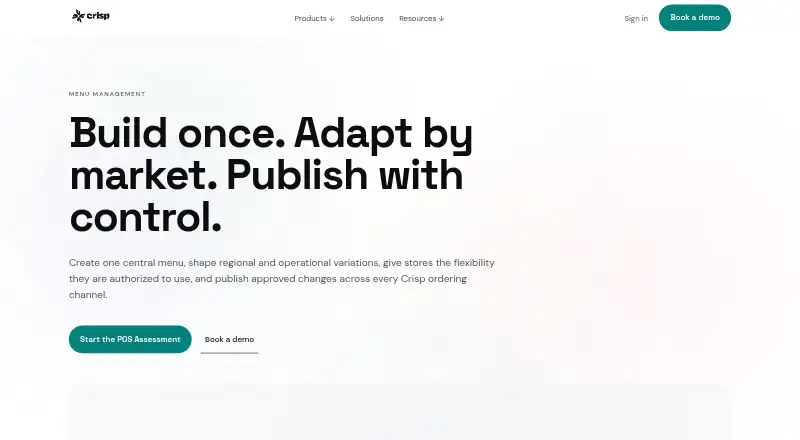
Crisp Menu Management gives quick-service restaurant brands a shared system for building menus, setting regional and store variations, and releasing approved changes to selected locations and ordering channels. A centrally governed master menu can include products, modifiers, base recipes, product configuration, corporate descriptions, and images. Brands can set regional or operating-format differences in availability and prices. Authorized store users can adjust prices, hide products, add local products or modifiers, and create store discounts within their permissions. Brands can also keep selected recipes, descriptions, images, and other central definitions protected from store edits.
Teams can prepare and review changes before publishing them to chosen menu groups and stores. Store defaults can apply tax rates, retail tax treatment, or preparation printers. Channel controls determine which products or modifier groups appear, and third-party marketplaces can use channel-specific price increases. The menu foundation supports employee POS, web ordering, branded mobile apps, self-service kiosks, and direct DoorDash, Uber Eats, and Grubhub integrations. Teams can preview menu layout, modifier behavior, prices, and order flow; Crisp also describes pilot stores as a validation step for larger rollouts. Onboarding includes guided sessions with a menu specialist and help documentation. Crisp builds restaurant technology exclusively for quick service and lists PCI DSS Level 1 compliance.
Who it suits
Crisp Menu Management suits growing quick-service restaurant brands that need central menu control alongside regional and store-level exceptions. It is also suited to teams publishing menus across POS, online ordering, mobile apps, kiosks, and supported delivery marketplaces.
What it does well
- Central master menu governs products, modifiers, recipes, and images.
- Regional menus can vary availability and prices.
- Store permissions allow controlled local menu changes.
- Teams can review changes before publishing to selected stores.
- Supports POS, web ordering, apps, kiosks, and three delivery integrations.
- Guided menu-specialist onboarding sessions are available.
What to know first
- Pricing is available on request.
- Complete menu build service costs an additional fee.
- Crisp Displays content and prices do not automatically sync with the live POS menu.
Getting started
- Visit the Crisp Menu Management website.
- Contact Crisp to discuss service fees and usage limits in a Services Agreement.
- Provide the source information needed for menu setup.
- Use guided working sessions with a menu specialist during onboarding.
- Preview menu layouts, modifier behavior, pricing, and order flow; consider a pilot store for a larger rollout.
Crisp Menu Management is a menu-governance system for quick-service restaurant groups that need one controlled source across many locations and ordering channels. It suits growing brands balancing corporate standards with carefully permissioned local decisions. Choose it when regional and store-level variation must remain accountable; look closely at the separate Crisp Displays workflow and custom commercial terms before committing.
Overview
The system is built around a centrally governed master menu. Corporate teams can define products, modifiers, base recipes, configuration, descriptions, and images, then protect those definitions from store editing. Regional menu groups can change product availability and product or modifier prices by market or operating format.
Authorized store users retain useful autonomy within their permissions: they can change prices, hide products, add local products or modifiers, and create store-specific discounts. That structure is a strong fit for chains that need local responsiveness without allowing every restaurant to alter the brand’s core recipes or presentation. Teams can prepare and review changes, then publish approved updates to selected menu groups and stores rather than pushing every change everywhere.
Store defaults can supply each location’s tax rate, retail tax treatment, and preparation printer. Crisp supports POS synchronization and online ordering, while its documented API gives technically capable teams an integration path. The platform lists PCI DSS Level 1 compliance and local edge architecture among its underlying capabilities.
Key features
- Permission-based hierarchy: Master, regional, and store layers make responsibility clear. It is well suited to multi-unit operators; a very small independent restaurant may find this governance more structure than it needs.
- Controlled publishing: Review changes before releasing them to chosen groups and stores. This reduces the risk of an unapproved price or modifier change reaching every channel.
- Broad channel foundation: One menu supports employee POS, web ordering, a branded mobile app, self-service kiosks, and direct DoorDash, Uber Eats, and Grubhub integrations. Channel-specific availability can hide products or modifier groups, and marketplace-specific price upcharges can reflect third-party economics.
- Preview and rollout checks: Teams can inspect layout, modifier behavior, pricing, and order flow in a demo or preview environment. A pilot store is an additional validation step for larger or more complex launches, which makes the rollout process more disciplined than a single all-location switch.
- Onboarding assistance: Guided working sessions with a menu specialist and help documentation support implementation. Crisp can build a complete menu for an additional service fee when supplied with the required source information, useful for teams that prefer paid implementation help but an extra cost for those doing the work themselves.
- Important separation: Crisp Displays is managed separately. Its visual content and displayed prices do not automatically synchronize with the live POS menu, creating an ongoing reconciliation task for brands using those displays.
Pricing
Crisp uses custom pricing. Service fees are set in each customer’s Services Agreement, which may also define usage limits such as location or screen counts. There is no published self-serve tier, free plan, trial term, seat allowance, or quota to compare, so this is a procurement-led product rather than a budget-first option with predictable public pricing.
Custom terms can make sense for a growing quick-service brand whose location count, channels, and rollout needs require a tailored agreement. They are less attractive to a small operator seeking an immediate, transparent monthly price. Budget separately for the optional complete-menu build and for operational work keeping Crisp Displays aligned.
Platforms
Crisp Menu Management runs on Android, iOS, web, Windows, and through an API. That mix covers restaurant devices, browser-based administration, and technical integration projects. The same menu foundation spans POS, web, branded app, kiosk, and direct delivery integrations.
Who it's for
Crisp says it builds restaurant technology exclusively for quick service and positions the platform for growing quick-service brands. It is a particularly strong match for chains with corporate menu owners, regional operating formats, and store managers who need bounded exceptions. Brands that rely on digital menu displays should assign a separate process for display updates. A single-location restaurant with a simple menu and no need for layered permissions is unlikely to benefit as much from the governance model.
Pros and cons
Pros
- Central control with local flexibility: Protected recipes, descriptions, and images preserve standards while authorized stores can handle legitimate local pricing and products.
- One foundation across channels: POS, first-party ordering, kiosks, and major delivery integrations can draw from the same menu structure.
- Safer rollout process: Review gates, previews, and an optional pilot store help catch modifier, pricing, and order-flow problems before broad release.
- Implementation support: Specialist sessions, documentation, and an optional menu-building service reduce the burden of a complex migration.
Cons
- Custom pricing: Buyers cannot assess cost from public plan prices, and agreements may impose location or screen limits.
- Displays are separate: Visual content and displayed prices do not automatically follow live POS changes, so teams must maintain another workflow.
- Governance overhead: Permissions, review stages, and regional structures are valuable for chains but can be excessive for a small, simple operation.
Alternatives
For a broad comparison of category options, see Restaurant Menu Management Software.
- Fee Free Ordering is the better starting point for a low-cost ordering setup: its free plan allows 100 orders per month, with a Custom Domain plan at $9.99 a month.
- GloriaFood suits operators wanting a free service plan with unlimited orders and locations and no commission per order or monthly fee.
- Ordering.Tools is worth considering when a freemium entry plan and AI-assisted ordering support fit your operation; its Free plan allows 20 orders per month.
- Quiteful is aimed at smaller menus: its free tier covers 20 active items, one menu, and one location but has no POS integrations.
- Prestau Menu Author is an alternative for web-based menu authoring with a published 49.00 USD-per-month Standard Plan that adds order management and POS integration.
- TabTake Reservations is more relevant when reservations are central; its Direct plan covers one location and up to 150 orders per month.
- Chowly offers a paid platform with month-to-month terms and location-based pricing shared during a demo.
- Deliverect Direct is another paid option whose pricing varies by location, digital operations scale, and number of locations.
Verdict
Choose Crisp Menu Management if you run a growing quick-service brand that needs centrally governed menus, controlled regional variation, and permission-based store exceptions across many ordering channels. Its strongest advantage is disciplined control without eliminating local operating decisions, reinforced by preview and rollout tools. Look elsewhere if you need transparent self-serve pricing, a lightweight single-store setup, or automatic synchronization between POS menus and Crisp Displays.
Verdict
Choose Crisp Menu Management if your quick-service brand needs centrally governed menus with controlled regional and store-level changes across ordering channels. Consider how you will manage Crisp Displays separately, and account for the additional fee if you want Crisp to build the full menu.
Questions
How much does Crisp Menu Management cost?
Pricing is available on request. Service fees and usage limits, such as location or screen counts, may be specified in each customer’s Services Agreement.
Which platforms does it support?
The listed platforms are Android, API, iOS, web, and Windows.
Which ordering channels can use its menu?
The menu foundation supports employee POS, web ordering, branded mobile apps, self-service kiosks, and direct DoorDash, Uber Eats, and Grubhub integrations.
Can stores make their own menu changes?
Authorized store users can adjust prices, hide products, add local products or modifiers, and create store-specific discounts, subject to permissions and store access.
Does Crisp provide onboarding or menu setup help?
Crisp provides guided sessions with a menu specialist and help documentation. It can build a complete menu for an additional service fee when given the required source information.
Does Crisp Displays sync with the live POS menu?
No. Crisp Displays is managed separately and its visual content and displayed prices do not automatically synchronize with the live POS menu.
Facts from Crisp Menu Management's own pages
- API
- Crisp says it provides a documented API for technically capable teams. · crispqsr.com, 8 Oct 2026
- Audience
- Crisp says it builds restaurant technology exclusively for quick service and describes its platform as designed for growing quick-service restaurants. · crispqsr.com, 8 Oct 2026
- Channel controls
- Channel-specific availability can control which products or modifier groups appear, and third-party marketplaces can use channel-specific price upcharges. · crispqsr.com, 8 Oct 2026
- Commercial terms
- Crisp’s general terms say service fees are specified in each customer’s Services Agreement, and usage limitations such as location or screen counts may also be specified there. · crispqsr.com, 8 Oct 2026
- Headquarters
- Salt Lake City, Utah, United States · crispqsr.com, 28 Sept 2026
- Intended customers
- Crisp says it builds restaurant technology exclusively for quick service and describes the platform as designed for growing quick-service restaurant brands. · crispqsr.com, 8 Oct 2026
- Local exceptions
- Authorized store users can adjust prices, hide products, add local products and modifiers, and create store-specific discounts; centrally protected definitions can remain uneditable. · crispqsr.com, 8 Oct 2026
- Menu hierarchy
- The product supports a centrally governed master menu, controlled regional menus, and permission-based store-level exceptions. · crispqsr.com, 8 Oct 2026
- Menu structure
- The master menu contains centrally governed products and modifiers, base recipes, product configuration, corporate descriptions, and images. · crispqsr.com, 8 Oct 2026
- Notable limitation
- Crisp Displays is managed separately and does not automatically synchronize its visual content or displayed prices with the live POS menu. · crispqsr.com, 8 Oct 2026
- Onboarding and help
- Crisp provides guided menu-specialist working sessions during onboarding and help documentation; it can also build a complete menu for an additional service fee when supplied the required source information. · crispqsr.com, 8 Oct 2026
- Onboarding and support
- Crisp provides guided working sessions with a menu specialist during onboarding and extensive help documentation; it can build the complete menu for an additional service fee. · crispqsr.com, 8 Oct 2026
- Ordering channels
- The same menu foundation supports employee POS, web ordering, branded mobile app, self-service kiosk, and direct DoorDash, Uber Eats, and Grubhub integrations. · crispqsr.com, 8 Oct 2026
- Preview and pilot
- Teams can inspect menu layout, modifier behavior, pricing, and order flow in a demo or preview environment, and can use a pilot store for larger rollouts. · crispqsr.com, 8 Oct 2026
- Preview and rollout
- Teams can inspect product layout, modifier behavior, pricing, and order flow in a demo or preview environment, and Crisp describes a pilot store as an additional validation step for larger or more complex rollouts. · crispqsr.com, 8 Oct 2026
- Protected definitions
- Brands can keep base recipes, corporate descriptions, corporate images, and other centrally governed definitions uneditable at store level. · crispqsr.com, 8 Oct 2026
- Publishing workflow
- Teams can prepare and review menu changes before releasing approved changes to selected menu groups and stores. · crispqsr.com, 8 Oct 2026
- Purpose
- Crisp Menu Management lets restaurant brands create a central menu, manage regional and store variations, and publish approved changes across Crisp ordering channels. · crispqsr.com, 8 Oct 2026
- Regional variations
- Menu groups can vary product availability and product or modifier prices by region or operating format. · crispqsr.com, 8 Oct 2026
- Security
- Crisp lists PCI DSS Level 1 compliance and local edge architecture among the platform’s underlying capabilities. · crispqsr.com, 8 Oct 2026
- Security compliance
- Crisp’s platform page lists PCI DSS Level 1 compliance. · crispqsr.com, 8 Oct 2026
- Store defaults
- Products can use each store’s default tax rate, retail tax treatment, or preparation printer. · crispqsr.com, 8 Oct 2026
- Store permissions
- Authorized store users can adjust prices, hide products, add local products or modifiers, and create store-specific discounts, subject to their permissions and store access. · crispqsr.com, 8 Oct 2026
Where Crisp Menu Management stands on Freedom251
- Restaurant Menu Management Software#20 of 30