Freedom251 › Mobile App Monitoring
EAS Observe
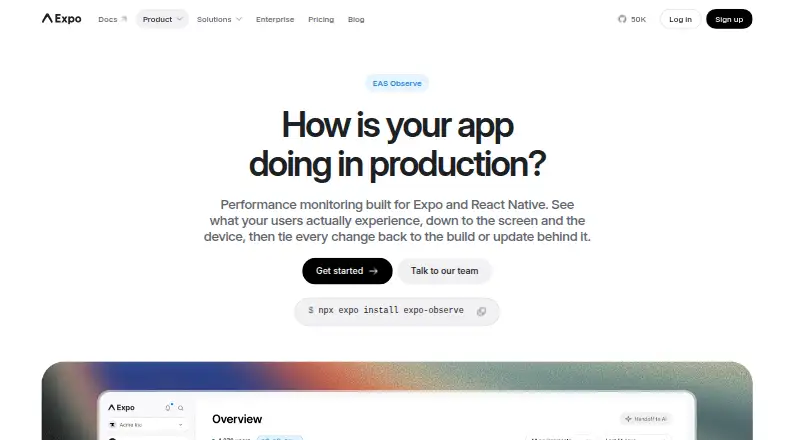
What EAS Observe is
EAS Observe monitors app performance in production on real devices and under real conditions. It tracks cold and warm launch time, first render, time to interactive, bundle loading, and EAS Update download time. Teams can compare metrics across app versions and OTA updates to help spot regressions. Expo Router and React Navigation integrations provide per-route render and interactive timings, and apps can send custom events with Observe.logEvent for analysis alongside performance data. Results are available in the EAS dashboard and through EAS CLI commands. The service supports Android, iOS, and tvOS, and requires Expo SDK 55 or later plus an app linked to an EAS project. It is not available in Expo Go; a development or production build is required. JavaScript error and native crash reporting are preview features. The free plan is $0 per month for 100K events monthly and 90 days of retention. Starter is $19 per month plus additional usage costs, with 500K events monthly before usage-based pricing.
Who it suits
EAS Observe suits teams building Expo apps that want production performance metrics and comparisons across releases. It requires Expo SDK 55 or later, an EAS-linked app, and a development or production build.
What it does well
- Tracks launch, render, and interaction timings
- Compares metrics across app versions and OTA updates
- Custom events can be analyzed with performance data
- Free plan includes 100K events per month
What to know first
- Requires Expo SDK 55 or later
- Not available in Expo Go
- Error and crash reporting are preview features
- Starter plan has additional usage costs
Limits
The Free plan includes 100K events per month and 90 days of data retention. Starter and Production include 500K events per month, then charge based on usage; they also retain data for 90 days.
Plans
| Plan | Billed and limits | Price |
|---|---|---|
| Free | $0 /MONTH · 100K events/month · 90 days data retention | Free |
| Starter | $19 /month +additional usage cost · 500K events/month, then usage-based pricing · 90 days data retention | $19 a month |
| Production | $199 /month +additional usage cost · 500K events/month, then usage-based pricing · 90 days data retention | $199 a month |
| Enterprise | Custom · 500K events/month, then usage-based pricing · 90 days data retention | On request |
As expo.dev lists them, read 2 Oct 2026. The maker's own page has the final word.
Getting started
- Open the EAS Observe website.
- Use an app linked to an EAS project and running Expo SDK 55 or later.
- Build the app for development or production; Expo Go is not supported.
- Choose the Free plan or a paid plan.
- View metrics in the EAS dashboard or query them with EAS CLI commands.
EAS Observe is a production performance monitor for Expo applications, measuring real-device behavior rather than relying on development simulations. It is best suited to teams shipping Expo builds and OTA updates that need release-by-release timing evidence; teams on Expo Go or pre-SDK-55 projects are outside its scope. Its strongest case is focused performance regression tracking, while broader error monitoring remains limited.
Overview
Observe centers on how quickly an app starts, renders, becomes interactive, loads its bundle, and receives an EAS Update. Those measurements can be compared between app versions and over-the-air updates, making it useful when a team needs to connect a slowdown with a particular release. Data is collected from production use across real devices and conditions, with device model, operating-system version, app version, and an anonymous install-scoped ID; Expo says personally identifiable information is not collected.
Setup has meaningful boundaries. The app must use Expo SDK 55 or later and be linked to an EAS project, and it must run in a development or production build because Observe is not available in Expo Go. That makes it a natural fit for an Expo-centered release process, not a general-purpose monitor for arbitrary mobile projects.
Key features
Startup instrumentation covers cold and warm launch time, time to first render, time to interactive, bundle load time, and EAS Update download time. Comparing those values across releases gives teams a concrete way to find regressions instead of judging performance by anecdotal reports.
Expo Router and React Navigation integrations add render and interactive timings for individual routes. This extends the view from “the app is slow” to which screen is taking too long. Custom events logged with Observe.logEvent can be analyzed alongside the timing data, so teams can relate performance to user-defined milestones or flows.
Results appear in the EAS dashboard and can also be queried from the terminal through EAS CLI commands. Network request tracing and app performance monitoring are supported. JavaScript error and native crash reporting are described as preview features, so Observe should not be treated as a finished replacement for a dedicated crash-monitoring system. It also has no ANR monitoring and no session replay.
Pricing
Every EAS plan retains data for 90 days. Paid tiers include 500,000 events per month, then charge for additional usage; the free tier stops at 100,000 events per month.
| Plan | Price | Allowance and terms |
|---|---|---|
| Free | free, billed $0 /MONTH | 100K events/month; 90 days data retention |
| Starter | $19 a month, billed $19 /month +additional usage cost | 500K events/month, then usage-based pricing; 90 days data retention |
| Production | $199 a month, billed $199 /month +additional usage cost | 500K events/month, then usage-based pricing; 90 days data retention |
| Enterprise | Custom pricing | 500K events/month, then usage-based pricing; 90 days data retention |
Free is a sensible way to instrument a smaller app, but its 100K-event ceiling can become restrictive as usage grows. Starter is the entry point for teams needing the larger allowance at $19 per month, though overage costs mean the headline price is not a complete spending ceiling. Production costs $199 per month with the same included event volume, so it is aimed at organizations that need that commercial tier rather than simply more included events. Enterprise is for buyers who require a negotiated arrangement; its price is custom.
Platforms
Observe is presented for Android, iOS, and web, while its supported-platform documentation also includes tvOS. Dashboard and CLI metrics can be filtered by platform. The SDK-55-and-EAS-project requirements apply regardless of platform, and Expo Go remains excluded.
Who it's for
Choose EAS Observe if your team ships Expo apps, uses EAS builds or updates, and needs to compare startup or route performance between releases. It is particularly appropriate when OTA updates make regression attribution important, or when route-level timing and custom business events matter more than replay footage.
Look elsewhere if you need established crash and error coverage, ANR detection, session replay, or monitoring for apps outside the Expo/EAS workflow. The preview status of crash reporting and the absence of replay leave those jobs to complementary tools.
Pros and cons
Pros
- Release and OTA comparisons make performance regressions easier to associate with a specific change.
- Startup, route, and custom-event timings cover both app-wide and user-flow performance questions.
- Dashboard and EAS CLI access suits teams that work from either visual reports or terminal workflows.
- Expo says data is encrypted in transit and at rest, with SOC 2 Type 2 attestation.
Cons
- SDK 55+, an EAS project, and a development or production build exclude older projects and Expo Go users.
- JavaScript error and native crash reporting are preview features, not a mature error-monitoring foundation.
- No ANR monitoring or session replay means limited help with hangs and visual reproduction.
- Starter and higher plans add usage-based charges after 500K events, so monthly cost can rise with volume.
Alternatives
For a broader catalog of monitoring choices, see Mobile App Monitoring.
BugSnag is the better direction when you want freemium monitoring spanning many platforms and a free trial, with a free tier measured in events and spans.
Guance Container Monitoring fits teams focused on hosts, metrics, and logs rather than Expo release timing, with a free plan built around infrastructure quotas.
Middleware is worth choosing when browser, RUM, synthetic checks, and broader observability coverage are more important than Expo-specific timings.
Appelium is an alternative for teams wanting iOS, tvOS, and Android coverage with app-based plans.
Bugfender suits log-centric mobile diagnostics, offering a free allowance based on daily log lines and device count.
Firebase Cloud Messaging is a no-cost messaging service, not a substitute for Observe's performance measurement.
OpenReplay is the stronger choice when open-source, self-managed session replay and retention control are priorities.
Rejourney fits teams primarily seeking session replays and funnel or cohort analysis.
Verdict
Choose EAS Observe for an Expo team that needs production timing data tied to app versions, OTA updates, routes, and custom events. Its focused instrumentation and EAS workflow are the main reasons to choose it. Look elsewhere when crash maturity, ANR monitoring, session replay, or a non-Expo platform is the central requirement.
Verdict
EAS Observe focuses on performance timing and release comparisons for Expo apps. Check the SDK, build, and usage requirements before choosing a plan.
Questions
Is EAS Observe free?
Yes. The Free plan costs $0 per month and includes 100K events per month with 90 days of data retention.
How much do the paid plans cost?
Starter is $19 /month and Production is $199 /month, each plus additional usage costs. Enterprise is custom priced.
Which platforms does EAS Observe support?
It supports Android, iOS, and tvOS. Metrics can be filtered by platform in the dashboard and CLI.
Does EAS Observe work in Expo Go?
No. It requires a development or production build, Expo SDK 55 or later, and an app linked to an EAS project.
What data does it collect?
Expo says it collects performance timing data, device model, OS version, app version, and an anonymous install-scoped ID, and does not collect personally identifiable information.
Does it report errors and crashes?
JavaScript error and native crash reporting are described as preview features.
Facts from EAS Observe's own pages
- Custom events
- Apps can log user-defined events with Observe.logEvent and analyze them alongside performance data. · docs.expo.dev, 2 Oct 2026
- Dashboard and CLI
- Metrics are available in the EAS dashboard and can also be queried from the terminal with EAS CLI commands. · docs.expo.dev, 2 Oct 2026
- Data collected
- The product page says it collects performance timing data, device model, OS version, app version, and an anonymous install-scoped ID, and says it does not collect personally identifiable information. · expo.dev, 2 Oct 2026
- Data retention
- The pricing page lists 90 days of data retention for all EAS plans. · expo.dev, 2 Oct 2026
- Errors
- The documentation describes JavaScript error and native crash reporting as preview features. · docs.expo.dev, 2 Oct 2026
- Expo Go
- EAS Observe is not available in Expo Go; it requires a development or production build. · docs.expo.dev, 2 Oct 2026
- Navigation integrations
- Expo Router and React Navigation integrations provide per-route render and interactive timings. · docs.expo.dev, 2 Oct 2026
- Purpose
- EAS Observe monitors performance in production across real devices and conditions. · docs.expo.dev, 2 Oct 2026
- Release tracking
- Metrics can be compared across app versions and OTA updates to help identify regressions. · docs.expo.dev, 2 Oct 2026
- Requirements
- EAS Observe requires Expo SDK 55 or later and an app linked to an EAS project. · docs.expo.dev, 2 Oct 2026
- Security
- Expo says data is encrypted in transit and at rest and that Expo has SOC 2 Type 2 attestation. · expo.dev, 2 Oct 2026
- Startup metrics
- It tracks cold and warm launch time, time to first render, time to interactive, bundle load time, and EAS Update download time. · docs.expo.dev, 2 Oct 2026
- Support
- The product FAQ directs users with questions or who need human support to contact Expo’s team. · expo.dev, 2 Oct 2026
- Supported platforms
- EAS Observe supports Android, iOS, and tvOS, with metrics filterable by platform in the dashboard and CLI. · docs.expo.dev, 2 Oct 2026
Where EAS Observe stands on Freedom251
- Mobile App Monitoring#8 of 23