Freedom251 › Duplicate File Finders
dskDitto
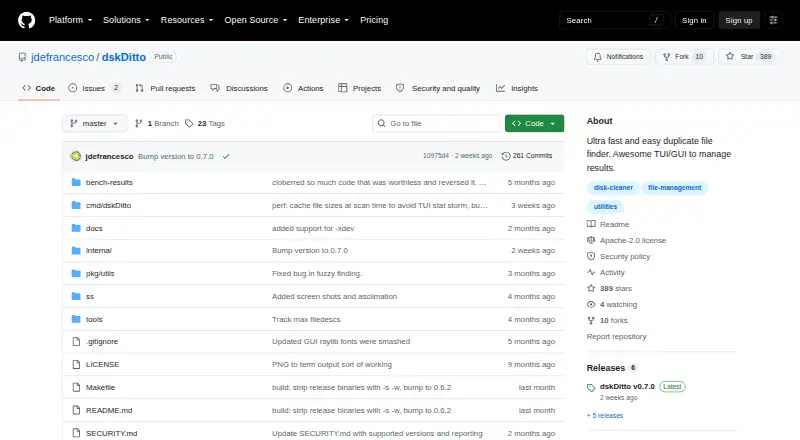
What dskDitto is
dskDitto helps find duplicate files on Linux and macOS through a terminal interface, with an optional graphical interface. It scans local paths and directories using parallel processing, and can include virtual filesystem directories when enabled. Content checks use SHA-256 by default, with BLAKE3 available as an alternative. The tool also supports exact filename matching and fuzzy content similarity for near-duplicate searches; fuzzy mode starts at a 75% similarity threshold and turns off automatic removal and link actions.
Scans can be filtered by file size, directory depth, hidden files, symlinks, virtual filesystems, and filesystem boundaries. Users can preview files, exclude folders, use automatic selection, and export results to CSV, JSON, or plain text. Deleting extra copies or replacing them with symlinks or reflinks requires an explicit remove option. Reflink conversion depends on a supported copy-on-write filesystem, such as APFS, Btrfs, or XFS with reflink enabled.
The default installation builds the command-line and interactive terminal interfaces. The optional Raylib graphical interface is experimental. Source installation requires Go 1.22 or later; GUI builds also require Raylib and CGo. The project is free and released under the Apache license.
Who it suits
dskDitto suits Linux and macOS users who want to locate exact duplicates or content-based near matches across local directories. It offers terminal workflows by default, with an experimental graphical option and exportable results.
What it does well
- Parallel scanning searches local paths and directories.
- SHA-256 is the default, with BLAKE3 as an option.
- Filters cover size, depth, hidden files, symlinks, and filesystems.
- Results export to CSV, JSON, or plain text.
- Files are changed only when removal is explicitly requested.
What to know first
- The Raylib graphical interface is experimental and optional.
- Reflink conversion requires a supported copy-on-write filesystem.
- Source installation requires Go 1.22 or later.
Getting started
- Install from source using Go 1.22 or later.
- Build the default CLI and TUI, or add Raylib and CGo for the optional GUI.
- Choose local filesystem paths or directories to scan.
- Set scan filters and choose hashing or matching options.
- Review results, then export them or explicitly request removal or link actions.
Verdict
Choose dskDitto if you want configurable duplicate and near-duplicate searches from a terminal, with export and explicit file-action controls. Look elsewhere if you need a mature graphical interface.
Questions
How much does dskDitto cost?
It is listed as free.
Which platforms does it support?
The listed platforms are Linux and macOS.
Does it have a graphical interface?
Yes, an optional experimental Raylib GUI is available. The default installation builds the CLI and TUI.
How does it identify duplicates?
It supports SHA-256, BLAKE3, exact filename matching, and fuzzy content similarity. Fuzzy mode defaults to a 75% similarity threshold.
Can it delete files automatically?
The tool does not delete or rewrite files unless removal is explicitly requested. Fuzzy mode disables automatic remove and link actions.
What does reflink conversion require?
It requires a supported copy-on-write filesystem; named examples are APFS, Btrfs, and XFS with reflink enabled.
Facts from dskDitto's own pages
- Duplicate actions
- Users can remove duplicates or replace them with symlinks or copy-on-write reflinks, with confirmation dialogs for changes. · github.com, 5 Oct 2026
- Exports
- Duplicate results can be exported as CSV, JSON, or plain text. · github.com, 5 Oct 2026
- Filtering
- Scanning can filter by size, recursion depth, hidden files, symlinks, virtual filesystems, and filesystem boundaries. · github.com, 5 Oct 2026
- GUI status
- The Raylib GUI is optional and experimental; the default installation builds the CLI/TUI only. · github.com, 4 Oct 2026
- Hashing
- Content verification uses SHA-256 by default, with BLAKE3 as an alternative. · github.com, 5 Oct 2026
- Installation
- The README documents installation from source with Go 1.22 or later; GUI builds require Raylib and CGo. · github.com, 5 Oct 2026
- Intended users
- The maker says the project needs new contributors and welcomes issues and pull requests for improvements. · github.com, 5 Oct 2026
- Interfaces
- It provides a terminal interface by default and an experimental Raylib graphical interface as an option. · github.com, 5 Oct 2026
- License
- The project is released under the Apache license. · github.com, 5 Oct 2026
- Maker profile
- The GitHub profile identifies the maker as Joey DeFrancesco and lists MIT and Cambridge. · github.com, 4 Oct 2026
- Near-duplicate search
- Fuzzy mode finds content-based near matches, defaults to a 75% similarity threshold, and disables automatic remove and link actions. · github.com, 5 Oct 2026
- Purpose
- dskDitto detects duplicate files and provides interactive menus to manage the results. · github.com, 5 Oct 2026
- Reflink limits
- Reflink conversion requires a supported copy-on-write filesystem, such as APFS, Btrfs, or XFS with reflinks enabled; it is unsupported on ext4, FAT/exFAT, and NTFS. · github.com, 5 Oct 2026
- Safety
- The README says dskDitto does not delete or rewrite files unless the user explicitly requests it with --remove. · github.com, 5 Oct 2026
- Scanning
- The README describes parallel duplicate scanning across large disks. · github.com, 5 Oct 2026
- Security policy
- The security policy lists version 0.5.x as supported and says users can report vulnerabilities by email, issue, or discussion. · github.com, 5 Oct 2026
Where dskDitto stands on Freedom251
- Duplicate File Finders#13 of 38
- Code Clone Detection Tools#15 of 23