Freedom251 › Duplicate File Finders
Duplicate Files Fixer
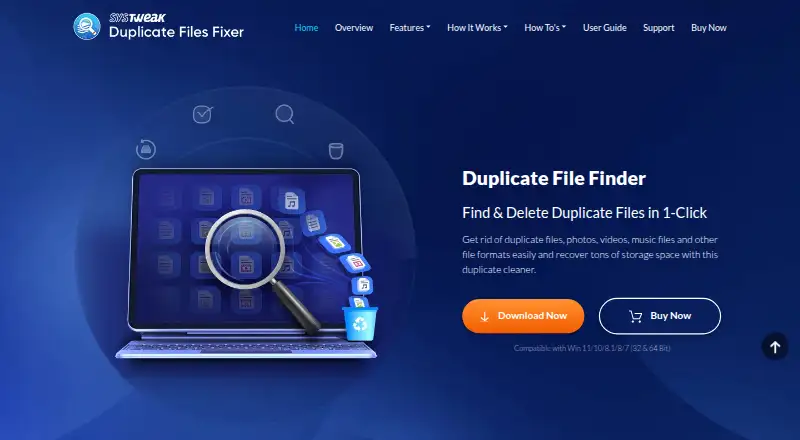
What Duplicate Files Fixer is
Duplicate Files Fixer finds duplicate photos, videos, music, documents, and other files, then lets users inspect and remove copies. It scans computers, external drives, and cloud storage. Matching checks file contents, so identical files can be detected even when names differ. Users can preview grouped results and choose which copies to delete; Auto Mark selects extra copies in each group while leaving one unmarked. On Windows, it can scan Google Drive and Dropbox after users sign in and select folders. The free version scans unlimited files and removes up to 15 duplicates in one go, with further deletions handled one at a time. The paid version removes all marked duplicates in one click. Files deleted from a PC go to the Recycle Bin by default, but files deleted from USB devices and network drives do not. Duplicate Files Fixer is listed for Android, macOS, and Windows. The paid plan is €35.95 a year at the discounted annual license price; the page also lists €64.95 as the product price. The purchase page offers a 60-day money-back guarantee.
Who it suits
Duplicate Files Fixer suits users who want to scan local, external, or supported cloud folders and review duplicate groups before deleting. It is available for Android, macOS, and Windows.
What it does well
- Scans computers, external drives, and cloud storage.
- Content matching can find identical files with different names.
- Preview grouped results before deletion.
- Auto Mark leaves one copy unmarked.
- 60-day money-back guarantee is listed.
What to know first
- Free version removes only 15 duplicates in one go.
- Further free-version deletions are one at a time.
- USB and network-drive deletions do not go to Recycle Bin by default.
- Paid plan is listed at €35.95 a year.
Limits
The free version scans unlimited files and removes up to 15 duplicates in one go; additional deletions are handled one at a time. The paid version removes all marked duplicates in one click.
Plans
| Plan | Billed and limits | Price |
|---|---|---|
| Free version | Scans unlimited files · removes up to 15 duplicates at once, then one at a time | Free |
| Duplicate Files Fixer | The page calls this a special download price and says the license is billed annually at the discounted price; it also lists €64.95 as the product price. · Paid version removes all marked duplicates in one click · 60-day money-back guarantee | €35.95 a year |
As duplicatefilesfixer.com lists them, read 7 Oct 2026. The maker's own page has the final word.
Getting started
- Visit the Duplicate Files Fixer website.
- Choose Android, macOS, or Windows.
- Start with the free version or select the paid plan.
- On Windows, sign in and select Google Drive or Dropbox folders if you want to scan them.
- Choose scan locations, review grouped results, and mark duplicates for deletion.
Overview
Duplicate Files Fixer is a duplicate-file cleanup app for photos, videos, music, documents and other files. It best suits people who want to inspect matches before deleting them, particularly Windows users scanning Google Drive or Dropbox folders. Content matching can find identical files despite different names, but the free version’s batch limit makes a large cleanup more practical on the paid plan.
Key features
The app scans computers, external drives and cloud storage, with matching criteria that include file content, name, size, creation date, modification date and similar filenames. Matching file contents is useful when copies have been renamed; name-based criteria can surface candidates, but a similar name alone does not establish that files are identical.
Grouped results can be previewed, and users choose which copies to delete. Auto Mark selects extra copies in each group while leaving one unmarked, reducing repetitive selection on routine scans. It is a starting point, not a reason to skip review. Folder exclusions help keep chosen locations out of a scan.
The Windows version can scan Google Drive and Dropbox after the user signs in and selects folders. Deleted PC files go to the Recycle Bin by default, but files removed from USB devices and network drives do not. That difference makes careful review especially important on those drives.
Pricing
| Plan | Price | What it includes |
|---|---|---|
| Free version | free | Unlimited file scans; removes up to 15 duplicates in one go, then further deletions one at a time. |
| Duplicate Files Fixer | €35.95 a year | Removes all marked duplicates in one click; purchase page offers a 60-day money-back guarantee. |
The free plan is useful for scanning and modest, incremental cleanup, but its 15-duplicate batch cap can make clearing a large backlog tedious. The paid plan removes that batch constraint for marked files. The purchase page calls €35.95 a special download price, says the license is billed annually at the discounted price, and also lists €64.95 as the product price; buyers should factor in the annual billing and stated 60-day guarantee.
Platforms
Duplicate Files Fixer supports Android, macOS and Windows. Google Drive and Dropbox folder scanning is a Windows feature. The maker advertises 24/7 priority email support and gives [email protected] for download problems.
Who it's for
Choose it if you need to compare grouped duplicate candidates across local and external storage, or want Windows scanning for selected Google Drive and Dropbox folders. It is less compelling for anyone expecting the free version to clear many duplicates in one operation, or anyone relying on Recycle Bin recovery after deleting from USB or network drives.
Pros and cons
- Content-based matching: Finds identical files even when their names differ.
- Review before deletion: Grouped previews, manual choices and Auto Mark offer control over which copies remain.
- Broad scan locations: Covers computers, external drives and cloud storage, with Google Drive and Dropbox support on Windows.
- Free batch limit: Only 15 duplicates can be removed in one go; later deletions must be made one at a time.
- Uneven recovery: PC deletions go to the Recycle Bin by default, unlike deletions from USB and network drives.
Alternatives
Czkawka is a free option for Android, Linux, macOS and Windows, with no ads. dupeGuru is a free choice for finding duplicate files on Linux, macOS and Windows computers. fclones is a free, MIT-licensed command-line utility for Linux, macOS and Windows. jdupes is free MIT-licensed software for exact duplicate matching on Linux, macOS and Windows.
Space Wizard offers a free forever plan with no card required, a home drive and up to 100 GB per scan; its Pro plan may suit readers seeking its paid tier. AllDup is free for private users and companies, but runs on Windows only. Auslogics Driver Updater is a Windows driver-updating product, rather than a duplicate-file finder. CloneSpy is a free duplicate-file cleanup tool for Windows.
For more choices, see Duplicate File Finders.
Verdict
Duplicate Files Fixer is a sound fit for people who want preview-led cleanup across several storage locations, especially Windows users scanning selected cloud folders. Its content matching and automatic marking make selection more manageable; the main reason to look elsewhere is the free plan’s restrictive batch deletion, alongside the lack of Recycle Bin protection on USB and network drives.
Verdict
Duplicate Files Fixer offers review controls and automatic marking for duplicate cleanup across several storage locations. The free version can scan without a file limit, but its batch deletion limit is 15 duplicates at a time.
Questions
Is Duplicate Files Fixer free?
A free version is available. It scans unlimited files and removes up to 15 duplicates in one go, with further removals done one at a time.
How much does the paid version cost?
The plan is listed at €35.95 a year, billed annually at a discounted price. The page also lists €64.95 as the product price.
Which platforms does it support?
It is listed for Android, macOS, and Windows.
Can it scan Google Drive and Dropbox?
The Windows version can scan both after you sign in and select folders.
Can I review files before deleting them?
Yes. Scan results can be previewed in groups, and you can choose which duplicates to delete.
Where do deleted files go?
Files deleted from a PC go to the Recycle Bin by default. Files deleted from USB devices and network drives do not.
Facts from Duplicate Files Fixer's own pages
- Automatic selection
- Auto Mark selects extra copies in each group and leaves one copy unmarked. · duplicatefilesfixer.com, 7 Oct 2026
- Cloud integrations
- The Windows version can scan Google Drive and Dropbox after the user signs in and selects folders. · duplicatefilesfixer.com, 7 Oct 2026
- Company background
- The maker says it was founded in 1999 and is located in Jaipur, India. · duplicatefilesfixer.com, 7 Oct 2026
- Deletion recovery
- Deleted files on the PC go to the Recycle Bin by default, but files deleted from USB devices and network drives do not. · duplicatefilesfixer.com, 7 Oct 2026
- Free version limit
- The free version scans unlimited files and removes up to 15 duplicates in one go, with further deletions one at a time. · duplicatefilesfixer.com, 7 Oct 2026
- Matching
- It checks file contents, so identical files with different names can be detected. · duplicatefilesfixer.com, 7 Oct 2026
- Purpose
- Duplicate Files Fixer finds and deletes duplicate photos, videos, music, documents, and other files. · duplicatefilesfixer.com, 7 Oct 2026
- Refund
- The purchase page offers a 60-day money-back guarantee. · duplicatefilesfixer.com, 7 Oct 2026
- Review and deletion
- Users can preview grouped scan results and choose which duplicates to delete. · duplicatefilesfixer.com, 7 Oct 2026
- Scan locations
- It scans a computer, external drives, and cloud storage for duplicates. · duplicatefilesfixer.com, 7 Oct 2026
- Security and privacy
- Systweak's privacy policy says it does not sell personal data and uses encryption and technical and organizational safeguards; it does not describe product-specific file scanning privacy. · duplicatefilesfixer.com, 7 Oct 2026
- Support
- The site advertises 24/7 priority email support and lists [email protected] for download problems. · duplicatefilesfixer.com, 7 Oct 2026
Where Duplicate Files Fixer stands on Freedom251
- Duplicate File Finders#9 of 38