Freedom251 › Duplicate File Finders
Czkawka
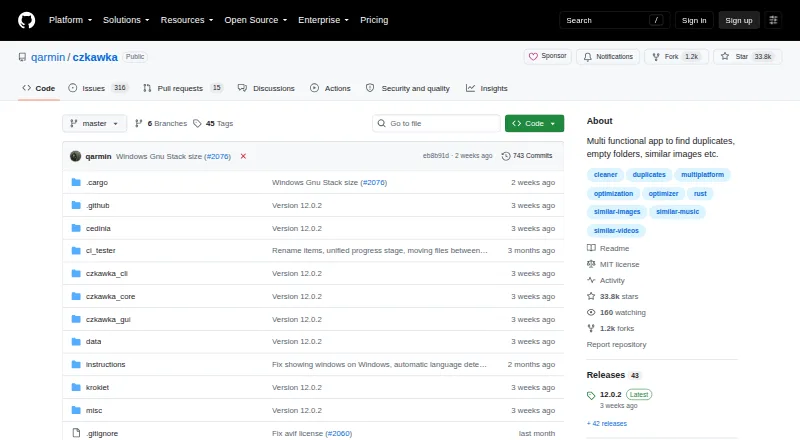
What Czkawka is
Czkawka is a free file-finding tool for locating duplicates and other files you may want to remove. It scans user-selected files and folders for duplicate or empty files, temporary files, large files, similar videos, music duplicates, and similar images. Matching can use names, file sizes, full-file hashes, or a combination of name and size. The project offers graphical and command-line frontends, an Android frontend, and a reusable core library with Python bindings. You can preview files, apply automatic selection, exclude folders, and move selected items to the Recycle Bin or Trash. The project says it uses multithreading, efficient algorithms, and caching to speed later scans; it also says the software has no internet access and collects no user information or statistics. Czkawka is available for Android, Linux, macOS, and Windows. The last GTK release is version 12.0, with no further binaries planned for that frontend. Krokiet’s similar-videos tool requires ffmpeg at runtime.
Who it suits
Czkawka suits people who want to review unnecessary files across selected folders, including users who prefer a command-line frontend or Android app. Its preview, automatic selection, and folder-exclusion options may help manage a scan.
What it does well
- Free to use with no ads.
- Scans selected files and folders.
- Matches by name, size, hash, or combined criteria.
- Includes previews and automatic selection.
- Available on Android, Linux, macOS, and Windows.
What to know first
- No new binaries are planned for the GTK frontend.
- Krokiet similar-video scans require ffmpeg at runtime.
Plans
| Plan | Billed and limits | Price |
|---|---|---|
| Free | all listed tools · no ads · offline use · no telemetry | Free |
As github.com lists them, read 15 Oct 2026. The maker's own page has the final word.
Getting started
- Open the maintained project repository or another directly maintained source such as its prebuilt-binaries project, crates.io projects, or Flathub.
- Choose a frontend for your platform: GUI, CLI, or Android.
- Select the directories or files to scan.
- Choose the file types and matching methods relevant to the cleanup.
- Review matches using previews or automatic selection, then send selected items to Recycle Bin or Trash.
Overview
Czkawka is a free file-cleanup utility for people who want to find duplicates and other unnecessary files across selected locations. Its range of search tools and GUI, CLI, and Android frontends make it adaptable, though the GTK release is no longer receiving binaries.
Searches can target duplicate or empty files, empty folders, temporary and large files, similar images or videos, and duplicate music. You choose the directories and files to scan, which is useful for focused cleanup but means the tool does not simply scan your whole device by default.
Key features
Flexible duplicate searches
Duplicate-file matching can use file name, file size, full-file hash, or a combination of size and name. That choice gives users different ways to identify candidates; the tool also handles similar images, videos, and music through separate searches. Previews and automatic selection can help narrow cleanup choices, while folder exclusions keep recurring scans focused. Selected items can be sent to the Recycle Bin or Trash rather than removed outright.
Scanning and privacy
The project says Czkawka uses multithreading and efficient algorithms, with caching to speed up repeat scans. Those are useful design choices for recurring cleanup, but there are no performance figures to indicate how long a scan will take on a particular collection.
The project says the software has no internet access and collects no user information or statistics. That will appeal to people who prefer local file utilities, though this does not replace checking the locations and selections before deleting files.
Frontends and maintenance
Czkawka includes GUI and CLI frontends, an Android frontend, a core library, and Python bindings. The reusable czkawka_core library is used by the project’s frontends, making the tool relevant beyond desktop users who want a ready-made interface. The Czkawka GTK 12.0 release is the last, and no new binaries are planned for that frontend. Krokiet prebuilt binaries have no mandatory runtime dependencies, but its similar-video search requires ffmpeg at runtime.
The maintainer invites bug reports and pull requests, but GTK-specific issues and feature requests are generally closed. The repository identifies itself as the project’s direct source alongside its prebuilt-binaries project, crates.io projects, and Flathub; it says there is no official website. The repository code is MIT-licensed, while Krokiet and Cedinia are GPL-3.0-only.
Pricing
Czkawka is free to use, with no ads, at no cost. There is no free trial because there is no paid plan described. Its free access makes it a practical choice for personal or routine cleanup without a subscription or usage cap mentioned here.
Platforms
Czkawka is cross-platform, with coverage for Android, Linux, macOS, and Windows. The GUI, CLI, core library, and Android frontend give it more than one route to use, but GTK’s final binary release makes Krokiet a more relevant choice for users who want a current prebuilt graphical option. Users of Krokiet’s similar-video search also need ffmpeg installed at runtime.
Who it's for
Czkawka suits people who want one free utility for several kinds of file cleanup, especially those comfortable selecting scan locations and reviewing candidates before using automatic selection. CLI users, developers interested in the reusable core or Python bindings, and people seeking a no-internet file utility may also find it a good fit. It is less suitable for someone who needs continued GTK binaries or wants similar-video searches without installing ffmpeg for Krokiet.
Pros and cons
- Pros: Free to use with no ads, making repeated cleanup accessible without a paid tier.
- Pros: Searches cover duplicates, empty and temporary files, large files, similar media, and duplicate music, reducing the need for separate utilities.
- Pros: Multiple match methods, previews, exclusions, automatic selection, and Trash support provide useful control over identifying and handling files.
- Pros: The project says it has no internet access and gathers no user information or statistics.
- Cons: No new GTK binaries are planned, limiting that frontend for users who expect continued releases.
- Cons: Krokiet’s similar-video tool requires ffmpeg at runtime.
- Cons: The project publishes no benchmark figures, so scan speed cannot be judged from stated performance claims alone.
Alternatives
For a broader comparison of tools in this category, browse Duplicate File Finders.
- dupeGuru is another free duplicate-file finder for Linux, macOS, and Windows; pick it if you want a focused alternative for duplicate searches.
- fclones is a free MIT-licensed command-line utility for Linux, macOS, and Windows; it is the natural alternative for users who want a command-line duplicate finder.
- Space Wizard offers a free home-drive plan with up to 100 GB per scan on Linux, macOS, and Windows; consider it if that scan cap fits your needs.
- AllDup is free for private users and companies, but runs on Windows only; choose it if you need a Windows-only option.
- Auslogics Driver Updater is a Windows driver updater rather than a duplicate-file utility, so it serves a different need.
- CloneSpy is a free duplicate-file cleanup tool for Windows; choose it if your cleanup work is limited to Windows.
- Duplicate Cleaner offers a free basic edition for personal and home use on Windows, with a trial also available; consider it if those limits suit your use.
- Folder Size offers free folder and file size analysis, disk usage charts, and local or external drive scanning on Windows; pick it when disk-usage analysis is the priority.
Verdict
Czkawka is a strong fit for people who want a free, privacy-focused utility that handles several types of file cleanup across desktop and Android platforms. Its breadth, configurable matching, and multiple frontends are the main reasons to choose it. Look elsewhere if you depend on ongoing GTK binaries, or need Krokiet’s similar-video search without the ffmpeg runtime requirement.
Verdict
Czkawka covers several types of unnecessary-file searches and provides both GUI and CLI options. Note the GTK binary status and ffmpeg requirement for Krokiet’s similar-video tool when choosing a frontend.
Questions
Is Czkawka free?
Yes. The Free plan costs nothing, and the listed plan says it has no ads.
Which platforms does Czkawka support?
It is listed for Android, Linux, macOS, and Windows.
What can Czkawka find?
Its tools find duplicate and empty files, empty folders, temporary files, large files, similar videos, duplicate music, and other unnecessary files.
Does Czkawka access the internet or collect information?
The project says it has no internet access and collects no user information or statistics.
Is Czkawka open source, and what are its licenses?
The repository says its code is MIT-licensed. The Krokiet and Cedinia applications are GPL-3.0-only.
Does the similar-videos tool need an extra runtime dependency?
Krokiet prebuilt binaries have no mandatory runtime dependencies, but its similar-videos tool requires ffmpeg at runtime.
Facts from Czkawka's own pages
- Android status
- Cedinia is described by its developer as an experimental Android app with missing features and no defined minimum Android version. · github.com, 15 Oct 2026
- Caching
- Scan metadata is cached so later scans can be substantially faster. · github.com, 15 Oct 2026
- Cleanup tools
- Additional tools identify empty files, empty folders, temporary files, large files, broken files, invalid symbolic links, bad extensions, unwanted names and Exif metadata. · github.com, 15 Oct 2026
- Command line
- A CLI frontend supports automation and scripting. · github.com, 15 Oct 2026
- Documentation
- The repository provides separate guides for Krokiet, CLI, core internals and the legacy GTK GUI, plus an FAQ derived from hundreds of issue reports. · raw.githubusercontent.com, 15 Oct 2026
- Downloads
- The Czkawka GTK 12.0 release is the last, and the project says no new binaries will be provided for that frontend. · github.com, 29 Sept 2026
- Duplicate detection
- Duplicate mode can compare files by name, size, partial hash or full hash. · github.com, 15 Oct 2026
- Frontends
- The project provides GUI and CLI frontends, a core library, and an Android frontend. · github.com, 29 Sept 2026
- GTK status
- Version 12.0 was declared the final Czkawka GTK release; new development is concentrated in Krokiet. · github.com, 15 Oct 2026
- Implementation
- The project is written in Rust and is almost entirely free of unsafe code. · github.com, 15 Oct 2026
- Independent description
- To Be Free characterizes Czkawka as offline, ad-free, no-tracking and requiring no sign-up. · tobefree.app, 15 Oct 2026
- Independent download facts
- TechSpot lists Windows, macOS and Linux downloads, a 4.9 MB file size and a freeware license. · techspot.com, 15 Oct 2026
- Integrations
- The reusable czkawka_core library is used by the project’s frontends, and Python bindings are available. · github.com, 29 Sept 2026
- Languages
- The project supports multiple translations, including English, Polish and Italian. · github.com, 15 Oct 2026
- Latest release
- Release 12.0.2 was published on September 9, 2026. · github.com, 15 Oct 2026
- License
- Czkawka core, CLI and GTK GUI are MIT licensed; Krokiet and Cedinia binaries are distributed under GPL-3.0-only because of their Slint dependency, while project artwork uses CC BY 4.0. · raw.githubusercontent.com, 15 Oct 2026
- Limit: complexity
- Cisdem describes the many options as potentially unsuitable for users seeking a simple deduplication tool. · cisdem.com, 15 Oct 2026
- Limit: deletion safety
- To Be Free warns that careless selection rules can delete legitimate originals and recommends previewing results and using the recycle bin. · tobefree.app, 15 Oct 2026
- Limit: installation
- A Cisdem review says installation is straightforward on Windows but difficult for average Mac users. · cisdem.com, 15 Oct 2026
- Limit: interface
- Independent reviewers criticize the dark interface, small text and lack of a light mode. · cisdem.com, 15 Oct 2026
- Linux requirements
- Prebuilt Linux binaries require Ubuntu 22.04 or newer with glibc 2.35 or newer. · raw.githubusercontent.com, 15 Oct 2026
- macOS requirements
- Krokiet binaries are supplied for both Intel x86_64 and Apple Silicon ARM64 Macs. · raw.githubusercontent.com, 15 Oct 2026
- Maintainer identity
- The GitHub account identifies the maintainer as Rafał Mikrut and lists Poland as his location. · github.com, 15 Oct 2026
- Music matching
- Same Music compares tracks using tags or audio content. · github.com, 15 Oct 2026
Where Czkawka stands on Freedom251
- Duplicate File Finders#2 of 38