Freedom251 › Duplicate File Finders
Anti-Twin
What Anti-Twin is
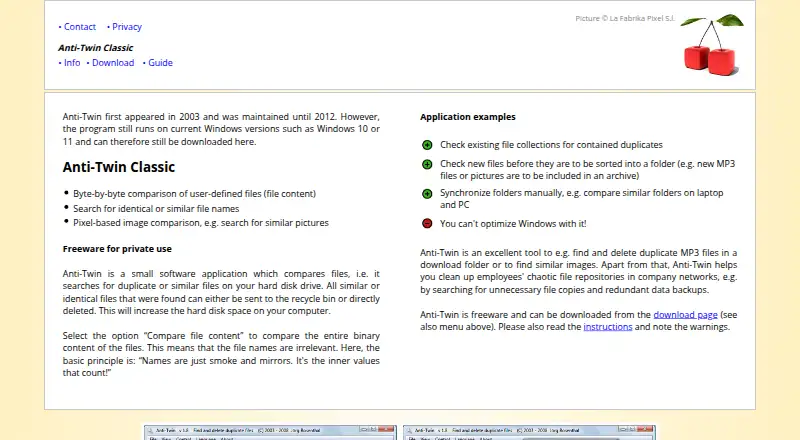
Anti-Twin searches for duplicate or similar files on a hard disk and other selected storage locations. It can scan local drives, USB flash disks, memory cards, shared network folders, and a second folder or path, but not the Internet or FTP servers. Matching methods include byte-by-byte content comparison, identical or similar file names, binary similarity, and pixel-based image comparison. The image method can find similar pictures saved with different compression rates or file formats. Binary similarity searches can go down to a 60% match, though the site says this takes much longer and is useful for only a few file types. Results can be sent to the Recycle Bin or deleted, and search results can be exported to Excel format even without Excel installed. The program is free for private use. Anti-Twin first appeared in 2003 and was maintained until 2012; its site says it still runs on Windows 10 and 11. The download page lists Windows 32-bit and 64-bit, and says it can also run through Wine on Linux or Mac, and on ReactOS.
Who it suits
It suits people looking for duplicate or similar files across local drives, removable media, or shared network folders. Users should review selections before deletion, especially similar-image results.
What it does well
- Compares content, names, binary similarity, and images
- Searches removable media and shared network folders
- Exports results to Excel format
- Can run from a USB memory stick
What to know first
- Files larger than 2 GB are excluded
- Cannot search the Internet or FTP servers
- Deleted files cannot be restored through the program
- Maintained until 2012
Limits
Files larger than 2 GB are not compared. Binary similarity searches can use a threshold as low as 60%, but the site says this takes much longer and is useful for only a few file types.
Plans
| Plan | Billed and limits | Price |
|---|---|---|
| Anti-Twin Classic | Free for private use since 2003 · freeware | Free |
As antitwin.org lists them, read 8 Oct 2026. The maker's own page has the final word.
Getting started
- Visit the Anti-Twin website.
- Download the Windows 32-bit or 64-bit version, or use Wine on Linux or Mac.
- Install it on a computer or a USB memory stick.
- Choose the drives, removable media, or shared folders to scan.
- Review selected results before sending files to the Recycle Bin or deleting them.
Overview
Anti-Twin is a duplicate-file finder for people cleaning up storage on a Windows PC, including removable media and shared folders. Its several comparison methods make it useful when exact duplicates are not the only problem; its dated maintenance history makes it a less reassuring choice for users who want a currently maintained tool.
It has been maintained through 2012, though its maker says it still runs on Windows 10 and 11. Linux and Mac users can run the Windows download through Wine, and the program can also be carried on a USB stick. Those options broaden its reach, but do not make it a native Linux or Mac application.
Key features
Anti-Twin can compare file contents byte by byte, find identical or similar names, and compare images by their pixels. This mix suits a cleanup where files may have been renamed or pictures saved in different formats or at different compression rates. Binary similarity can go as low as a 60% match, but searches take much longer at that threshold and the maker says the method is useful for only a few file types.
It scans local hard disks, USB flash disks, memory cards, shared network folders and a second folder or path. It cannot search the Internet or FTP servers, and files over 2 GB are excluded from comparisons. That ceiling rules it out for finding duplicates among larger files.
Automatic selection can speed up cleanup, and results can be exported to an Excel file even without Excel installed; OpenOffice users can use the export too. Anti-Twin can send files to the Recycle Bin or delete them, but it has no restore function for deleted files. Review mass-selected files before acting, and inspect similar-image matches manually. The recycle option offers a safer destination than permanent deletion, but recovery is not handled by the program.
Pricing
Anti-Twin Classic is free and is freeware for private use. That makes it a straightforward option for personal cleanup without a paid tier to weigh against its limits. The free-use terms are for private use, so it is not the right choice for users seeking a business-use license.
Platforms
The download page provides 32-bit and 64-bit Windows versions and says the program runs through Wine on Linux or Mac, as well as on ReactOS. It is also portable: it can be installed on a USB memory stick and launched from there. Linux and Mac users should expect the Windows program to run through a compatibility layer rather than a native build.
Who it's for
Anti-Twin suits private users who want to compare names, file contents and images across local, removable and shared storage without paying. It is a poor fit for scans involving files above 2 GB, Internet or FTP locations, or workflows that depend on a built-in way to restore deleted files.
Pros and cons
- Pros: Several match methods, including pixel-based image comparison, help find more than exact duplicates.
- Pros: Local disks, removable media and shared network folders are supported, with portable USB use as another option.
- Pros: Private use is free, and results can be exported without needing Excel installed.
- Cons: Files over 2 GB are not compared, limiting scans of large media and other large files.
- Cons: It has not been maintained since 2012, despite the maker's statement that it runs on Windows 10 and 11.
- Cons: Deleted files cannot be restored through Anti-Twin, so selection and deletion need care.
- Cons: Linux and Mac use depends on Wine, and Internet and FTP searches are unavailable.
Alternatives
Czkawka is a free option for Linux, Mac, Windows and Android users, including anyone who needs Android support. dupeGuru is another free choice for Linux, Mac and Windows users looking to find duplicate files on a computer.
Duplicate Files Fixer may suit Android users; its free version scans unlimited files but removes up to 15 duplicates at once, then one at a time, while its paid plan costs €35.95 a year. fclones is a free, MIT-licensed command-line utility for Linux, Mac and Windows users comfortable with that format.
jdupes is free, MIT-licensed software for exact duplicate matching on Linux, Mac and Windows. rdfind is another free Linux, Mac and Windows option, distributed under GPLv2 or later.
Space Wizard offers a free forever plan for a home drive with up to 100 GB per scan, for users whose scan limit fits that allowance. AllDup is free for private users and companies, but runs on Windows only. For more options, browse Duplicate File Finders.
Verdict
Choose Anti-Twin for free, private-use cleanup when you need several ways to compare files across local, removable or shared storage. Its image matching and name searches add useful flexibility beyond byte-for-byte comparison. Look elsewhere if your files exceed 2 GB, you need a native Linux or Mac app, or you want a built-in restore option after deletion.
Verdict
Anti-Twin offers several matching methods and broad local and network-folder scanning at no charge for private use. Its age, 2 GB comparison limit, and lack of a restore function are important considerations before deleting files.
Questions
Is Anti-Twin free?
Yes. Anti-Twin Classic is freeware for private use, priced at $0.
Which operating systems can run Anti-Twin?
The download page lists Windows 32-bit and 64-bit. It also says Anti-Twin runs through Wine on Linux or Mac and on ReactOS.
What can Anti-Twin compare?
It compares file names, file contents byte by byte, binary similarity, and images by their pixels.
Can Anti-Twin scan network folders?
Yes. It searches shared network folders, as well as local drives, USB flash disks, and memory cards.
Can I recover files deleted with Anti-Twin?
Anti-Twin has no restore function. Files permanently deleted through the program cannot be restored through it.
Can I export scan results?
Yes. Results can be exported as an Excel file, even without Excel installed; the site says OpenOffice users can use the export.
Facts from Anti-Twin's own pages
- Deletion recovery
- Anti-Twin has no restore function for deleted files; permanently deleted files cannot be restored through the program. · antitwin.org, 8 Oct 2026
- Export
- Search results can be exported as an Excel file even if Excel is not installed, and the site says OpenOffice users can use the export. · antitwin.org, 8 Oct 2026
- File comparison
- It can compare file content byte by byte and search for identical or similar file names. · antitwin.org, 8 Oct 2026
- File size limit
- Files larger than 2 GB are not included in comparisons. · antitwin.org, 8 Oct 2026
- Folders and networks
- It searches local drives, USB flash disks, memory cards, and shared network folders; it cannot search the Internet or FTP servers. · antitwin.org, 8 Oct 2026
- Founded
- 2003 · antitwin.org, 28 Sept 2026
- Image comparison
- Its pixel-based image comparison can find similar pictures, including images saved with different compression rates or file formats. · antitwin.org, 8 Oct 2026
- Maintenance status
- The site says Anti-Twin first appeared in 2003 and was maintained until 2012; it states the program still runs on Windows 10 and 11. · antitwin.org, 8 Oct 2026
- Manual review
- The site advises checking files selected by mass-selection functions before deletion and manually inspecting similar-image results. · antitwin.org, 8 Oct 2026
- Portable use
- The program can be installed on a USB memory stick and started from there. · antitwin.org, 8 Oct 2026
- Purpose
- Anti-Twin searches a hard disk for duplicate or similar files and can send found files to the recycle bin or delete them. · antitwin.org, 8 Oct 2026
- Similarity threshold
- Binary content similarity can be searched with a minimum match as low as 60%, but the site says this takes much longer and is useful for only a few file types. · antitwin.org, 8 Oct 2026
- Supported operating systems
- The download page lists Windows 32-bit and 64-bit and says it also runs via Wine on Linux or Mac, and on ReactOS. · antitwin.org, 8 Oct 2026
Where Anti-Twin stands on Freedom251
- Duplicate File Finders#4 of 38