Freedom251 › Duplicate File Finders
CloneSpy
What CloneSpy is
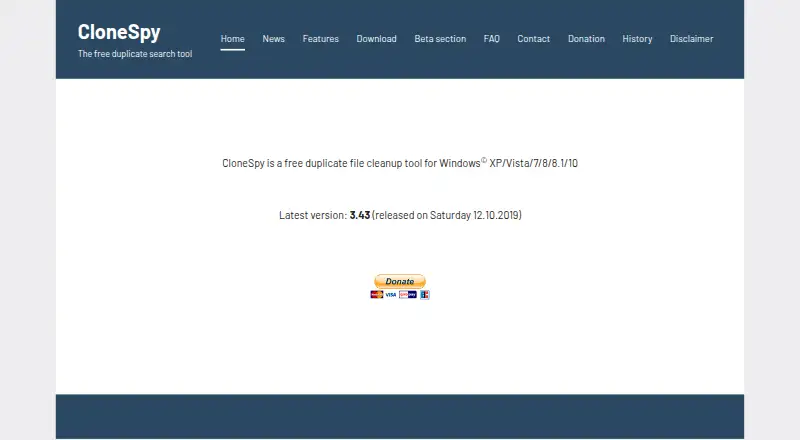
CloneSpy is a free Windows tool for finding and managing duplicate files on hard drives, DVDs, and network drives. It can match files by identical contents, name, title, extension, similar size, or zero-byte status. You can preview matches, use automatic selection, exclude folders, and send removed files to the Recycle Bin. For selected files, CloneSpy can delete or move duplicates, export a list, defer actions to a batch file, or replace duplicates with shortcuts or NTFS hard links. It can also create checksum files from DVDs or hard drives and use them to check whether files are already present on the system. The installer offers standard and portable setup, and portable files can be copied to other computers. CloneSpy is listed as free, with no free trial. Its listed latest version is 3.43, released 12.10.2019. It compares binary data rather than document content, so metadata differences can affect whether apparently unchanged documents count as equal. The FAQ lists English as its only language.
Who it suits
CloneSpy suits Windows users who want to locate duplicate files across drives, discs, or network locations and choose how to handle them. Its binary comparison and English-only interface are worth considering before use.
What it does well
- Free tool for Windows.
- Matches by content, name, title, size, or status.
- Previews files and supports folder exclusions.
- Can move, delete, or link duplicates.
- Offers standard and portable installation.
What to know first
- Latest listed version dates to 12.10.2019.
- English is the only provided language.
- Binary comparison can be affected by metadata differences.
- Does not identify visually similar images or songs.
Plans
| Plan | Billed and limits | Price |
|---|---|---|
| CloneSpy | Free duplicate file cleanup tool for Windows XP/Vista/7/8/8.1/10 | Free |
As clonespy.com lists them, read 3 Oct 2026. The maker's own page has the final word.
Getting started
- Open the CloneSpy website.
- Choose the standard or portable installation option.
- Download CloneSpy V3.43 as an EXE file.
- Install the program, or copy the portable files to another computer.
- Select folders, drives, DVDs, network drives, or checksum files to scan.
Verdict
CloneSpy offers several ways to identify and handle duplicate files, including checksum-file checks and portable installation. Its listed release is dated 2019, and binary comparison may not treat documents with differing metadata as equal.
Questions
How much does CloneSpy cost?
The CloneSpy plan is listed as free, with a free plan.
Is there a free trial?
No. CloneSpy has a free plan and no free trial.
Which platforms does it support?
CloneSpy is listed for Windows. The FAQ describes 32-bit and 64-bit versions for Windows XP, Vista, 7, 8, 8.1, and 10; version 2.7 is the latest identified for Windows 2000.
What kinds of duplicates can it find?
It can match identical contents, filenames, titles, extensions, similar sizes, and zero-byte status. It does not identify visually similar images or differing song files.
Can I use it without installing it in the standard way?
The installer offers a portable option, and its files can be copied to other computers.
How does CloneSpy handle privacy and support?
The FAQ says the program has no adware or devices for collecting or transmitting user information, and that visitor or customer information is not passed to third parties. The site directs questions, comments, and suggestions to [email protected].
Facts from CloneSpy's own pages
- Checksum files
- It can create checksum files from files on DVDs or hard drives and use them to check whether files already exist on the system. · clonespy.com, 3 Oct 2026
- Download
- The download page lists CloneSpy V3.43 as an EXE file of 4663 KB. · clonespy.com, 3 Oct 2026
- File actions
- It can delete or move redundant files, export a list, defer operations to a batch file, or replace duplicates with shortcuts or NTFS hard links. · clonespy.com, 3 Oct 2026
- Founded
- 2001 · clonespy.com, 28 Sept 2026
- Install options
- The installer offers standard and portable installation, and the portable files can be copied to other computers. · clonespy.com, 3 Oct 2026
- Languages
- The FAQ says only an English version is provided and translation to other languages is not planned for the near future. · clonespy.com, 3 Oct 2026
- Latest version
- The home page lists version 3.43 as the latest version and gives its release date as 12.10.2019. · clonespy.com, 3 Oct 2026
- Limit
- CloneSpy performs binary comparison rather than content comparison, so files with differing metadata may not be treated as equal even if a document appears unchanged. · clonespy.com, 3 Oct 2026
- Match types
- It can find identical files, same-name or same-title files, files with similar size, and zero-byte files. · clonespy.com, 3 Oct 2026
- Older Windows
- The FAQ identifies version 2.7 as the latest CloneSpy version running on Windows 2000. · clonespy.com, 3 Oct 2026
- Privacy statement
- The FAQ states that CloneSpy contains no adware or devices for collecting or transmitting user information and that visitor or customer information is not passed to third parties. · clonespy.com, 3 Oct 2026
- Purpose
- CloneSpy detects and removes duplicate files to help free up hard drive space. · clonespy.com, 3 Oct 2026
- Similar media
- The FAQ says CloneSpy does not identify visually similar images or songs whose files differ. · clonespy.com, 3 Oct 2026
- Support
- The site directs questions, comments, and suggestions to [email protected]. · clonespy.com, 3 Oct 2026
- Windows support
- The FAQ says the 32-bit version runs on x86 and x64 versions of Windows XP, Vista, 7, 8, 8.1, and 10; the 64-bit version runs on x64 versions of those Windows releases. · clonespy.com, 3 Oct 2026
Where CloneSpy stands on Freedom251
- Duplicate File Finders#10 of 38