Freedom251 › Duplicate File Finders
DUDE (DUplicates DEtector)
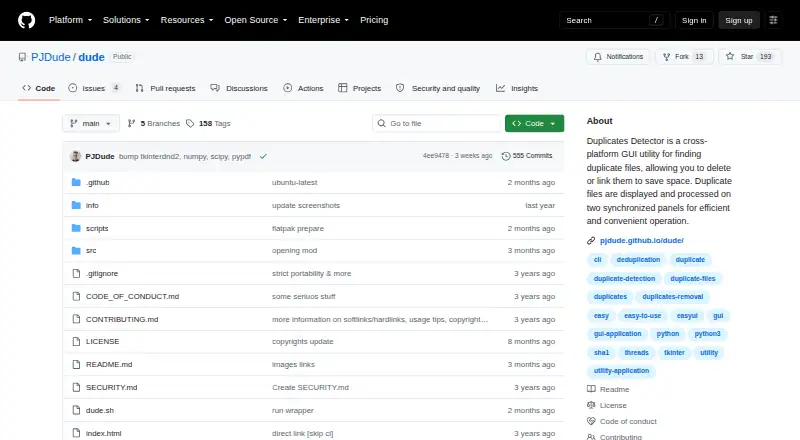
What DUDE (DUplicates DEtector) is
DUDE (DUplicates DEtector) is a free desktop utility for finding duplicate files in selected local folders and drives on Linux and Windows. A scan can cover up to eight designated folders, with an optional Cross paths view. DUDE compares file contents using SHA1 hashes, so duplicates can match even when their names or extensions differ. Version 2.x also offers image-similarity detection, including rotated-image detection, with caching and sensitivity settings. Image and text preview windows help review scan results, while regular-expression and glob-expression filters can narrow them.
Scanning and marking files leave the filesystem unchanged. When processing marked results, users can move files to Trash or the Recycle Bin, delete them, create hard or soft links, or make Windows .lnk shortcuts. Deletion and linking require confirmation and are logged. DUDE checks files against stored scan data before processing and aborts an action if it finds an inconsistency. Command-line parameters can start scans, generate CSV reports, or support file-manager integration. Portable packages are available for Linux and Windows, including Windows 10 and 11. The project uses the MIT license.
Who it suits
DUDE suits Linux and Windows users who want to locate duplicates across selected local folders and drives, including files whose names differ. Its previews, filters, and range of file actions are useful for people who want to inspect results before deciding what to do with them.
What it does well
- Scans up to eight designated folders, with an optional Cross paths view.
- Matches file contents with SHA1 hashes regardless of filenames or extensions.
- Version 2.x detects similar and rotated images.
- Offers image and text previews plus regular-expression and glob filters.
- Supports Trash, Recycle Bin, deletion, links, and Windows .lnk shortcuts.
- Portable Linux and Windows packages are available; the project uses MIT licensing.
What to know first
- Hard-linked files are ignored during scans and cannot be processed as duplicates.
- Windows .lnk shortcuts are available only on Windows.
Limits
Hard-linked files are ignored during scanning and cannot be processed as duplicates. Deletion or linking requires confirmation.
Getting started
- Open the DUDE GitHub project page.
- Choose a portable Linux or Windows package.
- Launch the utility and designate up to eight folders to scan.
- Review the results using previews, filters, or Cross paths mode.
- Select an available action for marked files and confirm deletion or linking when prompted.
Verdict
Choose DUDE if you need a free Linux or Windows utility with content-hash matching, image-similarity detection, previews, and several ways to handle marked files. Look elsewhere if you need hard-linked files to be detected or processed as duplicates.
Questions
Is DUDE free?
Yes. DUDE has a free plan.
Which operating systems does it support?
Portable executable packages are available for Linux and Windows, including Windows 10 and 11.
How does DUDE identify duplicates?
It compares file content hashes, so different filenames or extensions do not prevent a match. Version 2.x also includes image-similarity detection.
What can I do with marked files?
You can move them to Trash or the Recycle Bin, delete them, create hard or soft links, or make Windows .lnk shortcuts.
Is DUDE open source?
The project is licensed under the MIT license.
Does it detect hard-linked files as duplicates?
No. Hard-linked files are ignored during scanning and cannot be processed as duplicates.
Facts from DUDE (DUplicates DEtector)'s own pages
- Changed-file check
- Before processing files, DUDE compares their state with stored data and aborts the action if it detects an inconsistency. · github.com, 8 Oct 2026
- Command line
- Command-line parameters can start scans, generate CSV reports, and integrate DUDE with a user's file manager. · github.com, 8 Oct 2026
- Downloads
- Portable executable packages are available for Linux and Windows, with separate PyInstaller and Nuitka builds. · github.com, 8 Oct 2026
- Duplicate detection
- It compares files using content hashes, so different filenames or extensions do not prevent duplicates from matching. · github.com, 8 Oct 2026
- Duplicate matching
- It compares file content hashes, so different filenames or extensions do not affect duplicate results. · github.com, 8 Oct 2026
- File actions
- Users can move marked files to Trash or Recycle Bin, delete them, create hard or soft links, or create Windows .lnk shortcuts. · github.com, 8 Oct 2026
- File manager integration
- Optional command-line parameters can start scans immediately or integrate DUDE with a file manager. · github.com, 8 Oct 2026
- Filtering
- The app supports regular-expression and glob-expression syntax. · github.com, 8 Oct 2026
- Folder scanning
- It can scan up to eight designated folders and optionally display results in Cross paths mode. · github.com, 8 Oct 2026
- Image and text tools
- Version 2.x adds image similarity detection, including rotated images, and preview windows for images and text files. · github.com, 8 Oct 2026
- Image similarity
- Version 2.x includes image similarity detection with caching, sensitivity settings, and rotated-image detection. · github.com, 8 Oct 2026
- Integrity check
- Before processing files, DUDE compares their current state with stored scan data and aborts the action if it finds an inconsistency. · github.com, 8 Oct 2026
- License
- The project is licensed under the MIT license. · github.com, 8 Oct 2026
- Notable limit
- Hard links are currently ignored during scanning and cannot be processed as duplicates. · github.com, 8 Oct 2026
- Notable limitation
- Hard-linked files are currently ignored during scanning and cannot be processed as duplicates. · github.com, 8 Oct 2026
- Platforms and downloads
- Portable executable packages are available for Linux and Windows, including Windows 10 and 11. · github.com, 8 Oct 2026
- Purpose
- DUDE is a cross-platform GUI utility for finding duplicate files so users can delete or link them to save space. · github.com, 8 Oct 2026
- Safety
- Scanning and marking do not change the filesystem; file deletion or linking requires confirmation and is logged. · github.com, 8 Oct 2026
- Safety behavior
- Scanning and marking do not change the filesystem; file deletion or linking requires confirmation and is logged. · github.com, 8 Oct 2026
- Scan paths
- A scan can include up to eight designated folders, with an optional Cross paths display mode. · github.com, 8 Oct 2026
- Support policy
- The repository links to a security policy, but its README does not state a customer-support offering. · github.com, 8 Oct 2026
Where DUDE (DUplicates DEtector) stands on Freedom251
- Duplicate File Finders#14 of 38
- Code Clone Detection Tools#17 of 23