DrJava
What DrJava is
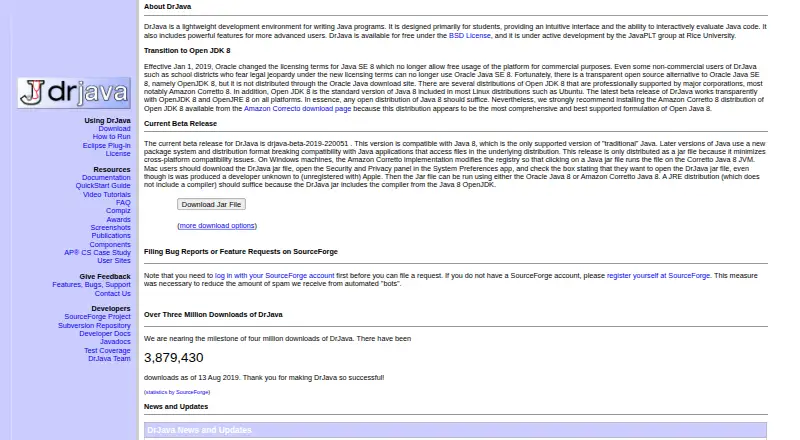
DrJava is a development environment for writing Java programs, designed mainly for students. Its intelligent editor helps with program writing, while the Interactions pane lets users evaluate Java code as they work. The project describes support for JUnit testing and a source-level debugger, and DrJava can generate Javadoc documentation from source files. It runs on Windows, macOS, and Linux and is released under a standard BSD open-source license. DrJava is free, with a listed price of $0. The current beta is compatible with Java 8, which the project page identifies as the only supported version of traditional Java. That beta is distributed only as a JAR. The Eclipse plugin is described as very old and compatible only with Eclipse versions from the same era. On Linux, the FAQ notes an incompatibility with the Compiz window manager and recommends disabling Compiz if the issue occurs. Bug reports and feature requests require a SourceForge account login.
Who it suits
DrJava suits students learning Java who want an editor with interactive evaluation, testing, debugging, and Javadoc generation. It is available for Windows, macOS, and Linux.
What it does well
- Free, with a listed price of $0
- Interactive Java evaluation in the Interactions pane
- Supports JUnit testing and a source-level debugger
- Generates Javadoc documentation from source files
- Available on Windows, macOS, and Linux
What to know first
- Current beta supports Java 8 only
- Current beta is distributed only as a JAR
- Eclipse plugin works only with same-era Eclipse versions
- Linux FAQ reports a Compiz incompatibility
Limits
The free beta is compatible with Java 8 and is distributed only as a JAR. The Eclipse plugin is very old and compatible only with Eclipse versions from the same era.
Plans
| Plan | Billed and limits | Price |
|---|---|---|
| Free | Java 8 compatible beta; distributed as a JAR | Free |
As cs.rice.edu lists them, read 5 Oct 2026. The maker's own page has the final word.
Getting started
- Visit the DrJava website.
- Use Windows, macOS, or Linux.
- Use the Java 8 compatible beta, distributed as a JAR.
- Run the JAR to start DrJava.
DrJava is a lightweight Java development environment built mainly for students. It suits learners who want to type, run, test, and inspect Java in one uncluttered tool, provided they can work with Java 8 and a JAR-based beta release. Its zero price and open-source license are compelling, but the dated runtime and Eclipse integration narrow its audience.
Overview
DrJava has been developed since 2001 with teaching in mind rather than as a broad, modern enterprise IDE. Its central distinction is an interactive workflow: code can be evaluated directly in the Interactions pane instead of always being packaged into a complete application first. That approach is useful for students learning syntax, trying short expressions, and seeing results quickly.
The project combines that interactive console with an intelligent editor, JUnit support, a source-level debugger, and Javadoc generation. Together, these cover a meaningful learning progression from writing code to checking behavior, tracing problems, and documenting source. The trade-off is currency: the current beta supports Java 8, and the project identifies that as the only supported version of traditional Java.
Key features
Interactive coding and editing
The Interactions pane lets learners evaluate Java code interactively, making small experiments and immediate feedback central to the workflow. The intelligent editor provides a more structured place for complete programs. This pairing is especially suitable for coursework and first projects, while developers needing a current Java toolchain may find the Java 8 boundary restrictive.
Testing, debugging, and documentation
JUnit support gives students a route into repeatable tests rather than relying only on ad-hoc runs. A source-level debugger can help locate execution problems, and Javadoc generation turns source comments and declarations into formal documentation. These features make DrJava more than a scratchpad, although the available facts do not indicate the breadth of its testing or debugging integrations.
Open-source distribution
DrJava uses a standard BSD open-source license. That permits use without a purchase and makes the project a straightforward option for classrooms, personal study, and other settings that prefer permissive licensing.
Pricing
DrJava is free: the Free plan costs nothing, with no free trial because the product itself is provided at no charge. The plan is the Java 8-compatible beta distributed as a JAR, so there are no paid tiers, seat charges, renewal terms, or usage quotas to weigh. Its cost advantage is clear; the concessions are technical rather than financial, chiefly the supported Java version and packaging format.
Platforms
DrJava supports Windows, macOS, and Linux. The current beta is distributed only as a JAR, a choice the project makes to reduce cross-platform compatibility issues. Linux users should also account for a reported incompatibility with the Compiz window manager; disabling Compiz is the recommended response if it occurs.
The Eclipse plugin is a weak fit for a current Eclipse setup. The download page describes it as very old and compatible only with Eclipse versions from the same era. Bug reports and feature requests require a SourceForge account login, adding a modest administrative hurdle for people seeking project support.
Who it's for
DrJava is best for students, instructors, and self-taught beginners who value interactive exploration and a compact Java learning environment. It is a sensible classroom or introductory-study choice when Java 8 compatibility is acceptable and a free BSD-licensed tool is preferred. It is less suitable for projects that require newer Java releases, a contemporary Eclipse plugin, or a broad professional IDE ecosystem.
Pros and cons
Pros
- Interactive learning workflow: The Interactions pane supports quick code evaluation, which helps learners connect syntax with results.
- Useful study toolkit: An editor, JUnit support, source debugger, and Javadoc generation cover core educational tasks in one application.
- No-cost permissive licensing: The free plan costs 0.00 USD and uses a standard BSD license, removing purchase and licensing barriers.
- Three desktop operating systems: Windows, macOS, and Linux packages are represented through the JAR distribution.
Cons
- Java 8 ceiling: The current beta is compatible with Java 8, limiting users who need newer language or runtime versions.
- JAR-only beta packaging: Users must work with the project’s single JAR distribution rather than a more tailored platform package.
- Outdated Eclipse plugin: Integration is restricted to Eclipse versions from the same era, so it is not a practical modern Eclipse extension.
- Linux desktop caveat: Compiz can be incompatible with DrJava, requiring users to disable the window manager if affected.
Alternatives
For a broader starting point, browse the Java IDEs list.
- CS++ Java IDE is a freemium option with a free plan and support for iOS, macOS, web, and Windows, making it a better fit when cross-device access matters.
- Eclipse IDE is free and open source for Linux, macOS, and Windows; choose it instead when you need a current Eclipse-centered environment.
- Java-Editor is free for personal, commercial, and government use and adds Android support alongside desktop platforms.
- Apache NetBeans is free under the Apache License 2.0 for commercial and non-commercial use.
- BlueJ is a free Java development environment designed for beginners.
- Greenfoot is free software for Windows, macOS, Ubuntu/Debian, or a generic JDK-plus-JavaFX setup.
- IntelliJ IDEA offers free core Java and Kotlin functionality, with an Ultimate subscription priced at $100 a year and a free trial.
- MCreator is free software for Windows, macOS, and Linux, with voluntary donations.
Verdict
Choose DrJava if you are learning Java and want interactive evaluation, basic testing, debugging, and documentation without paying. Look elsewhere if Java 8 is too old for your work or if modern Eclipse integration and a more current development environment are priorities.
Verdict
DrJava brings interactive coding, testing, debugging, and documentation tools together for Java learners. Note the Java 8 beta requirement and the older Eclipse plugin before choosing it.
Questions
How much does DrJava cost?
The Free plan costs nothing.
Which operating systems does DrJava support?
Windows, macOS, and Linux.
Which Java version does the current beta support?
It is compatible with Java 8, which the project page identifies as the only supported version of traditional Java.
Is DrJava open source?
Yes. It is released under a standard BSD open-source license.
Does DrJava have an Eclipse plugin?
The download page describes an Eclipse plugin, but says it is very old and works only with Eclipse versions from the same era.
What does DrJava provide for coding and documentation?
It includes an intelligent editor, interactive code evaluation, JUnit testing support, a source level debugger, and Javadoc generation.
Facts from DrJava's own pages
- Documentation
- DrJava can generate Javadoc documentation for source files. · cs.rice.edu, 5 Oct 2026
- Eclipse plugin
- The download page describes the Eclipse plugin as very old and compatible only with Eclipse versions from the same era. · cs.rice.edu, 5 Oct 2026
- Editor
- DrJava includes an intelligent program editor. · cs.rice.edu, 5 Oct 2026
- Founded
- 2001 · cs.rice.edu, 28 Sept 2026
- Interactive coding
- Its Interactions pane lets users evaluate Java code interactively. · cs.rice.edu, 5 Oct 2026
- Java requirement
- The current beta release is compatible with Java 8, which the page identifies as the only supported version of traditional Java. · cs.rice.edu, 5 Oct 2026
- License
- DrJava is released under a standard BSD open-source license. · cs.rice.edu, 5 Oct 2026
- Linux limitation
- The FAQ reports an incompatibility between DrJava and the Compiz window manager on Linux and recommends disabling Compiz if the issue occurs. · cs.rice.edu, 5 Oct 2026
- Platform packaging
- The page says the current beta is distributed only as a JAR to minimize cross-platform compatibility issues. · cs.rice.edu, 5 Oct 2026
- Purpose
- DrJava is a lightweight development environment for writing Java programs, designed primarily for students. · cs.rice.edu, 5 Oct 2026
- Support
- Bug reports and feature requests require a SourceForge account login. · cs.rice.edu, 5 Oct 2026
- Testing and debugging
- The project describes support for JUnit testing and a source level debugger. · cs.rice.edu, 5 Oct 2026
Where DrJava stands on Freedom251
- Java IDEs#5 of 23