BlueJ
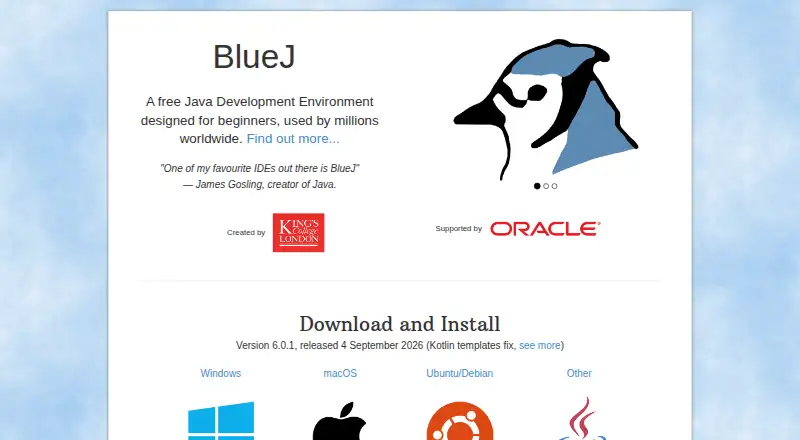
What BlueJ is
BlueJ is a free development environment for creating Java programs, designed with beginners and teaching in mind. It runs on Windows, macOS, and Linux. Its interactive tools let users inspect objects, create them dynamically, call methods, and evaluate Java expressions without compiling. In the editor, scope highlighting distinguishes code blocks and can help reveal misplaced curly brackets. BlueJ 6.0.0 added Kotlin editing and execution, although some Kotlin features, including code completion, are not supported. Documentation includes a Git teamwork tutorial for BlueJ 4 and later. An extensions API lets third parties add functionality; the listed extensions page covers BlueJ 4 and older because version 5 rewrote the API. Current download requirements include 64-bit Windows 8 or later, macOS 11 or later, or 64-bit Intel Debian 11 or Ubuntu 20.04 or later, with an ARM64 build also linked for Ubuntu and Debian. The generic installer works on most platforms with Java/JavaFX 21 support. Educators can use the free Blueroom teaching resources. The plan is listed as free.
Who it suits
BlueJ suits beginners learning Java and educators teaching programming. Educators can also use Blueroom resources and connect with one another.
What it does well
- Interactive object inspection and creation
- Java expressions can run without compiling
- Editor highlights code scope
- Free teaching resources are available
What to know first
- Some Kotlin features, including code completion, are unsupported
- Listed extensions are for BlueJ 4 and older
- Requires a 64-bit operating system
Limits
BlueJ is free. Some Kotlin features, including code completion, are not supported; the listed extensions page is for BlueJ 4 and older. The documentation also notes that some written materials are out of date.
Plans
| Plan | Billed and limits | Price |
|---|---|---|
| BlueJ | Free Java development environment; designed for beginners | Free |
As bluej.org lists them, read 3 Oct 2026. The maker's own page has the final word.
Getting started
- Visit the BlueJ website.
- Download the installer for a supported Windows, macOS, or Linux system.
- Install BlueJ and use its Java development environment.
- Educators can visit the free Blueroom site for teaching resources.
Overview
BlueJ is a free Java development environment built around a simple interface and a teaching-first approach. It is best suited to beginners and educators who want to explore Java interactively; its focused learning workflow is a stronger reason to choose it than broad language support.
Key features
BlueJ lets learners inspect objects, create them dynamically, invoke methods, and run Java expressions without compiling. That makes it possible to connect code with what a program does as students learn, rather than treating execution as a separate build step. Built-in debugging and testing tools, along with build tools and project management, round out the environment.
The editor’s scope highlighting distinguishes code blocks and helps spot misplaced curly brackets, a practical aid for people still learning how Java syntax fits together. BlueJ 6.0.0 also added Kotlin editing and execution, but some Kotlin features, including code completion, are not supported. Treat it as a Java-centered teaching environment, not a full-featured Kotlin editor.
BlueJ supports extensions through an API, and its documentation includes a Git teamwork tutorial for BlueJ 4 and later. The extension API was rewritten in BlueJ 5.0.0, while the published extensions page covers BlueJ 4 and older; that split may complicate choosing or adapting extensions across versions.
Pricing
BlueJ: free. The free plan provides a Java development environment designed for beginners, with no free trial required. There are no paid tiers or seat quotas to weigh against the core learning tools. This makes it an easy fit for individual learners and classrooms seeking a free environment; those wanting a different workflow should compare other free IDEs rather than expect a paid upgrade path.
Platforms
BlueJ supports Linux, macOS, and Windows. Current downloads require 64-bit Windows 8 or later, macOS 11 or later, or 64-bit Intel Debian 11 or Ubuntu 20.04 or later. An ARM64 build is also linked for Ubuntu and Debian. The generic installer works on most platforms with Java/JavaFX 21 support, but BlueJ requires a 64-bit operating system; version 4.1.4 is offered for 32-bit systems.
Who it's for
BlueJ is a particularly good match for people beginning Java and educators who want students to work directly with objects and method calls. Educators can also use the free Blueroom site for teaching resources and to engage with other teachers. More experienced developers seeking extensive Kotlin assistance or current reference material may find its learning focus and documentation caveats limiting.
The project began in 1999, and its team works in the Computing Education Research Group at the University of Kent. For technical issues, BlueJ points users to its FAQ, technical support contact, and bug database; the team aims to respond to technical support requests within one working day. Programming questions are directed to programming forums. Some written documentation is out of date, with updated reference material in progress, so learners may need to supplement it.
Pros and cons
- Pros: Interactive object inspection and execution without compiling make Java concepts tangible for beginners.
- Pros: The free plan includes debugging and testing tools, with support for Linux, macOS, and Windows.
- Pros: Blueroom gives educators free teaching resources and a way to connect with peers.
- Cons: Kotlin support is partial, including the lack of code completion, so Kotlin-focused users should look elsewhere.
- Cons: Some documentation is out of date, which can make self-guided learning less dependable.
- Cons: The older extensions page and rewritten API may leave users needing to check compatibility carefully.
Alternatives
For a broader comparison, browse Java IDEs, Integrated Development Environments, or IDE Software.
- Apache NetBeans is another free option for Linux, macOS, and Windows, including commercial and non-commercial use under Apache License 2.0; choose it if that licensing detail matters more than BlueJ’s beginner-oriented workflow.
- CS++ Java IDE is a free-to-use freemium alternative available on iOS, macOS, web, and Windows; consider it if those platforms better fit your needs.
- Eclipse IDE is a free, open-source IDE for Linux, macOS, and Windows; choose it if that model is a better fit.
- IntelliJ IDEA offers free core Java and Kotlin functionality and a paid Ultimate subscription at $100 a year; consider it if you want to weigh its free core against a paid tier.
- Java-Editor is free for personal, commercial, and government use and supports Android, Linux, macOS, and Windows; choose it if Android support or those usage terms are important.
- MCreator is free software with voluntary donations; consider it as another free option.
- Processing is free and open source for Linux, macOS, and Windows; choose it if that software model suits your priorities.
- Spring Tools for Eclipse is a free, open-source option for Linux, macOS, Windows, and extension use; consider it if those platform options fit your setup.
Verdict
Choose BlueJ if you are learning Java or teaching it and want a free environment that makes objects and execution directly explorable. Its interactive tools and education resources give it a clear purpose; look elsewhere if you need more complete Kotlin support or dependable, up-to-date written documentation.
Verdict
BlueJ centers on an approachable Java learning workflow with interactive tools and teaching resources. Check the current system requirements and documentation notes before choosing it.
Questions
Is BlueJ free?
Yes. BlueJ is a free Java development environment, and it has no free trial because the product is free.
Which operating systems does BlueJ support?
BlueJ supports Windows, macOS, and Linux. The current download requirements include 64-bit Windows 8 or later, macOS 11 or later, or 64-bit Intel Debian 11 or Ubuntu 20.04 or later; an ARM64 build is linked for Ubuntu and Debian.
Can BlueJ be used to edit Kotlin?
BlueJ 6.0.0 added Kotlin editing and execution. Some Kotlin features, including code completion, are not supported.
Does BlueJ support Git teamwork?
Its documentation provides a Git teamwork tutorial for BlueJ 4 and later.
Who makes BlueJ?
The BlueJ team works in the Computing Education Research Group at the University of Kent. The project was first released in 1999.
Are BlueJ extensions available?
BlueJ provides an extensions API for third parties. BlueJ 5.0.0 rewrote the API, and the listed extensions page is for BlueJ 4 and older.
Facts from BlueJ's own pages
- Audience and education resources
- BlueJ is designed for beginners and teaching, and its free Blueroom site offers teaching resources and a chance for educators to engage with one another. · bluej.org, 3 Oct 2026
- Documentation limit
- The documentation page says some written materials are out of date and that updated reference material is in progress. · bluej.org, 3 Oct 2026
- Editor
- The editor uses scope highlighting to distinguish code blocks and help users spot misplaced curly brackets. · bluej.org, 3 Oct 2026
- Extensions
- BlueJ provides an extensions API for third parties to add functionality; its extensions page notes that BlueJ 5.0.0 rewrote the API and that the listed extensions page is for BlueJ 4 and older. · bluej.org, 3 Oct 2026
- Founded
- 1999 · bluej.org, 28 Sept 2026
- Git integrations
- The documentation provides a Git teamwork tutorial for BlueJ 4 and later. · bluej.org, 3 Oct 2026
- Interactive tools
- Users can inspect objects, create them dynamically, invoke their methods, and run Java expressions without compiling. · bluej.org, 3 Oct 2026
- Languages
- BlueJ 6.0.0 added Kotlin editing and execution, while the release notes say some Kotlin features, such as code completion, are not yet supported. · bluej.org, 3 Oct 2026
- Operating system requirements
- The current download page specifies 64-bit Windows 8 or later, macOS 11 or later, or 64-bit Intel Debian 11 or Ubuntu 20.04 or later; it also links an ARM64 build for Ubuntu/Debian. · bluej.org, 3 Oct 2026
- Other platforms
- The site says the generic installer works on most platforms with Java/JavaFX 21 support and that BlueJ requires a 64-bit operating system, with version 4.1.4 offered for 32-bit systems. · bluej.org, 3 Oct 2026
- Project history
- The about page says BlueJ was first released in 1999 and that its team works in the Computing Education Research Group at the University of Kent. · bluej.org, 3 Oct 2026
- Purpose
- BlueJ is a development environment for developing Java programs, designed with a simple interface and teaching in mind. · bluej.org, 3 Oct 2026
- Security
- The official pages reviewed do not state a security certification or compliance claim. · bluej.org, 3 Oct 2026
- Support
- BlueJ directs users to its FAQ, technical support contact, and bug database for software issues, while recommending programming forums for programming questions. · bluej.org, 3 Oct 2026
- Support response
- The about page says the team aims to respond to technical support requests within one working day. · bluej.org, 3 Oct 2026
Where BlueJ stands on Freedom251
- IDE Software#8 of 53
- Integrated Development Environments#10 of 65
- Java IDEs#4 of 23
- Integrated Development Environment Ide Software#7 of 31