Freedom251 › Web Development IDEs

Spring Tools for Eclipse
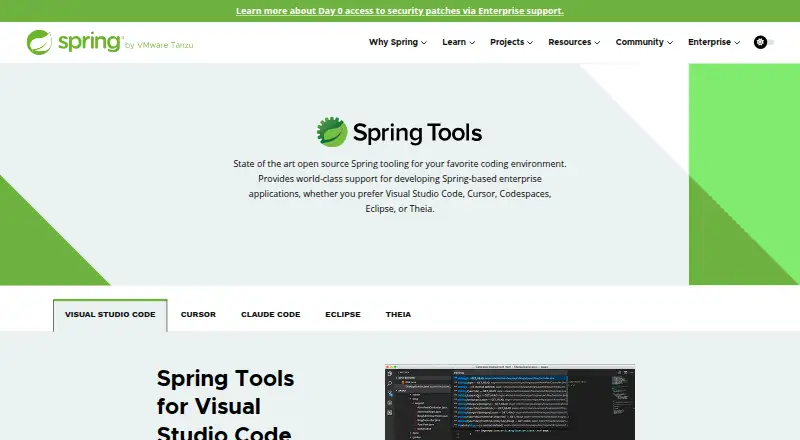
What Spring Tools for Eclipse is
Spring Tools for Eclipse adds development support for enterprise applications built with Spring Framework and Spring Boot. It is available either as a ready-to-use Eclipse distribution or as extensions for an existing Eclipse installation. Spring Initializr integration helps create Spring Boot applications, and Spring Guides offers material for getting started. For navigating code, Spring Tools provides an overview of Spring source code, links to important parts of Spring applications, and smart completions for Spring elements. When Spring Boot Actuators are in use, the editor can show runtime details such as bean wiring, conditional reports, and configuration information. Optional Eclipse features add editor support for Cloud Foundry manifest files, BOSH configuration files, and Concourse CI configuration files. Spring Tools also works with AI coding assistants, adding context, an embedded MCP server, and code actions. The project is open source and free, with downloads for Windows, macOS, and Linux. Java is supported out of the box; Kotlin and Groovy projects can be generated, but tooling support for those languages is not included. Questions go to Stack Overflow, while GitHub issues are the route for reporting problems. The project repository points to its security policy for vulnerability reports.
Who it suits
Spring developers who use Eclipse for enterprise applications built with Spring Framework or Spring Boot may find its project creation, code navigation, completion, and runtime details useful. It also suits developers who want Spring support in an existing Eclipse installation or as a ready-to-use distribution.
What it does well
- Free and open source.
- Available as an Eclipse distribution or extensions.
- Spring Initializr helps create Spring Boot apps.
- Shows Spring code navigation and smart completions.
- Actuator runtime details appear in the editor.
- Optional support for Cloud Foundry, BOSH, and Concourse files.
What to know first
- Included tooling support is limited to Java out of the box.
- Kotlin and Groovy projects can be generated without included tooling support.
Plans
| Plan | Billed and limits | Price |
|---|---|---|
| Spring Tools for Eclipse | Free · Open source | Free |
As spring.io lists them, read 30 Sept 2026. The maker's own page has the final word.
Getting started
- Visit https://spring.io/tools/.
- Choose the ready-to-use Eclipse distribution or extensions for an existing Eclipse installation.
- Select a download for Linux, macOS, or Windows.
- Use Spring Initializr integration to create a Spring Boot app, or use Spring Guides to get started.
Verdict
Choose Spring Tools for Eclipse if you want free Spring Framework and Spring Boot development support within Eclipse, with project creation, code navigation, completions, and Actuator details. Developers working in Kotlin or Groovy should consider that those languages do not have included tooling support.
Questions
How much does Spring Tools for Eclipse cost?
It is free. The listed plan is free, and the project is open source.
Is there a free plan or trial?
There is a free plan. No free trial is offered.
Which operating systems are supported?
Windows, macOS, and Linux are supported. Downloads include Linux x86_64 and ARM_64, macOS x86_64 and ARM_64, and Windows x86_64.
Does it support Kotlin and Groovy?
Kotlin and Groovy projects can be generated, but tooling support for those languages is not included. Java is supported out of the box.
How can I get help or report a problem?
The project directs users to Stack Overflow for questions and GitHub issues for problems. Its repository points to a security policy for vulnerability reports.
Facts from Spring Tools for Eclipse's own pages
- Additional integrations
- Optional Eclipse features provide editor support for Cloud Foundry manifest files, BOSH config files, and Concourse CI config files. · github.com, 30 Sept 2026
- AI support
- Spring Tools integrates with AI coding assistants and provides additional context, an embedded MCP server, and code actions. · spring.io, 30 Sept 2026
- Code completion
- Spring Tools provides smart code completions for Spring elements in an app. · spring.io, 30 Sept 2026
- Code navigation
- Spring Tools provides an overview of Spring source code and navigation to important parts of Spring apps. · spring.io, 30 Sept 2026
- Downloads
- The official page lists Eclipse downloads for Linux x86_64 and ARM_64, macOS x86_64 and ARM_64, and Windows x86_64. · spring.io, 30 Sept 2026
- Editors
- Spring Tools for Eclipse is available as a ready-to-use Eclipse distribution or as extensions for an existing Eclipse installation. · github.com, 30 Sept 2026
- Language limitation
- The Getting Started documentation says Java is supported out of the box, while Kotlin and Groovy projects can be generated without included tooling support for those languages. · github.com, 30 Sept 2026
- Project creation
- The Spring Initializr integration helps users create a Spring Boot app, and the Spring Guides integration provides guides to get started. · spring.io, 30 Sept 2026
- Purpose
- Spring Tools provides development support for enterprise applications using Spring Framework and Spring Boot. · spring.io, 30 Sept 2026
- Runtime details
- Using Spring Boot Actuators, Spring Tools can show runtime details such as bean wiring, conditional reports, and configuration information in the editor. · spring.io, 30 Sept 2026
- Security reporting
- The project repository directs users to its security policy for reporting vulnerabilities. · github.com, 30 Sept 2026
- Support channels
- The project directs users to Stack Overflow for questions and GitHub issues for reporting problems. · github.com, 30 Sept 2026
Where Spring Tools for Eclipse stands on Freedom251
- Web Development IDEs#20 of 44
- Java IDEs#15 of 23