Freedom251 › Chiropractic Practice Software

DocPlus
What DocPlus is
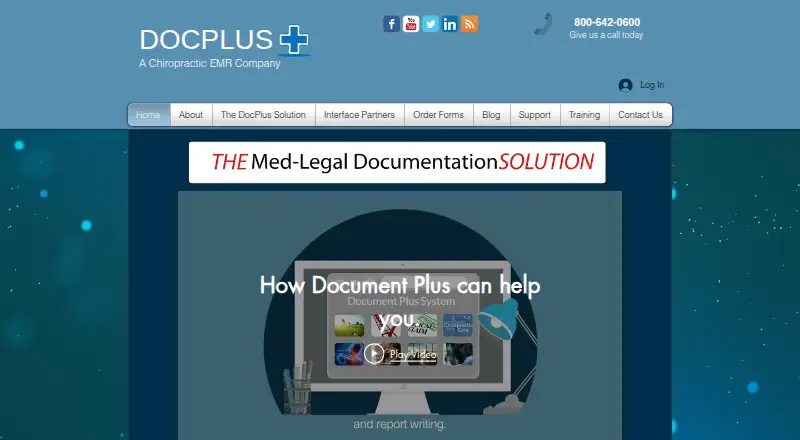
DocPlus is a Windows-based documentation system for chiropractic practices. It captures patient intake information and chiropractors’ notes, archives records, and generates correspondence about patient encounters. Checklist forms collect records for providers and are designed for the needs of third-party payers, Medicare, attorneys, and patients. Adaptive Turnaround Documents support medical-record entry with error checking and ICD-10 documentation.
Patients and providers can complete forms on paper or electronically; paper forms can be processed using a PC and DocPlus scanner. The eForms platform supports creating and editing forms, electronic signatures, and reports. Its patient kiosk offers a guided initial health questionnaire and a patient login described as HIPAA compliant. DocPlus can work alone or connect with practice management and EHR systems. The company says more than 40 such companies have integrated with it. Interfaces can import patient, provider, insurance, and attorney information; some can also export visit CPT codes. Pricing is available on request. Support options include an Unlimited Support Plan and pay-per-incident telephone support.
Who it suits
DocPlus is aimed at chiropractic practices that need patient records, clinical documentation, and narrative reports. It can suit practices using an existing practice management or EHR system, as well as those without one.
What it does well
- Supports ICD-10 documentation and error checking.
- Patients and providers can complete forms on paper or electronically.
- eForms supports electronic signatures and report generation.
- Can operate standalone or connect with practice systems.
- Offers phone support Monday through Friday.
What to know first
- Available platform listed is Windows.
- Pricing is available only on request.
- Not all interface partners support CPT-code export.
Limits
Pricing is available on request. CPT-code export depends on the connected partner, and the listed scanner drivers are for Windows 7, Windows 8, Windows 8.1, and Windows 10.
Getting started
- Visit the DocPlus website.
- Request pricing from the company.
- Arrange the one-on-one software demo with a specialist.
- Use the Windows version and, for paper forms, process scans with a PC and DocPlus scanner.
- Choose standalone use or connect DocPlus to a practice management or EHR system.
DocPlus is a chiropractic documentation system for patient intake, clinical notes, forms, records, and encounter correspondence. It suits practices that need structured documentation alongside an existing management system—or as a standalone setup. Its strongest case is detailed, payer-oriented record capture; practices should verify integration compatibility and obtain a custom quote before committing.
Overview
Document Plus Technologies has developed DocPlus since 1989 and is based in Alpharetta, Georgia. The product is built around chiropractic patient records and narrative reports, with workflows intended for providers dealing with third-party payers, Medicare, attorneys, and patients. Checklist-based collection, error checking, and ICD-10-oriented documentation make it more focused on defensible clinical records than on being a general-purpose office suite.
DocPlus can operate independently for a practice without practice-management or EHR software. Where a connected system is in place, interfaces can import patient, doctor, insurance, and attorney data and may return daily-visit CPT codes. That last step depends on the partner system, so it should be confirmed during sales discussions rather than assumed.
Key features
Structured documentation
Checklist forms collect the information needed for clinical records and narrative reports, while sophisticated error checking is designed to reduce incomplete or inconsistent entries. Support for ICD-10 diagnosis and treatment coding is useful for practices whose documentation must withstand payer or legal scrutiny.
Paper, electronic, and kiosk intake
Patients and providers can complete Adaptive Turnaround Documents on paper or on a computer. Scanned paper forms can be processed through a PC with a DocPlus scanner, giving paper-based offices a migration path without abandoning existing workflows. The eForms platform adds form creation and editing, electronic signatures, report generation, and a patient kiosk with a guided initial health questionnaire and patient login.
Notes and correspondence
DocPlus captures chiropractors’ notes, archives records, and generates correspondence about encounters. Patients can sign electronically, and Daily Notes support on-screen signatures with a touchscreen. These capabilities align the system with practices that need signed, reusable documentation rather than simple free-text notes.
Integrations and backup
DocPlus says more than 40 practice-management and EHR companies have integrated with it. Interfaces can move demographic and insurance data into DocPlus and optionally export visit CPT codes. A cloud-backup option is offered, but the service page does not describe security controls or certifications, so organizations with formal compliance requirements should request that information.
Pricing
DocPlus uses custom pricing, with no published plan rates. That makes a direct quote essential for comparing the standalone product, interface work, scanning needs, and support coverage.
Support is available by phone Monday through Friday, 8:00 AM to 6:00 PM EST; email requests may take up to 24 hours. The Unlimited Support Plan includes software updates, live phone help, remote support, email access, and online manuals. Users without it can buy pay-per-incident telephone support. Neither support option has a published price. A free eBook and one-on-one software demonstration with a specialist are offered before purchase.
Platforms
DocPlus is a Windows product. The download center lists Scan Plus drivers for Windows 7, Windows 8, Windows 8.1, and Windows 10, indicating a legacy-compatible scanner workflow rather than a broad cross-platform deployment. Internet access is required for remote-agent access and online training.
Who it's for
DocPlus is a strong fit for chiropractic practices that prioritize comprehensive intake, signed forms, ICD-10-aware notes, and correspondence for insurers, Medicare, attorneys, or patients. It is also practical for offices transitioning from paper because paper forms, scanning, and electronic forms coexist.
It is less suitable for teams that require a modern browser-first or mobile-first platform, transparent subscription pricing, or documented security certifications before purchase. Practices relying on CPT-code export should check whether their particular management or EHR partner supports that function.
Pros and cons
- Pros: Payer- and attorney-oriented checklists help produce more complete records.
- Pros: Paper scanning, computer forms, e-signatures, and kiosk intake cover mixed office workflows.
- Pros: Interfaces can import patient and insurance data, with optional CPT-code return.
- Pros: Standalone operation avoids requiring a separate practice-management or EHR system.
- Cons: Pricing is custom, making budget comparison difficult.
- Cons: Windows and older scanner-driver requirements limit platform flexibility.
- Cons: CPT export is not supported by every integration partner.
- Cons: Cloud-backup security controls and certifications are not described.
Alternatives
Soap Notes is worth choosing when a freemium option and broad Android, iOS, macOS, web, Windows, or browser-extension access matter; its Starter plan is free for up to five active clients, with email support and a limited workflow.
IMS for Chiropractic is an alternative paid chiropractic product available on Android, iOS, self-hosted, web, and Windows.
CoAction Software suits practices seeking macOS or Windows access and a base EMR with scheduling, intake forms, cloud backups, training, and support; its listed base plan supports up to 1,000 users and providers and 1 million patient files.
iconpractice is a web platform with a free plan and free trial, including a listed rate of $18 per practitioner per month for practices with 10 or more practitioners.
Eclipse EHR is a web-based option whose Core package costs $99 a month and combines billing, scheduling, practice management, SOAP templates, reporting, intake forms, and integrations.
EMR Chiro is a broad-platform paid suite; its EMR, practice-management, billing, and collections plan is $350 a month plus 3.99% of collections.
zHealthEHR is another paid Android, iOS, macOS, web, and Windows option, with Essentials at $119 per provider per month and Professional at $249 a month.
Verdict
Choose DocPlus if your chiropractic practice needs rigorous, signed documentation that can span paper intake, electronic forms, ICD-10 records, and payer-facing correspondence. Look elsewhere if transparent pricing, contemporary cross-platform access, or guaranteed CPT-code export is more important than its specialized documentation workflow.
Verdict
DocPlus brings intake, notes, forms, and encounter correspondence into a chiropractic documentation workflow. Practices should confirm pricing and whether their connected system supports CPT-code export.
Questions
How much does DocPlus cost?
Pricing is available on request.
Which platform does DocPlus support?
DocPlus is presented as a Windows product. Scanner drivers are listed for Windows 7, 8, 8.1, and 10.
Can DocPlus work without an EHR or practice management system?
Yes. The company says it can be used as a standalone solution.
Does DocPlus integrate with other systems?
The company says more than 40 practice management and EHR companies have integrated with it. Interfaces can import patient, doctor, insurance, and attorney information; CPT-code export depends on partner support.
Can patients sign forms electronically?
Yes. eForms supports electronic signatures, and Daily Notes support on-screen signatures using a touchscreen.
Who makes DocPlus?
Document Plus Technologies, Inc., established in 1989 and based in Alpharetta, Georgia.
Facts from DocPlus's own pages
- Clinical documentation
- The system uses checklist forms, sophisticated error checking, and documentation that supports ICD-10 diagnosis and treatment coding. · docplus.net, 11 Oct 2026
- Clinical tools
- DocPlus says its checklist systems collect records for providers and are designed for the needs of third-party payers, Medicare, attorneys, and patients. · docplus.net, 11 Oct 2026
- Company
- Document Plus Technologies, Inc. says it was established in 1989 and is based in Alpharetta, Fulton County, Georgia, United States. · docplus.net, 11 Oct 2026
- Data entry
- Adaptive Turnaround Documents are described as a way to speed medical-record entry, with sophisticated error checking and ICD-10 documentation support. · docplus.net, 11 Oct 2026
- Demo
- The company offers a free eBook and software demo; its demo is a one-on-one call with a specialist. · docplus.net, 11 Oct 2026
- eForms
- The eForms platform supports creating and editing electronic forms, electronic signatures, and generating reports with DocPlus document-generation technology. · docplus.net, 11 Oct 2026
- eForms signatures
- Patients can sign electronically, and Daily Notes support on-screen signatures using a touchscreen. · docplus.net, 11 Oct 2026
- Founded
- 1989 · docplus.net, 28 Sept 2026
- Headquarters
- Alpharetta, Georgia, United States · docplus.net, 28 Sept 2026
- Integrations
- DocPlus says more than 40 practice management and EHR companies have integrated with its solution. · docplus.net, 11 Oct 2026
- Intended users
- The product is presented as a chiropractic documentation solution for creating patient records and narrative reports. · docplus.net, 11 Oct 2026
- Interface behavior
- Interfaces can import patient, insurance, and attorney information and may export daily visit CPT codes to the connected third-party software; the site notes that not all partners support the export feature. · docplus.net, 11 Oct 2026
- Interface data transfer
- Interfaces can transfer patient, doctor, insurance, and attorney information into DocPlus and optionally send visit CPT codes back to the third-party application; the site says not all partners support that feature. · docplus.net, 11 Oct 2026
- Maker
- Document Plus Technologies, Inc. says it was established in 1989 and lists Alpharetta, Fulton County, Georgia, United States. · docplus.net, 11 Oct 2026
- Paper and electronic forms
- Patients and providers can complete forms on paper or electronically, and the site says scanned paper forms can be processed using a PC and DocPlus scanner. · docplus.net, 11 Oct 2026
- Patient kiosk
- The eForms page describes a patient kiosk with a guided initial health questionnaire and a patient login it calls HIPAA compliant. · docplus.net, 11 Oct 2026
- Platform evidence
- The download center lists Scan Plus scanner drivers for Windows 7, Windows 8, Windows 8.1, and Windows 10. · docplus.net, 11 Oct 2026
- Platform requirements
- The downloads page lists scanner drivers for Windows 7, Windows 8, Windows 8.1, and Windows 10. · docplus.net, 11 Oct 2026
- Product
- DocPlus captures patient intake information and chiropractic notes, archives the data, and generates patient encounter correspondence and narrative reports. · docplus.net, 11 Oct 2026
- Requirements
- The system requirements page says internet access is needed for remote agent access and online training. · docplus.net, 11 Oct 2026
- Security and backup
- The site links to a cloud backup option but does not describe security controls or certifications on that page. · docplus.net, 11 Oct 2026
- Standalone use
- The site says DocPlus can work as a standalone solution for practices without an existing practice management or EHR system. · docplus.net, 11 Oct 2026
- Support
- Support is offered by phone Monday through Friday, 8:00 AM to 6:00 PM EST; the site asks users submitting an email support request to allow 24 hours for a response. · docplus.net, 11 Oct 2026
- Support options
- The site describes an Unlimited Support Plan with software updates, live phone help, remote support, email access, and online manuals, plus pay-per-incident telephone support for users without that plan. · docplus.net, 11 Oct 2026
Where DocPlus stands on Freedom251
- Chiropractic Practice Software#30 of 33