Databricks Notebooks
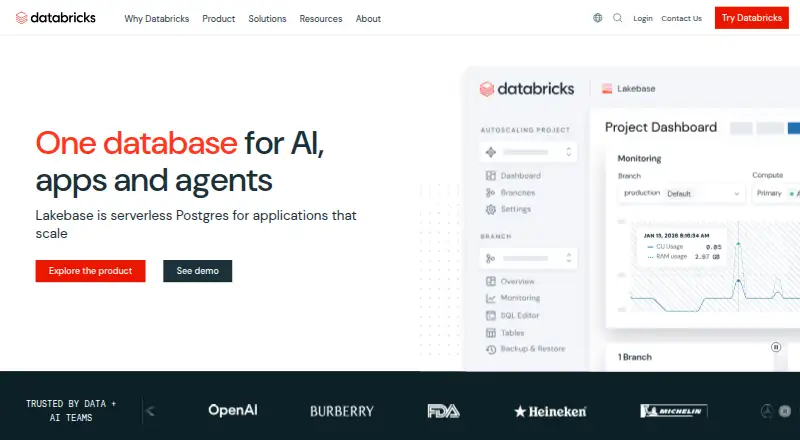
What Databricks Notebooks is
Databricks Notebooks is a web-based environment for working with data and machine-learning models. It supports SQL analytics, streaming ingestion, data lake use, and table-based data work. Teams can branch datasets and roll them back to table snapshots, while governance features include a catalog, automated discovery, column-level lineage, impact analysis, and lineage for pipelines and reports. Storage and compute can be separated, and the product supports ACID transactions and both storage models and table formats. For machine learning, it offers batch inference, forecasting, natural-language analysis, AI explanations, and root-cause analysis. Supported model formats and tools include MLflow, Python, scikit-learn, XGBoost, PyTorch, Hugging Face Transformers, and custom code. Autoscaling, GPU accelerators, and private deployment are listed capabilities. Deployment is described as both cloud and hybrid, with cloud deployment options. Databricks Notebooks has a Free Edition at no cost, with one serverless workspace and limited compute size and usage. Pay as you go has no up-front costs and charges for products used, with per-second usage granularity. Committed Use Contracts offer usage commitments, flexible commitments across multiple clouds, and potential discounts and other benefits. The maker, Databricks Notebooks, was founded in 2013 and is headquartered in San Francisco, California.
Who it suits
It suits data and machine-learning teams that need notebooks alongside SQL analytics, streaming ingestion, table governance, and lineage features. Teams exploring the product can start with one free serverless workspace, while those with variable or committed usage can consider its paid plans.
What it does well
- Free Edition includes one serverless workspace.
- Supports SQL analytics, streaming ingestion, and data lakes.
- Provides column, pipeline, and report lineage.
- Supports dataset branching and table-snapshot rollback.
- Includes GPU accelerators and autoscaling.
- Supports multiple machine-learning model formats and tools.
What to know first
- Free Edition has limited compute size and usage.
- The Free Edition includes one workspace.
- The listed platform is web.
Limits
The Free Edition includes one serverless workspace and limits compute size and usage. Pay as you go charges for products used, with per-second usage granularity.
Plans
| Plan | Billed and limits | Price |
|---|---|---|
| Pay as you go | No up-front costs · Charged for products used · Per-second usage granularity | On request |
| Pay as you go | No up-front costs · Charged for products used · Per-second usage granularity | On request |
| Committed Use Contracts | Usage commitments · Potential discounts and other benefits · Flexible commitments across multiple clouds | On request |
| Committed Use Contracts | Usage commitments · Potential discounts and other benefits · Flexible commitments across multiple clouds | On request |
| Free trial | 14 days or until credits are exhausted · free Databricks usage credits · converts to pay-as-you-go after trial | Free |
| Free Edition | perpetually free · serverless-only · quota-limited · smaller compute and warehouse sizes · personal use only | Free |
| Artificial Intelligence | pay-as-you-go per DBU · starting price · Agent Bricks, AI Functions and Unity Gateway | $0.07 a month |
| Data Engineering | pay-as-you-go per DBU · starting price · jobs, pipelines and connectors | $0.15 a month |
The first 8 of 10 plans, as databricks.com lists them, read 21 Sept 2026. The maker's own page has the final word. Every plan
Getting started
- Open the Databricks Notebooks website.
- Use the Free Edition with one serverless workspace.
- For usage-based access, choose Pay as you go; it has no up-front costs and charges for products used.
- Consider Committed Use Contracts for usage commitments across multiple clouds.
Databricks Notebooks is a web environment for working with data tables, analytics, and machine-learning workflows. It suits teams that need notebooks connected to governance and lakehouse capabilities. Its breadth is the main advantage, though limited free compute and usage make the free edition a narrow starting point for substantial workloads.
Overview
This is more than a place to write and run notebook code: the product combines SQL analytics, streaming ingestion, data-lake support, and governance capabilities. ACID transactions, table-format support, and separate storage and compute serve teams managing data beyond an individual analysis. That integrated scope is useful when notebooks are part of a wider data operation, but may be unnecessary for someone who only needs a lightweight web notebook.
Key features
Analytics and machine learning
Natural-language analysis, AI explanations, forecasting, and root-cause analysis extend the environment beyond conventional querying and code. Model support spans MLflow, Python, scikit-learn, XGBoost, PyTorch, Hugging Face Transformers, and custom code; batch inference and GPU accelerators support model workloads. Autoscaling can accommodate changing compute demand, but it does not erase the Free Edition’s limited compute size and usage.
Governance, lineage, and recovery
A governance catalog, automated discovery, column-level lineage, impact analysis, and pipeline and report lineage help teams understand how data is organized and used. Dataset branching and point-in-time rollback at table snapshot granularity give teams a way to manage changes and restore table states. These tools are particularly relevant where traceability and recovery matter; users working with isolated datasets may not need this broader governance layer.
Pricing
Databricks uses a freemium model, with a free plan and a 14-day trial. The published plans describe different ways to pay for use, but no paid price is given, so paid plans should be treated as custom pricing.
| Plan | Price | What it includes | Best suited to |
|---|---|---|---|
| Free Edition | free | One serverless workspace, with limited compute size and usage. | Individuals or teams beginning with the environment or evaluating modest workloads. |
| Pay as you go | Custom pricing | No up-front costs; charges apply to products used, with per-second usage granularity. | Teams preferring usage-based charges over an up-front commitment. |
| Committed Use Contracts | Custom pricing | Usage commitments, with potential discounts and other benefits; commitments can be flexible across multiple clouds. | Organizations prepared to commit usage in pursuit of potential contract benefits. |
The Free Edition’s single workspace and constrained compute make it an entry point rather than a substitute for paid capacity. Pay as you go avoids up-front costs and bills usage at fine granularity, while committed contracts trade a usage commitment for possible discounts and other benefits. The 14-day trial offers a time-limited route to assess the product; no seat counts or trial renewal terms are given.
Platforms
Databricks Notebooks runs on the web. Cloud deployment options and hybrid deployment support make it relevant to teams planning for more than one deployment pattern, while private deployment is also supported. Storage can be managed in either of two models, and compute can be separated from storage.
Who it's for
The strongest fit is a data or machine-learning team that wants notebooks alongside SQL analytics, streaming, model workflows, governance, lineage, and table rollback. Teams that need GPU acceleration, autoscaling, or support for several established model formats have a broad set of capabilities in one environment. A solo user seeking a simple notebook, or a team with only small occasional workloads, may find the platform’s wider data-management scope unnecessary; the free plan is also limited in compute size and usage.
Pros and cons
- Pro: Analytics, streaming, and machine-learning capabilities sit alongside notebook work, including GPU acceleration, batch inference, and support for multiple model formats.
- Pro: Cataloging, discovery, lineage, impact analysis, and table rollback address governance and change-management needs that a standalone notebook may not cover.
- Pro: Per-second usage granularity and no up-front costs give pay-as-you-go buyers a usage-based option; committed contracts offer another route with potential benefits.
- Con: The free plan is limited to one serverless workspace and limited compute size and usage, so it is not an open-ended option for larger workloads.
- Con: Paid prices are custom, which means readers cannot compare the cost of usage-based and committed plans from the published prices alone.
- Con: The breadth of governance and data-platform features may be more than users need if their priority is simply a lightweight notebook.
Alternatives
Julius AI is worth considering for readers who want an alternative with Android and iOS apps as well as web access, and a free plan that includes daily credits and a Google Drive connector.
Hex may fit readers looking for a notebook-oriented alternative with any-data-source connections and all cell types on its free Community plan, which also has small compute.
Zoho Analytics is an alternative for readers considering self-hosted software; its free plan is capped at two users, 10,000 rows, and five workspaces.
Obviously AI may suit readers focused on prediction who can work within a free plan limited to 1,200 predictions, one user seat, CSV input, and files up to 10 MB.
Predict.ai offers a free plan with 500 credits per month, one workspace, and one seat for readers comparing another freemium option.
Vizly is another web-based freemium option, with its free plan capped at zero messages per month and a Basic plan offering up to 200 monthly messages for $19.99 a month.
disy Cadenza is an alternative with a paid model and a free trial.
Pyramid Analytics is another freemium alternative, with a Community Edition for three users.
For more options, browse Augmented Analytics Software, Data Lineage Tools, Data Warehouse Software, Model Registry Software, Data Lakehouse Platforms, or MLOps Platforms.
Verdict
Choose Databricks Notebooks when notebook work needs to sit alongside machine learning, analytics, governance, lineage, and table recovery. Its breadth makes it a strong fit for teams treating notebooks as part of a managed data platform, not just an interactive coding surface. Look elsewhere if a lightweight notebook is enough, or if limited free compute and custom-priced paid plans do not suit your workload or budgeting needs.
Verdict
Choose Databricks Notebooks if you need a web notebook environment with data governance, lineage, table rollback, and machine-learning capabilities. The Free Edition is a way to begin, but its compute size and usage are limited; teams needing more can look at usage-based or committed contracts.
Questions
Is there a free plan?
Yes. Free Edition costs nothing and includes one serverless workspace with limited compute size and usage.
What paid plans are available?
Pay as you go charges for products used with per-second usage granularity and no up-front costs. Committed Use Contracts offer usage commitments and flexible commitments across multiple clouds, with potential discounts and other benefits.
Which platforms does it support?
The listed platform is web.
Which model formats are supported?
Supported formats and tools include MLflow, Python, scikit-learn, XGBoost, PyTorch, Hugging Face Transformers, and custom code.
Who makes Databricks Notebooks?
The maker is Databricks Notebooks, founded in 2013 and headquartered in San Francisco, California.
Facts from Databricks Notebooks's own pages
- Android app
- Google Play lists Genie One by Databricks as a public-preview Android app with 5K+ downloads and no displayed rating count. · play.google.com, 14 Oct 2026
- App extensibility
- Databricks Apps supports Python or Node.js applications using frameworks such as Streamlit, Dash, Gradio, React, Angular, Svelte and Express. · learn.microsoft.com, 14 Oct 2026
- Cell capacity
- A notebook supports up to 10,000 cells, each cell can be 6 MB, and cell output is limited to 20 MB. · docs.databricks.com, 14 Oct 2026
- Code assistance
- The editor provides formatting, autocomplete, Genie Code generation/explanation/debugging and a built-in Python debugger. · docs.databricks.com, 14 Oct 2026
- Collaboration
- Coworkers can edit the same cell simultaneously, see each other's edits and comment on code. · docs.databricks.com, 14 Oct 2026
- Company founded
- Databricks says it was founded in 2013 by the creators of Apache Spark, Delta Lake, MLflow and Unity Catalog. · databricks.com, 14 Oct 2026
- Company headquarters and size
- LinkedIn lists headquarters in San Francisco and company size of 5,001–10,000 employees. · linkedin.com, 14 Oct 2026
- Company legal name
- SEC records identify the company as Databricks, Inc., incorporated in Delaware, with a San Francisco business address. · sec.gov, 14 Oct 2026
- Compliance
- Databricks states offerings for PCI-DSS, HIPAA and FedRAMP and compliance with ISO 27001, ISO 27017, ISO 27018 and SOC 2 Type II. · databricks.com, 14 Oct 2026
- Compute requirement
- A notebook must be attached to a cluster before code cells can run. · docs.databricks.com, 14 Oct 2026
- Execution
- Users can run individual cells, groups or whole notebooks interactively, and schedule notebooks as jobs. · docs.databricks.com, 14 Oct 2026
- Founded
- 2013 · databricks.com, 28 Sept 2026
- Free plan
- Yes · databricks.com, 21 Sept 2026
- Funding news
- On September 8, 2025 Databricks announced a $1 billion Series K at a valuation above $100 billion. · databricks.com, 14 Oct 2026
- Git diffs
- IPYNB notebooks can preserve outputs and support enhanced pull-request diffs with GitHub or GitLab. · docs.databricks.com, 14 Oct 2026
- Headquarters
- San Francisco, California, United States · databricks.com, 28 Sept 2026
- Integrations
- Databricks offers native cloud integrations for AWS, Azure and Google Cloud, including marketplace or console deployment paths. · databricks.com, 14 Oct 2026
- Licence
- The hosted Databricks software and site content are owned, controlled or licensed by Databricks under its terms, while the platform also incorporates separate open-source projects. · databricks.com, 14 Oct 2026
- Limit: cost and learning curve
- Reviewers report that costs can rise quickly with usage, setup requires technical effort and the interface can overwhelm new users. · softwareadvice.com, 14 Oct 2026
- Limit: documentation and developer workflow
- Reviewers mention restrictive Unity Catalog policies, difficult error messages, unreliable Git connections, session resets and limited local debugging. · trustradius.com, 14 Oct 2026
- Limit: user experience
- Trustpilot reviewers include complaints about a slow, unintuitive UI and difficulty obtaining flexible local-development behavior. · uk.trustpilot.com, 14 Oct 2026
- Notebook formats
- Notebooks support IPYNB/Jupyter and source formats such as .py, .scala, .r and .sql, with IPYNB as the default. · docs.databricks.com, 14 Oct 2026
- Notebook languages
- A notebook can mix Python, SQL, Scala and R using language magic commands. · docs.databricks.com, 14 Oct 2026
- Partner Connect
- Partner Connect lets users discover and integrate data, analytics and AI tools from inside the Databricks platform. · databricks.com, 14 Oct 2026
Where Databricks Notebooks stands on Freedom251
- Model registries#2 of 38
- Data Warehouse Software#3 of 27
- Data Lakehouse Platforms#3 of 23
- Business Intelligence Tools#15 of 89