Freedom251 › Daily Standup Software

DailyStandup
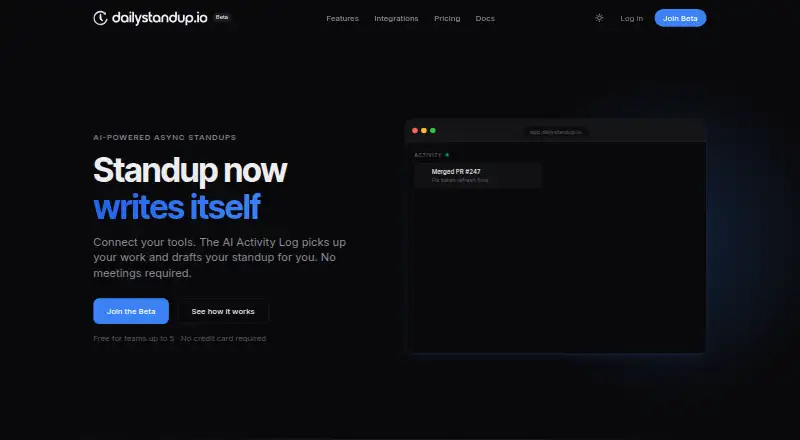
What DailyStandup is
DailyStandup is a web-based async standup tool that connects work tools and uses AI to draft team updates. Its Activity Log gathers commits, pull requests, tickets, and messages for structured drafts; team members can edit a draft or write their own check-in. Manual check-ins cover yesterday, today, blockers, and mood, and are designed to take about 60 seconds. AI summaries track blocker severity, owners, and open questions, while organization-level views bring team progress, blockers, and health together. Teams can choose a daily standup time and timezone, with reminders before the standup closes. Native integrations are listed for GitHub, Linear, and Slack; Jira and Figma are marked as coming soon. Activity events can also be sent through a REST API or connected through MCP. The integrations page says data stays in the workspace and is visible only to the team, with users choosing what enters drafts. The free plan covers up to five members on one team with seven-day history. Pro costs $8/user/mo billed annually.
Who it suits
DailyStandup suits teams that want to collect work activity into async updates or use short manual check-ins. Its free plan covers up to five members on one team.
What it does well
- Free plan covers up to five members.
- Drafts can be edited or written manually.
- Summaries track blocker severity and owners.
- Native integrations include GitHub, Linear, and Slack.
- Supports REST API and MCP activity events.
What to know first
- Free plan is limited to one team.
- Free plan includes seven-day history.
- Jira and Figma integrations are coming soon.
Limits
The Free plan covers up to five members and one team, with seven-day history, daily AI summaries, and basic standup prompts. Pro is $8/user/mo (annual); Enterprise pricing is custom.
Plans
| Plan | Billed and limits | Price |
|---|---|---|
| Free | Up to 5 members · 1 team · Daily AI summaries · Basic standup prompts · 7-day history | Free |
| Pro | billed annually · Unlimited teams & members · AI Activity Log · Auto-submit on schedule · Full AI summaries + blocker detection · GitHub, Linear, Slack integrations · 3 AI Agents included · Pattern tracking · Weekly digests · 90-day history · Priority support | $8 a month |
| Enterprise | Custom AI Agent limits · SAML / SSO · Custom onboarding · Dedicated support · Advanced security & compliance · Unlimited history · Admin API access · SLA guarantee | On request |
As dailystandup.io lists them, read 30 Sept 2026. The maker's own page has the final word.
Getting started
- Visit the DailyStandup website.
- Choose the Free plan for a team of up to five people, or review Pro and Enterprise.
- Connect GitHub, Linear, or Slack, or send activity events through the REST API or MCP.
- Set the daily standup time and timezone.
- Review and edit an AI draft, or write a manual check-in.
Overview
DailyStandup is a web tool that turns activity from connected work services into draft standups, alongside manual check-ins and AI team summaries. It suits teams that want asynchronous progress and blocker updates without relying on a live meeting. Its main advantage is combining automated drafts with human editing; the free plan’s five-member, one-team cap makes it a limited fit for growing groups.
Key features
The AI Activity Log draws on commits, pull requests, tickets and messages to prepare structured updates. That can reduce the effort of remembering and reporting work, while the option to edit a draft or write an update manually keeps members in control of what they say. Manual prompts cover yesterday, today, blockers and mood, and are designed for a roughly 60-second check-in.
AI summaries identify blocker severity, track owners and surface open questions, which gives teams more to act on than a simple collection of status notes. Organization-level summaries bring team progress, blockers and health into one view, a useful feature for managers coordinating across teams. Daily scheduling supports a chosen time and timezone, with reminders before the standup closes.
Native integrations connect GitHub, Linear and Slack. Jira and Figma are marked as coming soon. Teams can also push activity through a REST API or use MCP; the MCP server works with Claude Code, Cursor, Windsurf and other MCP-compatible clients. The integrations page says activity remains in the workspace, is visible only to the team, and that users choose what enters drafts. Those controls are relevant for teams weighing automated reporting against privacy.
Pricing
The Free plan costs nothing and includes up to five members, one team, daily AI summaries, basic standup prompts and seven-day history. The homepage says teams of up to five can use it without a credit card. It is a sensible way for a small team to try the core workflow, but the one-team limit and short history leave little room for wider rollout or longer-term reference.
Pro costs $8 a month, billed annually, and removes the member and team limits. It adds the AI Activity Log, scheduled auto-submit, full AI summaries with blocker detection, GitHub, Linear and Slack integrations, three AI Agents, pattern tracking, weekly digests, 90-day history and priority support. This is the more practical plan for teams that want activity-based drafts or need multiple teams; the annual billing term matters for anyone seeking a short commitment. A free trial is offered.
Enterprise has custom pricing and adds custom AI Agent limits, SAML/SSO, custom onboarding, dedicated support, advanced security and compliance, unlimited history, admin API access and an SLA guarantee. It is aimed at organizations that need centralized access controls or a service commitment, rather than teams whose needs fit Pro.
Platforms
DailyStandup is available on the web. Teams can connect Slack, GitHub and Linear natively, and use API or MCP connections for activity events; Jira and Figma are marked as coming soon.
Who it's for
DailyStandup is strongest for distributed or multi-team groups that want work activity to seed asynchronous updates and want summaries to call attention to blockers. The editable-draft and manual modes make it more flexible than a fully automated reporting routine. It is less compelling for teams that need more than five members or one team without moving to paid service, or for organizations that need Jira or Figma integrations now.
Pros and cons
- Pros: Activity-based drafts can draw from commits, pull requests, tickets and messages, reducing repetitive status-writing while leaving updates editable.
- Pros: Summaries track blocker severity, owners and open questions, and organization-level views help managers follow multiple teams.
- Pros: Pro includes unlimited teams and members, three AI Agents and 90-day history at $8 a month billed annually.
- Cons: Free is capped at five members, one team and seven-day history, so it is better for a small trial than a larger ongoing rollout.
- Cons: Jira and Figma are not yet native integrations, limiting teams that rely on either for current activity capture.
- Cons: Pro's stated monthly price is tied to annual billing, which may not suit teams unwilling to commit for a year.
Alternatives
For a broader comparison, see Daily Standup Software. asyncmate is another freemium web option, with a free plan for up to 10 active teammates. Choose it if that larger free-team allowance matters more than DailyStandup’s activity drafting and summaries.
AsyncUp is a free, open-source, self-hosted option built around one container; it is a better fit for teams that prioritize self-hosting and a forever-free setup. DailyBot offers a free Starter plan with unlimited members in one workspace per organization and up to 50 compiled check-in reports each month, so it may suit teams that need a larger free membership and can work within that report quota.
DailyStand is another freemium standup tool with a free five-member, one-team plan and MCP support; its Pro plan is $16 a month and allows 15 members, so DailyStandup’s Pro is the stronger fit for teams needing more members or unlimited teams at its stated price. Estimioo focuses on estimation and retrospectives alongside basic standups, making it worth considering when those sessions are central to the team’s workflow.
Geekbot has a free Starter plan for 10 users and a Basic — Standups plan at $2.50 a month billed annually; consider it if a lower stated per-participant price or a 10-user free tier is the priority. Morgenruf offers free hosted access for any number of people as well as MIT-licensed self-hosted software, making it an alternative for teams seeking a free or self-managed option. Murmurd is another freemium web check-in tool, with a free tier for five members that includes weekly priorities and basic escalations; it may suit teams that value those routines over activity-derived drafts.
Verdict
DailyStandup is a good choice for teams that want asynchronous standups shaped by connected work activity, with editable drafts and summaries that make blockers visible. Pro’s unlimited teams and members make it the natural step for wider adoption, but the annual billing term and the free tier’s tight caps are real constraints. Choose it for draft-assisted check-ins and team-level visibility; look elsewhere if self-hosting, a larger free tier, or Jira and Figma integrations are essential.
Verdict
DailyStandup combines automated drafts, manual check-ins, and team summaries in a web tool. The free plan is limited to five members and one team; Pro is $8/user/mo billed annually.
Questions
Is DailyStandup free?
Yes. The Free plan costs nothing and supports up to five members on one team.
How much does Pro cost?
Pro is listed at $8 a month, billed annually; the pricing note says $8/user/mo (annual).
Which integrations are available?
Native integrations are listed for GitHub, Linear, and Slack. Jira and Figma are marked coming soon.
Does it support an API or MCP?
Yes. Activity events can be pushed through a REST API or connected through MCP. The MCP server works with Claude Code, Cursor, Windsurf, and any MCP-compatible client.
What does Enterprise include?
Enterprise includes SAML/SSO, admin API access, dedicated support, advanced security and compliance, unlimited history, and an SLA guarantee. Its price is custom.
How does the maker describe activity data handling?
The integrations page says activity data stays in the workspace, events are visible only to the team, and users choose what enters drafts.
Facts from DailyStandup's own pages
- Activity drafting
- The AI Activity Log picks up commits, pull requests, tickets, and messages to draft structured standups. · dailystandup.io, 30 Sept 2026
- AI summaries
- AI summaries include blocker severity, owner tracking, and open questions. · dailystandup.io, 30 Sept 2026
- APIs
- Activity events can be pushed through a REST API or connected through the Model Context Protocol (MCP). · dailystandup.io, 30 Sept 2026
- Check-ins
- Manual check-ins cover yesterday, today, blockers, and mood and are designed to take about 60 seconds. · dailystandup.io, 30 Sept 2026
- Core product
- DailyStandup is an AI-powered async standup tool that connects work tools and drafts standups automatically. · dailystandup.io, 30 Sept 2026
- Enterprise controls
- Enterprise includes SAML/SSO, admin API access, dedicated support, advanced security and compliance, unlimited history, and an SLA guarantee. · dailystandup.io, 30 Sept 2026
- Free access
- The homepage states that the product is free for teams up to five people and requires no credit card. · dailystandup.io, 30 Sept 2026
- Integrations
- Native integrations are listed for GitHub, Linear, and Slack; Jira and Figma are marked coming soon. · dailystandup.io, 30 Sept 2026
- Manual mode
- Auto-drafts and manual check-ins work side by side, so users can edit a draft or write their own update. · dailystandup.io, 30 Sept 2026
- MCP clients
- The MCP server works with Claude Code, Cursor, Windsurf, and any MCP-compatible client. · dailystandup.io, 30 Sept 2026
- Organization view
- Org-level summaries show each team’s progress, blockers, and health in one view. · dailystandup.io, 30 Sept 2026
- Privacy
- The integrations page says activity data stays in the workspace, events are visible only to the team, and users choose what enters drafts. · dailystandup.io, 30 Sept 2026
- Scheduling
- Teams can set a daily standup time and timezone, with reminders before the standup closes. · dailystandup.io, 30 Sept 2026
Where DailyStandup stands on Freedom251
- Daily Standup Software#7 of 24
- Standup Bots#6 of 17