Freedom251 › Restaurant Back Office Software

Crunchtime Labor & Scheduling
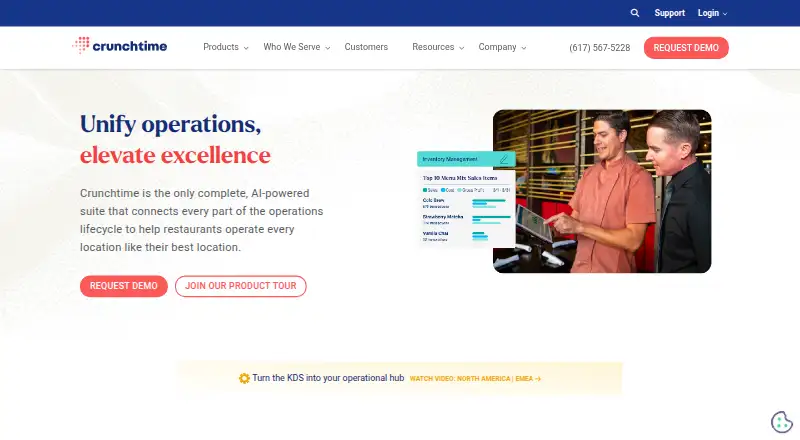
What Crunchtime Labor & Scheduling is
Crunchtime Labor & Scheduling forecasts restaurant staffing needs and helps operators plan employee coverage for each shift. Its auto-scheduling draws on sales forecasts, staffing templates, employee skill levels and applicable labor laws to estimate staffing by role and time of day. Other listed tools include AI forecasting, shift feedback, real-time reporting, a time clock, tip management and compliance features. Administrators can configure supported U.S. labor laws by state and city, and set store-level labor rules, including limits on minors’ hours. A Labor Rule Audit records field-level edits to those rules.
Teamworx, the employee app, lets staff view shifts, manage availability, request time off, swap shifts and communicate with managers; using it requires a Crunchtime subscription. Crunchtime describes POS integrations that exchange schedules, employee details, menu and sales-mix data, and time punches, as well as two-way synchronization with HR and payroll systems. APIs for the Inventory & Labor platform can import setup data and export transactional and inventory data; access requires an access token. The service is available on web, iOS and Android. Pricing is discussed through a demo, and the demo page directs operators with 10 or more restaurant locations to contact Crunchtime.
Who it suits
Crunchtime Labor & Scheduling suits restaurant operators who need to forecast staffing and coordinate shift schedules, availability, time off and swaps. Its demo page is aimed at operators with 10 or more locations, and its labor rules and integrations are relevant to teams managing compliance and restaurant systems.
What it does well
- Auto-scheduling uses sales forecasts, staffing templates, skills and labor laws.
- Store-level rules can include limits on minors’ hours.
- Labor Rule Audit records field-level edits.
- Teamworx supports shift viewing, availability, time-off requests and swaps.
- POS, HR and payroll integrations support data exchange and synchronization.
What to know first
- No free plan is listed.
- Pricing is discussed through a demo.
- Teamworx requires a Crunchtime subscription.
Limits
There is no free plan. Teamworx use requires a Crunchtime subscription; the demo page asks operators with 10 or more restaurant locations to contact Crunchtime for next steps.
Plans
| Plan | Billed and limits | Price |
|---|---|---|
| Crunchtime Labor & Scheduling | Pricing discussed through a demo; demo page asks operators with 10 or more restaurant locations to contact Crunchtime | On request |
As crunchtime.com lists them, read 2 Oct 2026. The maker's own page has the final word.
Getting started
- Visit the Crunchtime website.
- Contact Crunchtime through the demo process to discuss pricing and next steps.
- Use the web, iOS or Android platform.
- For Teamworx employee access, use a Crunchtime subscription.
Verdict
Choose Crunchtime Labor & Scheduling if your restaurant operation needs forecast-based shift planning, configurable labor rules and employee scheduling through Teamworx. The demo page asks operators with 10 or more locations to get in touch; pricing is handled through that process, and the demo page asks operators with 10 or more locations to get in touch.
Questions
How much does Crunchtime Labor & Scheduling cost?
Pricing is on request and discussed through a demo.
Is there a free plan?
No. The listed pricing model is paid, with no free plan.
Which platforms does it support?
The listed platforms are web, iOS, Android and API.
What does auto-scheduling use?
It uses sales forecasts, staffing templates, employee skill levels and applicable labor laws to project staffing by role and time of day.
What can employees do in Teamworx?
They can view shifts, manage availability, request time off, swap shifts and communicate with managers. Use requires a Crunchtime subscription.
What integrations are listed?
Crunchtime describes POS data exchange and two-way HR and payroll synchronization. Its Inventory & Labor APIs can import setup data and export transactional and inventory data, with access requiring an access token.
Facts from Crunchtime Labor & Scheduling's own pages
- APIs
- Crunchtime provides APIs for its Inventory & Labor platform to import setup data and export transactional and inventory data; API access requires an access token. · developer.crunchtime.com, 2 Oct 2026
- Auto-scheduling
- Auto-scheduling uses sales forecasts, staffing templates, employee skill levels, and applicable labor laws to project staffing by role and time of day. · crunchtime.com, 2 Oct 2026
- Employee app
- Teamworx lets employees view shifts, manage availability, request time off, swap shifts, and communicate with managers; use requires a Crunchtime subscription. · apps.apple.com, 2 Oct 2026
- Founded
- 1995 · crunchtime.com, 28 Sept 2026
- Headquarters
- Boston, Massachusetts, United States · crunchtime.com, 28 Sept 2026
- Integrations
- Crunchtime describes POS integrations for exchanging staff schedules, employee information, menu and sales mix, and time punches, plus two-way HR and payroll synchronization. · crunchtime.com, 2 Oct 2026
- Labor law compliance
- Crunchtime says it supports U.S. labor laws including Fair Work Week and lets administrators configure laws by state and city. · crunchtime.com, 2 Oct 2026
- Labor rule controls
- Labor rules can be configured by store and include configurable limits for minors’ hours; the Labor Rule Audit records field-level edits. · crunchtime.com, 2 Oct 2026
- Mobile platforms
- Crunchtime Teamworx is listed for iPhone and iPad in the App Store and is available on Google Play for Android. · apps.apple.com, 2 Oct 2026
- Purpose
- Crunchtime Labor & Scheduling forecasts labor needs and helps restaurants schedule the right number of employees for each shift. · crunchtime.com, 2 Oct 2026
- Scheduling tools
- The product page lists AI forecasting, shift feedback, auto-scheduling, real-time reporting, time clock, mobile scheduling app, tip management, and compliance features. · crunchtime.com, 2 Oct 2026
- Security audits
- Crunchtime says it performs SOC 1 Type 2 audits for Inventory and Labor and SOC 2 Type 2 audits for all products. · crunchtime.com, 2 Oct 2026
- Security practices
- Crunchtime says it performs annual risk assessments and penetration tests, monthly threat hunting, and weekly vulnerability scans. · crunchtime.com, 2 Oct 2026
- Support
- Crunchtime’s support policy lists standard support hours as 8 a.m. to 8 p.m. Eastern, Monday through Friday, excluding published U.S. holidays. · crunchtime.com, 2 Oct 2026
- Target customers
- The Labor demo page asks operators with 10 or more restaurant locations to contact Crunchtime for next steps. · crunchtime.com, 2 Oct 2026
Where Crunchtime Labor & Scheduling stands on Freedom251
- Restaurant Back Office Software#3 of 35
- Restaurant Procurement Software#6 of 28
- Restaurant Employee Training Software#8 of 30
- Franchisee Management Software#3 of 10
- Food Service Management#6 of 17
- Restaurant Labor Management Software#8 of 22
- Restaurant Scheduling Software#11 of 27
- Restaurant Management Software#16 of 39
- Restaurant Inventory Management Software#11 of 26