
CoffeeScript
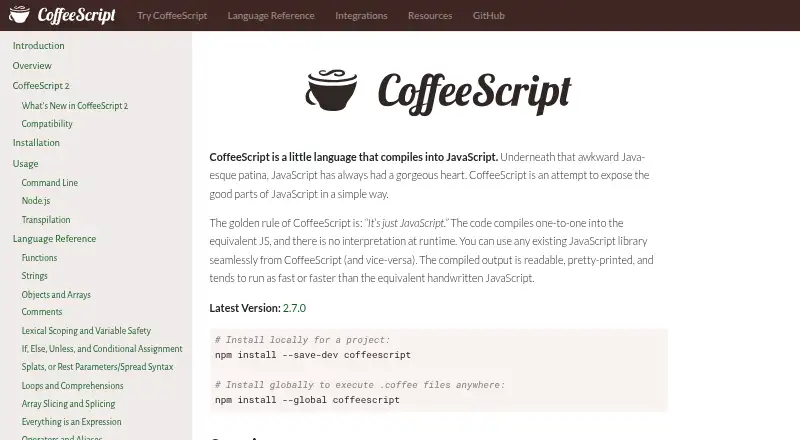
What CoffeeScript is
CoffeeScript is a programming language that compiles to JavaScript, so the generated code runs without a CoffeeScript interpreter. JavaScript libraries can be used from CoffeeScript, and JavaScript can also use CoffeeScript libraries. CoffeeScript 2 outputs modern JavaScript syntax, including classes and arrow functions, and supports async functions and JSX. Its coffee command can run scripts, compile .coffee files into .js files, and provide an interactive REPL. It can also generate inline or external source maps. The compiler API can compile CoffeeScript strings and optionally produce source maps or an abstract syntax tree. CoffeeScript installs through npm, globally or as a project dependency, and integrations are listed for build tools, editors, and Jest testing. Babel transpilation is available when @babel/core is installed. The core compiler can run in a browser or another JavaScript environment; the command-line utility requires Node 6 or later. JSX output always needs transpilation, and users must ensure their runtime supports the modern JavaScript features they choose to use. CoffeeScript is free and open source.
Who it suits
It suits developers who want to write CoffeeScript that compiles to JavaScript and use existing JavaScript libraries. It may also fit workflows using listed build tools, editors, or Jest.
What it does well
- Compiles to JavaScript without a runtime interpreter.
- Includes a command-line REPL and compiler.
- Can generate inline or external source maps.
- Core compiler can run in a browser.
What to know first
- Command-line utility requires Node 6 or later.
- JSX output always requires transpilation.
- Users must account for runtime support of modern features.
Limits
JSX output always requires transpilation. The command-line utility requires Node 6 or later, and the runtime must support the modern JavaScript features in the output or the code must be transpiled.
Getting started
- Visit the CoffeeScript website.
- Install CoffeeScript through npm globally or as a project dependency.
- Use the `coffee` command to run scripts, compile `.coffee` files, or open the REPL.
- Use the compiler API to compile strings and optionally generate source maps or an abstract syntax tree.
- Add `@babel/core` if you need the built-in Babel transpilation support.
CoffeeScript is a free language for developers who want to write in its syntax while targeting JavaScript projects. Its strongest fit is a team that values JavaScript interoperability and can manage the runtime compatibility of modern output.
Overview
CoffeeScript compiles to JavaScript that runs without a CoffeeScript interpreter. Existing JavaScript libraries work from CoffeeScript, and JavaScript can use CoffeeScript libraries, making it a reasonable option for projects that need to cross that boundary without adopting a separate runtime.
CoffeeScript 2 emits modern JavaScript, including classes and arrow functions, and supports async functions and JSX syntax. That keeps the output aligned with current JavaScript, but shifts compatibility work to the project: the target runtime must support the features in use, or the output must be transpiled. JSX output always needs transpilation.
Key features
The coffee command runs scripts, compiles .coffee files to JavaScript, and opens an interactive REPL. It can also produce inline or external source maps, which help trace compiled code during debugging. The Node API compiles CoffeeScript strings and can optionally return source maps or an abstract syntax tree, giving build tools a direct integration route.
The core compiler can run in any JavaScript environment, including a browser, without Node. The CLI, by contrast, requires Node 6 or later; most supported modern JavaScript features run natively in Node 7.6 or later. Babel transpilation is built in, but requires @babel/core to be installed.
Integration resources cover Gulp, Webpack, Grunt and Broccoli, as well as editors including Atom, Emacs, Vim and Visual Studio Code. Jest support is available through jest-preset-coffeescript. These connections make CoffeeScript easier to fit into an existing JavaScript workflow, though they do not remove the need to check output compatibility.
Pricing
CoffeeScript is free and open source, with a free plan and no free trial. There are no paid tiers or published usage charges to weigh against its capabilities.
Platforms
CoffeeScript is marked for API, Linux, macOS, web and Windows. The browser-capable core compiler gives it a web use case, while the command-line tool depends on Node.js and npm installation, either globally or as a project dependency.
Who it's for
CoffeeScript suits developers who prefer its language syntax but need to stay within JavaScript libraries and environments. It is also a plausible fit for teams adding it to an existing build chain, where its CLI, compiler API, source maps and integrations can support a source-to-source workflow.
It is a weaker choice when a project cannot accommodate transpilation or runtime checks. Modules require Node 12 or later with type set to module in package.json, and JSX output always requires transpilation. Teams should account for those constraints before making CoffeeScript part of a deployment path.
Pros and cons
- Pro: It compiles to ordinary JavaScript with no runtime interpreter, while preserving access in both directions to JavaScript libraries.
- Pro: CLI and API options, source maps and an interactive REPL serve both direct use and build integration.
- Pro: Free, open-source availability avoids subscription costs.
- Con: Modern syntax is not automatically supported by every target runtime; projects must verify compatibility or transpile.
- Con: JSX always adds a transpilation requirement, and the CLI requires Node.js even though the core compiler can run in a browser.
Alternatives
Code Transpilers is the broader category to browse. Consider SWC for a free, open-source Rust-based developer toolchain; Transcrypt for a free Apache 2.0-licensed option; or Babel for a free, community-funded alternative with no paid tiers or usage limits stated.
ClojureScript is another free, open-source option under the Eclipse Public License 1.0. Google Web Toolkit offers a free Apache 2.0-licensed alternative, while Kotlin/JS is a free Kotlin compiler target for JavaScript configured with the Kotlin Multiplatform Gradle plugin. Cython is free under the Apache 2.0 license. Dart pub is also a free alternative.
Verdict
Choose CoffeeScript if you want its syntax, need to work directly with JavaScript libraries, and can manage modern-output compatibility in your build or runtime. Its no-interpreter compilation and free, flexible CLI and API are the strongest reasons to use it; look elsewhere if transpilation or Node-version constraints are a poor fit for your project.
Verdict
CoffeeScript provides a compile-to-JavaScript workflow with command-line and compiler API options. Check its runtime requirements and transpilation needs for the JavaScript features you plan to use.
Questions
Is CoffeeScript free?
Yes. CoffeeScript is free and open source.
What does CoffeeScript compile to?
It compiles CoffeeScript code to JavaScript that runs without a CoffeeScript interpreter.
Which platforms can run the compiler?
The core compiler can run in a browser or another JavaScript environment. The command-line utility requires Node 6 or later.
Can CoffeeScript use JavaScript libraries?
Yes. CoffeeScript can use existing JavaScript libraries, and JavaScript can use CoffeeScript libraries.
Does it support JSX and Babel?
CoffeeScript 2 supports JSX syntax, but JSX output requires transpilation. Built-in Babel transpilation requires `@babel/core`.
How do I install it?
Install it through npm, either globally or as a project dependency.
Facts from CoffeeScript's own pages
- Browser use
- The core compiler does not depend on Node and can run in any JavaScript environment, including a browser. · coffeescript.org, 3 Oct 2026
- Command line
- The `coffee` command can execute scripts, compile `.coffee` files into `.js`, and provide an interactive REPL. · coffeescript.org, 3 Oct 2026
- Compatibility
- CoffeeScript can use existing JavaScript libraries, and JavaScript can use CoffeeScript libraries. · coffeescript.org, 3 Oct 2026
- Compatibility limit
- JSX output always requires transpilation, and CoffeeScript says users are responsible for ensuring their runtime supports the modern features they use or transpiling the output. · coffeescript.org, 3 Oct 2026
- Compiler API
- The Node API can compile strings of CoffeeScript and optionally generate source maps or an abstract syntax tree. · coffeescript.org, 3 Oct 2026
- Editor and framework support
- The integrations section links to resources for build tools, code editors, frameworks, linters and formatting, and testing. · coffeescript.org, 3 Oct 2026
- Editor support
- The integrations page lists CoffeeScript support for code editors including Atom, Emacs, Vim, and Visual Studio Code. · coffeescript.org, 2 Oct 2026
- Installation
- CoffeeScript is installed through npm, either globally or as a project dependency. · coffeescript.org, 3 Oct 2026
- Integrations
- The compiler supports Babel transpilation, and the site lists Gulp, Webpack, Grunt, and Broccoli as build-chain options. · coffeescript.org, 3 Oct 2026
- JavaScript libraries
- Existing JavaScript libraries can be used from CoffeeScript and vice versa. · coffeescript.org, 2 Oct 2026
- Language features
- CoffeeScript 2 includes async function and JSX syntax support. · coffeescript.org, 2 Oct 2026
- Modern JavaScript
- CoffeeScript 2 compiles to modern JavaScript syntax and includes support for async functions and JSX. · coffeescript.org, 3 Oct 2026
- Modern output
- CoffeeScript 2 produces modern JavaScript syntax, including JavaScript classes and arrow functions. · coffeescript.org, 2 Oct 2026
- Node.js
- The command-line utility requires Node 6 or later, while the core compiler can run in any JavaScript environment or in a browser. · coffeescript.org, 2 Oct 2026
- Purpose
- CoffeeScript is a language that compiles into JavaScript. · coffeescript.org, 3 Oct 2026
- Runtime
- CoffeeScript compiles to equivalent JavaScript without runtime interpretation. · coffeescript.org, 3 Oct 2026
- Runtime compatibility
- The maker notes that JSX output always requires transpilation and that modules require Node 12 or later with type set to module in package.json. · coffeescript.org, 2 Oct 2026
- Runtime requirements
- The command-line utility requires Node 6 or later; the site says most supported modern JavaScript features run natively in Node 7.6 or later. · coffeescript.org, 3 Oct 2026
- Source maps
- The command line supports generating external or inline source maps alongside compiled JavaScript. · coffeescript.org, 2 Oct 2026
- Support
- The maker directs bug reports, feature proposals, and ideas to its GitHub issues page and identifies a mailing list as a place to ask questions. · github.com, 2 Oct 2026
- Support and community
- The site links to a CoffeeScript chat and provides contribution guidance. · coffeescript.org, 3 Oct 2026
- Testing integration
- The integrations page lists Jest with jest-preset-coffeescript for testing. · coffeescript.org, 2 Oct 2026
- Transpilation
- CoffeeScript has built-in support for Babel transpilation, which requires @babel/core to be installed. · coffeescript.org, 2 Oct 2026
Where CoffeeScript stands on Freedom251
- Code Transpilers#8 of 28