J2ObjC
What J2ObjC is
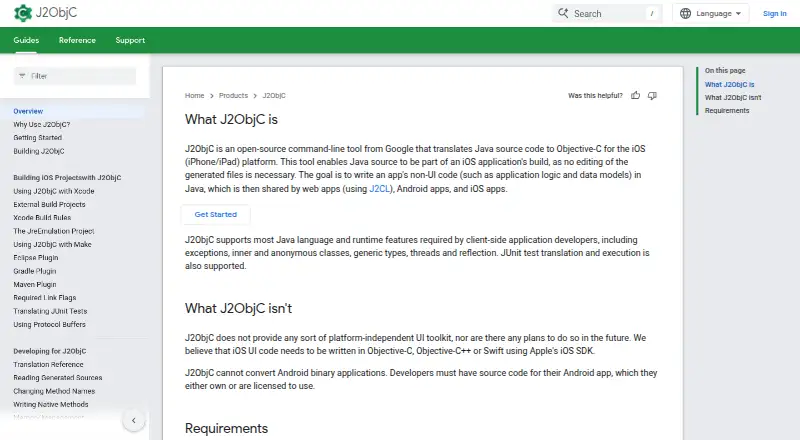
J2ObjC is a free, open-source command-line tool that translates Java source code into Objective-C for iOS. It is intended to help developers share non-UI code, including application logic and data models, across web, Android, and iOS apps. It supports Java features such as exceptions, generics, threads, reflection, and inner and anonymous classes, and can translate and run JUnit tests. Its distribution includes static libraries for Guava, JUnit, Mockito, Protocol Buffers, and other Java libraries or Android utility classes. J2ObjC does not supply a shared interface toolkit; iOS UI must be built with Objective-C, Objective-C++, or Swift using Apple's iOS SDK. It requires Java source code the developer owns or is licensed to use, not Android binaries. The listed requirements are a Mac workstation or laptop, macOS 15 or higher, Xcode 16 or higher, and JDK 21 or higher. The j2objcc script wraps clang and uses the iOS SDK, and Xcode projects need J2ObjC-specific linker settings. The project uses Objective-C reference counting, leaving memory management to developers.
Who it suits
It suits developers who want to reuse Java application logic or data models in iOS apps and can work with the listed Mac, Xcode, and JDK requirements. It is not for converting Android binaries or sharing UI code across platforms.
What it does well
- Translates Java source into Objective-C for iOS.
- Supports JUnit test translation and execution.
- Includes libraries such as Guava and Mockito.
- Free under the Apache 2.0 license.
What to know first
- No platform-independent UI toolkit.
- Requires a Mac, macOS 15+, Xcode 16+, and JDK 21+.
- Cannot convert Android binary applications.
- Developers handle memory management and may introduce leaks.
Limits
J2ObjC is free, but requires a Mac workstation with macOS 15 or higher, Xcode 16 or higher, and JDK 21 or higher. It translates non-UI code and does not supply a platform-independent UI toolkit.
Plans
| Plan | Billed and limits | Price |
|---|---|---|
| Free and open source | Apache 2.0 license · Mac workstation with macOS 15 or higher, Xcode 16 or higher, and JDK 21 or higher | Free |
As developers.google.com lists them, read 7 Oct 2026. The maker's own page has the final word.
Getting started
- Use a Mac workstation or laptop with macOS 15 or higher.
- Install Xcode 16 or higher and JDK 21 or higher.
- Obtain Java source code that you own or are licensed to use.
- Use the j2objcc command-line script with the iOS SDK.
- Add the J2ObjC-specific linker settings to the Xcode project.
Verdict
J2ObjC provides a way to bring Java non-UI code and tests into iOS projects. Its source-code requirement, platform prerequisites, and lack of shared UI support shape where it fits.
Questions
Is J2ObjC free?
Yes. It is free and open source under the Apache 2.0 license.
What does J2ObjC do?
It translates Java source code into Objective-C for iOS, with a focus on sharing non-UI code such as application logic and data models.
What platforms does it support?
The project states that J2ObjC is supported on iOS and macOS. GNU/Linux use requires the Darling project.
Does J2ObjC provide a shared UI toolkit?
No. Its documentation directs developers to use Objective-C, Objective-C++, or Swift with Apple's iOS SDK for iOS UI.
What does J2ObjC require?
The listed requirements are a Mac workstation or laptop, macOS 15 or higher, Xcode 16 or higher, and JDK 21 or higher.
Can J2ObjC convert an Android application?
It cannot convert Android binary applications. Developers need Java source code they own or are licensed to use.
Facts from J2ObjC's own pages
- Artifact signing
- The project says some Maven Central artifacts under groupId com.google.j2objc are signed with a published PGP/GPG key. · github.com, 7 Oct 2026
- Build integration
- The j2objcc command-line script wraps clang and uses the iOS SDK, while Xcode projects need J2ObjC-specific linker settings. · developers.google.com, 7 Oct 2026
- Java support
- It supports Java features including exceptions, inner and anonymous classes, generics, threads, and reflection. · developers.google.com, 7 Oct 2026
- Libraries
- The distribution includes static libraries for Guava, JUnit, Mockito, Protocol Buffers, and other Java libraries or Android utility classes. · developers.google.com, 7 Oct 2026
- Linux limitation
- The project states that J2ObjC is supported only on iOS and macOS, while GNU/Linux use requires the Darling project. · github.com, 7 Oct 2026
- Memory management
- J2ObjC uses Objective-C reference counting, and its documentation says developers are responsible for memory management and can introduce leaks. · developers.google.com, 7 Oct 2026
- Requirements
- The listed requirements are a Mac workstation or laptop, macOS 15 or higher, Xcode 16 or higher, and JDK 21 or higher. · developers.google.com, 7 Oct 2026
- Shared code
- It is intended to let developers write non-UI code such as application logic and data models in Java for use across web, Android, and iOS apps. · developers.google.com, 7 Oct 2026
- Source code required
- J2ObjC cannot convert Android binary applications; developers need source code they own or are licensed to use. · developers.google.com, 7 Oct 2026
- Support
- The project points users to its issue tracker, Stack Overflow j2objc tag, and Google Groups discussions for help. · developers.google.com, 7 Oct 2026
- Test support
- J2ObjC supports translating and executing JUnit tests. · developers.google.com, 7 Oct 2026
- UI limit
- It does not provide a platform-independent UI toolkit, and its documentation says iOS UI should use Objective-C, Objective-C++, or Swift with Apple's iOS SDK. · developers.google.com, 7 Oct 2026
- What it does
- J2ObjC is an open-source command-line tool from Google that translates Java source code to Objective-C for iOS. · developers.google.com, 7 Oct 2026
Where J2ObjC stands on Freedom251
- Code Transpilers#9 of 28