Babel
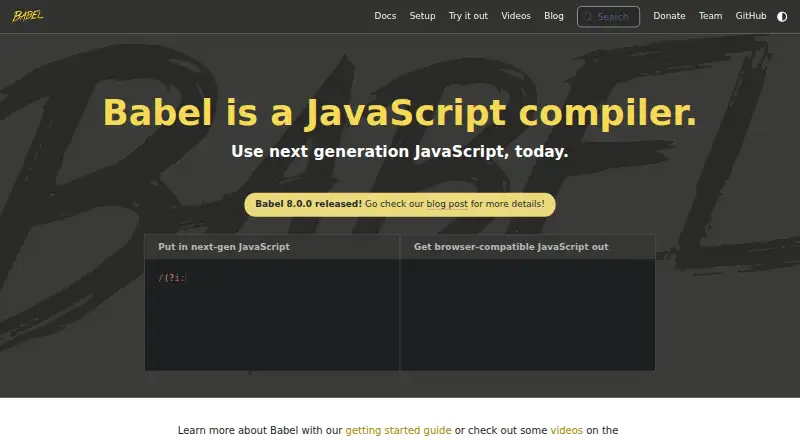
What Babel is
Babel is a free toolchain for converting modern JavaScript into code suited to current and older browsers or other environments. It includes syntax transformers for the latest JavaScript, can apply third-party polyfills such as core-js, and supports codemods for source-code changes. A React preset converts JSX syntax. Babel can remove Flow and TypeScript type annotations, but it does not check types. Its transformation pipeline is assembled from plugins, which users can group into presets or create themselves. Source maps can help debug compiled output. The command-line interface compiles files or directories, watches for changes, and generates source maps; installation documentation covers npm, Yarn, pnpm, and Bun. A standalone build can run in browsers and other non-Node.js environments, including scripts marked text/babel or text/jsx. For production, Babel recommends transpiling ahead of time with a Node.js build system instead of using the standalone build. The project is MIT-licensed, community-funded, and maintained by volunteers. Support questions are directed to community channels including GitHub Discussions, Slack, Stack Overflow, and Bluesky.
Who it suits
Babel suits JavaScript developers who need to transform syntax for different browsers or environments, or use JSX, plugins, and codemods. It is less suited to anyone expecting it to perform Flow or TypeScript type checking.
What it does well
- Transforms modern syntax for older environments
- React preset converts JSX
- Plugin-based pipelines can be customized
- CLI compiles directories and watches for changes
- Free and MIT-licensed
What to know first
- Does not perform type checking
- Production documentation recommends ahead-of-time transpilation
- Maintained by volunteers
Plans
| Plan | Billed and limits | Price |
|---|---|---|
| Babel | Community funded; no paid tiers or usage limits stated | Free |
As babel.dev lists them, read 29 Sept 2026. The maker's own page has the final word.
Getting started
- Visit https://babel.dev/
- Install Babel using npm, Yarn, pnpm, or Bun
- Use the CLI to compile files or directories, or configure a transformation pipeline from plugins
- For production, use a Node.js build system to transpile code ahead of time
Overview
Babel turns modern JavaScript into code suited to current or older browsers and other environments. It is best for JavaScript developers who need control over how code is transformed. Its free, plugin-based toolchain is flexible, but type checking and a production build step remain separate concerns.
Key features
Babel’s pipeline is built from plugins that developers can combine into presets or write themselves. It supports syntax from the latest JavaScript version and converts JSX with its React preset, making it useful when a project needs a particular mix of transformations rather than a fixed conversion path.
It can also apply third-party polyfills such as core-js and run codemods that rewrite source code. Source maps help developers trace compiled output back to the original code while debugging. The CLI handles individual files or directories, can watch for changes, and can generate source maps; installation instructions cover npm, Yarn, pnpm, and Bun.
Babel strips Flow and TypeScript annotations but does not check types. That distinction matters: teams relying on either language’s type system need a separate checker. Its standalone build can compile scripts in browsers and other non-Node.js environments, including those marked text/babel or text/jsx, but Babel recommends transpiling ahead of time with a Node.js build system for production.
Pricing
Babel costs free. The free plan is community-funded, with no paid tiers or usage limits stated. There is no free trial because the project is free to use. The trade-off is that the project depends on community funding and volunteer maintenance rather than a paid support tier.
Platforms
Babel is available for API, Linux, macOS, web, and Windows use. Its CLI and browser-capable standalone build serve different workflows: the CLI fits file and directory compilation, while the browser build is suited to non-Node.js environments but not recommended for production.
Who it's for
Babel is a strong fit for JavaScript teams that need configurable syntax transformations, JSX conversion, polyfills, or codemods, and want to build a tailored pipeline from plugins. It is less suitable as a complete validation solution for Flow or TypeScript projects, or for teams planning to use the standalone browser build as their production compiler.
Pros and cons
- Flexible transformation pipeline: combine plugins into presets or write custom plugins to suit a project’s needs.
- Broad transformation scope: handle modern syntax and JSX, add third-party polyfills, and rewrite source code with codemods.
- Useful build and debugging tools: the CLI supports file or directory compilation, watch mode, and source maps.
- Type checking is separate: stripping Flow and TypeScript annotations does not validate types, so those projects need another checker.
- Browser use has a production caveat: the standalone build runs in browsers, but Babel recommends a Node.js build system for ahead-of-time production transpilation.
Alternatives
Browse code transpilers for a wider comparison. Consider SWC if you want a free, open-source Rust-based developer toolchain. Transcrypt is another free option, licensed under Apache 2.0. ClojureScript is free and open source under the Eclipse Public License 1.0. Google Web Toolkit is free and open source under Apache 2.0. Kotlin/JS targets JavaScript through the Kotlin Multiplatform Gradle plugin. Opal is free MIT-licensed software. Scala.js compiles Scala to JavaScript and is managed through a Scala build tool. Cython is a free option under the Apache 2.0 license.
Verdict
Choose Babel if you need a free, configurable way to transform modern JavaScript, JSX, or source code across browser and build workflows. Its plugin pipeline and CLI make it adaptable, but teams that need type validation must add a checker, and production builds should transpile ahead of time with a Node.js build system.
Verdict
Babel provides a free, plugin-based way to transform JavaScript, with CLI and browser-use options. Keep its type-checking limitation and production guidance in mind when planning a build workflow.
Questions
How much does Babel cost?
The Babel plan is free. No paid tiers or usage limits are stated.
What can Babel transform?
It transforms JavaScript syntax, can convert JSX with its React preset, and can strip Flow and TypeScript annotations. It does not check types.
Can Babel run in a browser?
Yes. Its standalone build can run in browsers and other non-Node.js environments, including for scripts marked text/babel or text/jsx.
How do I install Babel?
Installation is documented for npm, Yarn, pnpm, and Bun. The Babel CLI can compile files or directories.
What license does Babel use?
The Babel repository identifies its license as MIT.
Facts from Babel's own pages
- Browser use
- The standalone build can run in browsers and other non-Node.js environments, including compiling scripts marked text/babel or text/jsx. · babel.dev, 29 Sept 2026
- CLI
- The Babel CLI compiles files from the command line and supports compiling files or directories, watching for changes, and generating source maps. · babel.dev, 29 Sept 2026
- Community and support
- Babel says it is maintained by volunteers and directs support questions to GitHub Discussions, Slack, Stack Overflow, or Bluesky. · github.com, 29 Sept 2026
- Debugging
- Babel supports source maps for debugging compiled code. · babel.dev, 29 Sept 2026
- Funding
- Babel says the project is funded by the community and invites users to contribute time or sponsor it. · babel.dev, 29 Sept 2026
- JavaScript support
- Babel provides syntax transformers for the latest version of JavaScript. · babel.dev, 29 Sept 2026
- License
- The Babel repository identifies its license as MIT. · github.com, 29 Sept 2026
- Package managers
- The docs show installation with npm, Yarn, pnpm, or Bun. · babel.dev, 29 Sept 2026
- Plugins
- Babel's transformation pipeline is built from plugins, which users can combine into presets or write themselves. · babel.dev, 29 Sept 2026
- Production limitation
- The docs recommend using a Node.js build system to transpile ahead of time instead of using the standalone build in production. · babel.dev, 29 Sept 2026
- React
- Babel can convert JSX syntax using its React preset. · babel.dev, 29 Sept 2026
- Transforms
- Its toolchain can transform syntax, polyfill features through third-party polyfills such as core-js, and perform source code transformations called codemods. · babel.dev, 29 Sept 2026
- Type annotations
- Babel can strip Flow and TypeScript type annotations, but it does not perform type checking. · babel.dev, 29 Sept 2026
- What it does
- Babel compiles modern JavaScript into versions compatible with current and older browsers or environments. · babel.dev, 29 Sept 2026
Where Babel stands on Freedom251
- Code Transpilers#2 of 28