Freedom251 › AI Video Repurposing Tools

Clipiro
What Clipiro is
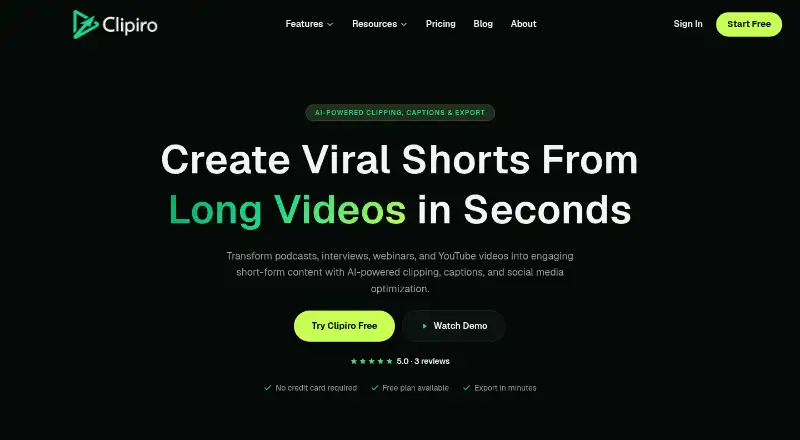
Clipiro is a web workspace that turns long videos into short-form clips. It works with podcasts, interviews, webinars, and YouTube uploads, using AI to identify hooks and moments that may hold viewers’ attention. You can review and edit the proposed clips before exporting them. Automatic reframing and social platform presets help prepare clips for different destinations, while exports support 9:16, 1:1, and 16:9 formats. Captions can use a karaoke style, and Clipiro says captions and voiceovers support 29+ languages. Voiceovers are powered by ElevenLabs. The workspace also includes AI image and video generation, face swaps, background removal, and audio and video enhancement tools. Separate browser utilities provide audio balancing, MP3 conversion, video compression, and YouTube and Instagram downloaders; these utilities do not use credits or add watermarks. AI tools use credits. Subscription credits refill monthly and can roll over up to twice the allowance, while credits from add-on packs do not expire. Clipiro says creations may be used commercially on any platform. Its Free plan costs nothing and includes 10 credits per month, two watermarked Auto Clip runs per month, and utility access without a card.
Who it suits
Clipiro suits creators who want to turn long recordings into short social videos, including people without editing experience. Its review and editing step, multiple aspect ratios, captions, and language support also suit creators preparing content for different audiences and platforms.
What it does well
- AI finds hooks and proposes clips for review and editing.
- Exports support 9:16, 1:1, and 16:9 formats.
- Captions and voiceovers support 29+ languages.
- Free browser utilities use no credits and add no watermarks.
- Creations may be used commercially on any platform.
What to know first
- Free includes only 10 credits per month.
- Free allows two watermarked Auto Clip runs monthly.
- AI tools consume credits.
Limits
The Free plan includes 10 credits per month and two watermarked Auto Clip runs per month. AI tools consume credits; subscription credits refill monthly and roll over up to twice the allowance, while add-on pack credits do not expire.
Plans
| Plan | Billed and limits | Price |
|---|---|---|
| Free | 10 credits/month · 2 watermarked Auto Clip runs/month · free utilities use no credits · no card required | Free |
As clipiro.com lists them, read 4 Oct 2026. The maker's own page has the final word.
Getting started
- Open Clipiro in a web browser.
- Start with the Free plan, which requires no card.
- Use an eligible long video as source material for clip detection.
- Review and edit proposed clips, then choose an aspect ratio and export.
- Use browser utilities for audio balancing, MP3 conversion, video compression, or supported downloads.
Verdict
Choose Clipiro if you want a web workspace that finds short clips in long videos and includes captioning, reframing, and social formats. Its Free plan provides a way to start, though it limits users to 10 monthly credits and two watermarked Auto Clip runs; AI tools use credits.
Questions
Does Clipiro have a free plan?
Yes. The Free plan costs nothing and includes 10 credits per month, two watermarked Auto Clip runs, and browser utilities without a card.
Which platforms does Clipiro support?
Clipiro is available on the web.
What video formats can I export?
Exports support 9:16, 1:1, and 16:9 aspect ratios.
Do Clipiro’s utilities use credits?
The browser-based audio balancing, MP3 conversion, video compression, and YouTube and Instagram download utilities require no credits and add no watermarks.
Can I use what I make commercially?
Clipiro’s pricing page says users may use everything they make with the service commercially on any platform.
How do credits work?
AI tools use credits. Subscription credits refill monthly and roll over up to twice the allowance; add-on pack credits do not expire.
Facts from Clipiro's own pages
- Account security
- The Help Center lists guides for setting up two-factor authentication and using scoped API keys. · clipiro.com, 4 Oct 2026
- AI tools
- The product includes AI image and video generation, voiceovers, face swaps, background removal, and audio and video enhancement tools. · clipiro.com, 4 Oct 2026
- Audience
- Clipiro describes its product as a workspace for creators turning raw footage into short-form videos and says it is designed for people without editing experience. · clipiro.com, 4 Oct 2026
- Captions and formats
- It offers karaoke-style captions and exports in 9:16, 1:1, and 16:9 aspect ratios. · clipiro.com, 4 Oct 2026
- Clip detection
- Its AI identifies hooks and high-retention moments, then proposes clips users can review and edit before exporting. · clipiro.com, 4 Oct 2026
- Commercial use
- The pricing page says users may use everything they make with Clipiro commercially on any platform. · clipiro.com, 4 Oct 2026
- Credit rules
- The pricing page says AI tools use credits, subscription credits refill monthly and roll over up to twice the allowance, and add-on pack credits do not expire. · clipiro.com, 4 Oct 2026
- Free utilities
- The browser-based free utilities include audio balancing, MP3 conversion, video compression, and YouTube and Instagram downloaders; the page says they require no credits and add no watermarks. · clipiro.com, 4 Oct 2026
- Languages
- Clipiro says it supports captions and voiceovers in 29+ languages, with voiceovers powered by ElevenLabs. · clipiro.com, 4 Oct 2026
- Payments
- The pricing page lists UPI, credit and debit cards, net banking, and major wallets via Razorpay. · clipiro.com, 4 Oct 2026
- Refund limit
- A full refund is available within three days of purchase if none of the purchased credits have been spent. · clipiro.com, 4 Oct 2026
- Service components
- The terms name Google Gemini for script generation, ElevenLabs for voice synthesis, and AWS S3 for cloud storage of generated projects. · clipiro.com, 4 Oct 2026
- Support
- Clipiro says to contact support by email and that it replies within 24 hours. · clipiro.com, 4 Oct 2026
- What it does
- Clipiro turns long videos such as podcasts, interviews, webinars, and YouTube uploads into short-form clips with automatic clipping, captions, and social formatting. · clipiro.com, 4 Oct 2026
Where Clipiro stands on Freedom251
- AI Video Repurposing Tools#14 of 50