Freedom251 › Clipboard Manager Software
Clipbara
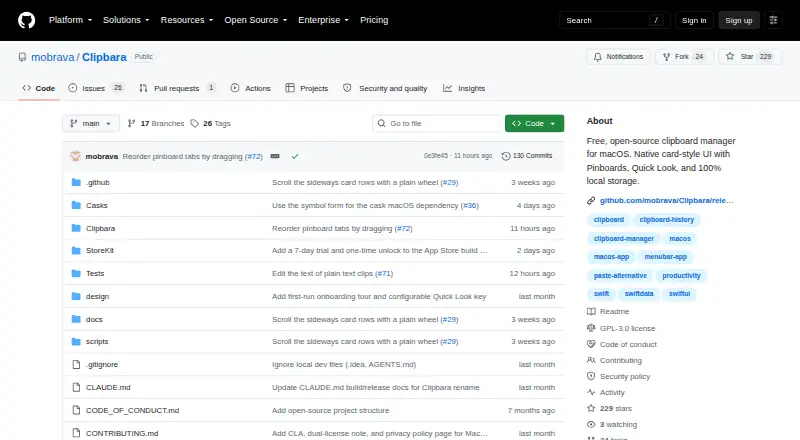
What Clipbara is
Clipbara is a clipboard manager for macOS that keeps copied material in a searchable history. It captures text, rich text, HTML, images, links, files, and colors. Search can look through clip contents, titles, or source apps, with filters for type and date. Pinboards help group clips kept for reuse, while Quick Look lets you preview history items. Selecting a clip restores it to the clipboard so you can paste it into the active app.
The maker says history is stored locally and the app has no account, server, or analytics. Capture, search, preview, and paste work offline; the DMG build uses the network for Sparkle update checks. You can exclude apps from recording and export or import clip histories as JSON. Builds are offered through the Mac App Store, a DMG download, and Homebrew. The source is GPL-3.0, while the Mac App Store edition has a separate proprietary license. The DMG / Homebrew plan is free, the App Store in-app purchase listing offers a 7-day trial, and Clipbara Lifetime costs $7.99, paid once.
Who it suits
Clipbara suits macOS users who want searchable access to copied text, media, links, files, and colors, especially when they reuse selected clips. It may also suit people who want local history, app exclusions, offline use, and JSON import or export.
What it does well
- Search covers clip contents, titles, and source apps.
- Filters narrow results by clip type or date.
- Pinboards organize clips for reuse.
- History can be excluded by app and transferred as JSON.
- Core capture and retrieval work offline.
What to know first
- Available only for macOS.
- The Lifetime plan costs $7.99, paid once.
- The Mac App Store edition uses a separate proprietary license.
Limits
The DMG / Homebrew free plan requires macOS 14 Sonoma or later. The App Store in-app purchase listing offers a 7-day trial; Clipbara Lifetime costs $7.99, paid once.
Plans
| Plan | Billed and limits | Price |
|---|---|---|
| DMG / Homebrew | macOS 14 Sonoma or later | Free |
| 7-day Trial | 7 days · App Store in-app purchase listing | Free |
| Clipbara Lifetime | one-time purchase · macOS 14.0 or later | $7.99, paid once |
As github.com lists them, read 8 Oct 2026. The maker's own page has the final word.
Getting started
- Choose a Mac App Store, DMG, or Homebrew build.
- Use macOS 14 Sonoma or later for the DMG / Homebrew free plan.
- Try the App Store in-app purchase listing's 7-day trial, or choose Clipbara Lifetime for $7.99, paid once.
- Copy items to build a history, then search or filter for a clip.
- Select a clip to restore it to the clipboard and paste into the active app.
Verdict
Choose Clipbara if you want a searchable macOS clipboard history with pinboards, previews, app exclusions, and offline retrieval. Look elsewhere if you need a platform other than macOS or require the Mac App Store edition to use the same license as the source.
Questions
Is Clipbara free?
The DMG / Homebrew plan is free. A Clipbara Lifetime plan is listed at $7.99, paid once.
Is there a free trial?
Yes. The App Store in-app purchase listing includes a 7-day trial.
Which platforms does Clipbara support?
Clipbara is for macOS. The DMG / Homebrew plan requires macOS 14 Sonoma or later.
Is Clipbara open source?
The source is GPL-3.0. The Mac App Store edition is distributed under a separate proprietary license.
Can Clipbara work offline?
Capture, search, preview, and paste work offline. The DMG build uses the network for Sparkle update checks.
How can clip history be moved?
Clip histories can be exported and imported as JSON.
Facts from Clipbara's own pages
- Backup and migration
- Clip histories can be exported and imported as JSON. · github.com, 8 Oct 2026
- Clip types
- It captures text, rich text, HTML, images, links, files, and colors. · github.com, 8 Oct 2026
- Distribution
- The maker offers Mac App Store, DMG, and Homebrew builds; the DMG build is signed and notarized as of v1.1.11. · github.com, 8 Oct 2026
- License
- The source is GPL-3.0, while the Mac App Store edition is distributed under a separate proprietary license. · github.com, 8 Oct 2026
- Offline use
- Capture, search, preview, and paste work offline; the DMG build uses the network for Sparkle update checks. · github.com, 8 Oct 2026
- Paste behavior
- Selecting a clip restores it to the clipboard, after which the user pastes it into the active app. · github.com, 8 Oct 2026
- Pinboards and preview
- Pinboards organize reusable clips, and Quick Look previews clips from the history panel. · github.com, 8 Oct 2026
- Privacy
- The maker says history is stored locally and the app has no account, server, or analytics. · github.com, 8 Oct 2026
- Purpose
- Clipbara is a clipboard manager that keeps a searchable history of copied items on macOS. · github.com, 8 Oct 2026
- Search
- Users can search clip content, titles, or source apps and filter by type or date. · github.com, 8 Oct 2026
- Sensitive apps
- Users can exclude apps so copied content from them is not recorded. · github.com, 8 Oct 2026
- Support and feedback
- The App Store listing says its Send Feedback menu item opens a GitHub issue. · apps.apple.com, 8 Oct 2026
Where Clipbara stands on Freedom251
- Clipboard Manager Software#9 of 39
- Clipboard Managers#20 of 40