Freedom251 › Clipboard Manager Software

ClipClip
What ClipClip is
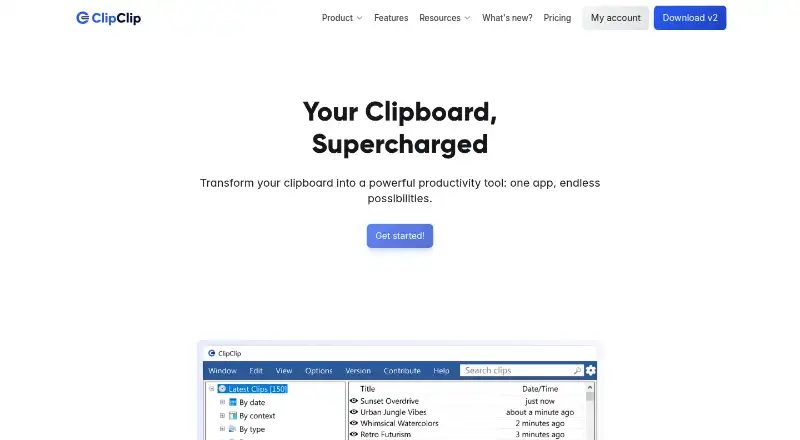
ClipClip is a Windows clipboard manager and screen capture tool for keeping copied material ready to find, edit, and reuse. It automatically retains up to 1,000 recent clips, subject to available device memory. Those clips can be plain or rich text, HTML, CSV, images, or files. Its Paste Menu lets you search and preview saved items, then paste them into the app you are using without opening ClipClip itself.
You can edit simple text and HTML, format rich text, and preview, crop, or annotate clipboard images. Built-in actions include cleaning up and formatting text, counting words or characters, calculating, and opening URLs in a browser. ClipClip also has screen recording and tools for capturing, editing, and annotating screenshots. Listed connections include Google, Bing, DeepL, and Translate.com for search or translation, and Bitly, Rebrandly, Imgur, and Pastebin for sharing or short links. Its feature page describes password-protected folders and connections to Google Drive, OneDrive, and Dropbox. The free Personal License is for personal use; commercial work is covered by a one-time license.
Who it suits
ClipClip suits Windows users who regularly reuse copied text, images, files, or other material and want search, editing, and paste tools in one place. The free Personal License covers personal productivity, schoolwork, hobbies, and side projects; freelancers, agencies, teams, and others doing income-generating work are directed to the Commercial License.
What it does well
- Keeps up to 1,000 recent clips, subject to device memory.
- Handles text, HTML, CSV, images, and files.
- Paste Menu searches, previews, and pastes without opening ClipClip.
- Includes screen recording and screenshot editing tools.
- Connects with listed search, translation, and sharing services.
What to know first
- Available for Windows only.
- Commercial use requires a one-time $49.00 USD per-user payment.
- There is no free trial.
Limits
The Personal License is for personal productivity, schoolwork, hobbies, and side projects. The Commercial License costs $49 per user as a one-time payment and covers commercial or income-generating work.
Plans
| Plan | Billed and limits | Price |
|---|---|---|
| Personal License | No purchase required · Free for personal productivity, schoolwork or studying, and hobbies or side projects · No registration or credit card needed | Free |
| Commercial License | One-time payment per user · For commercial or income-generating work · Lifetime access · No recurring fees | $49, paid once |
As clipclip.com lists them, read 7 Oct 2026. The maker's own page has the final word.
Getting started
- Visit https://www.clipclip.com/.
- Use a Windows device.
- Choose the Personal License for personal productivity, schoolwork, hobbies, or side projects; no registration or credit card is required.
- Choose the Commercial License for income-generating work; it is a one-time payment per user.
Verdict
Choose ClipClip if you use Windows and want clipboard history alongside editing, quick paste, and screen capture tools. Personal use has a free license, while income-generating work requires the $49.00 USD one-time Commercial License per user.
Questions
Is ClipClip free?
Yes. The Personal License costs nothing and requires no purchase, registration, or credit card.
How much does the Commercial License cost?
It costs $49 per user as a one-time payment. It includes lifetime access with no recurring fees.
Is there a free trial?
No free trial is listed.
Which platforms does ClipClip support?
ClipClip supports Windows.
What kinds of content can it keep in clipboard history?
It handles plain text, rich text, HTML, CSV, images, and files. History holds up to 1,000 recent clips, subject to device memory.
Which cloud drives and services are listed?
Its feature page describes Google Drive, OneDrive, and Dropbox connections. Listed search or translation services include Google, Bing, DeepL, and Translate.com; sharing or short-link services include Bitly, Rebrandly, Imgur, and Pastebin.
Facts from ClipClip's own pages
- Actions
- Built-in actions include text cleanup and formatting, word or character counts, calculations, and opening URLs in a browser. · clipclip.com, 7 Oct 2026
- Clipboard history
- ClipClip automatically saves up to 1,000 recent clips, subject to device memory. · clipclip.com, 7 Oct 2026
- Clip editing
- Users can edit simple text, format rich text, edit HTML, and preview, crop, or annotate clipboard images. · clipclip.com, 7 Oct 2026
- Folder and drive management
- ClipClip’s feature page describes password-protected folders and connecting Google Drive, OneDrive, and Dropbox. · clipclip.com, 7 Oct 2026
- Headquarters
- Cheyenne, Wyoming, United States · clipclip.com, 28 Sept 2026
- Integrations
- The site lists Google, Bing, DeepL, and Translate.com for search or translation, and Bitly, Rebrandly, Imgur, and Pastebin for sharing or short links. · clipclip.com, 7 Oct 2026
- Intended users
- The pricing page recommends a commercial license for client work, company or team use, agencies, freelancers, consultants, and other income-generating work. · clipclip.com, 7 Oct 2026
- Paste menu
- The Paste Menu lets users search, preview, and paste saved clips into the current app without opening ClipClip. · clipclip.com, 7 Oct 2026
- Privacy policy
- The privacy policy says it covers information collected through clipclip.com, was last updated February 21, 2023, and that payment data is stored by FastSpring. · clipclip.com, 7 Oct 2026
- Product
- ClipClip is a Windows clipboard manager and screen capture tool that saves copied content so users can view, edit, and organize it. · helpdesk.clipclip.com, 7 Oct 2026
- Screen capture
- ClipClip includes tools to record the screen and capture, edit, and annotate screenshots. · clipclip.com, 7 Oct 2026
- Support
- The official site links to a ClipClip Help Center for product support. · clipclip.com, 7 Oct 2026
- Supported clip types
- It handles plain text, rich text, HTML, CSV, images, and files. · clipclip.com, 7 Oct 2026
Where ClipClip stands on Freedom251
- Clipboard Manager Software#10 of 39
- Clipboard Managers#21 of 40