Freedom251 › Massage Therapy Scheduling Software

Click4Time
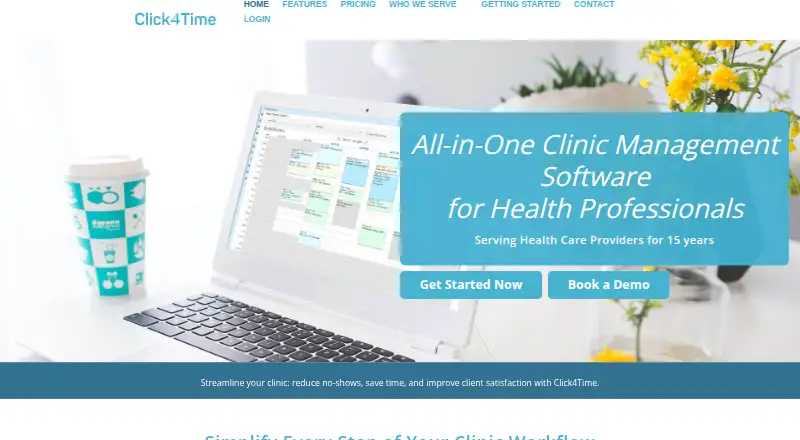
What Click4Time is
Click4Time is appointment scheduling and practice management software for health professionals. Its calendar can be filtered by service or staff, color coded, and used to move appointments by drag and drop. Practices can set booking rules and send appointment confirmations, changes, and reminders by email and SMS; each plan includes up to 500 SMS messages. Billing tools handle invoices, receipts, electronic payments, stored client cards, and financial and statistical reports.
Practices can create unlimited digital form templates, automate form requests, and export completed forms as PDFs. The With Charting plan adds customizable notes and templates, searchable note history, shorthand, and annotations on uploaded documents and images. Documented integrations include Zoom, Stripe, Google Calendar for one-way event sync, and Mailchimp. Click4Time states that it complies with PIPEDA, FIPPA, PHIPA, and HIPAA, and that its service is hosted in Canada. Security options include multi-factor authentication, permission levels, encrypted passwords, SSL data transmission, secure hosting, and daily backups. Founded in 2010 and based in Vancouver, Click4Time serves practices including physical therapy, counselling and therapy, alternative health, and spa and salon businesses. It runs on the web, Android, and iOS; its dedicated mobile booking apps are no longer supported, and the company recommends using the responsive service in a mobile browser.
Who it suits
Click4Time suits health practices such as physical therapy, counselling and therapy, alternative health, and spa and salon businesses that need appointment scheduling, billing, and digital forms. Practices that need charting tools can choose the With Charting plan.
What it does well
- Appointments can be filtered by service or staff and moved by drag and drop.
- Email and SMS confirmations, updates, and reminders are available.
- Every plan includes up to 500 SMS messages.
- Unlimited digital form templates can be exported as PDFs.
- Charting supports customizable notes and annotations on uploaded documents and images.
- Integrations include Zoom, Stripe, Google Calendar, and Mailchimp.
What to know first
- There is no free plan.
- The dedicated iOS and Android booking apps are no longer supported.
- The base fee includes one staff member; additional staff cost extra.
Limits
The No Charting plan costs $45 a month and includes one staff member; additional staff and limited-hours staff have added monthly fees. The With Charting plan costs $62.50 a month and includes one staff member, with additional staff fees. Canadian businesses are charged in CAD, and fees exclude applicable taxes.
Plans
| Plan | Billed and limits | Price |
|---|---|---|
| No Charting | $45 Monthly · Base fee includes 1 Staff · +$9.50 per Additional Staff · +$5.50 per Additional Limited Hours Staff* · Canadian businesses are charged in CAD · Fees exclude applicable taxes | $45 a month |
| With Charting | $62.50 Monthly · Base fee includes 1 Staff · +$20 per Additional Staff · +$11 per Additional Limited Hours Staff* · Canadian businesses are charged in CAD · Fees exclude applicable taxes | $62.50 a month |
As click4time.com lists them, read 2 Oct 2026. The maker's own page has the final word.
Getting started
- Open the Click4Time website.
- Start the 14-day free trial.
- Choose No Charting or With Charting.
- Use the web service or access it in a mobile browser on Android or iOS.
- Set up staff, scheduling rules, and services.
- Connect supported services such as Zoom, Stripe, Google Calendar, or Mailchimp if needed.
Verdict
Choose Click4Time if your practice needs scheduling alongside billing, forms, or clinical charting. The No Charting plan starts at $45 a month, while With Charting starts at $62.50 a month. Practices seeking dedicated iOS or Android booking apps should account for the recommendation to use the responsive service in a mobile browser.
Questions
Is there a free plan?
No. Click4Time offers a 14-day trial.
How much does Click4Time cost?
No Charting is $45 a month, and With Charting is $62.50 a month. Canadian businesses are charged in CAD, and fees exclude applicable taxes.
Which platforms does it support?
Click4Time lists web, Android, and iOS. Its dedicated iOS and Android booking apps are no longer supported; it recommends the responsive service in a mobile browser.
Does Click4Time include charting?
Charting features are included in the With Charting plan. They include customizable notes and templates, searchable note history, shorthand, and annotations on uploaded documents and images.
What services does Click4Time integrate with?
Documented integrations include Zoom, Stripe, one-way Google Calendar event sync, and Mailchimp.
Who makes Click4Time, and where is it hosted?
Click4Time was founded in 2010 and is based in Vancouver, British Columbia, Canada. Its privacy policy says the service is hosted in Canada.
Facts from Click4Time's own pages
- Billing
- Billing features include invoices, receipts, electronic payments, stored client cards, and financial and statistical reports. · click4time.com, 2 Oct 2026
- Charting
- The charting tools support customizable notes and templates, note history search, shorthand, and annotations on uploaded documents and images. · click4time.com, 2 Oct 2026
- Compliance
- The maker states that Click4Time is PIPEDA, FIPPA, PHIPA, and HIPAA compliant. · click4time.com, 2 Oct 2026
- Digital forms
- Businesses can create unlimited digital form templates, automate form requests, and export completed forms as PDFs. · click4time.com, 2 Oct 2026
- Founded
- 2010 · click4time.com, 28 Sept 2026
- Headquarters
- Vancouver, British Columbia, Canada · click4time.com, 28 Sept 2026
- Hosting
- The privacy policy says the service is hosted in Canada. · click4time.com, 2 Oct 2026
- Integrations
- The maker documents integrations with Zoom for video meetings, Stripe for payment processing, Google Calendar for one-way event sync, and Mailchimp for email marketing. · click4time.com, 2 Oct 2026
- Mobile access
- Click4Time says its dedicated iOS and Android booking apps are no longer supported and recommends using the responsive service in a mobile browser. · click4time.com, 2 Oct 2026
- Notifications
- The service sends appointment confirmations, changes, and reminders by email and SMS, with up to 500 SMS messages included in every plan. · click4time.com, 2 Oct 2026
- Product
- Click4Time describes itself as appointment scheduling and practice management software for health professionals. · click4time.com, 2 Oct 2026
- Scheduling
- Its calendar supports filtering by service or staff, color coding, drag-and-drop appointments, and configurable booking rules. · click4time.com, 2 Oct 2026
- Security
- The privacy and security policy lists optional multi-factor authentication, permission levels, encrypted passwords, 128–256 bit SSL for data transmissions, secure hosting, and daily backups. · click4time.com, 2 Oct 2026
- Support
- The maker advertises unlimited personal support and lists phone, WhatsApp, and email contact options. · click4time.com, 2 Oct 2026
- Who it serves
- The site identifies physical therapy, counselling and therapy, alternative health, and spa and salon practices as audiences for the software. · click4time.com, 2 Oct 2026
Where Click4Time stands on Freedom251
- Massage Therapy Scheduling Software#10 of 27